Listen to this Post
Introduction:
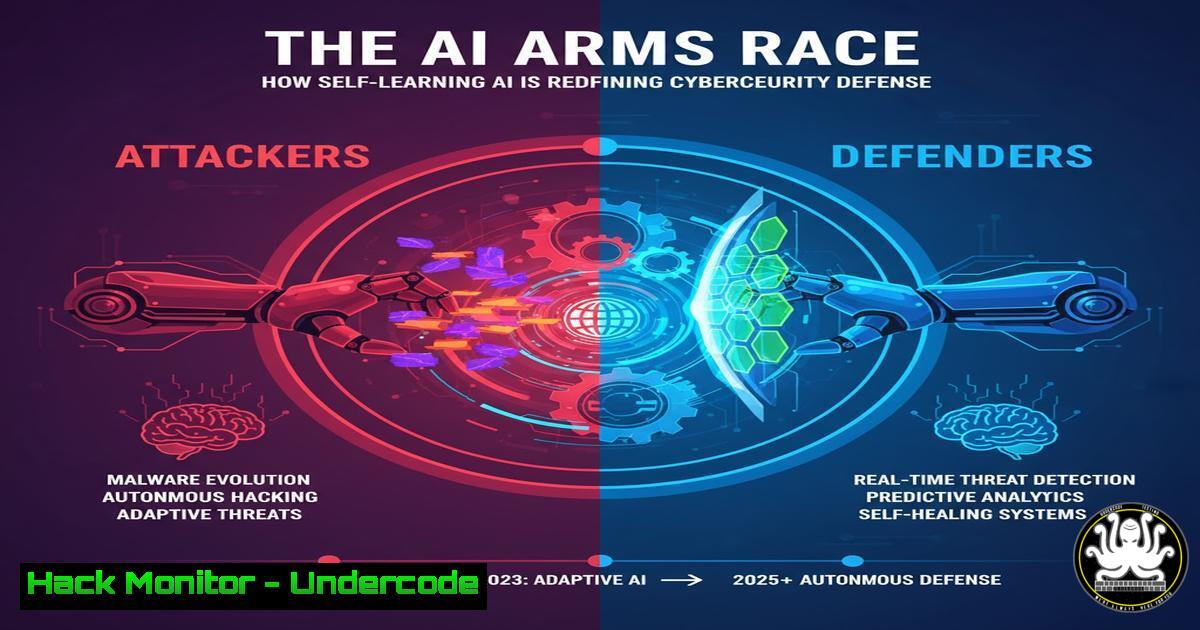
The paradigm of cybersecurity is shifting from reactive blocking to proactive, context-aware prevention. Self-Learning AI, as exemplified by platforms like Darktrace, represents a fundamental evolution beyond traditional signature-based tools by building a dynamic understanding of normal user and network behavior to identify subtle anomalies before they escalate into full-blown incidents.
Learning Objectives:
- Understand the core principles of Self-Learning AI and how it differs from traditional security tools.
- Learn the technical commands and methodologies for implementing behavioral analysis in your own environment.
- Develop a practical skillset for proactive threat hunting and log analysis to complement AI-driven systems.
You Should Know:
1. Establishing a Behavioral Baseline with Network Traffic
A Self-Learning AI must first understand “normal.” Security teams can emulate this by establishing baselines of their own network traffic.
Verified Commands & Tutorials:
Linux (using `tshark`):
`tshark -i eth0 -a duration:3600 -w baseline_capture.pcap`
This command captures one hour (3600 seconds) of traffic on the interface `eth0` to a file named baseline_capture.pcap. This file serves as a sample of normal activity for analysis.
Linux (using `iftop`):
`iftop -n -i eth0 -t -s 30`
`iftop` provides a real-time, text-based view of network bandwidth usage. This command runs non-DNS resolved (-n) on interface eth0, in text mode (-t), for 30 seconds (-s 30), helping to identify top talkers.
Windows (using `netsh`):
`netsh trace start provider=Microsoft-Windows-TCPIP capture=yes tracefile=C:\baseline.etl`
This starts a built-in Windows network trace, capturing packet data to an Event Trace Log (ETL) file, which can be analyzed later with Network Monitor or Message Analyzer.
Step-by-step guide:
To build a simple baseline, run your chosen capture tool during a period of known normal business activity. Analyze the output to identify typical traffic volumes, common destination IPs and ports, and standard protocols in use. Any future deviation from this baseline—such as a client initiating connections on unusual ports or communicating with unknown external IPs—warrants investigation.
2. Analyzing Email Headers for Domain Context
Pre-alert intelligence involves scrutinizing email metadata for signs of forgery, much like AI analyzes a sender’s domain reputation.
Verified Commands & Tutorials:
Gmail: Open the email, click the three dots menu, and select “Show original.” This displays the full headers and body.
Outlook: Double-click the email to open it, go to File > Properties, and review the “Internet headers” box.
Linux Command Line (for raw email files):
`cat suspicious_email.eml | grep -E ‘(Received|From|Return-Path|Authentication-Results)’`
This `grep` command parses a saved email file for key headers that trace the email’s path and authentication status.
Step-by-step guide:
After accessing the full email headers, verify the following: Check the `Received` headers from the bottom up to trace the true origin. Inspect the `Return-Path` header to see if it matches the `From` address. Crucially, look for the `Authentication-Results` header, which shows the results of SPF, DKIM, and DMARC checks. A fail or softfail on any of these is a strong indicator of a spoofed domain.
3. Proactive Log Analysis for Anomaly Detection
Shifting left means hunting for “smoke” in your logs before you see fire. Centralized log analysis is key.
Verified Commands & Tutorials:
Linux (Auth Logs):
`grep “Failed password” /var/log/auth.log | awk ‘{print $11}’ | sort | uniq -c | sort -rn`
This pipeline finds all failed SSH login attempts, extracts the IP address, counts the occurrences, and sorts them to quickly identify brute-force attacks.
Windows (PowerShell – Failed Logins):
`Get-EventLog -LogName Security -InstanceId 4625 -Newest 100 | Select-Object -Property TimeGenerated, @{Name=”TargetUser”;Expression={$_.ReplacementStrings
}}, @{Name="SourceIP";Expression={$_.ReplacementStrings[bash]}}`
This PowerShell command fetches the 100 most recent failed logon events (ID 4625) and displays the time, target username, and source IP address.

<h2 style="color: yellow;"> ELK Stack Query (for Sysmon):</h2>

<h2 style="color: yellow;">`event.action:"NetworkConnection" and destination.ip:185.159.159.137 and not user.name:"svc_legit"`</h2>

This example query in an ELK stack would alert on any network connection to a known malicious IP, unless it was made by a specific, whitelisted service account.

<h2 style="color: yellow;">Step-by-step guide:</h2>

Configure a SIEM or log aggregation tool to ingest logs from critical systems like firewalls, DNS servers, and domain controllers. Create dashboards that visualize logon activity, network connections, and process creation. Set alerts for high-fidelity signals, such as a user account logging in from two geographically impossible locations within a short time frame.

<h2 style="color: yellow;">4. Leveraging Command-Line Threat Intelligence</h2>

Integrating threat intelligence feeds into your analysis provides the external context that AI uses to judge new domains.

<h2 style="color: yellow;">Verified Commands & Tutorials:</h2>

<h2 style="color: yellow;"> `whois` Lookup:</h2>

<h2 style="color: yellow;">`whois malicious-domain.com`</h2>

Provides registration details for a domain, including creation date, registrar, and registrant info. Newly created domains can be suspicious.

<h2 style="color: yellow;"> `curl` with VirusTotal API:</h2>


`curl -s -X GET "https://www.virustotal.com/api/v3/domains/malicious-domain.com" -H "x-apikey: YOUR_VT_API_KEY" | jq .`
This `curl` command queries the VirusTotal API for a domain report. The `jq` tool formats the JSON output for readability, showing you how many vendors flagged the domain as malicious.

<h2 style="color: yellow;"> `nslookup` for Passive DNS:</h2>

<h2 style="color: yellow;">`nslookup -type=ANY malicious-domain.com`</h2>

Queries for all DNS record types associated with a domain, which can reveal associated IP addresses and subdomains.

<h2 style="color: yellow;">Step-by-step guide:</h2>

When you identify a suspicious domain or IP in your logs, use these commands to perform a quick triage. A `whois` lookup showing a domain created days ago, combined with a VirusTotal report with several detections, provides strong evidence of malice and justifies immediate blocking actions.

<h2 style="color: yellow;">5. Cloud Hardening with Infrastructure-as-Code</h2>

Modern resilience requires defining and enforcing secure configurations programmatically.

<h2 style="color: yellow;">Verified Commands & Tutorials:</h2>

<h2 style="color: yellow;"> AWS CLI (Check for Public S3 Buckets):</h2>

<h2 style="color: yellow;">`aws s3api get-bucket-policy-status --bucket YOUR-BUCKET-NAME --query PolicyStatus.IsPublic`</h2>

This command checks if an S3 bucket is publicly accessible. A result of `true` indicates a potential misconfiguration.

<h2 style="color: yellow;"> Terraform (Secure S3 Bucket):</h2>

[bash]
resource "aws_s3_bucket" "secure_bucket" {
bucket = "my-secure-bucket"
acl = "private"

versioning {
enabled = true
}

server_side_encryption_configuration {
rule {
apply_server_side_encryption_by_default {
sse_algorithm = "AES256"
}
}
}
}
This Terraform code defines a private S3 bucket with versioning and default SSE-S3 encryption enabled, enforcing security at deployment.
Azure CLI (Network Security Group):
`az network nsg rule list –nsg-name MyNsg –resource-group MyResourceGroup –query “[?direction==’Inbound’ && access==’Allow’ && sourceAddressPrefix==”]”`
Lists all inbound NSG rules that allow traffic from any source IP (''), which is often overly permissive.
Step-by-step guide:
Use Infrastructure-as-Code (IaC) tools like Terraform, CloudFormation, or ARM templates to define your cloud environment. This ensures that every deployment is consistent and adheres to security baselines. Integrate security scanning tools like `tfsec` or `checkov` into your CI/CD pipeline to automatically detect misconfigurations before deployment.
6. API Security Testing with `curl`
APIs are a primary attack vector. Manual testing can uncover vulnerabilities that automated tools miss.
Verified Commands & Tutorials:
Testing for Broken Object Level Authorization (BOLA):
`curl -H “Authorization: Bearer YOUR_TOKEN” https://api.example.com/users/123`
`curl -H “Authorization: Bearer YOUR_TOKEN” https://api.example.com/users/456`
If an authenticated user can access another user’s data (changing the ID from 123 to 456) without permission, a critical BOLA flaw exists.
Testing Rate Limiting:
`for i in {1..100}; do curl -s -o /dev/null -w “%{http_code}\n” https://api.example.com/login & done`
This bash loop sends 100 rapid login requests to the endpoint. If the HTTP status code remains 200 for all requests, the endpoint may lack rate limiting and be vulnerable to brute-force attacks.
Injecting Malicious Payloads:
`curl -X POST https://api.example.com/data -H “Content-Type: application/json” -d ‘{“query”: ““}’`
Tests if user input is properly sanitized by submitting a simple script payload.
Step-by-step guide:
Use `curl` to manually interact with your APIs. Systematically test all endpoints by tampering with input parameters, changing resource IDs, and manipulating authentication tokens. This hands-on approach is crucial for understanding the business logic of your API and identifying complex vulnerabilities that scanners often overlook.
What Undercode Say:
- The future of defense is continuous, contextual, and autonomous. Waiting for a signature is waiting to be breached.
- The human role is evolving from configurator of tools to interpreter of AI-driven insights and orchestrator of response.
The industry is at an inflection point. The labor-intensive, alert-driven SOC model is unsustainable against modern, automated threats. Self-Learning AI is not just another tool in the rack; it is a foundational shift towards a immune system for the digital enterprise. It handles the immense volume of low-level correlation, freeing human analysts to focus on strategic threat hunting and complex incident response. The most resilient organizations will be those that successfully merge this autonomous technology with the irreplaceable intuition and expertise of their security teams.
Prediction:
The widespread adoption of Self-Learning AI will create a defensive asymmetry, forcing attackers to abandon broad, noisy campaigns in favor of highly targeted, low-and-slow operations. This will shrink the attacker’s playing field but intensify the focus on the human element, making sophisticated social engineering and insider threats the primary battleground in the next five years. Defense will increasingly rely on AI-driven User and Entity Behavior Analytics (UEBA) to counter this shift.
🎯Let’s Practice For Free:
IT/Security Reporter URL:
Reported By: Kiranraj Govindaraj – Hackers Feeds
Extra Hub: Undercode MoN
Basic Verification: Pass ✅


