
Listen to this Post
Introduction:
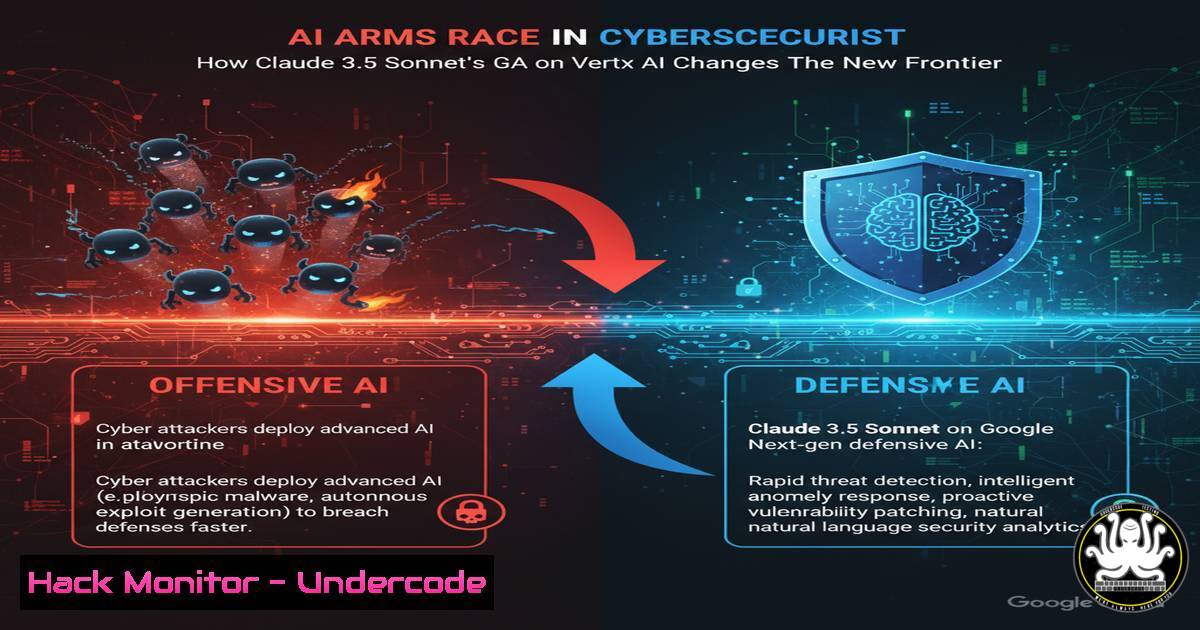
The general availability of Anthropic’s Claude 3.5 Sonnet on Google’s Vertex AI platform represents a significant escalation in the enterprise AI arms race. This integration provides organizations with unprecedented access to cutting-edge AI capabilities, while simultaneously introducing new attack vectors and security considerations that security teams must immediately address.
Learning Objectives:
- Understand the new security implications of multi-model AI deployments in cloud environments
- Learn critical command-line and API security configurations for Vertex AI and Claude 3.5 Sonnet
- Develop mitigation strategies for AI-specific vulnerabilities and data exfiltration risks
You Should Know:
- Vertex AI Project Hardening and Service Account Configuration
Create a dedicated service account for Vertex AI
gcloud iam service-accounts create vertex-ai-claude \
--description="Service account for Claude 3.5 Sonnet" \
--display-name="vertex-ai-claude"

Apply least privilege principles
gcloud projects add-iam-policy-binding PROJECT_ID \
--member="serviceAccount:vertex-ai-claude@PROJECT_ID.iam.gserviceaccount.com" \
--role="roles/aiplatform.user"

Enable essential APIs securely
gcloud services enable aiplatform.googleapis.com --project=PROJECT_ID
gcloud services enable logging.googleapis.com --project=PROJECT_ID
gcloud services enable monitoring.googleapis.com --project=PROJECT_ID
This configuration establishes a secure foundation for Claude 3.5 Sonnet deployment. The service account follows zero-trust principles with minimal required permissions. Always enable audit logging and monitoring APIs to track model usage and detect anomalous patterns that might indicate prompt injection attacks or data leakage.
2. Claude 3.5 Sonnet API Security Hardening
import google.auth
from google.cloud import aiplatform
from google.cloud.aiplatform_v1.types import content

Authenticate with secure credentials
credentials, project = google.auth.default()
client = aiplatform.gapic.PredictionServiceClient(credentials=credentials)

Configure secure endpoint with validation
endpoint = client.endpoint_path(project=project, location="us-central1", endpoint="claude-3-5-sonnet")

Implement input sanitization and validation
def sanitize_prompt(user_input):
import re
 Remove potential prompt injection patterns
sanitized = re.sub(r'(?i)(ignore|override|previous|system)', '', user_input)
 Limit input length to prevent resource exhaustion
return sanitized[:4000]
This Python implementation demonstrates secure API integration patterns. The input sanitization function helps prevent prompt injection attacks, while proper credential management avoids hardcoded secrets. Always implement request rate limiting and content filtering at the application layer.
3. Network Security and API Gateway Configuration
 Create a secure API gateway for Vertex AI
gcloud api-gateway apis create claude-gateway \
--project=PROJECT_ID \
--display-name="Claude API Gateway"

Configure API key restrictions
gcloud services api-keys create --display-name="claude-frontend-key" \
--api-target=service=aiplatform.googleapis.com

Implement IP whitelisting and quota management
gcloud alpha services api-keys update KEY_ID \
--allowed-referrers="https://your-domain.com" \
--allowed-ips="203.0.113.0/24, 198.51.100.0/24"
API Gateway configuration provides an additional security layer between external applications and your Vertex AI deployment. Implement strict IP whitelisting, referrer restrictions, and comprehensive quota management to prevent API abuse and potential DDoS attacks targeting your AI infrastructure.
4. Data Loss Prevention and Content Filtering
 Cloud DLP integration for sensitive data
from google.cloud import dlp

def inspect_content_before_ai(text):
dlp_client = dlp.DlpServiceClient()
inspect_config = {
"info_types": [{"name": "CREDIT_CARD_NUMBER"},
{"name": "EMAIL_ADDRESS"},
{"name": "US_SOCIAL_SECURITY_NUMBER"}]
}

response = dlp_client.inspect_content(
request={"parent": "projects/PROJECT_ID",
"inspect_config": inspect_config,
"item": {"value": text}}
)

if response.result.findings:
raise ValueError("Sensitive data detected in input")
return text
Integrate Google Cloud DLP to automatically detect and prevent sensitive information from being processed by Claude 3.5 Sonnet. This critical control helps maintain data governance and compliance while preventing accidental exposure of PII, financial data, or intellectual property through AI interactions.
5. Monitoring and Anomaly Detection for AI Workloads
 Cloud Monitoring alert for unusual API patterns
gcloud alpha monitoring policies create \
--policy-from-file=alert-policy.json

Sample alert policy configuration
{
"displayName": "High Claude API Usage Spike",
"condition": {
"conditionThreshold": {
"filter": "metric.type=\"aiplatform.googleapis.com/prediction/request_count\"",
"duration": "600s",
"comparison": "COMPARISON_GT",
"thresholdValue": 1000
}
},
"combiner": "OR",
"enabled": true
}

Log-based metric for prompt injection attempts
gcloud logging metrics create prompt-injection-attempts \
--description="Detect potential prompt injection patterns" \
--log-filter="protoPayload.methodName=\"google.cloud.aiplatform.v1.PredictionService.Predict\" AND protoPayload.request.conversation.messages.content:\"ignore previous\""
Comprehensive monitoring is essential for detecting security incidents and operational issues. Configure alerts for unusual usage patterns that might indicate credential compromise, prompt injection attacks, or resource abuse. Implement custom log-based metrics to track specific attack patterns.
6. Container Security for AI Deployment Environments
 Secure container deployment for AI applications
FROM python:3.11-slim

Apply security updates and remove unnecessary packages
RUN apt-get update && apt-get upgrade -y && \
apt-get autoremove -y && apt-get clean && \
rm -rf /var/lib/apt/lists/

Create non-root user
RUN useradd -m -s /bin/bash appuser
USER appuser

Copy application with minimal permissions
COPY --chown=appuser:appuser app.py /app/
WORKDIR /app

Install only required packages
RUN pip install --no-cache-dir google-cloud-aiplatform

Run with security flags
CMD ["python", "-u", "app.py"]
When deploying containerized applications that interact with Claude 3.5 Sonnet, follow container security best practices. Use minimal base images, run as non-root users, regularly update dependencies, and implement runtime security controls to reduce attack surface.
7. Identity and Access Management Advanced Configuration
 Organization-level policy for AI service usage
gcloud organizations set-iam-policy ORGANIZATION_ID policy.json

Sample organization policy restricting AI services
{
"constraint": "constraints/aiplatform.restrictAiService",
"listPolicy": {
"allowedValues": ["[email protected]"],
"deniedValues": [""]
}
}

Conditional IAM policies for time-based access
gcloud iam policies create-condition \
--name="claude-business-hours" \
--expression="request.time.getHours("America/New_York") >= 9 && request.time.getHours("America/New_York") <= 17" \
--title="Business Hours Access" \
--description="Only allow Claude access during business hours"
Implement granular IAM controls at the organization level to govern AI service usage across your enterprise. Use conditional IAM policies to enforce time-based restrictions, geographic limitations, and device compliance requirements for additional security layers.
What Undercode Say:
- The rapid integration of advanced AI models like Claude 3.5 Sonnet into production environments is outpacing security team’s ability to implement proper controls
- Organizations face significant blind spots in monitoring AI-specific attack vectors including prompt injection, training data poisoning, and model inversion attacks
- The convergence of AI and cloud platforms creates complex shared responsibility models that many enterprises are unprepared to navigate
The availability of Claude 3.5 Sonnet on Vertex AI represents both tremendous opportunity and substantial risk. Security teams must immediately address the expanded attack surface that AI integration creates, particularly around data exfiltration through manipulated prompts and API abuse. The traditional security perimeter has effectively dissolved, requiring zero-trust approaches specifically tailored to AI workloads. Organizations that fail to implement AI-specific security controls within the next 6-12 months will face significant regulatory and operational risks as attackers increasingly target AI systems.
Prediction:
Within 18 months, we predict a major cybersecurity incident originating from compromised AI model APIs, leading to widespread data breaches and regulatory actions totaling billions in damages. This will trigger industry-wide adoption of AI-specific security frameworks and mandatory certifications for enterprise AI deployments. Organizations that proactively implement the security controls outlined above will be positioned to safely leverage AI advancements while their competitors face costly breaches and recovery efforts.
🎯Let’s Practice For Free:
IT/Security Reporter URL:
Reported By: Benking84 Ai – Hackers Feeds
Extra Hub: Undercode MoN
Basic Verification: Pass ✅


