Listen to this Post
Introduction:
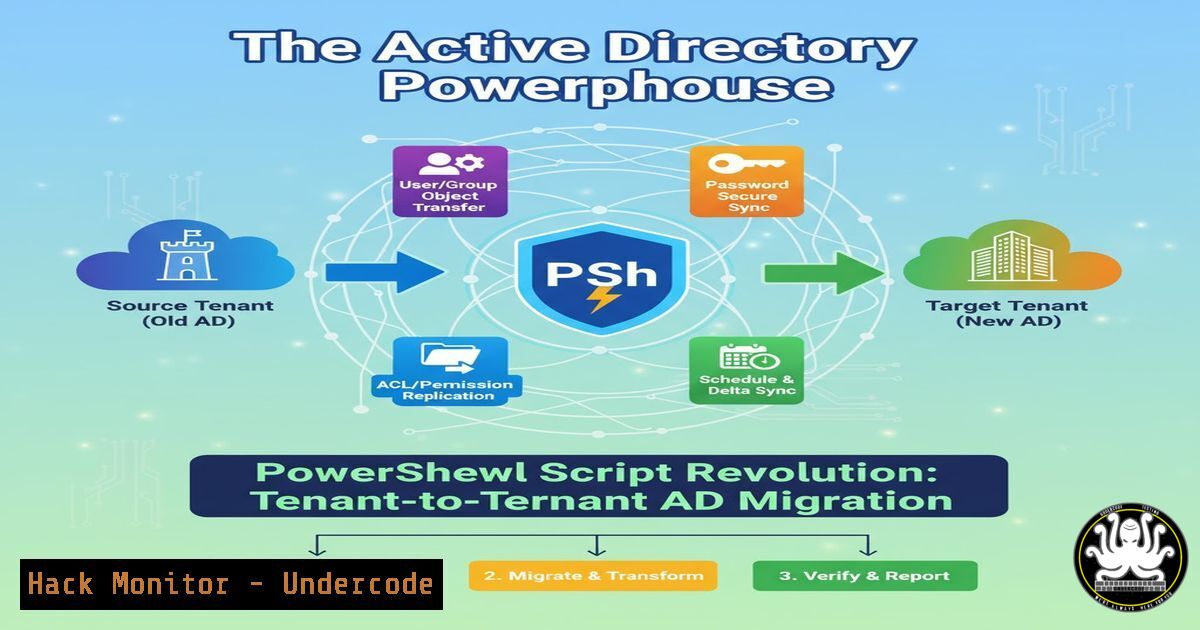
Active Directory migrations, particularly within a single Microsoft 365 tenant, represent one of the most complex and high-risk operations in enterprise IT. A new, comprehensive PowerShell script promises to revolutionize this process by automating the entire lifecycle, from granular data extraction to secure cloud integration, thereby minimizing manual errors and ensuring data integrity.
Learning Objectives:
- Understand the core architectural components and security implications of an automated AD migration script.
- Master the key PowerShell and Graph API commands required for user, group, and attribute migration.
- Learn the critical steps for hardening the migration process against common security pitfalls and data corruption.
You Should Know:
1. Exporting AD Users and Groups Securely
The foundation of any migration is a clean, complete export of source data. This requires precise PowerShell cmdlets to extract users and their group memberships without modification.
`Get-ADUser -Identity “jsmith” -Properties | Select-Object Name, SamAccountName, UserPrincipalName, DistinguishedName, Enabled, MemberOf, ProxyAddresses, Manager, @{Name=”SalesForceID”;Expression={$_.extensionAttribute1}} | Export-Csv -Path “C:\Migration\SourceUsers.csv” -NoTypeInformation -Encoding UTF8`
Step-by-step guide: This command retrieves a specific user “jsmith” from Active Directory. The `-Properties ` parameter ensures all attributes are fetched. The `Select-Object` cmdlet then filters the output to include critical migration attributes like the UserPrincipalName (UPN), group memberships (MemberOf), email addresses (ProxyAddresses), and a custom attribute often used for external IDs (extensionAttribute1). Finally, the data is exported to a CSV file with UTF-8 encoding to preserve special characters. Always run such exports from a secure, administrative workstation and validate the CSV output for sensitive data exposure before proceeding.
2. Bulk Import and Account Creation
Creating user accounts in the target domain en masse requires a script that reads from the exported CSV and creates disabled user objects to prevent unauthorized access.
`New-ADUser -Name “Jane Smith” -SamAccountName “jsmith” -UserPrincipalName “[email protected]” -Path “OU=Migration,DC=newdomain,DC=com” -AccountPassword (ConvertTo-SecureString “TempPassword123!” -AsPlainText -Force) -Enabled $false -OtherAttributes @{‘ProxyAddresses’=”SMTP:[email protected]”,”smtp:[email protected]”;’SalesForceID’=”SF001234″}`
Step-by-step guide: This command creates a new, disabled (-Enabled $false) user account in a specific Organizational Unit (OU). The `-OtherAttributes` parameter is crucial for populating multi-value attributes like ProxyAddresses, where the primary SMTP address is capitalized. Using a temporary, complex password and keeping the account disabled until the migration is complete is a critical security control to protect new accounts during the transition phase.
3. Managing Group Memberships Programmatically
After user objects exist in the target domain, their security group memberships must be restored. This is a two-step process: creating the groups, then adding members.
`Add-ADGroupMember -Identity “Target_SG_Finance” -Members “jsmith”`
Step-by-step guide: This simple yet powerful command adds the user “jsmith” to the “Target_SG_Finance” security group. In a full migration script, this would be executed within a loop that reads the original memberships from the source export CSV. It is vital to ensure that all target groups have been pre-created with identical names and scopes to maintain access control policies and prevent privilege escalation.
- The Critical Step: Removing ImmutableId for Cloud Integration
For a hybrid environment or when changing UPN suffixes, the `ImmutableId` attribute, which hard-links an on-premises AD account to Azure AD, must be cleared to allow a new cloud anchor to be established.
`Connect-MgGraph -Scopes “User.ReadWrite.All”`
`Update-MgUser -UserId “[email protected]” -ImmutableId “”`
Step-by-step guide: This uses the Microsoft Graph PowerShell module. First, you authenticate (Connect-MgGraph) with the necessary permission scope. Then, the `Update-MgUser` cmdlet targets the specific user in Azure AD/Entra ID and sets their `ImmutableId` attribute to an empty string. This action effectively breaks the existing link to the old on-premises identity, allowing a new link to be formed from the target AD domain. This is a highly privileged operation and must be performed with caution.
5. Automating Manager and Custom Attribute Updates
Maintaining organizational hierarchy and custom application data is essential for business continuity. This requires updating link attributes after the core user objects are in place.
`Set-ADUser -Identity “jsmith” -Manager “bjones” -Replace @{User_NoSync=$false}`
Step-by-step guide: The `-Manager` parameter sets the user’s manager, which is a linked attribute in AD. The `-Replace` parameter is used to update a custom attribute, in this case, User_NoSync, which could be a flag used to control directory synchronization scopes. Automating this ensures that complex object relationships and business-critical metadata are preserved accurately, something that is prone to error if done manually.
6. Bulk UPN Update and Account Re-enablement
The final activation step involves updating the UserPrincipalName to its final value and enabling the account for use. This should be done as a synchronized bulk operation.
`Get-ADUser -Filter -SearchBase “OU=Migration,DC=newdomain,DC=com” | ForEach-Object { Set-ADUser -Identity $_ -UserPrincipalName ($_.SamAccountName + “@newdomain.com”) -Enabled $true }`
Step-by-step guide: This pipeline command finds all users in the “Migration” OU, and for each one (ForEach-Object), it sets the UPN based on the `SamAccountName` and the new domain, then enables the account. Executing this as a final, controlled step allows for a “light-switch” cutover, minimizing user impact and ensuring all accounts are activated consistently and securely.
7. Security Hardening: Verifying and Logging Every Action
A professional-grade script does not make silent changes. It must log every action for auditability and security compliance.
`Start-Transcript -Path “C:\Logs\AD-Migration-$(Get-Date -Format ‘yyyyMMdd-HHmmss’).log” -Append`
`Try { [AD Commands] } Catch { Write-Error “Operation failed: $_” } Finally { Stop-Transcript }`
Step-by-step guide: Wrapping migration commands in a `Try/Catch` block and using `Start-Transcript` is non-negotiable. The transcript creates an immutable record of every command executed, its output, and any errors encountered. This log is invaluable for troubleshooting, auditing, and providing proof of due diligence during the migration process. It is a critical control for mitigating operational risk.
What Undercode Say:
- Automation is the Only Defense Against Human Error. Manual AD migration is a known vector for security misconfiguration, orphaned accounts, and data loss. A scripted, repeatable process is not just an efficiency gain; it is a fundamental security control.
- The Power of Graph API Reshapes Hybrid Identity Management. The ability to programmatically unlink hybrid identities via `ImmutableId` signifies a shift where PowerShell and Graph API are becoming the primary tools for complex identity tasks, surpassing legacy GUI tools.
The development of this script highlights a critical evolution in IT operations. As Microsoft deprecates legacy tools like ADMT, the community and enterprises are filling the gap with powerful, API-driven automation. This approach offers granular control and auditability that off-the-shelf tools often lack. However, it also introduces a new class of risks: a poorly written or insufficiently secured script could perform destructive operations at scale. Therefore, the script itself must be treated as critical infrastructure—subject to code review, version control, and testing in a non-production environment. Its interactive menu, which requires validation for each step, is a key feature that introduces a human-in-the-loop safety mechanism, balancing automation with necessary oversight.
Prediction:
The proliferation of such advanced, custom automation scripts will become the standard for complex IT transitions, forcing a convergence of system administration and DevOps practices. In the future, we predict the emergence of a dedicated market for verified, secure “IT Transition-as-Code” modules. This will be accompanied by a new focus on securing the automation pipelines themselves, as they will become high-value targets for attackers seeking to disrupt or subtly manipulate large-scale identity and access management systems during migration events.
🎯Let’s Practice For Free:
IT/Security Reporter URL:
Reported By: Activity 7390325550818435072 – Hackers Feeds
Extra Hub: Undercode MoN
Basic Verification: Pass ✅


