Listen to this Post
Introduction:
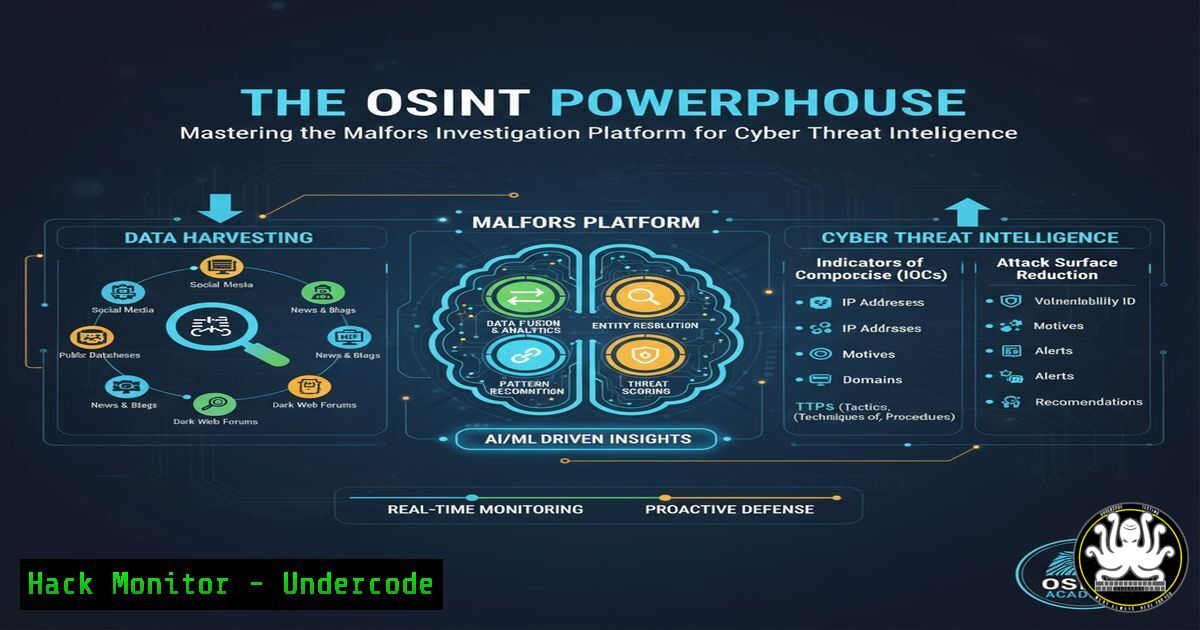
Open-Source Intelligence (OSINT) has become a cornerstone of modern cybersecurity, enabling analysts to map threats and attribute attacks. The Malfors Investigation Platform emerges as a powerful tool designed to streamline this process through advanced graph mapping and integrated data enrichment, transforming raw data into actionable intelligence.
Learning Objectives:
- Understand the core functionalities and setup process of the Malfors Investigation Platform.
- Master the techniques for effective entity enrichment, link analysis, and collaborative case management.
- Develop advanced OSINT investigation workflows to map complex threat actor relationships and infrastructure.
You Should Know:
1. Platform Access and Initial Configuration
Before diving into investigations, ensuring secure and proper access is paramount. The primary point of entry is the official Malfors website.
`https://malfors.com/`
Step-by-step guide: Navigate to this URL using a secure and preferably isolated browser environment. For analysts operating from a Linux command-line interface, you can use `curl` to initially probe the website’s headers and verify its SSL certificate status without fully loading the page. This is a basic reconnaissance step to ensure the site is accessible and not serving unexpected redirects.
curl -I "https://malfors.com/"
This command will return the HTTP headers. Check for a `200 OK` status and review the `Strict-Transport-Security` header to confirm the site enforces HTTPS. Upon successful verification, proceed to the web interface to begin the account creation and login process.
2. Core Investigation Workflow: Creating Your First Graph
The essence of Malfors is its graph-based visualization of entities and relationships. The workflow begins by creating a new case or investigation board.
Step-by-step guide: After logging in, locate and click the “New Investigation” or similar button. You will be presented with a blank canvas. The first step is to add your starting entity, often an IP address, domain, email, or person. Use the platform’s “Add Entity” function. The power of Malfors lies in its ability to automatically enrich this data. Once an entity like an IP address (192.0.2.1) is placed, right-click on it and look for “Enrich” or “Investigate” options. The platform will query its integrated data sources and automatically populate connected nodes, such as associated domains, SSL certificates, and other linked IPs, visually building your threat landscape.
3. Leveraging Integrated Enrichment for Threat Attribution
Malfors integrates with various OSINT data sources to provide context. Understanding how to trigger and interpret this enrichment is key.
Step-by-step guide: When you add a malicious domain, such as malicious-example[.]com, the platform’s enrichment engine can be manually triggered via an “Enrich” button or automatically run. This process might perform a WHOIS lookup, DNS record enumeration, and search for related indicators in threat intelligence feeds. The results are presented as new nodes connected to your original entity. For command-line validation of such enrichments, you can use tools like `whois` and `dig` from your terminal to cross-reference the data Malfors provides.
whois malicious-example.com
dig A malicious-example.com
Comparing your manual findings with Malfors’ automated enrichment helps verify accuracy and builds confidence in the platform’s data sources.
4. Advanced Link Analysis with Custom Queries
Beyond automatic enrichment, advanced analysis requires crafting custom queries to uncover hidden relationships.
Step-by-step guide: Malfors likely features a query language or filter system to sift through complex graph data. For instance, you might want to isolate all entities of type “IP Address” that were added in the last 24 hours and have a “Malicious” tag. Look for a search or filter bar within the platform. The syntax might be similar to other query languages, for example: type:ip_address AND date:>2023-10-25 AND tag:malicious. Mastering these queries allows you to pivot quickly during an investigation, moving from a single indicator of compromise (IoC) to a broader attack campaign.
5. Collaborative Case Management and Reporting
Cyber threat intelligence is a team effort. Malfors is built for real-time collaboration, a critical feature for large-scale investigations.
Step-by-step guide: Within an active investigation, locate the “Share” or “Collaborators” menu. You can invite team members by their email addresses, often with role-based permissions (e.g., Viewer, Editor, Admin). As team members join, their cursors or avatars may appear on the graph canvas. The platform should also include a commenting or annotation system. Use this to tag specific nodes with analysis, questions, or conclusions. For reporting, find the “Export” or “Generate Report” function. This will typically compile the entire graph, entity lists, and analyst comments into a PDF or structured report (like JSON) for distribution to stakeholders or ingestion into other security tools.
6. Connecting Malfors to Your Security Toolchain
To maximize its value, Malfors should not be an isolated system. Investigate its API capabilities for integration with your existing Security Operations Center (SOC) tools.
Step-by-step guide: Check the platform’s documentation for a “Developer API” or “Webhooks” section. A typical API call to submit a new IoC for analysis might look like this using curl:
curl -X POST "https://api.malfors.com/v1/indicators" \
-H "Authorization: Bearer YOUR_API_KEY" \
-H "Content-Type: application/json" \
-d '{"type":"ipv4", "value":"203.0.113.5", "case_id":"12345"}'
This command would programmatically add the IP `203.0.113.5` to a specific case within Malfors, allowing for automation of IoC ingestion from SIEM alerts, intrusion detection systems, or other threat intelligence platforms.
7. Data Integrity and Secure Disposal of Investigations
After an investigation concludes, proper handling of the sensitive data is crucial to prevent leaks.
Step-by-step guide: For cases containing highly sensitive information, ensure you understand Malfors’ data retention policies. To securely close an investigation, first, verify that all necessary data has been exported to a secure, long-term storage solution. Then, use the platform’s administrative functions to “Archive” or “Delete” the case. A true deletion should remove all data permanently from the platform’s active databases. From a procedural standpoint, this should be documented in your team’s standard operating procedure (SOP). A command like `shred` on Linux can be used on any locally saved exports before deletion, ensuring they cannot be recovered.
shred -u -z -n 3 investigation_export.pdf
This command will overwrite the specified PDF file three times with random data before deleting it, providing a level of secure file disposal for local copies.
What Undercode Say:
- Centralization is Key to Speed: Malfors’ primary value proposition is the consolidation of disparate OSINT data enrichment and visualization tasks into a single, collaborative interface, drastically reducing investigation time.
- The Graph is the Future of CTI: The platform’s reliance on graph technology reflects the industry’s shift towards understanding relationships and patterns, moving beyond simple IoC lists to map entire adversary infrastructure.
The emergence of integrated platforms like Malfors signals a maturation in the OSINT and Cyber Threat Intelligence (CTI) field. It moves the practice from a manual, tool-agnostic craft towards a more streamlined, platform-driven discipline. This does not replace the need for foundational skills but rather augments the analyst’s capability, allowing them to handle more complex investigations with greater efficiency. The focus shifts from “how to gather data” to “how to ask the right questions of the data.” The critical analysis for any security team is to weigh the convenience and power of such a proprietary platform against the potential risks of vendor lock-in and the concentration of sensitive investigation data within a single third-party service.
Prediction:
The integration of AI-driven analytics into platforms like Malfors is the inevitable next step. We predict that within two years, these platforms will feature predictive graph analytics, capable of suggesting likely future attacker moves based on historical TTPs and mapped infrastructure. This will evolve OSINT from a reactive investigation tool to a proactive threat prediction engine, fundamentally changing how organizations anticipate and prepare for cyber attacks.
🎯Let’s Practice For Free:
IT/Security Reporter URL:
Reported By: Mariosantella Osint – Hackers Feeds
Extra Hub: Undercode MoN
Basic Verification: Pass ✅


