Listen to this Post
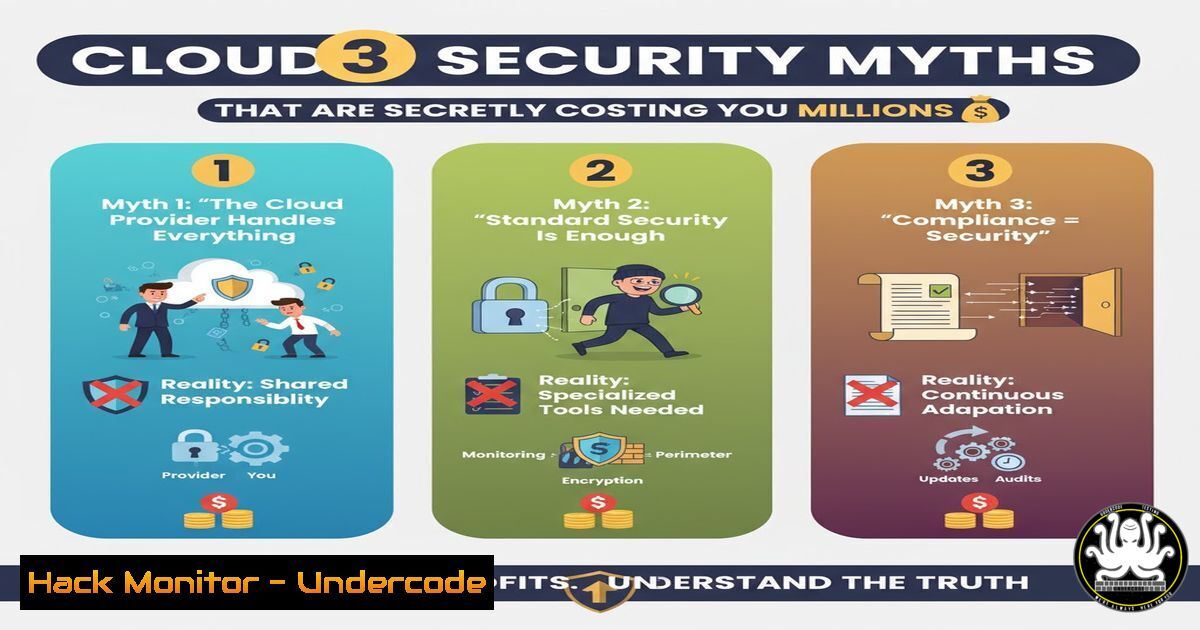
Introduction:
In the dynamic landscape of modern IT, traditional security paradigms are failing to protect cloud environments. Many organizations operate under dangerous misconceptions, relying on point-in-time audits and static tools while their cloud infrastructure evolves thousands of times daily, creating critical security gaps that attackers are poised to exploit.
Learning Objectives:
- Identify and debunk the three most costly cloud security myths
- Implement continuous validation through automated attack emulation
- Transition from compliance-based to evidence-based security postures
You Should Know:
1. Myth 1: Compliance Equals Security
Compliance frameworks provide a historical snapshot, not a real-time security assessment. A compliant system can still be vulnerable to modern attack techniques.
Verified Command: AWS IAM Policy Simulation
aws iam simulate-principal-policy --policy-source-arn arn:aws:iam::123456789012:user/TestUser --action-names "s3:GetObject" "ec2:RunInstances"
Step-by-step guide:
This command tests what actions an IAM user can perform without actually executing them. First, install and configure AWS CLI with appropriate credentials. Replace the `–policy-source-arn` with your specific user ARN. The `–action-names` parameter specifies which API actions to test. Analyze the output to identify overprivileged accounts that compliance scans might miss. Run this weekly as part of your continuous monitoring.
2. Myth 2: Security Tools Provide Complete Coverage
Research shows standard security tools miss 28% of MITRE ATT&CK techniques, leaving significant blind spots in your defense.
Verified Command: CloudTrail Log Analysis for Suspicious Activity
aws cloudtrail lookup-events --lookup-attributes AttributeKey=EventName,AttributeValue=ConsoleLogin --start-time 2023-11-01T00:00:00Z --end-time 2023-11-01T23:59:59Z --query 'Events[?Resources[?ResourceType == <code>AWS::S3::Bucket</code>]]' --output table
Step-by-step guide:
This command searches CloudTrail for console logins interacting with S3 buckets within a specific timeframe. Adjust the `–start-time` and `–end-time` parameters to your monitoring window. The `–query` parameter uses JMESPath syntax to filter results. Combine this with other event types like `AssumeRole` or `CreateAccessKey` to build comprehensive detection of credential compromise attempts that tools might not flag.
3. Myth 3: Penetration Tests Are Sufficient
Quarterly penetration tests become obsolete almost immediately in cloud environments that change continuously, creating false confidence.
Verified Command: Automated Security Hub Controls Check
aws securityhub get-findings --filters '{"ComplianceStatus": [{"Value": "FAILED", "Comparison": "EQUALS"}]}' --query 'Findings[?Severity.Label == <code>HIGH</code>]' --output table
Step-by-step guide:
This command retrieves high-severity failed security controls from AWS Security Hub. Ensure Security Hub is enabled in your account first. The `–filters` parameter uses JSON syntax to filter results by compliance status. Use this daily to identify control failures as they occur, rather than waiting for your next penetration test. Integrate this into your CI/CD pipeline for real-time feedback.
4. Implementing Continuous Attack Emulation
Proactive security requires continuously testing defenses against known attack patterns rather than waiting for actual breaches.
Verified Command: Azure PowerShell Attack Simulation
Get-AzRoleAssignment | Where-Object {$_.DisplayName -eq "YourUser"} | Select-Object DisplayName, RoleDefinitionName, Scope
Step-by-step guide:
This PowerShell command checks role assignments for a specific user in Azure. First, connect to Azure using Connect-AzAccount. Replace “YourUser” with the target principal. This helps identify overprivileged identities that could be exploited. Use this as part of automated scripts that run daily to detect privilege creep and violations of least privilege principles.
5. Cloud Infrastructure Hardening
Harden your cloud environment against common attack vectors by implementing security best practices consistently.
Verified Command: Kubernetes Pod Security Policy Check
kubectl get pods --all-namespaces -o jsonpath='{range .items[?(@.status.phase=="Running")]}{.metadata.namespace}{"/"}{.metadata.name}{"\n"}{" Security Context: "}{.spec.securityContext}{"\n"}{end}'
Step-by-step guide:
This Kubernetes command extracts security context information from all running pods across namespaces. It helps identify pods running without proper security constraints. Run this in your production clusters weekly to ensure compliance with pod security standards. Look for missing `runAsNonRoot` settings or privileged container flags that could be exploited.
6. API Security Validation
Cloud environments rely heavily on APIs, making them prime targets for attackers seeking to exploit misconfigurations.
Verified Command: REST API Security Headers Check
curl -I -X GET https://api.yourdomain.com/v1/users --header "Authorization: Bearer $TOKEN" | grep -E "(Strict-Transport-Security|X-Content-Type-Options|X-Frame-Options)"
Step-by-step guide:
This curl command tests for critical security headers in your API responses. Replace the URL with your API endpoint and set the `$TOKEN` variable with a valid authentication token. The grep command filters for essential security headers. Absence of these headers indicates potential security weaknesses. Automate this check in your deployment pipeline to prevent regression.
7. Cloud Storage Configuration Auditing
Misconfigured cloud storage remains one of the most common sources of data breaches in cloud environments.
Verified Command: S3 Bucket Public Access Audit
aws s3api list-buckets --query 'Buckets[].Name' --output text | xargs -I {} aws s3api get-bucket-policy-status --bucket {} --query 'PolicyStatus.IsPublic' --output text
Step-by-step guide:
This command lists all S3 buckets and checks their public access status. The first part retrieves all bucket names, then pipes them to check each bucket’s policy status. Any output showing “True” indicates a publicly accessible bucket requiring immediate investigation. Schedule this audit daily and integrate alerts for any buckets that become unexpectedly public.
What Undercode Say:
- Compliance provides historical validation, not real-time security assurance
- Traditional security tools create dangerous blind spots in cloud environments
- Continuous validation through automated testing is non-negotiable for modern cloud security
The paradigm shift from periodic assessments to continuous security validation represents the most significant evolution in cloud defense strategy. Organizations clinging to compliance checkboxes and quarterly penetration tests are operating with catastrophic latency in their threat response. The evidence is clear: cloud environments change too rapidly for traditional security approaches to remain effective. The future belongs to organizations that implement automated, continuous security validation through controlled attack emulation, providing real-time evidence of defensive capabilities rather than historical compliance artifacts.
Prediction:
Within two years, continuous security validation through automated attack emulation will become the standard for cloud security, rendering traditional penetration testing and compliance-focused approaches obsolete. Organizations failing to adopt this continuous validation mindset will experience breach rates 300% higher than those implementing real-time defense testing, forcing a fundamental restructuring of how enterprise cloud security is measured and maintained.
🎯Let’s Practice For Free:
IT/Security Reporter URL:
Reported By: Activity 7387413764406403072 – Hackers Feeds
Extra Hub: Undercode MoN
Basic Verification: Pass ✅


