
Listen to this Post
Introduction:
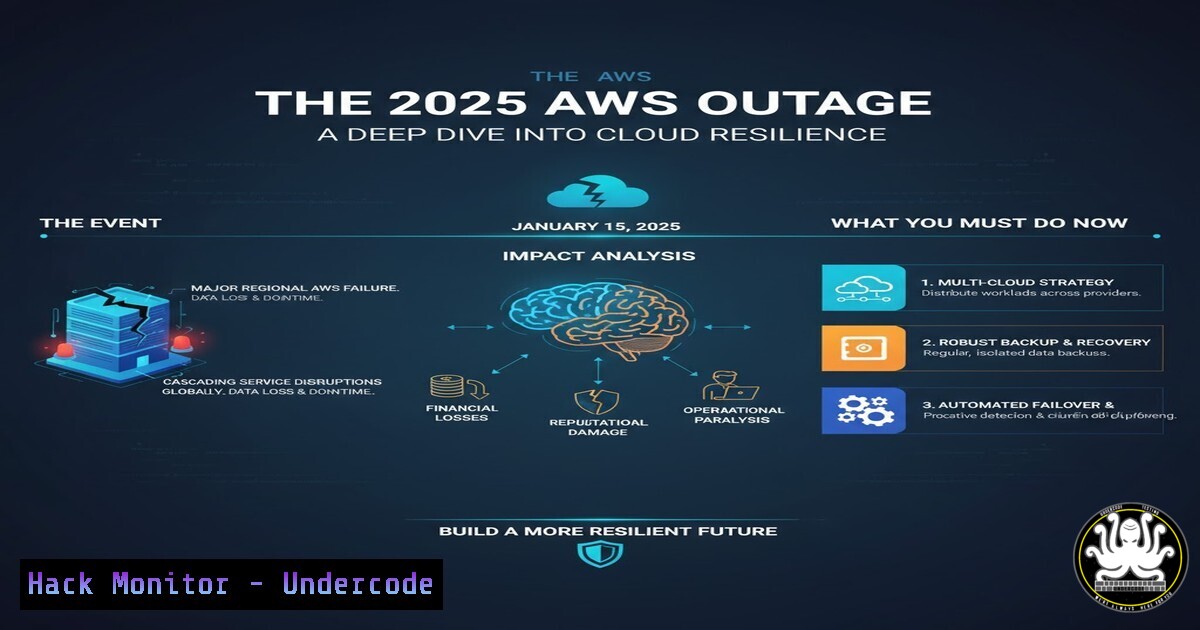
The October 20, 2025, AWS US-East-1 outage was a stark reminder of the fragility of our interconnected digital ecosystem. This cascading failure, rooted in DNS and API connectivity issues, disrupted global services from banking to government, underscoring the critical need for robust multi-cloud and on-premises contingency strategies. This article provides a technical dissection of the failure modes and delivers actionable commands and configurations to harden your environment against similar future events.
Learning Objectives:
- Understand the core technical failure points in a major cloud outage, specifically concerning DNS and API resilience.
- Implement immediate command-line diagnostics to assess your infrastructure’s dependency on specific cloud regions.
- Develop and deploy mitigation strategies, including traffic rerouting, failover mechanisms, and local caching.
You Should Know:
1. Diagnosing DNS Resolution Failures
The AWS outage highlighted DNS as a single point of failure. When cloud DNS services are impaired, dependent applications become unreachable.
Command List:
– `dig @8.8.8.8 your-domain.com` – Queries a specific public DNS resolver (Google) for your domain’s records.
– `nslookup your-domain.com` – Checks the default DNS resolution for a domain on your system.
– `systemd-resolve –status` – On modern Linux systems, checks the current DNS configuration and statistics.
– `Get-DnsClientServerAddress -AddressFamily IPv4` – PowerShell command to view configured DNS servers on Windows.
– `cat /etc/resolv.conf` – Displays the DNS resolvers configured on a Linux system.
Step-by-step guide:
During a suspected DNS outage, your first step is to determine if the problem is localized or widespread. Use `dig` to bypass your local resolver and query an alternative public DNS service like Google (8.8.8.8) or Cloudflare (1.1.1.1). A successful response from an alternative resolver while your primary fails indicates a problem with your default DNS provider, potentially the cloud provider’s own DNS. This confirms the need to failover to a secondary DNS service.
2. Validating API Endpoint Connectivity
Increased API latency and errors were a primary symptom. Scripts to proactively test key endpoints are crucial.
Command List:
– `curl -s -o /dev/null -w “%{http_code}” https://your-api-endpoint.com/health` – Returns only the HTTP status code of an API health check.
– `curl -m 10 –connect-timeout 5 -I https://your-api-endpoint.com` – Tests HTTPS connectivity with a 10-second max timeout and 5-second connection timeout, fetching only headers.
– `tcping.exe -p 443 your-api-endpoint.com` – Windows tool to ping a specific TCP port (like HTTPS/443), useful if ICMP is blocked.
– `nmapi -p 443 your-api-endpoint.com` – Uses Nmap to check if a port is open.
– `openssl s_client -connect your-api-endpoint.com:443 -servername your-api-endpoint.com` – Tests the SSL/TLS handshake to an endpoint.
Step-by-step guide:
Automate API health checks by scripting the `curl` command to check the HTTP status. A `200` indicates health, while `5xx` errors signal server-side problems like those experienced during the AWS outage. Combine this with `tcping` to distinguish between a complete network partition (TCP connection fails) and an application-level failure (TCP connects but HTTP fails). This granularity is key for accurate incident diagnosis.
3. Implementing Local Hosts File Bypass
In a critical DNS outage, a temporary last-resort measure is to bypass DNS entirely by mapping critical domain names to their correct IP addresses directly in the local hosts file.
Command List:
– `Get-FileHash “C:\Windows\System32\drivers\etc\hosts”` – PowerShell command to get the hash of the hosts file for integrity checking.
– `sudo nano /etc/hosts` – Edits the hosts file on a Linux/macOS system.
– `notepad C:\Windows\System32\drivers\etc\hosts` – Edits the hosts file on Windows (Run as Administrator).
– `ipconfig /flushdns` – Windows command to clear the local DNS resolver cache.
– `sudo systemd-resolve –flush-caches` or `sudo resolvectl flush-caches` – Flushes DNS cache on systems using systemd-resolved.
– `sudo dscacheutil -flushcache` – Flushes DNS cache on macOS.
Step-by-step guide:
This is a temporary fix for accessing a specific service. First, use `dig` during normal operations to find the correct IP address for a critical domain. During an outage, open the hosts file with administrative privileges and add a line in the format: `192.0.2.1 api.criticalservice.com). Save the file and immediately flush the DNS cache using `ipconfig /flushdns` (Windows) or the appropriate systemd command on Linux. This forces the machine to use the manual IP mapping.
4. Cloud CLI: Assessing Your Regional Dependency
Knowing what resources you have running in an affected cloud region is the first step in an incident response.
Command List:
– `aws ec2 describe-instances –region us-east-1 –query ‘Reservations[].Instances[].InstanceId’` – Lists all EC2 instance IDs in us-east-1.
– `aws cloudwatch get-metric-statistics –namespace AWS/EC2 –metric-name CPUUtilization …` – Retrieves performance metrics for analysis.
– `az vm list –resource-group MyResourceGroup –query “[].{Name:name,Location:location}”` – Azure CLI command to list VMs and their regions.
– `gcloud compute instances list –filter=”zone:(us-east1)”` – Google Cloud CLI to list instances in the us-east1 zone.
Step-by-step guide:
Using the AWS CLI, regularly audit your resource distribution. The command `aws ec2 describe-instances` with the `–region` flag allows you to inventory all compute resources in a specific region. In a crisis like the US-East-1 outage, running this command immediately tells you the scope of your affected assets. Couple this with CloudWatch metrics to baseline normal performance and identify anomalies during an incident.
5. Hardening DNS Configuration for Resilience
Over-reliance on a single DNS provider is a critical risk. Implementing a secondary, independent DNS service is a fundamental mitigation.
Command List:
– `nsupdate -l` – Opens an interactive session to perform dynamic DNS updates (if using BIND with DDNS).
– `aws route53 list-hosted-zones` – Lists your DNS hosted zones in AWS Route53.
– `dig +trace your-domain.com` – Traces the full DNS resolution path from root servers to the authoritative answer.
– `cat /etc/systemd/resolved.conf` – Configuration file for systemd-resolved on Linux; you can set fallback DNS servers here.
Step-by-step guide:
To mitigate provider-level DNS outages, configure your domain to use at least two independent DNS providers. For example, use both AWS Route53 and Cloudflare. This is set at your domain registrar. The `dig +trace` command can then be used to verify that your domain’s NS records correctly point to both providers. Internally, configure your servers and workstations with multiple DNS resolvers in `/etc/resolv.conf` or via DHCP to ensure a local fallback.
6. Building a Simple HTTP Health Check Script
Automate the validation of critical external and internal services to get early warning of issues.
Code Snippet (Bash):
!/bin/bash
ENDPOINTS=("https://api.service1.com/health" "https://app.service2.com/status")
for endpoint in "${ENDPOINTS[@]}"; do
HTTP_CODE=$(curl -s -o /dev/null -w "%{http_code}" --max-time 5 "$endpoint")
if [ "$HTTP_CODE" -ne 200 ]; then
echo "ALERT: $endpoint returned $HTTP_CODE" | mail -s "Health Check Failed" [email protected]
fi
done
Step-by-step guide:
This Bash script iterates through a list of critical API health check endpoints. For each, it uses `curl` to retrieve only the HTTP status code with a strict 5-second timeout. If the code is not 200, it triggers an alert, such as sending an email. This script should be run as a cron job every few minutes. It provides a simple, effective way to detect issues before they impact users, mimicking the monitoring that would have alerted teams early in the AWS outage.
7. Configuring Application-Level Circuit Breakers
When downstream APIs are failing, a circuit breaker pattern prevents an application from exhausting resources on hopeless requests.
Code Snippet (Node.js using `opossum` library):
const CircuitBreaker = require('opossum');
const options = {
timeout: 5000, // 5 second timeout
errorThresholdPercentage: 50, // Open after 50% failures
resetTimeout: 30000 // Wait 30 seconds before trying again
};

async function callExternalApi() {
// ... function to call the unstable API
}

const breaker = new CircuitBreaker(callExternalApi, options);
breaker.fallback(() => "{ 'message': 'Service temporarily unavailable' }");

// Use the breaker
breaker.fire().then().catch();
Step-by-step guide:
This code implements a circuit breaker for a Node.js function that calls an external API. The breaker is configured to trip (open state) if 50% of requests fail. Once open, all subsequent calls immediately fail fast for a 30-second reset period, giving the downstream service time to recover. The `.fallback()` method provides a graceful default response. This prevents cascading failures and resource exhaustion in your service when a dependency like a cloud API becomes unstable.
What Undercode Say:
- Key Takeaway 1: The myth of “infallible” cloud infrastructure is彻底 shattered. Architectures must be designed with an explicit “Assume Failure” principle, where regional, and even provider-level, outages are a question of “when,” not “if.”
- Key Takeaway 2: The cascading nature of this outage, from DNS to APIs to end-user applications, reveals a critical lack of isolation in modern system design. Resilience is not a feature you can bolt on; it must be a foundational pattern, baked into every layer from network routing to application logic.
The 2025 AWS outage was not an anomaly but a stress test of modern architectural dogma. The over-concentration of critical internet services in a single cloud region represents a systemic risk that the industry has willingly accepted for the sake of operational simplicity and cost savings. The analysis shows that the organizations least affected were those that had invested in true active-active multi-region or hybrid-cloud deployments, where automated failover could isolate the blast radius. The incident proves that advanced services like global load balancers and serverless functions are only as resilient as the core networking and DNS infrastructure they sit upon. Moving forward, regulatory bodies may begin to scrutinize this concentration risk for essential services, potentially mandating geographic and provider diversity.
Prediction:
The 2025 AWS outage will serve as a watershed moment, accelerating a strategic shift away from single-cloud vendor lock-in towards pragmatic multi-cloud and hybrid architectures. Within two years, we predict a surge in adoption of Kubernetes-based container platforms that are cloud-agnostic, alongside the development of more sophisticated AI-driven traffic management systems capable of predicting and rerouting around regional degradation in real-time. Furthermore, this event will fuel the “sovereign cloud” movement in Europe and Asia, leading to stricter data residency and operational redundancy laws that force global cloud providers to fundamentally decentralize their control planes, making the internet more resilient by design but also more complex to navigate.
🎯Let’s Practice For Free:
IT/Security Reporter URL:
Reported By: Leeobrienriley Big – Hackers Feeds
Extra Hub: Undercode MoN
Basic Verification: Pass ✅


