
Listen to this Post
Introduction:
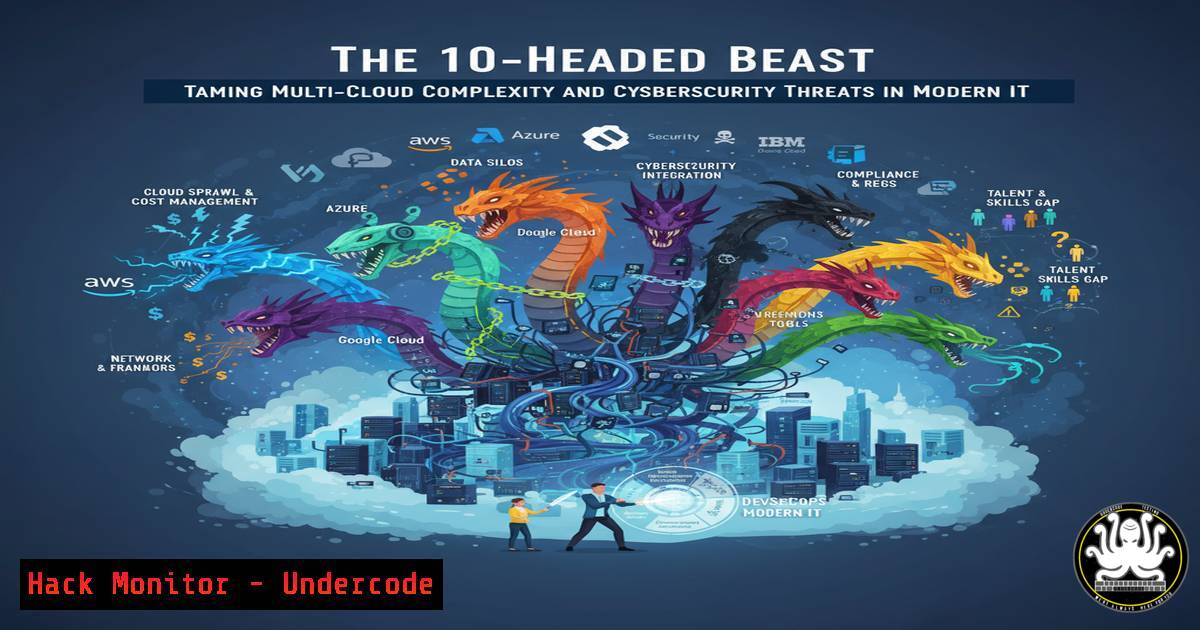
Modern enterprise IT architecture has evolved into a multi-headed beast, mirroring the mythological Ravana with its complex, distributed systems spanning on-premise data centers, multiple cloud providers, and hybrid environments. This complexity, while offering flexibility and power, creates an expanded attack surface that is notoriously difficult to secure, monitor, and manage. Taming this beast requires a disciplined approach to security hardening, continuous monitoring, and automated compliance checks across diverse platforms.
Learning Objectives:
- Implement critical security hardening commands for Linux and Windows servers in a multi-cloud environment.
- Configure cloud-native security tools for AWS and Azure to enforce governance and detect threats.
- Develop scripts to automate vulnerability scanning and compliance reporting across heterogeneous systems.
You Should Know:
1. Linux Server Hardening Fundamentals
A foundational step in securing any cloud deployment is hardening the underlying operating system. For Linux servers, this involves removing unnecessary packages, configuring secure firewalls, and ensuring strict permissions.
 1. Remove unnecessary services (Example: telnet server)
sudo apt-get purge telnetd

<ol>
<li>Check for and update packages
sudo apt-get update && sudo apt-get upgrade</p></li>
<li><p>Configure UFW (Uncomplicated Firewall) to deny all incoming by default
sudo ufw default deny incoming
sudo ufw default allow outgoing
sudo ufw allow ssh
sudo ufw enable</p></li>
<li><p>Set strict permissions for sensitive directories
sudo chmod 700 /etc/shadow
sudo chmod 644 /etc/passwd
Step-by-step guide:
The commands above perform a basic but critical security lockdown. First, you remove legacy services like `telnetd` that pose a significant risk. Next, updating the system patches known vulnerabilities. The UFW commands establish a default-deny firewall policy, only explicitly allowing SSH for management. Finally, adjusting permissions on `/etc/shadow` and `/etc/passwd` files protects the user account database from unauthorized reading or modification.
2. Windows Server Security Configuration
Windows servers in an Azure or on-premise environment require specific configurations to align with security baselines like those from CIS (Center for Internet Security).
 1. Enable and configure Windows Defender Firewall with specific rules
Set-NetFirewallProfile -Profile Domain,Public,Private -Enabled True -DefaultInboundAction Block -DefaultOutboundAction Allow

<ol>
<li>Disable SMBv1 for legacy vulnerability mitigation
Disable-WindowsOptionalFeature -Online -FeatureName SMB1Protocol</p></li>
<li><p>Set a strong audit policy for logon events
AuditPol /set /category:"Logon/Logoff" /success:enable /failure:enable</p></li>
<li><p>Check for and install critical updates
Install-Module PSWindowsUpdate -Force
Get-WUInstall -AcceptAll -AutoReboot
Step-by-step guide:
This PowerShell script initiates a robust security posture. The `Set-NetFirewallProfile` command ensures the host-based firewall is active across all network profiles. Disabling SMBv1 is a non-negotiable step to protect against worms like WannaCry. Enabling success and failure auditing for logon events provides crucial visibility for incident detection. The final commands use the `PSWindowsUpdate` module to automate the installation of critical security patches.
3. AWS Cloud Security Hardening with AWS CLI
In a multi-cloud strategy, securing the cloud control plane is as important as securing the servers within it. The AWS Command Line Interface (CLI) allows for the automation of key security settings.
 1. Enable AWS CloudTrail logging in all regions to track API activity
aws cloudtrail create-trail --name MyCompany-Trail --s3-bucket-name my-company-cloudtrail-logs --is-multi-region-trail

<ol>
<li>Check for and disable public S3 buckets
aws s3api list-buckets --query "Buckets[].Name"
aws s3api get-bucket-acl --bucket YOUR_BUCKET_NAME  Check for 'AllUsers' grant</p></li>
<li><p>Ensure IAM Password Policy is strong
aws iam update-account-password-policy --minimum-password-length 14 --require-symbols --require-numbers --require-uppercase-characters --require-lowercase-characters --allow-users-to-change-password true --max-password-age 90 --password-reuse-prevention 24</p></li>
<li><p>Use AWS GuardDuty for threat detection (enable via console, then list findings)
aws guardduty list-detectors
aws guardduty list-findings --detector-id YOUR_DETECTOR_ID
Step-by-step guide:
This sequence uses the AWS CLI to establish foundational security monitoring. Creating a multi-region CloudTrail trail is essential for auditing all API calls across your AWS estate. The S3 commands help identify misconfigured buckets that are accidentally public, a leading cause of data breaches. Enforcing a strong IAM password policy protects console access, and integrating with GuardDuty provides intelligent threat detection based on your cloud activity logs.
4. Azure Cloud Security Posture Management
For Azure environments, the Azure CLI is instrumental in enforcing security policies and configuring native tools like Microsoft Defender for Cloud.
 1. Enable Microsoft Defender for Cloud at the subscription level
az security setting update --name MCAS --enabled true

<ol>
<li>Enable JIT (Just-In-Time) VM access for critical servers
az security jit-policy create --name myVM --resource-group myRG --ports 22 3389 --duration PT2H</p></li>
<li><p>Enable Diagnostic Settings for Azure Activity Log to a Log Analytics Workspace
az monitor diagnostic-settings create --name SecurityExport --resource /subscriptions/YOUR_SUB_ID --workspace YOUR_LOG_ANALYTICS_WORKSPACE --logs '[{"category": "Security", "enabled": true}]'</p></li>
<li><p>Enforce a policy to deny the creation of storage accounts with public blob access
az policy assignment create --name 'deny-public-storage' --display-name 'Deny Public Storage' --policy '/providers/Microsoft.Authorization/policyDefinitions/404c3081-a854-4457-ae30-26a93ef643f9' --scope /subscriptions/YOUR_SUB_ID
Step-by-step guide:
These Azure CLI commands activate a proactive security stance. Enabling Microsoft Defender for Cloud provides a unified security management system. JIT VM access reduces the attack surface by closing management ports (SSH, RDP) until explicitly requested. Exporting activity logs to a Log Analytics workspace is critical for centralized monitoring and advanced threat hunting. Finally, using Azure Policy to deny the creation of public storage accounts prevents a common configuration error at scale.
5. Container Security and Kubernetes Hardening
As applications are containerized, the security focus must shift to the orchestration layer. Kubernetes, if misconfigured, can be a significant risk.
 1. Scan a container image for vulnerabilities using Trivy
trivy image your-registry/your-app:latest

<ol>
<li>Use kubectl to check for pods running with privileged security context
kubectl get pods --all-namespaces -o jsonpath="{.items[?(@.spec.securityContext.privileged==true)].metadata.name}"</p></li>
<li><p>Check for secrets stored in plain text environment variables
kubectl get pods --all-namespaces -o jsonpath='{.items[].spec.containers[].env[?(@.valueFrom==null)]}' | jq .</p></li>
<li><p>Apply a network policy to deny all ingress and egress by default (using Calico API)
kubectl apply -f - <<EOF
apiVersion: networking.k8s.io/v1
kind: NetworkPolicy
metadata:
name: default-deny-all
spec:
podSelector: {}
policyTypes:

<ul>
<li>Ingress</li>
<li>Egress
EOF
Step-by-step guide:
This section addresses the containerized workload. Scanning images with `trivy` before deployment catches known vulnerabilities early. The `kubectl` commands are used to audit the cluster for high-risk configurations, such as pods running with privileged access or secrets exposed in environment variables. Finally, applying a default-deny NetworkPolicy enforces a zero-trust network model within the Kubernetes cluster, ensuring that only explicitly allowed pod-to-pod communication can occur.
6. API Security Testing with OWASP ZAP
APIs are the backbone of modern applications and a prime target for attackers. Automated security testing is essential.
 1. Start a quick baseline scan with OWASP ZAP
docker run -v $(pwd):/zap/wrk/:rw -t owasp/zap2docker-stable zap-baseline.py -t https://your-test-api.com -g gen.conf -r baseline-report.html

<ol>
<li>Run an active scan for more in-depth testing
docker run -v $(pwd):/zap/wrk/:rw -t owasp/zap2docker-stable zap-full-scan.py -t https://your-test-api.com -g gen.conf -r active-scan-report.html</p></li>
<li><p>Generate a report (automatically done with -r flag, but can be customized)
The reports (baseline-report.html, active-scan-report.html) will be saved in your current directory.
Step-by-step guide:
These commands utilize the OWASP ZAP (Zed Attack Proxy) docker container to automate API security testing. The `zap-baseline.py` script performs a passive scan to identify obvious issues quickly. The `zap-full-scan.py` script is more aggressive, performing active attacks to find deeper vulnerabilities. Both commands output detailed HTML reports, which developers and security teams can use to remediate issues like SQL injection, broken authentication, and insecure direct object references before deployment.
7. Infrastructure as Code (IaC) Security Scanning
Misconfigurations in code-defined infrastructure can propagate vulnerabilities at scale. Scanning IaC is a critical DevSecOps practice.
 1. Scan Terraform code for misconfigurations using Checkov
checkov -d /path/to/your/terraform/code

<ol>
<li>Scan Kubernetes YAML manifests with Kubeaudit
kubeaudit all -f /path/to/your/manifest.yaml</p></li>
<li><p>Use Terrascan for policy-as-code validation of Terraform
terrascan scan -i terraform -d /path/to/your/terraform/code</p></li>
<li><p>Integrate TFSec for Terraform security scanning in a pipeline
tfsec /path/to/your/terraform/code
Step-by-step guide:
This final section shifts security “left” to the development phase. `Checkov` and `Terrascan` are static analysis tools that scan Terraform files against hundreds of built-in policies for AWS, Azure, and GCP, catching misconfigurations before they are deployed. `Kubeaudit` performs a similar function for Kubernetes YAML files, ensuring they adhere to security best practices. Integrating these tools into a CI/CD pipeline enforces security compliance automatically with every code commit.
What Undercode Say:
- Complexity is the New Attack Surface: The primary vulnerability in modern systems is no longer a single unpatched service but the intricate web of interconnected services, permissions, and data flows. Each new cloud account, API endpoint, or container orchestrator adds a “head” that must be individually secured and collectively monitored.
- Automation is Non-Negotiable for Defense: Manual security processes cannot scale to protect a dynamic, multi-cloud environment. The only viable defense strategy is one built on automated compliance checks, scripted hardening procedures, and integrated security testing within the DevOps lifecycle. The commands provided are the building blocks for this automated security apparatus.
The analogy of Ravana’s ten heads is strikingly accurate for today’s cybersecurity challenges. A monolithic, perimeter-based defense is obsolete. Modern defenders must assume a complex, multi-vectored attack from an adversary that can target any part of their hybrid infrastructure. The key to success lies not in finding a single silver bullet but in systematically applying foundational security hygiene—hardening, least privilege, monitoring, and automation—across every “head” of the IT ecosystem. This requires a cultural shift towards shared responsibility and the technical integration of security tools into the very fabric of the development and operations workflow.
Prediction:
The trend towards multi-cloud and hybrid architectures will only accelerate, making the “10-headed beast” the new normal for enterprises. Future cyber-attacks will increasingly exploit the inherent complexity and inconsistent security postures across these environments. We will see a rise in “chain reaction” breaches, where a minor misconfiguration in one cloud service (like an overly permissive S3 bucket) is leveraged to pivot and compromise critical workloads in another. The organizations that thrive will be those that have fully embraced a DevSecOps model, treating security infrastructure as code and maintaining continuous, automated compliance and threat detection across their entire digital estate.
🎯Let’s Practice For Free:
IT/Security Reporter URL:
Reported By: Sumit Hans – Hackers Feeds
Extra Hub: Undercode MoN
Basic Verification: Pass ✅


