
Listen to this Post
Introduction:
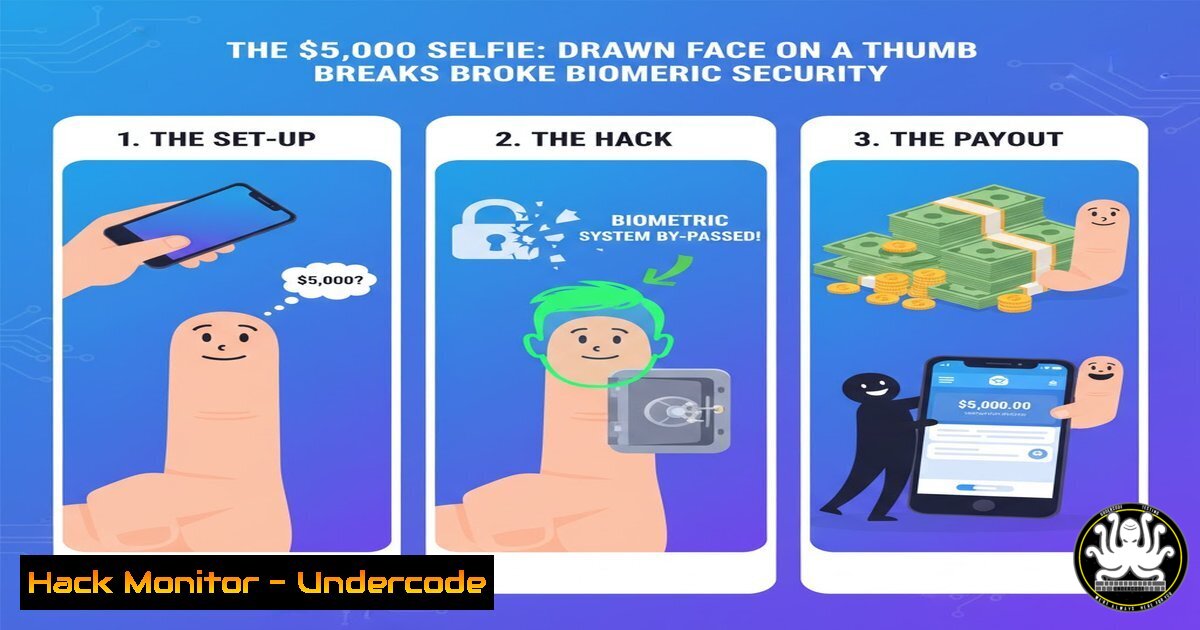
In the high-stakes world of bug bounty hunting, logic flaws often prove more devastating than complex technical exploits. A recent discovery by a security researcher highlights a critical vulnerability in modern facial verification systems: the ability to bypass “human” detection using a crude, hand-drawn face on a thumb. This article dissects the anatomy of this low-tech, high-impact attack, exploring the underlying failure of liveness detection algorithms and providing a technical roadmap for penetration testers to identify similar flaws in identity and access management systems.
Learning Objectives:
- Understand the difference between facial recognition and liveness detection.
- Learn how to manually test for biometric bypass vulnerabilities using common objects.
- Analyze the server-side logic failures that allow such simple bypasses.
- Implement mitigation strategies involving motion detection and challenge-response.
- Explore command-line tools for testing API endpoints behind facial verification.
You Should Know:
1. The Anatomy of the “LogixFlaw” Bypass
This exploit, dubbed
 by the researcher, targets a fundamental oversight in biometric gateways. Many systems implement facial verification but fail to validate "liveness"—the proof that a real, living person is present. Instead of using deepfakes or sophisticated 3D masks, this method utilizes a static image of a face drawn on a thumb or finger. The system likely performs a standard face detection check (identifying eyes, nose, mouth) and passes the authentication because the drawn features meet the minimum confidence threshold. However, it fails to perform a subsequent liveness check, such as analyzing micro-expressions, eye blinking, or background depth.

<h2 style="color: yellow;">Step‑by‑step guide to understanding the exploit flow:</h2>

<ol>
<li>Reconnaissance: Identify a target application that uses facial verification for login or transaction approval.</li>
<li>Material Preparation: Draw a simple, cartoon-like face on the pad of a thumb or finger using a pen. Ensure high contrast.</li>
<li>The Bypass Attempt: During the verification prompt, hold the thumb with the drawn face up to the camera, mimicking the position of a real face.</li>
<li>Execution: The camera captures the image. The backend API processes the image, detects facial features from the drawing, and grants access due to the lack of server-side motion validation.</li>
</ol>

<h2 style="color: yellow;">2. Simulating the Attack with Open Source Tools</h2>

To test if your own applications are vulnerable, you can simulate this logic flaw using Python and OpenCV. This script sends a static image to an API endpoint to see if liveness is actually enforced.

[bash]
import requests
import cv2
import sys

Simulate a bypass by sending a drawn image
def test_liveness_bypass(api_url, image_path):
 Read the image of the drawn face
img = cv2.imread(image_path)
if img is None:
print(f"[!] Could not read image from {image_path}")
return

Encode image to JPEG
_, img_encoded = cv2.imencode('.jpg', img)

Prepare headers (adjust based on target API)
headers = {
'Content-Type': 'image/jpeg',
'User-Agent': 'Mozilla/5.0 (Liveness Test)'
}

Send the image to the verification endpoint
try:
response = requests.post(api_url, data=img_encoded.tobytes(), headers=headers, timeout=10)
print(f"[] Status Code: {response.status_code}")
print(f"[] Response: {response.text[:200]}")

Analyze response for success indicators
if "success" in response.text.lower() or "verified" in response.text.lower():
print("[!!!] POTENTIAL VULNERABILITY: Access granted with static drawn image.")
else:
print("[-] Liveness detection likely active (access denied).")
except requests.exceptions.RequestException as e:
print(f"[!] Request failed: {e}")

if <strong>name</strong> == "<strong>main</strong>":
 Usage: python3 liveness_test.py http://target.com/verify face_drawing.jpg
test_liveness_bypass(sys.argv[bash], sys.argv[bash])
3. Server-Side Logic: Why Pencil Beats Python
The core failure lies in the server-side decision-making process. A secure implementation uses a multi-stage verification pipeline. The vulnerable pipeline typically looks like this:
`Image Capture -> Face Detection -> Match Against Database -> Access Granted`
A secure pipeline should look like this:
`Image Capture -> Face Detection -> Liveness Detection (Motion/Texture/Depth) -> Match Against Database -> Access Granted`
Linux Command for Network Analysis:
While testing, use `tcpdump` to analyze if the client is sending multiple images (indicating a video stream for liveness) or just a single JPEG.
sudo tcpdump -i eth0 -A -s 0 host target_api.com and port 443 | grep -i "content-type"
Use Case: This helps identify if the handshake requires a multipart video upload (secure) or a simple image upload (potentially vulnerable).
4. Windows: Analyzing Mobile Device Traffic
If the biometric app is on a mobile device, you can proxy the traffic through a Windows machine using Fiddler or Burp Suite to inspect the requests.
Steps for Windows Testing:
- Configure Fiddler to decrypt HTTPS traffic (Tools -> Options -> HTTPS).
- Set the mobile device proxy to the Windows machine’s IP.
3. Perform the biometric login.
4. Search for requests containing base64 image data.
- Check: If you can replace the base64 image data in a repeater tool with a base64 version of your drawn face and get a success response, the system is critically flawed.
5. Exploiting the Confidence Threshold
Facial recognition algorithms use a “confidence score.” Developers often set this threshold low to avoid user friction. An attacker can test various thresholds by using different “qualities” of drawn faces.
Linux Command (Using `jq` to parse JSON responses):
curl -X POST -H "Content-Type: image/jpeg" --data-binary @drawing.jpg https://target.com/api/verify | jq '.confidence_score'
Explanation: If the returned confidence score is above 0.6 or 0.7 (depending on the vendor), and access is granted, the threshold is set too low for a production environment.
6. Mitigation: Implementing Challenge-Response
To prevent such physical bypasses, developers must implement challenge-response authentication. The server must request a random action that a static image cannot provide.
Conceptual JavaScript for Client-Side Liveness (WebRTC):
// Requesting user media for a video stream, not a photo
navigator.mediaDevices.getUserMedia({ video: true })
.then(function(stream) {
// Server sends a random challenge: e.g., "blink twice"
// The browser records a short video (3 seconds)
// Send the video blob to the server for analysis
mediaRecorder = new MediaRecorder(stream);
mediaRecorder.ondataavailable = function(e) {
sendToServer(e.data); // Server checks for motion and challenge compliance
};
});
Note: A drawn face on a thumb cannot blink or turn on command, rendering the attack ineffective.
7. Advanced: Bypassing Motion Detection with Video Replay
If the researcher’s target only required any motion (not specific challenges), an attacker could use a video of a real face playing on a phone held next to the thumb. This highlights the need for depth mapping (like Apple’s FaceID) or texture analysis to differentiate between skin and paper/screen.
Windows Command: OBS Virtual Camera Setup
1. Install OBS Studio.
2. Play a video of a face.
3. Start the Virtual Camera.
- In the target biometric app (if testing a desktop version), select the OBS Virtual Camera as the input device.
- Result: If the system accepts the video feed, it is vulnerable to replay attacks.
What Undercode Say:
- Key Takeaway 1: Biometric security is not just about “who you are,” but proving “you are there right now.” The discovery of the [bash] proves that algorithms are still blind to basic physics; they see features but fail to perceive materiality.
- Key Takeaway 2: Penetration testers should prioritize testing the “business logic” of verification systems before diving into complex code exploits. The simplest tool—a pencil—can be more effective than a buffer overflow.
Analysis:
This finding underscores a dangerous regression in the security industry. As we rush to implement passwordless authentication, we are often layering new features on top of brittle, legacy detection models. Companies are purchasing off-the-shelf facial recognition SDKs and assuming they include liveness detection, a costly mistake. This bypass is not a failure of AI, but a failure of implementation—specifically, the failure to chain API calls. For defenders, the lesson is clear: any verification process that can be satisfied with a single HTTP POST containing a JPEG is not verification; it is merely a formality.
Prediction:
This type of disclosure will accelerate the adoption of passive liveness detection technologies that analyze the spectral properties of skin (detecting blood flow) or require multi-spectral imaging. We will see a rise in server-side requirements for 3-second video bursts rather than still images. Furthermore, bug bounty programs will increasingly categorize “simple biometric bypasses” as critical severity, pushing the financial incentive for researchers to find these logic flaws before malicious actors do.
▶️ Related Video (80% Match):
🎯Let’s Practice For Free:
IT/Security Reporter URL:
Reported By: Sans1986 Logixflaw – Hackers Feeds
Extra Hub: Undercode MoN
Basic Verification: Pass ✅


