Listen to this Post
Introduction:
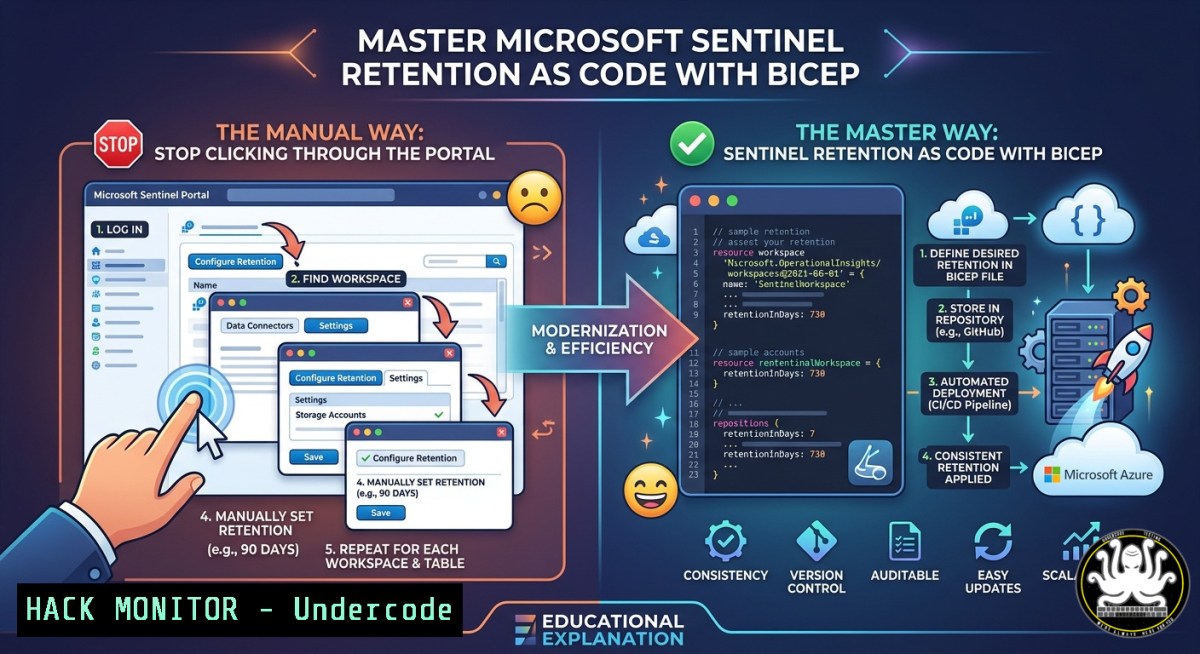
Managing log data retention in Microsoft Sentinel is a critical task for any Security Operations (SecOps) team, directly impacting both investigation capabilities and cloud costs. Traditionally, configuring table tiers and retention policies required tedious clicks through the Azure portal, a process prone to human error and difficult to govern. By implementing Infrastructure as Code (IaC) with Bicep, security teams can now declaratively manage table retention settings, enforce compliance requirements, and leverage the Sentinel Data Lake tier for cheap, long-term storage. This article provides a comprehensive technical guide to automating Microsoft Sentinel table management using Bicep, transforming a manual operational task into a governed, repeatable, and auditable process.
Learning Objectives:
- Understand Microsoft Sentinel’s table tiers (Analytics, Basic, Auxiliary) and their respective use cases for cost optimization and compliance.
- Learn to write and deploy Bicep code to configure per‑table interactive and total retention policies.
- Implement Infrastructure as Code best practices to govern logging policies and automate Sentinel Data Lake tier storage.
You Should Know:
1. Understanding Microsoft Sentinel’s Log Storage Tiers
Before automating table retention, it is essential to understand the different storage tiers Microsoft Sentinel offers. Each tier balances data accessibility against cost, and your Bicep definitions should reflect the specific requirements of each log type. The Analytics tier is the default “hot” path, where data is fully available for real‑time analytics, high‑performance queries, and threat hunting. By default, Microsoft Sentinel and Microsoft Defender XDR retain data in this tier for 30 days, but you can extend the retention period of all tables to up to two years at a prorated monthly long‑term retention charge. You can also extend the retention period of Microsoft Sentinel solution tables to 90 days for free. The Basic tier offers a lower‑cost option for verbose logs that are needed for occasional investigation but not for real‑time alerting. The Auxiliary tier (currently in preview) is designed for long‑term retention of cold data, such as raw firewall logs that must be kept for compliance audits but are rarely accessed.
To configure these tiers in Bicep, you define the `Microsoft.OperationalInsights/workspaces/tables` resource. The `plan` property specifies the table’s tier (e.g., Analytics), while `retentionInDays` controls the interactive retention period. For analytics tables, `retentionInDays` accepts values between 4 and 730 days; setting this property to `-1` defaults to the workspace’s retention setting. The `totalRetentionInDays` property, which can extend up to 12 years, configures the long‑term retention in the data lake.
2. Step‑by‑Step: Configuring Table Retention Policies with Bicep
Adopting Bicep for table management requires a precise understanding of the resource schema and deployment workflow. Below is a step‑by‑step guide to creating a Bicep template that defines a Log Analytics workspace, a custom table, and its retention policy.
Step 1: Define the workspace and retention parameters.
Start by declaring parameters for your deployment. This allows you to reuse the same template across different environments.
@description('Name of the Log Analytics workspace')
param workspaceName string = 'law-sentinel-prod'

@description('Data retention period in days for the workspace')
@minValue(30)
@maxValue(730)
param workspaceRetention int = 90

resource logAnalyticsWorkspace 'Microsoft.OperationalInsights/workspaces@2023-09-01' = {
name: workspaceName
location: resourceGroup().location
properties: {
sku: {
name: 'pergb2018'
}
retentionInDays: workspaceRetention
}
}
Step 2: Configure a custom table with a specific retention policy.
Now, define a custom table for a specific log type, such as custom security events. Use the `tables` sub‑resource within the workspace.
resource customSecurityEventsTable 'Microsoft.OperationalInsights/workspaces/tables@2022-10-01' = {
name: 'CustomSecurityEvents_CL'
parent: logAnalyticsWorkspace
properties: {
plan: 'Analytics'
retentionInDays: 180 // Keep interactive data for 180 days
totalRetentionInDays: 365 // Keep total data (including archive) for 1 year
}
}
Step 3: Deploy the Bicep template.
Use the Azure CLI or PowerShell to deploy your configuration. This command will create or update the workspace and table according to your Bicep definition.
az deployment group create --resource-group MyResourceGroup --template-file sentinel-retention.bicep
- Enforcing Compliance: Auditing and Health Monitoring via Bicep
Beyond table retention, a robust SecOps strategy requires auditing and health monitoring of Sentinel resources. Microsoft Sentinel provides `SentinelHealth` and `SentinelAudit` data tables that track the integrity of analytics rules, data connectors, automation rules, and playbooks. These tables are crucial for detecting configuration drifts, unauthorized actions, and operational failures. You can enable this auditing feature using Bicep by configuring a diagnostic setting for the Log Analytics workspace.
The following Bicep snippet demonstrates how to enable auditing and health monitoring programmatically, ensuring that all critical Sentinel resources are under continuous compliance surveillance:
resource diagnosticSetting 'Microsoft.Insights/diagnosticSettings@2021-05-01-preview' = {
name: 'sentinel-audit-diagnostics'
scope: logAnalyticsWorkspace
properties: {
logs: [
{
category: 'AuditEvents'
enabled: true
retentionPolicy: {
days: 365
enabled: true
}
}
{
category: 'HealthEvents'
enabled: true
retentionPolicy: {
days: 365
enabled: true
}
}
]
destination: {
logAnalytics: {
resourceId: logAnalyticsWorkspace.id
}
}
}
}
- Cost Optimization: Leveraging the Sentinel Data Lake Tier
The Sentinel Data Lake tier provides a cost‑effective mechanism for storing older, less‑frequently accessed log data. By separating interactive retention from total retention, you can keep years of historical data for compliance without paying the premium cost of the hot analytics tier. To implement this strategy in Bicep, you set a standard `retentionInDays` for active investigations and a larger `totalRetentionInDays` for archive purposes. For example:
resource securityEventTable 'Microsoft.OperationalInsights/workspaces/tables@2022-10-01' = {
name: 'SecurityEvent'
parent: logAnalyticsWorkspace
properties: {
plan: 'Analytics'
retentionInDays: 90 // Active hot data for 90 days
totalRetentionInDays: 1825 // Archive for 5 years in data lake
}
}
This setup ensures that after 90 days, the data moves automatically to the data lake tier where storage costs are significantly lower, yet the data remains queryable (though with higher latency and cost for queries). For organizations with massive log volumes, this separation is the single most effective lever for controlling Sentinel operational expenditure.
- From Portal Workflows to Declarative Management: Porting Existing Policies
Many organizations have accumulated a set of manual retention policies configured through the Azure portal or scripts. Porting these policies to Bicep is a straightforward process but requires careful mapping. First, export the current configuration of your Log Analytics workspace by using the Azure portal’s “Export template” feature. This generates an ARM template that you can decompile into Bicep using the `az bicep decompile` command. Once decompiled, you can refactor the template to use parameters, variables, and modules, creating a clean, reusable codebase. The most critical aspect is verifying that the `retentionInDays` and `totalRetentionInDays` values match your existing portal settings. After validation, you can integrate the Bicep file into your CI/CD pipeline (e.g., Azure DevOps or GitHub Actions), ensuring that any future changes to retention policies are reviewed, version‑controlled, and deployed consistently across all environments.
What Undercode Say:
- Key Takeaway 1: Managing Microsoft Sentinel table retention through the portal is not scalable. Bicep transforms this into a version‑controlled, auditable, and repeatable process, aligning SecOps with DevOps best practices.
- Key Takeaway 2: The Sentinel Data Lake tier is a game‑changer for cost management. By separating interactive retention from total retention, organizations can keep compliance‑required logs for years without incurring the high costs of the analytics tier.
Analysis: The shift toward Infrastructure as Code for security operations is not just a convenience; it is a necessity for modern, multi‑tenant environments. Manual configuration of log retention is error‑prone and often leads to either excessive costs (by retaining too much in the hot tier) or compliance gaps (by deleting data too early). Bicep provides a middle ground that balances governance and flexibility. Furthermore, as seen in the documentation, Microsoft is continuously enhancing these capabilities, with features like the auxiliary tier and total retention up to 12 years. The integration of auditing and health monitoring via Bicep closes the loop, allowing security teams to not only define their infrastructure but also monitor its health programmatically. This is a clear signal that Microsoft is investing heavily in making Sentinel a fully programmable SIEM.
Prediction:
The future of SIEM and SOAR platforms lies in complete programmability. As cloud security environments grow in complexity, manual configurations will become untenable. Microsoft Sentinel’s trajectory points toward a model where every aspect—from data ingestion to retention, analytics rules, and playbooks—is defined as code. This will enable automated compliance enforcement, intelligent cost management, and rapid disaster recovery. We can expect to see deeper integration of Bicep with security orchestration tools, allowing for self‑healing infrastructures where retention policies automatically adjust based on threat intelligence and cost analytics. For security engineers, mastering Bicep will soon be as essential as knowing how to write a KQL query.
▶️ Related Video (82% Match):
🎯Let’s Practice For Free:
IT/Security Reporter URL:
Reported By: Nicolasuter Sentinel – Hackers Feeds
Extra Hub: Undercode MoN
Basic Verification: Pass ✅
🎓 Live Courses & Certifications:
Join Undercode Academy for Verified Certifications
🚀 Request a Custom Project:
Secure, high-velocity infrastructure and disruptive technological engineering. Contact our engineering team for high-tier development and proprietary systems:
[email protected]


