Listen to this Post
Introduction:
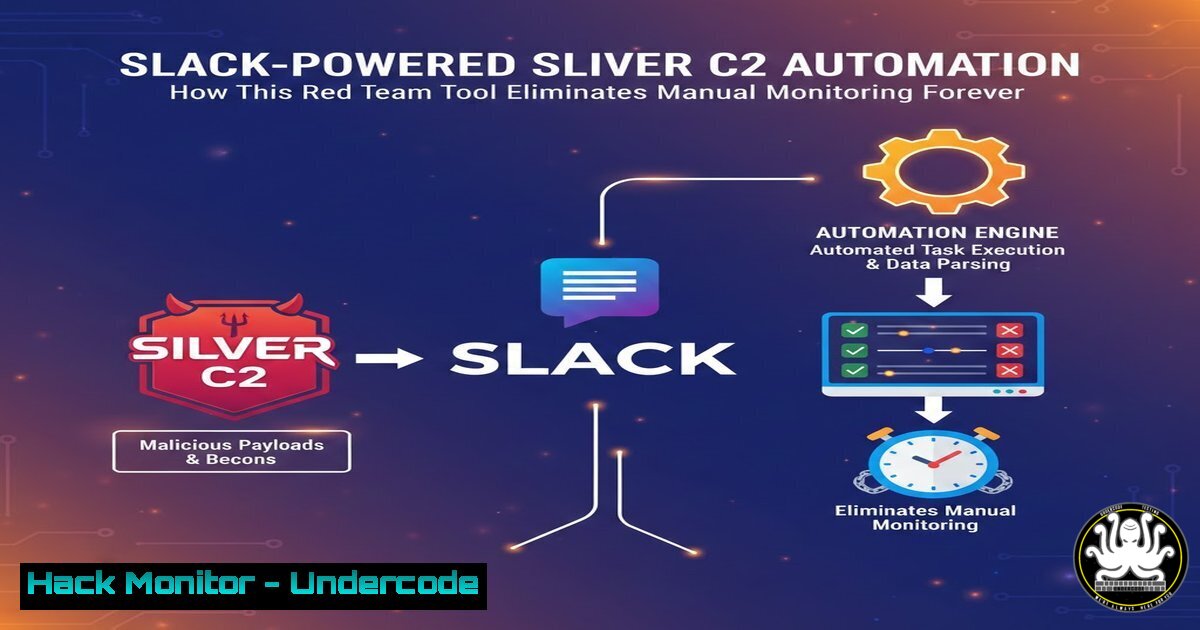
In the high-stakes world of red team operations, manual monitoring of command-and-control (C2) frameworks for new sessions is a tedious and error-prone task. SliverC2-Sentinel transforms this process by introducing a fully automated monitoring and interaction system. This tool leverages the Sliver C2 framework’s API, orchestrating via n8n and Slack to provide real-time alerts, one-click reconnaissance, and direct command execution, fundamentally changing how operators manage post-exploitation.
Learning Objectives:
- Understand the architecture of SliverC2-Sentinel and how it integrates Sliver C2, n8n, and Slack.
- Learn how to deploy and configure the Sentinel daemon for automated session monitoring and notification.
- Master the use of interactive Slack commands to perform live enumeration and command execution on compromised hosts.
You Should Know:
1. Core Architecture & Components
The power of SliverC2-Sentinel lies in its integration of specialized tools into a cohesive, automated pipeline.
Step 1: The Foundation – Sliver C2: Everything begins with the Sliver C2 framework running on your operator server. Sentinel interacts with it exclusively through its official sliver-py Python library via gRPC, a high-performance Remote Procedure Call (RPC) framework. This is the secure and supported method for programmatic control.
Step 2: The Daemon – sliver_sentinel.py: This is the core Python daemon. It acts as a persistent poller, using the sliver-py client to query the Sliver server for new beacons or sessions every 5 seconds. When it detects a new callback, it doesn’t just log it; it packages the data and triggers the next component.
Step 3: The Orchestrator – n8n: The daemon sends the session data to a webhook URL hosted by an n8n workflow. n8n is a workflow automation tool that acts as the brain of the operation. It receives the data, structures it, and decides which actions to trigger in Slack, creating a clean separation of concerns.
Step 4: The Interface – Slack: n8n sends a formatted notification to a designated Slack channel using Slack’s Block Kit and interactive components (buttons, dropdowns). This message is the operator’s control panel, allowing them to interact with the compromised host without ever touching a terminal dedicated to monitoring.
2. Production Deployment & Daemon Setup
For reliable 24/7 operation, the Sentinel must run as a background service.
Step 1: Prerequisites Installation: Clone the GitHub repository and install dependencies.
git clone https://github.com/0x0Trace/SliverC2-Sentinel.git
cd SliverC2-Sentinel
pip install -r requirements.txt  Installs sliver-py, etc.
Step 2: Configuration Management: Critical settings are managed via a `config.json` file or environment variables for security. This includes the Sliver server address, operator credentials, n8n webhook URL, and Slack API tokens. Never hardcode secrets in the script.
Step 3: Daemonization with systemd (Linux): To ensure the service restarts on reboot and runs in the background, create a systemd service file.
 /etc/systemd/system/sliver-sentinel.service
[bash]
Description=SliverC2 Sentinel Daemon
After=network.target

[bash]
Type=simple
User=your_username
WorkingDirectory=/path/to/SliverC2-Sentinel
Environment="SLIVER_SERVER=localhost:31337"
Environment="CONFIG_PATH=/path/to/config.json"
ExecStart=/usr/bin/python3 /path/to/SliverC2-Sentinel/sliver_sentinel.py
Restart=on-failure
RestartSec=10s

[bash]
WantedBy=multi-user.target
Then enable and start it:
sudo systemctl daemon-reload
sudo systemctl enable --now sliver-sentinel.service
sudo systemctl status sliver-sentinel.service  Verify it's running
3. Automated Enumeration & OS-Aware Intelligence
Upon a new callback, Sentinel doesn’t just notify; it begins intelligent reconnaissance.
Step 1: Initial Triage & OS Detection: When the n8n workflow is triggered by a new session, its first automated action is to issue a basic command to identify the operating system (e.g., `sysinfo` on Sliver, or checking for `C:\` on Windows vs. `/` root on Linux).
Step 2: Executing OS-Specific Enumeration: Based on the detected OS, n8n instructs the Sentinel daemon to run a tailored set of commands through the Sliver implant.
For Windows: Commands like whoami /all, net user, net localgroup administrators, ipconfig /all, and `netstat -ano` are executed.
For Linux: Commands like id, cat /etc/passwd, sudo -l, ip a, ss -tulpn, and `uname -a` are run.
Step 3: Report Generation: All command outputs are captured, parsed, and automatically formatted into a structured JSON report for machine processing and a readable Markdown report for operator analysis. These reports are saved and also linked back in the Slack notification for immediate review.
4. Interactive Command Execution via Slack
The true power is controlling implants directly from your team’s collaboration hub.
Step 1: The Interactive Message: The Slack notification includes a dropdown menu pre-filled with common commands (whoami, ipconfig, ls C:\Users), or a free-text input option.
Step 2: Command Routing: When an operator selects a command, Slack sends an interaction payload to n8n. n8n validates the request and forwards the command text to the Sentinel daemon.
Step 3: Secure Execution & Feedback: The daemon uses the specific session ID and the sliver-py API to execute the command on the target host. The output is then fetched, sanitized if necessary, and sent back to Slack as a threaded reply under the original alert, keeping all context together.
5. File System Interaction & Data Exfiltration
Beyond running commands, direct file interaction is crucial.
Step 1: Listing Directories: The Slack dropdown includes an `ls` option. When used, for example, ls C:\Users\Public, the command is executed, and the file listing is returned to Slack.
Step 2: Reading Files: A `cat` or `type` option allows operators to read specific files. For instance, `cat /etc/shadow` (Linux) or `type C:\Windows\system32\drivers\etc\hosts` (Windows). Warning: This should be used judiciously to avoid reading excessively large files that could hang the implant or clutter the channel.
Step 3: Logging for Attribution: Every file access and command run is meticulously logged in the session’s report, providing an immutable audit trail for post-engagement analysis and reporting.
6. n8n Workflow Orchestration & Security Hardening
The n8n workflow is the critical glue and must be secured.
Step 1: Webhook Authentication: Configure your n8n workflow webhook to require a secret token or header. The Sentinel daemon must include this token when triggering the webhook to prevent unauthorized execution.
 Example curl call from daemon (conceptual)
curl -X POST https://your-n8n-instance.com/webhook/sentinel \
-H "X-Auth-Token: YOUR_SHARED_SECRET" \
-H "Content-Type: application/json" \
-d '{"session_id": "abc123", "os": "windows"}'
Step 2: Input Validation & Sanitization: Within the n8n workflow, add logic to validate all incoming data (e.g., check session ID format) and, crucially, sanitize any operator-input command received from Slack before passing it to the Sliver API to prevent injection attacks against your own infrastructure.
Step 3: Error Handling & Logging: Build comprehensive error handling into the n8n workflow. If the Sliver server is unreachable or a command fails, the workflow should catch the error and post a meaningful alert to a dedicated Slack error channel or log it for debugging.
7. Operational Cleanup & Log Management
Maintaining operational security (OpSec) and cleanliness is built-in.
Step 1: The `/cleanup` Slack Command: The project includes a Slack slash command (e.g., /cleanup sentinel_123) that is registered with the Slack API and points to your n8n instance.
Step 2: Targeted Message Deletion: When invoked, the n8n workflow parses the command, identifies all Slack messages associated with that specific session ID or timeframe, and uses the Slack API’s `chat.delete` method to remove them. This helps maintain a clean workspace and reduces OpSec risks after an engagement concludes.
Step 3: Archive Before Deletion (Recommended): As a best practice, modify the n8n `/cleanup` workflow to first archive the full session log, reports, and Slack message history to a secure location (like an encrypted S3 bucket or internal wiki) before performing the deletion, ensuring you retain records for reporting.
What Undercode Say:
- Key Takeaway 1: SliverC2-Sentinel represents a paradigm shift in red team efficiency, moving C2 interaction from reactive terminal-watching to proactive, event-driven management via collaboration platforms. This significantly reduces operator fatigue and the chance of missing critical callbacks.
- Key Takeaway 2: The tool’s modular architecture, built on the robust sliver-py API and n8n, makes it highly extensible. Teams can easily add new automated enumeration scripts, integrate with other C2 frameworks (like Mythic), or push alerts to platforms like Discord or Microsoft Teams, tailoring it to their specific operational workflow.
The true analysis of SliverC2-Sentinel lies not just in its technical features but in its conceptual breakthrough. It successfully decouples the operator from the direct C2 console, abstracting interactions into a familiar, accessible, and auditable interface. This dramatically lowers the barrier for effective monitoring, allowing junior operators to contribute and enabling senior operators to manage multiple engagements simultaneously. However, this convenience introduces a new attack surface: the n8n instance and Slack app become high-value targets. Compromising them could allow an adversary to spoof alerts, execute arbitrary commands on compromised hosts, or exfiltrate all engagement data. Therefore, hardening these components with strict access controls, multi-factor authentication, and network segmentation is not an option but a critical requirement for safe deployment.
Prediction:
The automation and “as-a-Service” model pioneered by SliverC2-Sentinel is the future of offensive security tooling. We will see a rapid proliferation of similar bots and orchestration layers for all major C2 frameworks (Cobalt Strike, Mythic, Brute Ratel). This will evolve into entire “Red Team Orchestration Platforms” that manage everything from initial phishing deployment to automated privilege escalation and lateral movement playbooks, all triggered and monitored from chatOps interfaces. Consequently, blue teams must adapt by developing analogous automation to detect not just the C2 traffic itself, but the anomalous API patterns to services like n8n and the unique webhook interactions that these bot-driven attack chains will inevitably generate. The arms race is shifting from pure endpoint detection to the identification of automated attack workflows.
▶️ Related Video (82% Match):
🎯Let’s Practice For Free:
IT/Security Reporter URL:
Reported By: Panagiotis Lampousis – Hackers Feeds
Extra Hub: Undercode MoN
Basic Verification: Pass ✅


