Listen to this Post
Introduction:
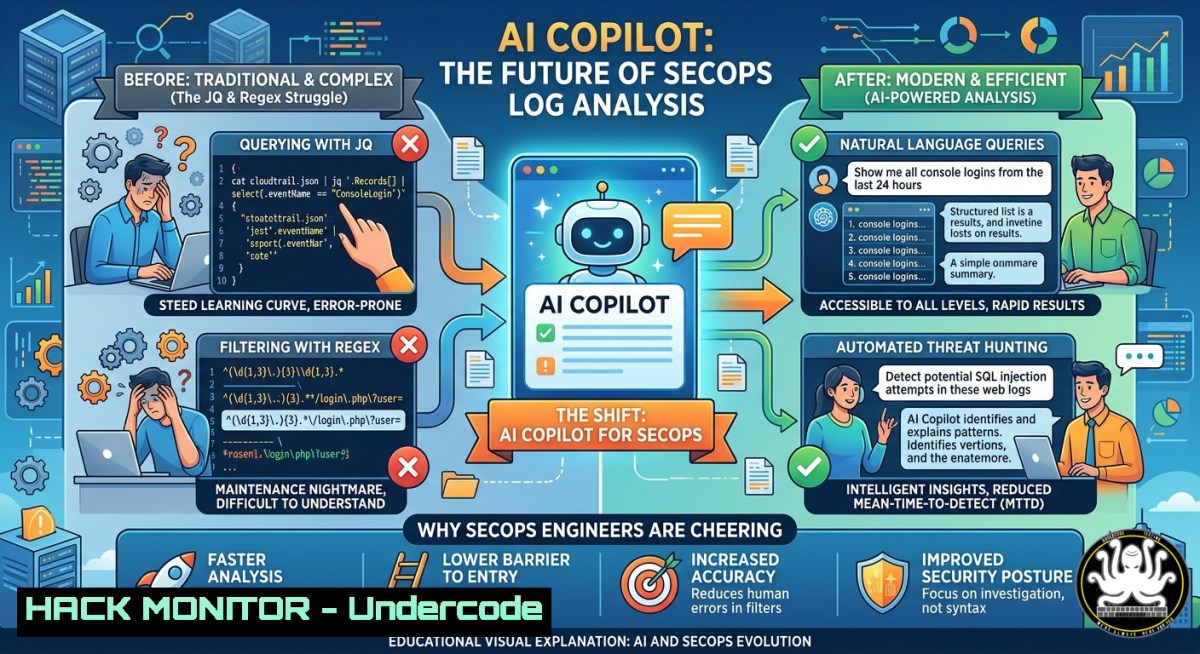
Data transformation is the silent killer of automation workflows. Writing JQ queries for JSON parsing or crafting regex patterns to extract fields from logs consumes hours and breaks constantly. A new approach replaces runtime AI agents with AI‑generated static logic – you describe the output, the copilot writes the JQ or regex once, and the pipeline runs deterministically without token burn or variability.
Learning Objectives:
- Differentiate between runtime AI agents and static AI‑generated transforms for automation pipelines
- Generate production‑ready JQ filters and regex patterns using natural language prompts
- Implement secure, deterministic data transforms in Linux and Windows environments without executing AI at runtime
You Should Know:
- Why Runtime AI Agents Fail for Data Transforms – And How Static Generation Wins
Using an LLM agent inside a live pipeline might seem clever, but every execution re‑reasons through the same transform. This burns tokens, introduces latency, and worst of all – produces slightly different outputs each time. Deterministic pipelines demand repeatable results. The copilot method separates generation from execution: AI writes the transform once, then your automation runs pure static logic.
Step‑by‑step guide to building a static transform with AI copilot:
- Describe your input and desired output – Example: “I have a CloudTrail log JSON array. I need only ‘eventName’, ‘sourceIPAddress’, and ‘userIdentity.arn’ for events where ‘errorCode’ exists.”
- Feed the description to your AI copilot (GitHub Copilot, Cursor, or any LLM with JQ/regex knowledge).
- Copy the generated JQ filter – Example output:
`.[] | select(.errorCode != null) | {eventName, sourceIPAddress, arn: .userIdentity.arn}`
4. Test the filter offline with representative sample data. - Embed the static filter into your pipeline script (no AI calls at runtime).
Linux command to test a JQ filter:
 Sample log file: cloudtrail.json
cat cloudtrail.json | jq '.[] | select(.errorCode != null) | {eventName, sourceIPAddress, arn: .userIdentity.arn}'
Windows PowerShell equivalent (using jq.exe or ConvertFrom-Json):
Get-Content cloudtrail.json | ConvertFrom-Json | Where-Object { $<em>.errorCode -ne $null } | Select-Object eventName, sourceIPAddress, @{Name='arn';Expression={$</em>.userIdentity.arn}}
- Regex Generation That Doesn’t Make You Cry – AI Copilot Patterns for Log Parsing
Regex remains the most hated tool in SecOps. One misplaced backslash breaks a SIEM parser. The fix: prompt an AI to generate the regex, validate it against edge cases, then freeze it.
Step‑by‑step regex generation with validation:
- Supply examples – “Extract IPv4 addresses, followed by a username in brackets
, and a status code (200, 404, 500) from lines like: ‘192.168.1.45 [john.doe] 404’.”</li>
</ol>

<h2 style="color: yellow;">2. AI returns a pattern:</h2>

<h2 style="color: yellow;">`(\d{1,3}\.\d{1,3}\.\d{1,3}\.\d{1,3})\s+\[([^\]]+)\]\s+(\d{3})`</h2>

<ol>
<li>Test the regex on Linux with grep -P (Perl‑compatible regex):
[bash]
echo '192.168.1.45 [john.doe] 404' | grep -oP '(\d{1,3}.){3}\d{1,3}\s+[[^]]+]\s+\d{3}'
4. Test on Windows PowerShell using Select-String:
'192.168.1.45 [john.doe] 404' | Select-String -Pattern '(\d{1,3}.){3}\d{1,3}\s+[[^]]+]\s+\d{3}'
5. Store the static regex in a configuration file or variable for your automation.
3. API Security Hardening with Static JQ Transforms
When ingesting API responses (e.g., from a CSPM tool or threat intel feed), you often need to strip sensitive fields before forwarding logs. A runtime agent could accidentally leak data if it misinterprets a field. A static JQ filter will not.
Example: Remove authorization, password, and `token` fields from a JSON API response.
AI prompt: “Given this JSON, output only the fields ‘id’, ‘status’, and ‘timestamp’. Remove all nested fields named ‘secret’ or ‘key’.”
Generated JQ:
{id, status, timestamp} | walk(if type == "object" then del(.secret, .key) else . end)
Apply in a hardened pipeline:
curl -s https://api.example.com/incidents | jq '... static filter ...' | tee sanitized_incidents.json
- Cloud Hardening: Normalizing Multi‑Cloud Logs Without AI Drift
AWS, Azure, and GCP each have different field names for the same concept (e.g., “sourceIP”, “callerIpAddress”, “ipAddress”). A deterministic transform mapping is required for centralised SIEM. AI copilot generates the mapping once.
“Create a JQ transform that maps AWS ‘sourceIPAddress’, Azure ‘callerIpAddress’, and GCP ‘ipAddress’ all to a unified field ‘client_ip’.”
Output JQ:
.client_ip = (.sourceIPAddress // .callerIpAddress // .ipAddress) | del(.sourceIPAddress, .callerIpAddress, .ipAddress)
Step‑by‑step integration:
1. Collect sample logs from each cloud provider.
2. Run the generated transform on each sample.
3. Verify the unified `client_ip` field is populated.
- Commit the transform to your CI/CD pipeline – no AI invoked during runtime.
5. Vulnerability Exploitation & Mitigation: Regex Injection Prevention
Even static regexes can be dangerous if they incorporate unsanitised user input. Attackers craft regex denial‑of‑service (ReDoS) payloads. Your AI‑generated regex must be validated against catastrophic backtracking.
ReDoS test command on Linux:
 Test regex against a malicious string
time grep -E '^(a+)+$' <<< 'aaaaaaaaaaaaaaaaaaaaaaaaaaaaaaaaaaaaaaaaaaaaaaaaaaa!'
Mitigation step‑by‑step:
- Never embed user input directly into a regex pattern.
- Use atomic grouping or possessive quantifiers where supported (
(?>a+)+). - Generate regex with bounded repetitions instead of unbounded nested quantifiers.
- Validate pattern complexity using a tool like `regex101` (PCRE mode).
- Prefer `jq` string operations over regex for simple extractions – example: `.field | split(“,”)
` instead of <code>match</code>.</li>
</ol>

<h2 style="color: yellow;">6. Windows Native Transform Automation with AI‑Generated PowerShell</h2>

Many Windows SecOps teams use PowerShell for log parsing. AI copilot can produce regex‑based `-replace` or `-match` logic.

“Extract Windows Event ID and Provider Name from a Security event log line like: ‘LogName: Security, EventID: 4624, Provider: Microsoft-Windows-Security-Auditing’.”

<h2 style="color: yellow;">Generated PowerShell:</h2>

[bash]
$line = 'LogName: Security, EventID: 4624, Provider: Microsoft-Windows-Security-Auditing'
if ($line -match 'EventID:\s(\d+).Provider:\s([^,]+)') {
$eventId = $matches[bash]
$provider = $matches[bash]
Write-Host "EventID: $eventId, Provider: $provider"
}
Embed as static function in your automation script – no AI call required ever again.
What Undercode Say:
- Determinism over intelligence – Using AI to generate transforms once gives you the best of both worlds: smart logic creation without runtime unpredictability.
- Regex hatred is universal – Even experienced engineers admit regex is painful; offloading generation to a copilot saves debugging hours and reduces errors.
- Tool‑agnostic approach – Whether jq, regex, PowerShell, or Python, the principle holds: generate static, test it thoroughly, then freeze it in your pipeline.
Analysis: The post highlights a pragmatic middle ground between fully manual coding and fully autonomous AI agents. For security automation, where repeatability and auditability are critical, runtime AI introduces compliance and performance risks. Static AI‑generated transforms preserve the “guardrails” of traditional scripting while accelerating development. This trend will likely expand to other domains like SIEM rule generation, IAM policy writing, and even firewall rule creation – always generating once, then executing with zero AI overhead.
Prediction:
Within 18 months, major SOAR and SecOps platforms will embed “transform copilot” features directly into their visual builders. Engineers will stop memorising JQ and regex syntax entirely, instead describing the target schema in plain English. The real differentiator will shift from “who can write the best regex” to “who can write the clearest transform prompt and validate edge cases.” However, a new skill will emerge: testing and hardening AI‑generated patterns against adversarial inputs – because attackers will inevitably probe the static logic that runs at scale.
▶️ Related Video (76% Match):
🎯Let’s Practice For Free:
IT/Security Reporter URL:
Reported By: Filipstojkovski One – Hackers Feeds
Extra Hub: Undercode MoN
Basic Verification: Pass ✅🔐JOIN OUR CYBER WORLD [ CVE News • HackMonitor • UndercodeNews ]
📢 Follow UndercodeTesting & Stay Tuned:


