Listen to this Post
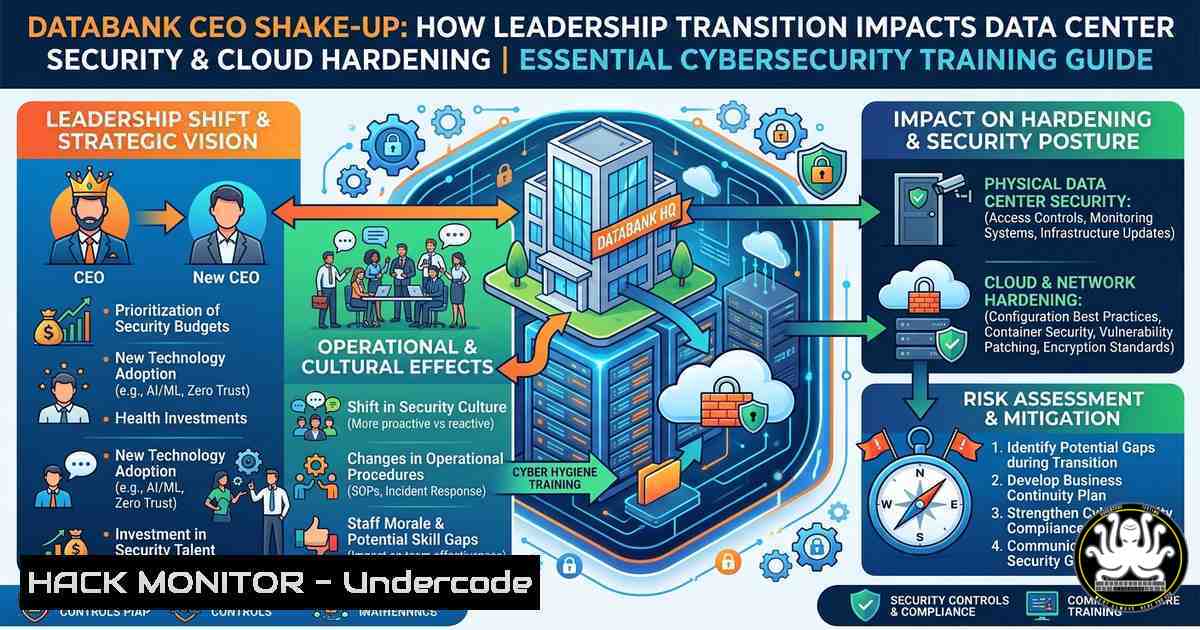
Introduction:
A CEO transition at a major data center provider like DataBank signals more than just organizational change—it often triggers shifts in security policies, infrastructure investment priorities, and compliance frameworks. For cybersecurity professionals, understanding how leadership transitions affect data center hardening, API security, and cloud expansion strategies is critical to anticipating new attack surfaces and adapting defense mechanisms accordingly.
Learning Objectives:
- Analyze how executive succession at colocation providers can influence security posture and access control policies.
- Implement Linux and Windows commands to audit data center management interfaces and harden remote administration paths.
- Apply step-by-step mitigation techniques for common vulnerabilities in data center orchestration platforms and cloud APIs.
You Should Know:
- Auditing Data Center Management Interfaces After Leadership Changes
When a CEO transition occurs, internal privileged access often gets re-evaluated. Attackers may exploit stale credentials or misconfigured management interfaces. Below are verified commands to audit access logs and validate secure configurations on both Linux and Windows systems that typically host data center infrastructure management (DCIM) tools.
Step‑by‑step guide:
Linux (auditing SSH and web interface access):
 Check for failed SSH login attempts (potential brute force)
sudo grep "Failed password" /var/log/auth.log | tail -20

List all users with sudo privileges (verify after leadership change)
sudo grep -Po '^sudo.+:\K.$' /etc/group

Audit open ports that may expose DCIM web interfaces
sudo netstat -tulpn | grep -E ':(80|443|8080|8443)'

Review last logins of all users
last -a | head -20
Windows (auditing RDP and event logs):
 Get failed RDP logins (Event ID 4625)
Get-WinEvent -FilterHashtable @{LogName='Security'; ID=4625} | Select-Object -First 20

List all members of the Administrators group
net localgroup administrators

Check for open ports related to remote management
netstat -an | findstr ":3389|:5985|:5986"
What this does: These commands reveal unauthorized access attempts, privilege creep, and exposed management ports. After a CEO transition, run them daily for one week to detect anomalies linked to internal role changes.
- Hardening API Security for Data Center Orchestration Platforms
DataBank’s expansion phase implies increased use of APIs for provisioning and monitoring. Insecure APIs are a top attack vector. This section demonstrates how to validate and harden API endpoints commonly used in data center environments (e.g., VMware vSphere, OpenStack, or custom DCIM APIs).
Step‑by‑step guide:
Testing API authentication strength (Linux with curl):
 Test for missing rate limiting (send 100 rapid requests)
for i in {1..100}; do curl -s -o /dev/null -w "%{http_code}\n" -X GET "https://your-dcim-api.example.com/v1/servers" -H "Authorization: Bearer $TOKEN"; done | sort | uniq -c

Check for API version disclosure
curl -s -I https://your-dcim-api.example.com/api | grep -i "server"

Enforce TLS 1.3 only (example nginx config snippet)
 Add to /etc/nginx/conf.d/api.conf:
ssl_protocols TLSv1.3;
Windows PowerShell API hardening:
 Test for weak cipher suites on API endpoint
Invoke-WebRequest -Uri "https://your-dcim-api.example.com" -Method Head -UseBasicParsing | Select-Object -Property Headers

Disable insecure TLS versions system-wide (run as admin)
What this does: These steps identify missing rate limiting (leading to DoS), exposed version info (aiding attackers), and weak TLS configurations. After hardening, re-run scans to ensure compliance with NIST SP 800-204 (API security).
3. Cloud Hardening for Expanded Data Center Footprints
With DataBank entering a “next phase of scale and expansion,” hybrid cloud architectures become more complex. Misconfigured cloud storage and IAM roles are common pitfalls. Below are commands to audit and lock down AWS, Azure, or GCP resources that may connect to DataBank colocation facilities.
Step‑by‑step guide (using AWS CLI as example):
Linux (AWS CLI installed):
 List all S3 buckets and check for public ACLs
aws s3api list-buckets --query "Buckets[].Name" --output text | xargs -I {} aws s3api get-bucket-acl --bucket {} | grep -i "AllUsers"

Identify unused IAM roles (potential orphaned accounts)
aws iam list-roles --query "Roles[?RoleLastUsed==null].RoleName" --output table

Generate a credential report to spot old keys
aws iam generate-credential-report
aws iam get-credential-report --output text --query "Content" | base64 -d | grep "access_key_1_active"
Windows (using Azure CLI):
 List all storage accounts with public blob access
az storage account list --query "[?allowBlobPublicAccess].name" --output table

Find storage accounts without firewall rules
az storage account list --query "[?networkRuleSet.defaultAction=='Allow'].name" --output table

Enforce HTTPS-only for storage
az storage account update --name mystorageaccount --resource-group myrg --https-only true
What this does: These commands expose publicly accessible storage, stale identities, and weak network controls. After a CEO transition, re-run these audits weekly to ensure the new leadership’s expansion plans do not introduce shadow IT.
- Vulnerability Exploitation & Mitigation: The “Leadership Blind Spot”
Attackers often time phishing campaigns or vulnerability scans around leadership announcements (e.g., CEO succession). This section demonstrates how to simulate a common exploit – credential harvesting via fake executive login portals – and then apply mitigations.
Step‑by‑step guide (educational use only):
Simulating an executive portal attack (Linux, Metasploit):
 Start Metasploit and set up a fake login clone
msfconsole -q
use auxiliary/server/capture/http_basic
set SRVPORT 8080
set URIPATH /databank-login
set REALM "DataBank Portal"
run
Mitigation – Deploy Web Application Firewall (WAF) rules (ModSecurity example):
 Add to .htaccess or vhost config
<IfModule mod_security2.c>
SecRule REQUEST_URI "@streq /databank-login" "id:1001,deny,status:403,msg:'Fake portal blocked'"
SecRule REQUEST_HEADERS:User-Agent "^(?:nikto|sqlmap|nmap)" "id:1002,deny,status:403"
</IfModule>
Windows mitigation – Block known malicious IPs via Windows Defender Firewall:
 Add a block rule for a suspicious IP range
New-NetFirewallRule -DisplayName "BlockMaliciousExecPortal" -Direction Inbound -RemoteAddress 192.0.2.0/24 -Action Block

Enable PowerShell logging to detect credential theft scripts
Set-ItemProperty -Path "HKLM:\SOFTWARE\Policies\Microsoft\Windows\PowerShell\ScriptBlockLogging" -Name "EnableScriptBlockLogging" -Value 1
What this does: Attackers exploit organizational announcements to increase phishing success. This guide shows how to simulate a capture portal and then harden against it with WAF rules and firewall blocks.
- Linux & Windows Commands for Data Center Compliance Auditing (Post-Transition)
Regulatory frameworks (SOC2, ISO 27001, PCI DSS) require documented access reviews after key personnel changes. Run these commands to generate compliance-ready logs.
Linux:
 Generate a report of all user logins in the last 30 days
lastlog | grep -v "Never logged in" > /var/log/user_login_audit.txt

Check for world-writable files (security risk)
find / -type f -perm -0002 -not -path "/proc/" -not -path "/sys/" 2>/dev/null > world_writable.txt

Verify cron jobs for anomalies (backdoors)
crontab -l > /tmp/cron_backup.txt
cat /etc/crontab /etc/cron./ 2>/dev/null | grep -v "^"
Windows (PowerShell as Admin):
 Export all local users and last logon times
Get-LocalUser | Select-Object Name,Enabled,LastLogon | Export-Csv -Path C:\audit\local_users.csv

Find services running as SYSTEM with auto-start (potential persistence)
Get-Service | Where-Object {$<em>.StartType -eq 'Automatic' -and $</em>.Status -eq 'Running'} | Select-Object Name,DisplayName

Check for unusual scheduled tasks
Get-ScheduledTask | Where-Object {$_.TaskPath -notlike "Microsoft"} | Get-ScheduledTaskInfo | Select-Object TaskName,LastRunTime,NextRunTime
What this does: These commands produce a forensic snapshot of user access, file permissions, and automated tasks. Save outputs before and after leadership transition to demonstrate due diligence during audits.
What Undercode Say:
- Key Takeaway 1: Executive transitions at data center firms like DataBank create a temporary window of increased risk—attackers monitor public announcements to launch targeted phishing, API abuse, or insider threat campaigns.
- Key Takeaway 2: Hardening management interfaces, rotating API tokens, and re-auditing IAM roles should be standard operating procedure within 48 hours of any C-suite change, not just after breaches.
Analysis: The LinkedIn post reveals a planned, amicable CEO-to-chairman transition with strong internal support. However, from a cybersecurity standpoint, such public announcements provide threat actors with intelligence on key personnel (Kevin Ooley, Stephen Callahan, etc.) and timelines (effective Jan 1, 2027). This window is prime for business email compromise (BEC) targeting DataBank’s partners or employees. Moreover, DataBank’s “next phase of scale” implies rapid deployment of new data centers—historically a period where configuration errors spike (e.g., exposed hypervisors, weak SDN policies). Security teams must treat leadership changes as a “change management trigger” that invokes full access recertification, penetration testing of new API endpoints, and enhanced monitoring of executive accounts. The commands and guides above are directly applicable to any colocation provider or enterprise expanding its hybrid footprint.
Prediction: By 2027, data center leadership transitions will be formally integrated into NIST and ISO security frameworks as “critical change events,” mandating automated API token rotation and temporary multi-party approval for all infrastructure changes within 72 hours of the transition. We will also see AI-driven monitoring tools that scan LinkedIn and SEC filings to preemptively lock down executive credentials and alert SOC teams before the official handover date, reducing the average exploit window from 14 days to under 4 hours.
▶️ Related Video (72% Match):
🎯Let’s Practice For Free:
IT/Security Reporter URL:
Reported By: Raulmartynek Databank – Hackers Feeds
Extra Hub: Undercode MoN
Basic Verification: Pass ✅


