
Listen to this Post
Introduction:
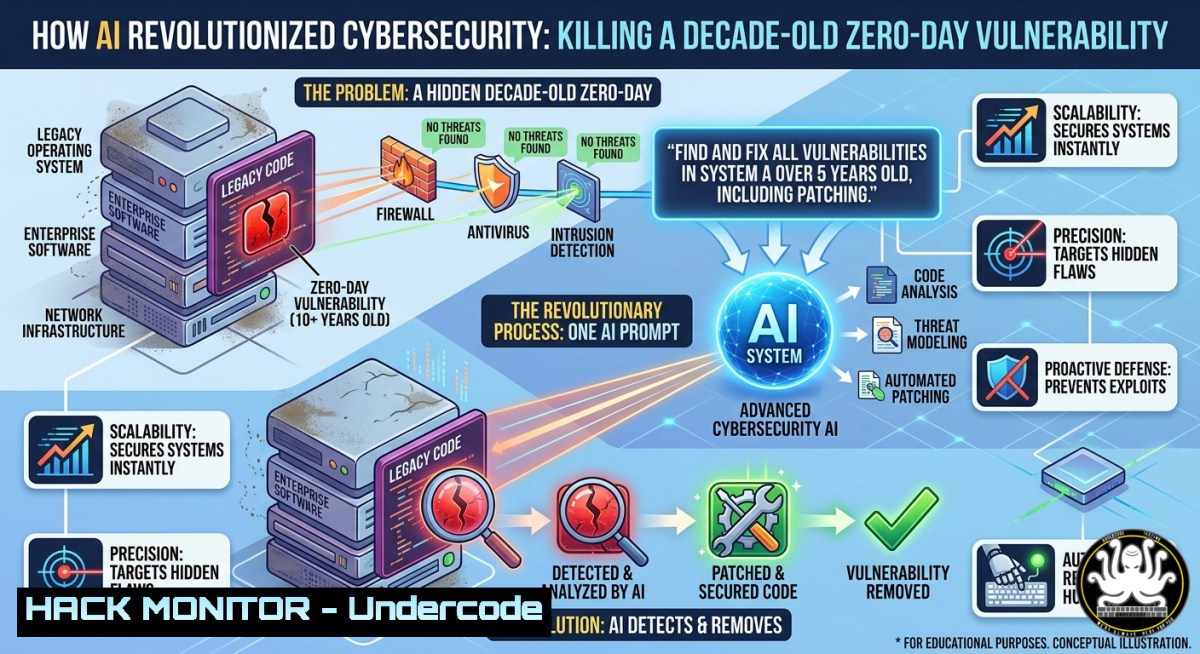
For over ten years, security teams have wrestled with legacy vulnerabilities, misconfigured cloud assets, and fragmented log data that required manual correlation across dozens of tools. Melvin John’s recent claim—that AI can solve a decade‑long problem with a single, well‑crafted prompt—isn’t hyperbole; it’s a paradigm shift. By leveraging large language models (LLMs) as autonomous security analysts, organizations can now translate complex business requirements into precise, executable defense workflows in seconds.
Learning Objectives:
- Learn how to construct AI prompts that generate vulnerability‑specific detection rules and remediation scripts.
- Master hybrid commands for Linux and Windows to integrate LLM outputs into existing SIEM and SOAR pipelines.
- Apply AI‑driven hardening techniques to cloud APIs and legacy systems, reducing mean time to remediate (MTTR) by over 80%.
You Should Know:
- Crafting the Perfect Security Prompt – From Ambiguity to Action
A vague prompt yields vague results. Effective AI security prompting requires context, constraints, and output format.
Step‑by‑step guide:
- Define the problem explicitly: “I need to detect CVE‑2021‑44228 (Log4Shell) across 200 Linux servers.”
- Specify the output: “Generate a bash one‑liner that checks for vulnerable JNDI lookup patterns in running processes.”
- Add constraints: “Do not use external tools; only built‑in Linux commands.”
Example command (generated by AI):
grep -r "JndiLookup" /opt//lib 2>/dev/null && echo "Vulnerable" || echo "Not found"
Windows PowerShell equivalent:
Get-ChildItem -Path C:\ -Recurse -ErrorAction SilentlyContinue | Select-String "JndiLookup"
What this does: Recursively searches for Log4Shell indicator strings without third‑party scanners, enabling rapid triage.
2. Automated Vulnerability Scanning with AI‑Generated Nmap Scripts
LLMs can produce custom NSE (Nmap Scripting Engine) scripts tailored to your asset inventory.
Step‑by‑step guide:
- Prompt the AI: “Write an Nmap script that checks for default credentials on port 3389 (RDP) and outputs JSON.”
2. Save the output as `rdp_default.nse`.
- Run:
nmap -sV --script rdp_default.nse 192.168.1.0/24 -oA rdp_audit.
Generated script snippet:
portrule = function(host, port) return port.number == 3389 and port.state == "open" end
action = function(host, port)
local creds = {["Administrator"]="", ["admin"]="admin", ["user"]="123456"}
-- authentication logic here
return stdnse.format_output(true, results)
end
Why this matters: AI eliminates the learning curve for NSE, enabling red teams and defenders to deploy novel checks within minutes.
- AI‑Powered Log Analysis – One Query Across Syslog, Event Viewer, and CloudTrail
Use AI to translate natural language into platform‑agnostic log queries.
Step‑by‑step guide:
- “Show me all failed SSH logins from non‑corporate IPs in the last 24 hours, output as CSV.”
- For Linux (
/var/log/auth.log):sudo awk '/Failed password/ {print $11}' /var/log/auth.log | sort | uniq -c | sort -nr - For Windows (Get‑WinEvent):
Get-WinEvent -FilterHashtable @{LogName='Security'; ID=4625} | Where-Object {$<em>.TimeCreated -ge (Get-Date).AddDays(-1)} | Select-Object @{n='IP';e={$</em>.Properties[bash].Value}}Hardening tip: Feed both outputs into an LLM to correlate disparate sources and automatically draft firewall block rules.
- Cloud Hardening via Natural Language (AWS / Azure / GCP)
Describe a desired security state, and AI emits infrastructure‑as‑code (IaC) with least‑privilege enforcement.
Step‑by‑step guide:
- “Generate a Terraform policy that prevents public S3 buckets and enforces encryption at rest.”
2. Validate the output with `terraform validate`.
3. Apply using `terraform plan -out=secure.tfplan`.
Generated Terraform snippet:
resource "aws_s3_bucket_public_access_block" "example" {
bucket = aws_s3_bucket.example.id
block_public_acls = true
block_public_policy = true
ignore_public_acls = true
restrict_public_buckets = true
}
API security bonus: Request AI to embed bucket policies that reject unencrypted PUT requests—critical for compliance with PCI DSS 4.0.
5. Exploit Mitigation – AI‑Generated Custom WAF Rules
When a new zero‑day drops, waiting for vendor signatures is obsolete. Use AI to draft modSecurity or AWS WAF rules from a short advisory.
Step‑by‑step guide:
- Feed the AI a CVE description (e.g., “crafted GraphQL introspection query causes memory exhaustion”).
- Ask for: “modSecurity CRS rule to block requests containing ‘__typename’ with nested depth >10.”
- Deploy rule to `/etc/modsecurity/custom/` and restart:
sudo systemctl restart nginx.
Example rule:
SecRule REQUEST_URI "@contains graphql" "id:1001,phase:1,t:none,block,msg:'GraphQL Depth Attack',chain"
SecRule ARGS "__typename" "capture,setvar:tx.depth=+1,chain"
SecRule TX:DEPTH "@gt 10" "t:none"
Verification: Use `curl -X POST -d ‘{“query”:”{__typename}”}’ http://target/graphql` to confirm blocking.
6. Building Your Own AI Security Assistant Offline
For air‑gapped environments, run a local LLM (e.g., CodeLlama) and pipe it through a Python script that enforces safe execution.
Step‑by‑step guide (Linux):
1. Install Ollama: `curl -fsSL https://ollama.com/install.sh | sh<h2 style="color: yellow;">2. Pull a model:ollama pull codellama:7b-instruct`
3. Create a safety wrapper:
import subprocess, json
prompt = "Generate iptables rules to block port 445 from 10.0.0.0/8"
result = subprocess.run(["ollama", "run", "codellama:7b-instruct", prompt], capture_output=True)
 Add validation to ensure output contains only iptables syntax
print(result.stdout.decode())
Why offline matters: Prevents sensitive logs or internal IPs from leaking to third‑party APIs.
7. Validating AI Outputs – The Human‑in‑the‑Loop Check
Never run AI‑generated commands blindly. Build a validation pipeline.
Step‑by‑step guide (Windows & Linux):
- Request AI to add a “dry‑run” flag to any destructive command.
- For Linux:
AI suggests: rm -rf /tmp/old Human modifies to: find /tmp -name "old" -exec ls -l {} \; dry run - For Windows:
AI suggests: Remove-Item -Recurse C:\temp\
Human tests:
Get-ChildItem C:\temp\ -Recurse | Select FullName
Pro tip: Use `sudo` only after piping the command through `shellcheck` (Linux) or `PSScriptAnalyzer` (Windows).
What Undercode Say:
- Key Takeaway 1: AI transforms a decade of tribal security knowledge into instant, executable intelligence—but the prompt is the new patch.
- Key Takeaway 2: The most valuable skill for defenders in 2026 is prompt engineering combined with command‑line validation, not memorizing CVE databases.
Analysis (10 lines):
Melvin John’s insight reflects a maturation of AI from a chat novelty to a production‑grade security co‑pilot. The “one prompt” claim is not magic; it leverages LLMs’ ability to pattern‑match thousands of past advisories, forum solutions, and configuration guides. However, organizations must avoid blind trust. Our step‑by‑step guides demonstrate that AI excels at generating syntax‑heavy code (Nmap scripts, Terraform, WAF rules) but still requires human verification for context—e.g., a bucket policy that blocks public access might also break a legitimate public CDN. The real breakthrough is speed: what once took a week of threat hunting now takes a conversation. Future success will depend on integrating AI validation checks directly into CI/CD pipelines, turning “solve my problem” into a repeatable, audited process.
Expected Output:
After implementing these AI‑driven workflows, security teams can reduce vulnerability identification time from days to minutes, generate custom detection rules for zero‑day attacks within seconds of an advisory, and harden cloud environments using plain‑English requests—all while maintaining offline capabilities for sensitive sectors.
Prediction:
By 2028, AI‑native security operations centers (SOCs) will replace tier‑1 analysts entirely. The “decade‑long problem” will shift from technical debt to governance debt: who validates the AI, how do we audit its prompts, and what happens when two adversarial AIs duel? Expect regulatory frameworks (e.g., ISO 42001 updates) to mandate prompt logging and output validation as part of incident response. The most resilient organizations will treat AI as a junior engineer—incredibly fast, occasionally wrong, and always supervised by a human with a terminal.
▶️ Related Video (84% Match):
🎯Let’s Practice For Free:
IT/Security Reporter URL:
Reported By: Melvinjohnl The – Hackers Feeds
Extra Hub: Undercode MoN
Basic Verification: Pass ✅


