Listen to this Post
Introduction:
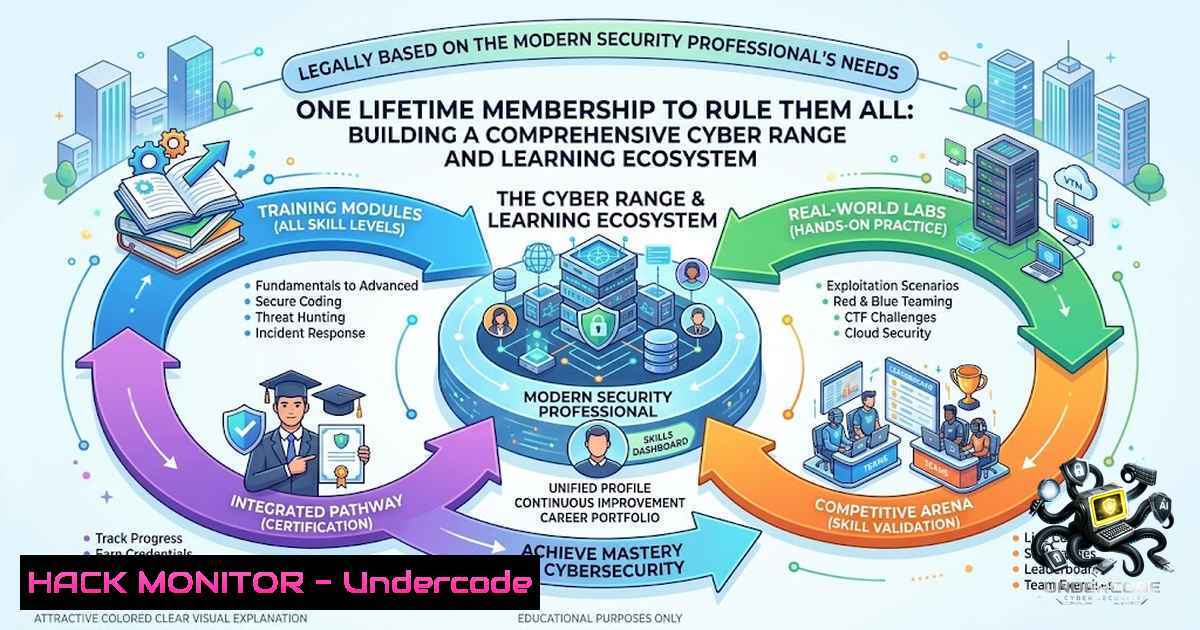
The cybersecurity industry is currently facing a paradoxical crisis: while the demand for skilled professionals outpaces supply, the market is saturated with fragmented, siloed training materials. This disjointed approach often leads to a “jack of all trades, master of none” scenario, where aspiring professionals lack the cohesive, hands-on experience required to defend modern enterprise networks. The proposed solution is a consolidated, multi-domain learning ecosystem that integrates Penetration Testing, Cloud Security, SOC operations, and AI-driven defense mechanisms into a single lifetime access model, effectively bridging the gap between theoretical certification and practical, operational expertise.
Learning Objectives:
- Build a Homelab Cyber Range: Construct a virtualized environment to safely practice exploitation, defense, and monitoring techniques without risking production assets.
- Master Cloud and Container Security: Implement security controls and vulnerability scanning in AWS and Kubernetes environments.
- Operationalize Threat Hunting: Deploy SIEM and EDR solutions to analyze logs, detect anomalies, and automate incident response playbooks.
You Should Know:
- Building Your Foundational Cyber Range (Virtualization & Networking)
A robust learning ecosystem begins with the hardware and software used to simulate the enterprise. Leveraging Type-2 hypervisors (VMware Workstation or VirtualBox) allows for the creation of segmented virtual networks. For a realistic “Red vs. Blue” environment, you must configure isolated host-only networks that prevent test traffic from leaving your physical machine.
Step-by-step guide: Set up a virtual network with one Kali Linux (Attacker) machine and at least two target machines (Ubuntu Server and Windows 10/Server). Use the following Linux commands to verify connectivity and configure routing if necessary:
 Linux: Check IP configuration and interface status
ip a
sudo ip route add 192.168.100.0/24 via 10.0.0.1  Example static route
 Windows: Verify network stack and connectivity
ipconfig /all
ping 192.168.100.10 -t
2. Repository Cloning and System Hardening Scripts
The learning ecosystem provides resource updates, but your local machine must be hardened to host these tools. Automating the installation of common penetration testing and DevSecOps tools via scripting saves time and ensures reproducibility.
Linux Installation Script: Create a script to install common utilities, and ensure NTP synchronization to avoid token expiration issues in Active Directory attacks.
!/bin/bash
sudo apt update -y && sudo apt upgrade -y
sudo apt install -y nmap wireshark metasploit-framework sqlmap bloodhound john
sudo timedatectl set-timezone UTC
sudo systemctl enable ntp && sudo systemctl start ntp
Windows PowerShell (Security Baselines): For Windows targets, export and apply security baselines.
 Export current security policy for review
secedit /export /cfg C:\secpol.inf
 Apply a hardened registry key to mitigate SMB signing attacks
Set-ItemProperty -Path "HKLM:\SYSTEM\CurrentControlSet\Services\LanmanWorkstation\Parameters" -1ame "RequireSecuritySignature" -Value 1
3. API Security and Cloud Misconfiguration Testing
With the increasing focus on AI and Cloud Security, understanding how to test APIs and cloud storage permissions is critical. The ecosystem emphasizes cloud resources; thus, utilizing tools like `awscli` and `postman` for API fuzzing is mandatory.
Step-by-step guide to test S3 Bucket Permissions:
Configure AWS CLI with temporary credentials and execute enumeration commands to check for public exposure.
 List all S3 buckets
aws s3 ls
 Check permissions on a specific bucket (attempt to list contents)
aws s3 ls s3://target-bucket-1ame --1o-sign-request
 If successful, the bucket is public. Download contents for reconnaissance.
aws s3 sync s3://target-bucket-1ame ./s3_dump --1o-sign-request
For API fuzzing, utilize `ffuf` to discover hidden endpoints on web applications, simulating a bug bounty hunting scenario.
ffuf -u https://target.com/api/FUZZ -w /usr/share/wordlists/dirb/common.txt -fc 404 -o api_scan.json
4. Implementing SIEM and Threat Hunting Dashboards (ELK/Splunk)
The “SOC, Threat Hunting & Incident Response” pillar necessitates the deployment of a Security Information and Event Management (SIEM) system. Open-source solutions like the Elastic Stack (ELK) allow learners to ingest logs, parse them, and create dashboards for anomaly detection.
Step-by-step Guide for Log Forwarding:
1. Install Filebeat on a Windows target machine.
- Configure the `filebeat.yml` file to forward WinEventLogs to your Elasticsearch instance.
- Use a Grok filter (Linux) to parse raw logs.
filebeat.yml snippet for Windows</li>
</ol>

- module: windows
event_logs:
- name: Security
- name: System
Linux Server (Elasticsearch Setup): Use the following commands to add the Elastic GPG key and install the stack.
wget -qO - https://artifacts.elastic.co/GPG-KEY-elasticsearch | sudo apt-key add -
sudo apt-get install elasticsearch
sudo systemctl start elasticsearch
 Query to verify index creation
curl -X GET "localhost:9200/_cat/indices?v"
- Active Directory Exploitation and Mitigation (Kerberos & SMB)
Active Directory remains the core authentication mechanism for many enterprises. Understanding Kerberos attacks (Golden Ticket, Silver Ticket) and SMB relay attacks is essential for any Penetration Tester.
Execution (Using Impacket suite on Kali):
To simulate a SMB relay attack, you can use
ntlmrelayx.py. This highlights why SMB signing is critical.Attacker command to relay NTLM hashes sudo ntlmrelayx.py -tf targets.txt -smb2support -c "whoami /all"
Mitigation (Windows Group Policy):
To defend against these relay attacks, administrators must enforce SMB Signing via Group Policy. The registry setting is crucial:
 Enforce SMB Signing
Set-ItemProperty -Path "HKLM:\SYSTEM\CurrentControlSet\Services\LanmanServer\Parameters" -1ame "RequireSecuritySignature" -Value 1
6. Kubernetes (K8s) Security and CIS Benchmarks
As the community targets “AI & Emerging Technologies,” container orchestration security is paramount. Deploying a Kubernetes cluster and applying the Center for Internet Security (CIS) benchmarks helps automate configuration checks.
Step-by-step Guide:
- Install `kube-bench` on the master node to assess compliance.
- Run the scanner to identify misconfigurations regarding RBAC and Pod Security Policies.
Download and run kube-bench
curl -L https://github.com/aquasecurity/kube-bench/releases/download/v0.6.15/kube-bench_0.6.15_linux_amd64.deb -o kube-bench.deb
sudo dpkg -i kube-bench.deb
kube-bench run --targets master,node
- Create Network Policies to restrict pod communication, a core DevSecOps task.
7. Windows Command Line and PowerShell Security Forensics
In the event of a compromise (simulated in labs), security analysts need to retrieve forensic artifacts quickly. Utilizing built-in Windows commands is often faster than GUI tools.
Quick Forensic Commands:
- Check established connections (Finds reverse shells):
netstat -ano | findstr ESTABLISHED
- List all users and groups (Privilege Escalation):
net user
net localgroup administrators
- Get Windows Service Permissions (Weak permissions can be exploited):
Get-Service | Where-Object {$_.Status -eq "Running"} | Select-Object Name, DisplayName, StartName - Check Event Logs for Failed Logins (Threat Hunting):
Get-EventLog -LogName Security -InstanceId 4625 -1ewest 20
What Undercode Say:
- Key Takeaway 1: The differentiation between certification and skill-building is critical. This ecosystem’s value lies in its lifetime access to “hands-on training” which is the antidote to the dreaded “Paper CEH” syndrome.
- Key Takeaway 2: The convergence of AI with cybersecurity (Defensive AI and adversarial ML) is no longer a luxury but a necessity. The inclusion of “Recursive Self Improving” concepts hints at the future of autonomous threat hunting.
Analysis: The model presented by the original post addresses a significant pain point in the infosec job market: the “Experience Paradox” (entry-level jobs requiring experience). By providing access to labs covering SOC, Cloud, and Pentesting simultaneously, it accelerates the learner’s ability to pivot across the “kill chain” (Cyber Kill Chain and MITRE ATT&CK frameworks). However, a common pitfall of aggregate communities is the “surface-level” coverage of vast topics. The challenge for the learner is to maintain discipline—they must not simply collect resources but actively practice them. The recommended “recursive improvement” approach suggests that as the learner practices (Build Proof), they update their toolkit and methodology, fostering a growth mindset akin to advanced AI models that retrain on their own outputs.
Prediction:
- +1: The democratization of high-level security labs via lifetime access will dramatically shrink the skills gap within the next 2–3 years.
- +1: A shift from traditional compliance-based security to data-driven, AI-enhanced Security Operations Centers (SOCs) will become the standard, making this learning path highly relevant.
- -1: The sheer volume of resources may lead to “learning paralysis”; without a structured mentorship layer, many users may never progress past the basic “resource collection” phase.
- -1: As cybersecurity tools become more automated (AI), the demand for pure manual pentesting roles may decrease, forcing professionals to pivot more towards architecture and threat modeling.
▶️ Related Video (68% Match):
🎯Let’s Practice For Free:
🎓 Live Courses & Certifications:
Join Undercode Academy for Verified Certifications
🚀 Request a Custom Project:
Secure, high-velocity infrastructure and disruptive technological engineering. Contact our engineering team for high-tier development and proprietary systems:
[email protected]
💎 Smart Architecture | 🛡️ Secure by Design | ⭐ Trusted by ThousandsIT/Security Reporter URL:
Reported By: Rahul D – Hackers Feeds
Extra Hub: Undercode MoN
Basic Verification: Pass ✅🔐JOIN OUR CYBER WORLD [ CVE News • HackMonitor • UndercodeNews ]
📢 Follow UndercodeTesting & Stay Tuned:
- Active Directory Exploitation and Mitigation (Kerberos & SMB)


