Listen to this Post
Introduction:
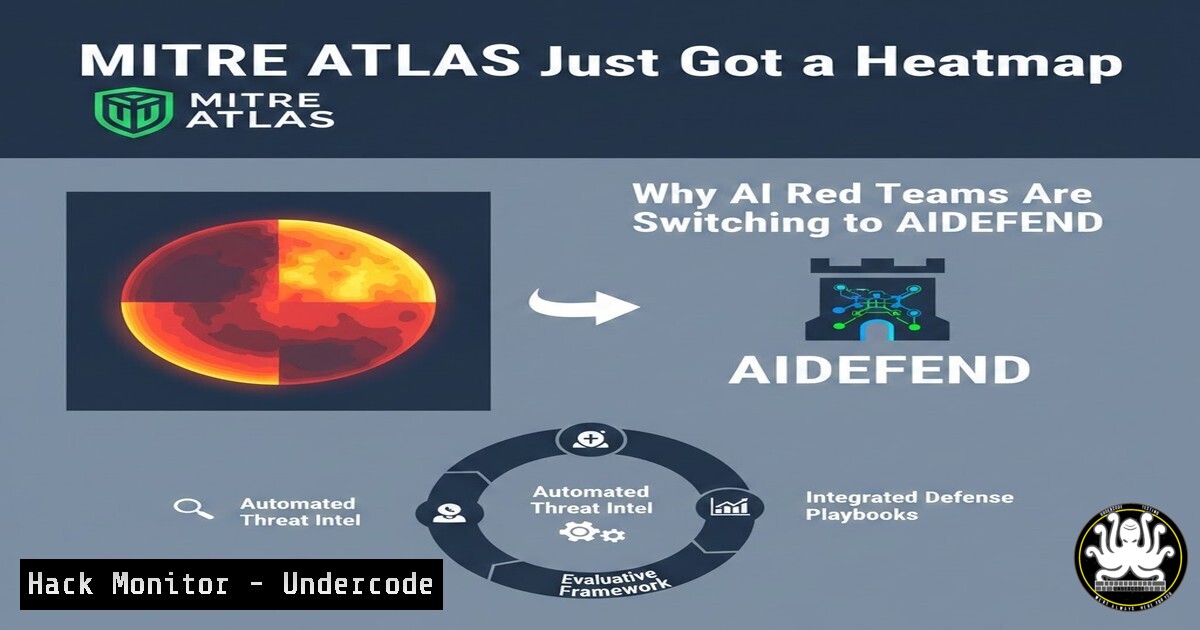
The rapid adoption of Artificial Intelligence (AI) and Machine Learning (ML) systems has introduced a new frontier for cyber threats, moving beyond traditional IT vulnerabilities to target the unique components of the ML supply chain. While the MITRE ATLAS (Adversarial Threat Landscape for Artificial-Intelligence Systems) framework provides a comprehensive knowledge base of these AI-specific attack tactics, security teams often struggle to translate these threats into actionable defensive measures. The latest update to the AIDEFEND framework bridges this gap by mapping the full MITRE ATLAS attack chain to a visual defense matrix, allowing organizations to visualize their security posture against AI-specific adversary behaviors in real-time.
Learning Objectives:
- Understand the structure of the MITRE ATLAS framework and its 16 tactics, from Reconnaissance to Impact.
- Learn how to navigate the AIDEFEND interactive matrix to correlate adversarial techniques with specific defensive countermeasures.
- Gain practical skills in using the AIDEFEND repository and command-line tools to generate a defense coverage heatmap for your AI/ML projects.
You Should Know:
1. Deploying the AIDEFEND Framework Locally for Analysis
To effectively use the new MITRE ATLAS visualization, you need to interact with the AIDEFEND knowledge base. The framework is open-source and hosted on GitHub, allowing security architects to run it locally for internal assessments.
Step‑by‑step guide explaining what this does and how to use it.
This process clones the repository and sets up the local environment to view the interactive defense maps.
 1. Clone the AIDEFEND repository from GitHub
git clone https://github.com/edward-playground/aidefense-framework.git

<ol>
<li>Navigate into the project directory
cd aidefense-framework</p></li>
<li><p>(Optional but recommended) Create a Python virtual environment to isolate dependencies
python3 -m venv venv
source venv/bin/activate  On Windows use: venv\Scripts\activate</p></li>
<li><p>Install required dependencies (assuming a requirements.txt or setup.py is present)
Check the repository for specific installation instructions; typically:
pip install -r requirements.txt</p></li>
<li><p>Run the local web server to view the interactive ATLAS matrix
This command may vary; often it's a Flask or simple HTTP server.
python app.py
Access the interface by navigating to http://127.0.0.1:5000 in your browser
What this does: This setup deploys the AIDEFEND interface locally. From here, you can select the “MITRE ATLAS Matrix View” to see the 16 tactics mapped out. You can click on specific techniques (e.g., “ML Model Poisoning”) to see which AIDEFEND defensive controls are recommended.
- Using the CLI to Map ATLAS Techniques to Defenses
Beyond the graphical user interface, the AIDEFEND framework likely includes a command-line interface (CLI) for scripted analysis and integration into CI/CD pipelines. This allows security teams to automate the mapping of AI supply chain components to potential threats.
Step‑by‑step guide explaining what this does and how to use it.
This hypothetical CLI command scans a project manifest (like a model_metadata.yaml) and outputs a report of relevant ATLAS techniques and their defense coverage.
 Assuming AIDEFEND has a CLI tool named 'aidefend-cli'

<ol>
<li>Create a sample metadata file for your AI project
cat <<EOF > my_ai_project.yaml
project: "Customer-Support-Chatbot"
model_type: "LLM"
framework: "PyTorch"
data_sources:

<ul>
<li>"customer_database"</li>
<li>"public_forums"
deployment: "cloud_kubernetes"
EOF</li>
</ul></li>
<li>Run the AIDEFEND analyzer against the metadata
aidefend-cli analyze --project-file my_ai_project.yaml --framework atlas --output report.html</p></li>
<li><p>Generate a specific heatmap for the "Model Access" tactic
aidefend-cli heatmap --tactic "ML Model Access" --defense-depth
What this does: This simulates an automated threat modeling process. The tool parses your project details and cross-references them with the MITRE ATLAS database. The output (report.html) would show a color-coded heatmap (Green/Orange/Red) indicating how well your current stack defends against specific AI attack vectors, such as Membership Inference or Model Inversion.
- Hardening an AI API Against ATLAS “Discovery” Tactics
One of the first steps in the MITRE ATLAS attack chain is “Discovery,” where an adversary probes an AI system to understand its capabilities and defenses. A common vector is the public API endpoint. Here is how to implement rate limiting and input validation to mitigate automated discovery attempts on a Linux-based inference server.
Step‑by‑step guide explaining what this does and how to use it.
This guide uses `iptables` and a Python Flask middleware to limit API requests, a direct countermeasure to ATLAS technique “Discover ML Model Family” (AML.T0000.000).
 Linux (Ubuntu/Debian) - Implement rate limiting at the firewall level
 Limit SSH attempts (basic hygiene) and HTTP requests to your API

<ol>
<li>Install iptables-persistent to save rules
sudo apt update && sudo apt install iptables-persistent -y</p></li>
<li><p>Limit new incoming HTTP connections to 25 per minute from a single IP
sudo iptables -A INPUT -p tcp --dport 80 -m state --state NEW -m recent --set
sudo iptables -A INPUT -p tcp --dport 80 -m state --state NEW -m recent --update --seconds 60 --hitcount 25 -j DROP</p></li>
<li><p>For HTTPS (port 443)
sudo iptables -A INPUT -p tcp --dport 443 -m state --state NEW -m recent --set
sudo iptables -A INPUT -p tcp --dport 443 -m state --state NEW -m recent --update --seconds 60 --hitcount 25 -j DROP</p></li>
<li><p>Save the rules
sudo netfilter-persistent save
For API Input Validation (Python/Flask example):
This code snippet validates that the input to the model is within expected parameters, mitigating prompt injection attempts that could lead to information disclosure.
from flask import Flask, request, jsonify
import re

app = Flask(<strong>name</strong>)

def sanitize_input(user_input):
 Block attempts to escape the prompt or use special tokens
if re.search(r'ignore previous instructions|system prompt|[INST]', user_input, re.IGNORECASE):
return None
 Limit input length to prevent resource exhaustion
if len(user_input) > 500:
return None
return user_input[:500]

@app.route('/api/generate', methods=['POST'])
def generate():
data = request.get_json()
raw_prompt = data.get('prompt', '')
clean_prompt = sanitize_input(raw_prompt)

if clean_prompt is None:
return jsonify({"error": "Invalid input detected"}), 400

Proceed with model inference
 output = model.generate(clean_prompt)
return jsonify({"response": "Simulated safe output"})
4. Detecting Evasion Attacks with Windows Event Logs
ATLAS tactic “Evasion” (AML.T0040) involves techniques like Adversarial Input to cause misclassification. While model-level detection is complex, you can detect anomalous access patterns at the infrastructure level on Windows servers hosting the AI models.
Step‑by‑step guide explaining what this does and how to use it.
This guide uses PowerShell to monitor for a high volume of “406” (Not Acceptable) or “422” (Unprocessable Entity) HTTP errors, which could indicate an attacker is fuzzing the API with malformed inputs.
 Run PowerShell as Administrator

Create a scheduled task to monitor IIS logs (if hosting API on Windows)
 This script parses IIS logs for a high frequency of error codes from a single IP

$logPath = "C:\inetpub\logs\LogFiles\W3SVC1\u_ex.log"
$threshold = 50  Number of errors in the last 5 minutes
$timeWindow = (Get-Date).AddMinutes(-5)

Get all error entries from the last 5 minutes
$suspiciousIPs = Get-ChildItem $logPath | ForEach-Object {
Get-Content $<em>.FullName | Where-Object {
$</em> -match " (\d{1,3}.\d{1,3}.\d{1,3}.\d{1,3}) . (406|422) "
} | ForEach-Object {
if ([bash]::ParseExact($<em>.Substring(0,19), 'yyyy-MM-dd HH:mm:ss', $null) -gt $timeWindow) {
$matches[bash]  Extract IP
}
}
} | Group-Object | Where-Object { $</em>.Count -gt $threshold } | Select-Object Name

if ($suspiciousIPs) {
Write-Host "Potential evasion attack detected from: $($suspiciousIPs.Name -join ', ')"
 Trigger alert or add to block list
 New-NetFirewallRule -DisplayName "Block Evasion Scan" -Direction Inbound -RemoteAddress $suspiciousIPs.Name -Action Block
}
What Undercode Say:
The integration of MITRE ATLAS into AIDEFEND represents a critical maturation of AI security, shifting the industry from theoretical threat lists to actionable defense mapping. The key takeaways are the emphasis on coverage heatmaps, which provide executive-level visibility into AI risk, and the open-source nature of the framework, which democratizes access to enterprise-grade threat intelligence for smaller AI teams. This update forces organizations to realize that securing an AI model is not just about the algorithm, but about the entire MLOps pipeline and API infrastructure. By visualizing the attack chain from Recon to Impact, defenders can prioritize controls that address the most likely adversarial behaviors, rather than reacting to every new vulnerability. The community-driven aspect of AIDEFEND ensures that as new AI attack techniques emerge in the wild, the defensive knowledge base can evolve rapidly, keeping pace with adversaries in this fast-moving domain.
Prediction:
In the next 12-18 months, we will see regulatory bodies and insurance carriers mandate the use of frameworks like AIDEFEND for AI risk assessments. The “heatmap” feature will evolve into a standardized score for AI Security Posture Management (AI-SPM), becoming a non-negotiable metric for M&A due diligence and third-party AI vendor risk assessments. As adversarial AI tools become more accessible, automated red-teaming tools will directly interface with these knowledge bases to autonomously validate the “Green” status of defenses, leading to a continuous, looped model of AI security validation rather than periodic audits.
▶️ Related Video (80% Match):
🎯Let’s Practice For Free:
IT/Security Reporter URL:
Reported By: Go Edwardlee – Hackers Feeds
Extra Hub: Undercode MoN
Basic Verification: Pass ✅


