
Listen to this Post
Introduction:
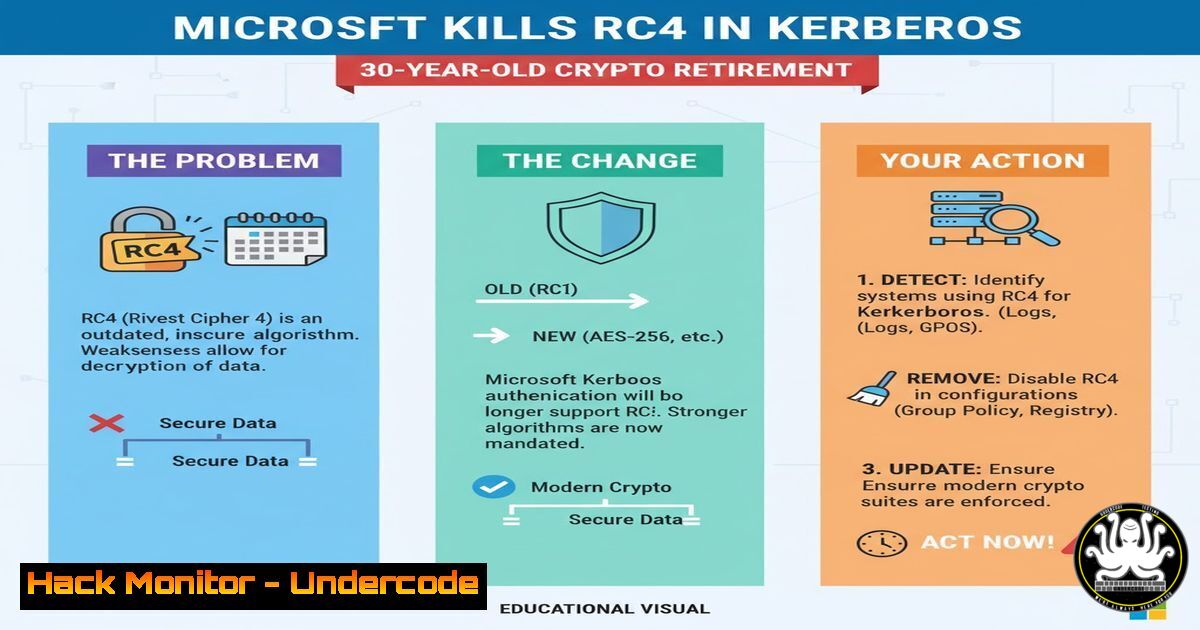
For decades, RC4 has been the cryptographic skeleton in Active Directory’s closet—fast, ubiquitous, and dangerously weak. Originally embraced for its simplicity in Kerberos authentication, this stream cipher has long outlived its usefulness, with modern attacks capable of breaking it in hours. Microsoft is now officially deprecating RC4 in Kerberos, pushing organizations toward AES encryption. This shift closes a massive security gap, but it also demands immediate action from IT teams to identify and remediate RC4 dependencies before the protocol is forcibly retired.
Learning Objectives:
- Understand why RC4 in Kerberos is a critical security risk and why Microsoft is finally removing it.
- Learn to audit your Active Directory environment for RC4 usage using PowerShell.
- Master the step‑by‑step process to disable RC4 and enforce AES encryption across users, computers, and trusts.
You Should Know:
- RC4 in Kerberos: The Cipher That Wouldn’t Die
RC4 (Rivest Cipher 4) became a default in Kerberos because it was fast and required less computational overhead than older DES. However, cryptanalysis has exposed fatal biases in its keystream, making it vulnerable to plaintext recovery attacks. In Active Directory, RC4 is used to encrypt service tickets and authenticate clients. Attackers who capture RC4‑encrypted traffic can potentially decrypt credentials or perform pass‑the‑ticket attacks. Microsoft’s announcement signals the end of this legacy—Kerberos will soon require AES, aligning with modern security standards.
2. Audit RC4 Usage with PowerShell
Before making any changes, you must know where RC4 is still enabled. The `msDS-SupportedEncryptionTypes` attribute on user and computer objects controls which encryption types are allowed. RC4 is represented by the flag `0x10` (decimal 16). Use these PowerShell commands to identify affected objects.
Step 1: Load the Active Directory module
Import-Module ActiveDirectory
Step 2: Find all users with RC4 enabled
Get-ADUser -Filter  -Properties msDS-SupportedEncryptionTypes |
Where-Object { $<em>.'msDS-SupportedEncryptionTypes' -band 16 } |
Select-Object Name, SamAccountName, @{n='EncTypes';e={$</em>.'msDS-SupportedEncryptionTypes'}}
Step 3: Find all computers with RC4 enabled
Get-ADComputer -Filter  -Properties msDS-SupportedEncryptionTypes |
Where-Object { $<em>.'msDS-SupportedEncryptionTypes' -band 16 } |
Select-Object Name, SamAccountName, @{n='EncTypes';e={$</em>.'msDS-SupportedEncryptionTypes'}}
Step 4: Check domain controllers and trusts
Domain controllers themselves may have RC4 enabled. Also review outgoing and incoming trusts:
Get-ADTrust -Filter | Format-List Name, SupportedEncryptionTypes
3. Detect Live RC4 Ticket Usage
Even if RC4 is disabled in the attribute, existing tickets might still use RC4. Monitor Kerberos events and current tickets.
- View current Kerberos tickets on a client:
klist tickets
Look for encryption type `0x17` (RC4‑HMAC) in the output.
-
Check Event ID 4769 (Kerberos service ticket request) on domain controllers:
Filter for tickets where the ticket encryption type is0x17. Use PowerShell to scan recent events:Get-WinEvent -FilterHashtable @{LogName='Security'; ID=4769} -MaxEvents 100 | Where-Object { $<em>.Properties[bash].Value -eq 0x17 } | Select-Object TimeCreated, @{n='Service';e={$</em>.Properties[bash].Value}}, @{n='Client';e={$_.Properties[bash].Value}}
4. Disable RC4 and Enforce AES
Once you have a clear picture, you can safely remove RC4. Always test in a pilot group first.
Option A: Modify individual objects (users/computers)
Set the supported encryption types to AES128+256 (decimal 24 = 0x08 + 0x10? Wait—AES128 is 8, AES256 is 16? Actually:
– DES = 1
– DES3 = 2
– AES128 = 8
– AES256 = 16
– RC4 = 32? Correction: In msDS-SupportedEncryptionTypes, the flags are:
0x00000001 = DES-CBC-CRC
0x00000002 = DES-CBC-MD5
0x00000004 = RC4-HMAC
0x00000008 = AES128-CTS-HMAC-SHA1-96
0x00000010 = AES256-CTS-HMAC-SHA1-96
So RC4 is `0x04` (decimal 4). I need to correct: earlier I said 0x10 (16) but that’s AES256. Let’s verify: In Microsoft documentation, `msDS-SupportedEncryptionTypes` uses:
– 1: DES-CBC-CRC
– 2: DES-CBC-MD5
– 4: RC4-HMAC
– 8: AES128-CTS-HMAC-SHA1-96
– 16: AES256-CTS-HMAC-SHA1-96
Thus RC4 = 4 (decimal). I must adjust.
So to detect RC4:
$rc4Flag = 4
Get-ADUser -Filter  -Properties msDS-SupportedEncryptionTypes |
Where-Object { $_.'msDS-SupportedEncryptionTypes' -band $rc4Flag }
To set AES only (remove RC4):
If a user currently has `msDS-SupportedEncryptionTypes = 12` (RC4 + AES128), you want to keep AES and remove RC4. Calculate the new value: 12 – 4 = 8 (just AES128). But you might want both AES128 and AES256: 8 + 16 = 24.
Example for a user:
Set-ADUser username -Replace @{'msDS-SupportedEncryptionTypes'=24}
This sets AES128+256, no RC4.
Option B: Group Policy
Create a GPO that defines the allowed Kerberos encryption types:
– Navigate to Computer Configuration → Policies → Administrative Templates → System → Kerberos.
– Enable “Set encryption types for Kerberos” and check only AES128_HMAC_SHA1 and AES256_HMAC_SHA1.
– Apply to all domain-joined machines.
Option C: Registry on domain controllers
On each DC, you can restrict the encryption types used by the Kerberos service via registry:
[HKEY_LOCAL_MACHINE\SYSTEM\CurrentControlSet\Control\Lsa\Kerberos\Parameters]
"SupportedEncryptionTypes"=dword:0x7ffffff8
(That example excludes RC4. Use a mask that disables RC4 but retains AES.)
5. Validate the Changes
After disabling RC4, verify that authentication continues to work and that no RC4 tickets are issued.
- From a client:
klist purge
Then access a network resource (e.g., map a drive) and run `klist tickets` again. Confirm encryption type is `0x12` (AES256) or `0x11` (AES128).
-
On domain controllers:
Monitor Event ID 4769 and ensure no RC4 (0x17) tickets appear. Also look for Event ID 4771 (Kerberos pre-authentication failed) which might indicate clients trying to use RC4.
6. Handling Legacy Systems and Applications
Some older systems (e.g., Windows Server 2008 R2, legacy applications hard‑coded to RC4) may fail once RC4 is disabled. Before full deployment:
– Inventory all servers and applications that might depend on RC4.
– Use the PowerShell audit from Section 2 to find accounts with RC4 only.
– For critical legacy systems, consider creating a separate OU with a GPO that temporarily allows RC4 while you upgrade or patch them.
– Test thoroughly in a lab environment.
7. Advanced: Extended Protection and Future‑Proofing
Beyond RC4 removal, enable Extended Protection for Authentication (EPA) to further harden Kerberos against relay attacks. Also consider enabling “Force AES” for Kerberos domain trusts and reviewing the Kerberos armoring (FAST) features in newer Windows versions. These measures, combined with AES‑only encryption, create a robust defense against credential theft and ticket forgery.
What Undercode Say:
- Key Takeaway 1: RC4’s deprecation is overdue; its continued presence in Active Directory is a ticking bomb that attackers have exploited for years. The PowerShell audit scripts above give you an immediate way to locate and eliminate this risk.
- Key Takeaway 2: A phased, cautious approach is essential—blindly disabling RC4 can break critical services. Use pilot testing, monitor event logs, and communicate changes to application owners.
Analysis: Microsoft’s move aligns with global cybersecurity mandates (e.g., FBI, NSA recommendations) to phase out weak cryptography. While many enterprises have already moved to AES, a surprising number of environments still rely on RC4 for compatibility with old applications or misconfigured devices. This retirement forces a long‑overdue cleanup. The PowerShell methods provided here are the first step; the next is to build a migration plan that accounts for every RC4 dependency. Organizations that delay will face service outages when Microsoft eventually removes RC4 entirely in a future update. The time to act is now—before the cipher that wouldn’t die takes your systems down with it.
Prediction:
As RC4 is systematically eradicated from Kerberos, we will see a temporary surge in authentication failures in environments that ignored the warnings. Attackers, aware of this transition, will intensify their focus on organizations that still have RC4 enabled, knowing that those tickets can be cracked offline. In the long term, Kerberos will likely adopt additional encryption algorithms (e.g., Camellia) and move toward quantum‑resistant cryptography. The retirement of RC4 marks the end of an era—and the beginning of a more secure, though more demanding, authentication landscape.
▶️ Related Video (70% Match):
🎯Let’s Practice For Free:
IT/Security Reporter URL:
Reported By: Shannonkuehn Timetogetmodern – Hackers Feeds
Extra Hub: Undercode MoN
Basic Verification: Pass ✅


