Listen to this Post
Introduction:
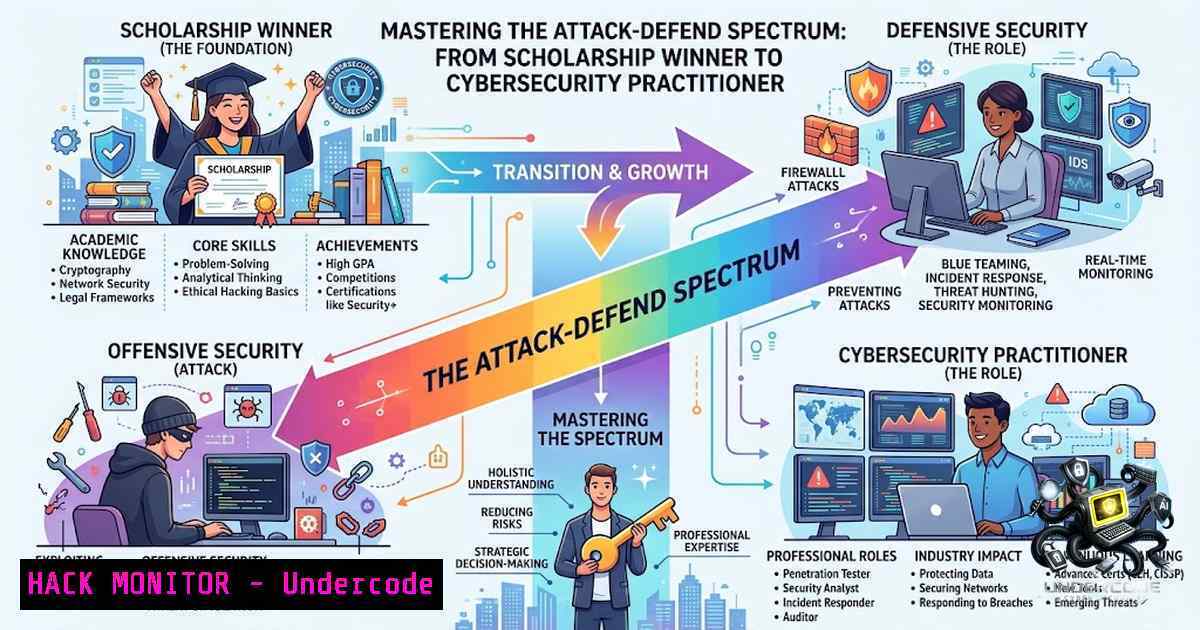
The modern cybersecurity landscape demands a hybrid skillset that bridges the gap between offensive reconnaissance and defensive hardening. Achieving top academic honors, as demonstrated by Bruno Duarte’s recent merit scholarship achievement, is often the result of rigorous hands-on practice in both “blue team” (defensive) and “red team” (offensive) disciplines. This article explores the core technical competencies required to excel in defense, bug bounty, and cloud security, providing a step-by-step technical guide for aspiring professionals.
Learning Objectives:
- Master Linux security hardening and Windows threat mitigation techniques.
- Understand bug bounty reconnaissance methodologies and vulnerability exploitation.
- Implement cloud security best practices and GRC compliance frameworks.
You Should Know:
1. Offensive Reconnaissance and Bug Bounty Essentials
The journey to becoming a top-tier cybersecurity student often involves late-1ight lab sessions focused on “Bug Bounty” hunting. This process requires a structured approach to reconnaissance (recon) and vulnerability assessment, moving beyond simple automated scanning.
Step‑by‑step guide explaining what this does and how to use it:
This methodology focuses on subdomain enumeration and endpoint discovery, which is the first step in identifying an expanded attack surface.
Step 1: Subdomain Enumeration
Use tools like `Sublist3r` or `Amass` to discover subdomains associated with a target domain. This identifies forgotten or poorly secured entry points.
Command (Linux):
sublist3r -d example.com -o subdomains.txt
Step 2: Live Host Verification
Filter discovered subdomains to identify those currently resolving to an IP address.
Command (Linux):
httprobe -c 50 -t 3000 < subdomains.txt > live_hosts.txt
Step 3: Web Application Fingerprinting
Once live hosts are identified, use `WhatWeb` or `Wappalyzer` to determine the underlying technologies (e.g., Apache, Nginx, PHP, Node.js).
Command (Linux):
whatweb http://target-subdomain.example.com -a 3
2. Linux Hardening and Log Analysis
Defending against the vulnerabilities discovered during bug bounty requires solid system hardening. Linux administrators must focus on securing services, managing permissions, and actively monitoring logs to detect malicious activity.
Step‑by‑step guide explaining what this does and how to use it:
This section covers basic system hardening and the use of `auditd` for file integrity monitoring.
Step 1: Securing SSH
Disable root login and enforce key-based authentication to prevent brute-force attacks.
Command (Linux):
sudo nano /etc/ssh/sshd_config
 Set: PermitRootLogin no, PasswordAuthentication no
sudo systemctl restart sshd
Step 2: Implementing Audit Rules
Monitor critical system files for unauthorized changes.
Command (Linux):
sudo auditctl -w /etc/passwd -p wa -k identity_changes
sudo auditctl -w /var/log/auth.log -p r -k auth_logs
Step 3: Reviewing Audit Logs
To identify attempts to tamper with user credentials:
Command (Linux):
sudo ausearch -k identity_changes
3. Windows Endpoint Security and Threat Mitigation
Many corporate environments rely heavily on Windows infrastructure. Defenders must understand how to use built-in Windows tools to mitigate threats, manage Group Policies, and analyze security logs.
Step‑by‑step guide explaining what this does and how to use it:
This section focuses on using PowerShell and Group Policy to enforce security baselines.
Step 1: Enabling PowerShell Script Block Logging
This allows you to capture the exact commands executed by attackers attempting to use PowerShell for lateral movement.
Command (Windows PowerShell as Admin):
Set-ItemProperty -Path "HKLM:\SOFTWARE\Policies\Microsoft\Windows\PowerShell\ScriptBlockLogging" -1ame EnableScriptBlockLogging -Value 1
Step 2: Auditing Local Group Policy
Review specific policy settings related to security to ensure compliance.
Command (Windows PowerShell):
secedit /export /cfg C:\security_audit.inf
Step 3: Analyzing Windows Event Logs
Check for specific Event IDs related to suspicious activity, such as Event ID 4624 (successful logon) or Event ID 4688 (process creation).
Command (Windows):
Get-WinEvent -LogName Security | Where-Object { $_.Id -eq 4624 }
4. Cloud Security Hardening (AWS/Azure)
Modern training curriculums increasingly include cloud security. The shared responsibility model means that while the provider secures the cloud, the user must secure their configurations and workloads.
Step‑by‑step guide explaining what this does and how to use it:
This demonstrates how to secure an AWS S3 bucket, a common source of data leaks.
Step 1: Configuring Private ACLs
Ensure the bucket is not publicly accessible.
Command (AWS CLI):
aws s3api put-bucket-acl --bucket your-bucket-1ame --acl private
Step 2: Enabling Server-Side Encryption
Encrypt data at rest to protect against physical theft of hardware.
Command (AWS CLI):
aws s3api put-bucket-encryption --bucket your-bucket-1ame --server-side-encryption-configuration '{"Rules": [{"ApplyServerSideEncryptionByDefault": {"SSEAlgorithm": "AES256"}}]}'
Step 3: Blocking Public Access
Implement a block public access policy at the account or bucket level.
Command (AWS CLI):
aws s3api put-public-access-block --bucket your-bucket-1ame --public-access-block-configuration "BlockPublicAcls=true,IgnorePublicAcls=true,BlockPublicPolicy=true,RestrictPublicBuckets=true"
5. GRC and Compliance Automation
Governance, Risk, and Compliance (GRC) is a pillar of the curriculum mentioned in the original post. Automating compliance checks ensures that systems remain aligned with frameworks like PCI-DSS, HIPAA, or ISO 27001 without manual overhead.
Step‑by‑step guide explaining what this does and how to use it:
This section details using `OpenSCAP` on Linux to automate security policy auditing.
Step 1: Installing OpenSCAP
Install the necessary suite to perform vulnerability and compliance scans.
Command (Linux – Ubuntu/Debian):
sudo apt-get install openscap-scanner scap-security-guide
Step 2: Running a Compliance Scan
Execute a scan against the desktop profile to check for adherence to security policy.
Command (Linux):
oscap xccdf eval --profile xccdf_org.ssgproject.content_profile_standard --results results.xml /usr/share/xml/scap/ssg/content/ssg-ubuntu2004-ds.xml
Step 3: Generating a Report
Convert the results into a human-readable HTML report.
Command (Linux):
oscap xccdf generate report results.xml > compliance_report.html
6. Network Threat Intelligence and Firewall Configuration
Combining threat intelligence with proactive network defense allows you to block known malicious IP addresses and patterns.
Step‑by‑step guide explaining what this does and how to use it:
This demonstrates using IP blocklists to harden a Linux firewall (iptables/nftables).
Step 1: Fetching a Threat Intelligence Feed
Download a list of known malicious IP addresses (e.g., from Emerging Threats or AbuseIPDB).
Command (Linux):
wget https://rules.emergingthreats.net/blockrules/emerging-Block-IPs.txt
Step 2: Creating a Firewall Script
Parse the list and create a script to block these IPs via iptables.
Command (Linux):
!/bin/bash
while read -r ip; do
iptables -A INPUT -s $ip -j DROP
done < emerging-Block-IPs.txt
Step 3: Saving the Rules
Persist the firewall rules so they survive a system reboot.
Command (Linux):
sudo iptables-save > /etc/iptables/rules.v4
What Undercode Say:
- Key Takeaway 1: Theoretical knowledge is insufficient; success in cybersecurity requires applied lab work, specifically in bug bounty and offensive security, to truly understand attack vectors.
- Key Takeaway 2: The holistic approach combining networking, cloud, and GRC is the foundation for modern careers, reflecting the evolving nature of threats targeting cloud infrastructure.
The achievement highlighted in the original post is a testament to the power of practical application. It is the synthesis of learning from both “red” (offensive) and “blue” (defensive) perspectives that creates a formidable cybersecurity professional. By engaging with bug bounty platforms and simultaneously learning compliance and hardening, the student bridges the gap between identifying the attack and implementing a resilient defense.
Expected Output:
By following the steps outlined above, a practitioner can establish a baseline for security operations. The execution of these commands allows for the identification of weak points in the perimeter (reconnaissance) while simultaneously ensuring that the internal environment (endpoints, cloud, and network) is hardened against exploitation. This dual approach, moving from `sublist3r` to `openscap` and firewall automation, fosters a comprehensive security posture.
Prediction:
- Positive: The increasing convergence of AI into cybersecurity tools will democratize threat hunting, allowing students with merit-based achievements to leverage AI-enhanced reconnaissance (like automated subdomain analysis) to secure systems faster.
-P Negative: The proliferation of generative AI lowers the barrier to entry for script-kiddies, leading to a surge in automated, sophisticated attacks that will place greater pressure on entry-level defenders to master advanced threat intelligence.
+1 Positive: The emphasis on “Bug Bounty” and offensive skills within academic curricula will likely create a new generation of “Purple Team” specialists who are highly adaptable.
-1 Negative: The widening skills gap in cloud-specific security roles (AWS/Azure) may stall innovation, as cloud adoption rates far exceed the current pool of security talent trained in these specific domains.
+1 Positive: Automation in GRC (as shown with OpenSCAP) will streamline compliance, reducing the administrative burden on security teams and allowing them to focus on proactive threat hunting.
▶️ Related Video (88% Match):
🎯Let’s Practice For Free:
🎓 Live Courses & Certifications:
Join Undercode Academy for Verified Certifications
🚀 Request a Custom Project:
Secure, high-velocity infrastructure and disruptive technological engineering. Contact our engineering team for high-tier development and proprietary systems:
[email protected]
💎 Smart Architecture | 🛡️ Secure by Design | ⭐ Trusted by Thousands
IT/Security Reporter URL:
Reported By: Bruno Duartecyber – Hackers Feeds
Extra Hub: Undercode MoN
Basic Verification: Pass ✅


