Listen to this Post
Introduction:
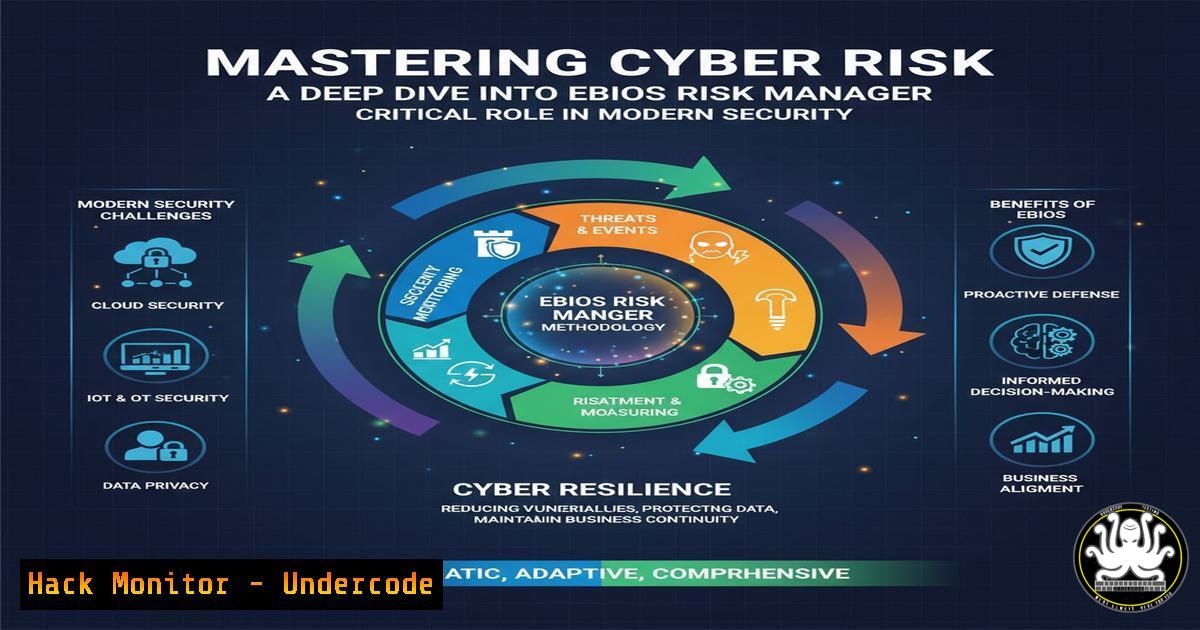
In an era of escalating cyber threats, effective risk management has transcended mere technical controls to become a cornerstone of organizational resilience. The EBIOS Risk Manager methodology, championed by France’s National Cybersecurity Agency (ANSSI), provides a structured framework for identifying, assessing, and treating cyber risks that threaten business continuity, sensitive data, and overall trust in information systems. This article deconstructs the methodology and provides the practical technical commands and steps needed to support its implementation.
Learning Objectives:
- Understand the core principles and phases of the EBIOS Risk Manager methodology.
- Learn the technical security controls and commands relevant to risk assessment and mitigation across different platforms.
- Develop the ability to translate risk analysis into actionable hardening steps for systems and networks.
You Should Know:
1. Foundational Network Reconnaissance for Risk Scoping
Before any risk assessment, you must understand your digital footprint. Nmap is an indispensable tool for this initial scoping phase.
nmap -sS -sV -O -A <target_ip_range>
Step-by-step guide: This Nmap command performs a SYN stealth scan (-sS), probes open ports to determine service and version information (-sV), attempts OS detection (-O), and enables aggressive scan options including OS and version detection, script scanning, and traceroute (-A). Run this against your defined network scope to create a comprehensive asset inventory, which is the first step in the EBIOS “Security Baseline” establishment. The output informs you of what systems exist, what services they run, and their potential vulnerabilities, forming the factual basis for your risk analysis.
2. Vulnerability Assessment with OpenVAS
To identify known vulnerabilities within your inventoried assets, integrate an automated vulnerability scanner.
gvm-cli socket --xml "<get_tasks/>"
gvm-cli socket --xml "<create_task><name>My Network Scan</name><config id='daba56c8-73ec-11df-a475-002264764cea'/><target id='<target_id>'/></create_task>"
Step-by-step guide: These commands interface with the Greenbone Vulnerability Management (OpenVAS) suite via the command line. The first command lists all existing scanning tasks. The second creates a new scan task named “My Network Scan,” using a specific scan configuration ID (this example uses a common full and fast scan ID) and a target ID you must define beforehand in the GUI or via API. Executing this scan provides a detailed report of CVEs and security holes, which directly feeds into the “Feared Events” and “Risk Analysis” phases of EBIOS.
3. Linux System Hardening Audit with Lynis
System hardening is a key risk treatment. Lynis is a security auditing tool for Linux-based systems.
sudo lynis audit system
Step-by-step guide: Executing this command with root privileges initiates a comprehensive system audit. Lynis will check for hundreds of potential security issues, including file permissions, kernel configurations, installed software, and running services. It provides a hardening index and specific recommendations. Each finding can be mapped to a risk scenario in EBIOS, and the mitigation actions suggested become your risk treatment plan for that particular system component.
4. Windows Security Configuration Analysis with PowerShell
For Windows environments, PowerShell allows for deep interrogation of the security posture.
Get-ComputerInfo -Property "Windows"
Get-LocalGroupMember -Group "Administrators"
Get-NetFirewallProfile | Format-Table Name, Enabled
Step-by-step guide: The first command retrieves extensive information about the Windows OS version and configuration. The second lists all members of the local Administrators group, a critical check for privilege escalation risks. The third command shows the status (Enabled/Disabled) of the firewall for Domain, Private, and Public profiles. These checks help establish the security baseline for Windows assets, identifying deviations from security policies that represent tangible risks.
5. Container Security Scanning with Trivy
With the shift to cloud-native technologies, securing containers is paramount.
trivy image <your_docker_image:tag>
Step-by-step guide: This command scans a Docker image for known vulnerabilities (CVEs) in its operating system packages and application dependencies. Integrating this into your CI/CD pipeline allows for “shift-left” security, identifying and treating risks before deployment. In the EBIOS context, an insecure container image represents a significant risk scenario for data breach and service compromise, and this tool provides the evidence for that risk.
6. Cloud Infrastructure Misconfiguration Check with Prowler
For organizations using AWS, Prowler is an essential tool for checking compliance against security standards.
prowler -c check11
prowler -c check12
prowler -c extra79
Step-by-step guide: Prowler is a CLI tool for AWS security assessment, auditing, and hardening. The `-c` flag specifies which check to run. `check11` looks for unrestricted access to well-known ports like SSH (22) and RDP (3389). `check12` ensures security contact information is set. `extra79` checks for unrestricted outbound traffic. Running these checks helps identify cloud-specific risks related to misconfigurations, a common source of major security incidents.
- Web Application Security Testing with OWASP ZAP CLI
Web applications are a primary attack vector. The OWASP ZAP tool can be automated for continuous testing.zap-baseline.py -t https://www.example.com zap-full-scan.py -t https://www.example.com
Step-by-step guide: The first command runs a baseline scan, a passive and quick test ideal for CI pipelines. The second command executes an active, in-depth penetration test, which is more comprehensive but also more intrusive. The results, including alerts for Cross-Site Scripting (XSS), SQL Injection, and other OWASP Top 10 vulnerabilities, provide concrete technical data for risk scenarios involving the compromise of web applications and their data.
What Undercode Say:
- Framework Adoption is Just the Beginning. Implementing EBIOS RM provides the essential structure for risk discussion, but its efficacy is zero without the hard technical data provided by the security tools and commands outlined above. The framework and the tools are two sides of the same coin.
- Automation is Non-Negotiable for Scale. The manual execution of 25+ commands is not sustainable. The true power is realized when these checks are automated, integrated into CI/CD pipelines, and their results fed directly into a dynamic risk register, transforming risk management from a periodic audit to a continuous process.
The synergy between a formalized methodology like EBIOS and robust technical tooling represents the future of cybersecurity risk management. EBIOS provides the “why” and the “what” – the strategic context, the business impact analysis, and the structured treatment plan. The command-line tools provide the “how” – the empirical evidence of vulnerabilities, the verification of security controls, and the execution of mitigation steps. Relying on one without the other leads to either theoretical, unactionable risk reports or a disjointed collection of technical findings with no business context. The integration of both is what allows an organization to move from being reactive to being proactively resilient.
Prediction:
The future of cybersecurity risk management will be dominated by the deep integration of AI-driven threat forecasting with methodologies like EBIOS. We will see the emergence of dynamic risk registers that are automatically updated in real-time by feeds from security tools, threat intelligence platforms, and AI models predicting attacker behavior. This will shift the paradigm from periodic, static risk assessments to continuous, predictive risk management, allowing organizations to pre-emptively harden systems against attacks that have not yet been launched, fundamentally changing the cyber defense landscape.
🎯Let’s Practice For Free:
IT/Security Reporter URL:
Reported By: Cyber It – Hackers Feeds
Extra Hub: Undercode MoN
Basic Verification: Pass ✅


