Listen to this Post
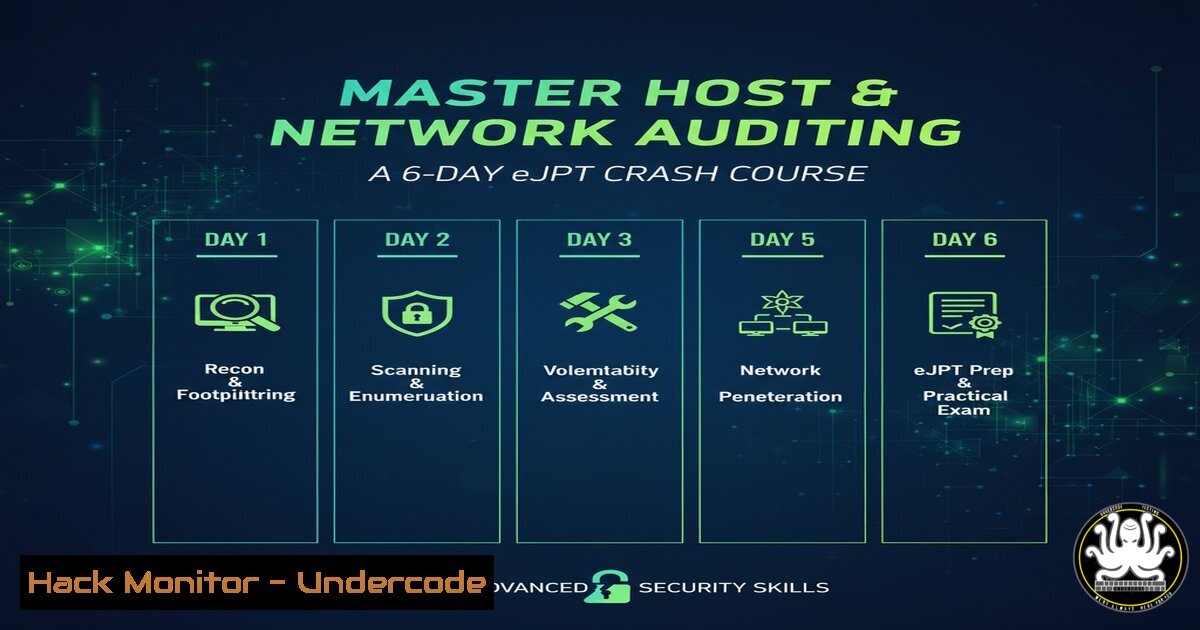
Introduction:
Host and network auditing forms the cornerstone of any robust cybersecurity posture, enabling professionals to identify misconfigurations, compliance gaps, and potential vulnerabilities before they are exploited. This critical discipline, central to certifications like the eJPT, leverages specialized tools and methodologies to perform in-depth security assessments. Mastering these auditing techniques is essential for penetration testers, security auditors, and anyone responsible for safeguarding organizational infrastructure.
Learning Objectives:
- Understand the core principles of security auditing, including key governance standards and frameworks.
- Gain hands-on proficiency with the Lynis auditing tool to perform comprehensive host-level security scans.
- Learn to integrate auditing findings into a penetration testing workflow for real-world validation and exploitation.
You Should Know:
1. Understanding Security Auditing Frameworks
A security audit is not a random check but a structured process guided by established standards. Frameworks like NIST (National Institute of Standards and Technology), ISO 27001, and CIS (Center for Internet Security) Benchmarks provide the foundational guidelines. These frameworks help auditors ensure that assessments are comprehensive, repeatable, and aligned with industry best practices. For example, the CIS Benchmarks offer step-by-step configuration guidelines for hardening various operating systems and software, which are often the baseline for a technical audit.
2. Installing and Running a Basic Lynis Audit
Lynis is a powerful, open-source security auditing tool for UNIX-based systems (including Linux and macOS). It performs an extensive health check of the system, covering areas from kernel hardening to user authentication and database security.
Verified Command & Tutorial:
 Clone the Lynis repository from GitHub
git clone https://github.com/CISOfy/lynis

Navigate into the Lynis directory
cd lynis

Run a system audit (requires root privileges for a full scan)
sudo ./lynis audit system
Step-by-Step Guide:
- Prerequisites: Ensure you have `git` installed on your system. Most Linux distributions have it by default.
- Download: The `git clone` command downloads the latest version of Lynis to your local machine.
- Execute: The `sudo ./lynis audit system` command initiates a comprehensive scan. Using `sudo` is crucial as it grants Lynis the necessary permissions to check protected files and system configurations.
- Analyze Output: After the scan, Lynis provides a detailed report. Pay close attention to the “Warnings” and “Suggestions” sections, which highlight security weaknesses and recommended actions.
3. Key Lynis Commands for Targeted Auditing
Beyond a full system audit, Lynis can be used for targeted checks, which is invaluable for focusing on specific compliance needs.
Verified Commands:
 Run a specific test profile (e.g., to check against a specific standard)
sudo ./lynis audit system --profile /path/to/profile

Perform a quick audit without waiting for user input
sudo ./lynis audit system --quick

Generate a report and save it to a specific file
sudo ./lynis audit system --report-file /tmp/my_audit.txt

Check only the 'firewall' and 'kernel' modules
sudo ./lynis audit system --tests-from-group "firewall kernel"
Step-by-Step Guide:
- Quick Scans: The `–quick` flag is perfect for rapid assessments or integration into automated scripts, as it disables user prompts.
- Custom Profiles: Advanced users can create custom profiles (
--profile) to tailor the audit to specific organizational policies or compliance requirements like PCI-DSS. - Modular Testing: The `–tests-from-group` option allows you to drill down into specific system components, such as the firewall or kernel parameters, making the audit process highly efficient.
4. Translating Lynis Findings into Windows Hardening
While Lynis is for UNIX-like systems, the principles apply universally. On Windows, manual checks and built-in tools are used to achieve similar hardening.
Verified Windows Commands:
 Check the status of the Windows Firewall
netsh advfirewall show allprofiles

List all user accounts on the system
net user

Check the status of a specific service (e.g., Remote Registry, which is often a security risk)
sc query RemoteRegistry

Enable Windows Audit Policy for logon events
auditpol /set /category:"Logon/Logoff" /success:enable /failure:enable
Step-by-Step Guide:
- Firewall Check: The `netsh advfirewall show allprofiles` command displays the state of the firewall for the Domain, Private, and Public profiles. Ensure it is ON.
- User Audit: `net user` reveals all local accounts. Look for unauthorized or inactive accounts that should be removed.
- Service Hardening: The `sc query` command checks the status of a service. For instance, the “Remote Registry” service should be disabled if not needed to prevent remote tampering with the registry.
- Audit Policy: Configuring `auditpol` ensures that security-relevant events, like successful and failed logons, are recorded in the Windows Event Log for later analysis.
5. Network Auditing with Nmap for Service Discovery
A host audit is incomplete without understanding its network context. Nmap is the industry-standard tool for network discovery and security auditing.
Verified Nmap Commands:
 Basic TCP SYN scan on a target host
nmap -sS 192.168.1.105

Service version detection
nmap -sV 192.168.1.105

Scan all TCP ports (aggressive, use with caution)
nmap -p- 192.168.1.105

Run default NSE scripts for vulnerability discovery
nmap -sC 192.168.1.105

OS detection
nmap -O 192.168.1.105
Step-by-Step Guide:
- Discovery: The `-sS` (SYN scan) is the most common and efficient scan type, mapping open ports on the target.
- Service Interrogation: The `-sV` probe connects to open ports to determine the specific application name and version, which is critical for identifying known vulnerabilities.
- Scripting Engine: The `-sC` flag runs a suite of default scripts (NSE – Nmap Scripting Engine) that can detect common misconfigurations or vulnerabilities.
- Correlation: Combine the results from Nmap (e.g., an outdated Apache version on port 80) with the host-based findings from Lynis to build a complete attack surface profile.
6. Integrating Audits into a Penetration Test
The ultimate goal of an audit is to improve security. A penetration test validates the severity of the findings by attempting to exploit them.
Verified Workflow & Commands:
 Use a Lynis finding of a weak sudo configuration to escalate privileges.
 Lynis might flag a binary that can be run with sudo without a password.
sudo -l  On the target, lists the user's sudo permissions.

If a misconfiguration is found, exploit it to gain root.
sudo /usr/bin/find . -exec /bin/sh \; -quit
Step-by-Step Guide:
- Privilege Escalation Vector: The `sudo -l` command is run on a compromised host to list the commands the current user is allowed to run with elevated privileges.
- Identify Misconfiguration: Lynis may have previously warned about a binary like `find` being configurable in the sudoers file without a password requirement.
- Exploitation: The command `sudo /usr/bin/find . -exec /bin/sh \; -quit` uses the `find` command’s `-exec` flag to spawn a shell (
/bin/sh). Because it’s run withsudo, this shell runs with root privileges, effectively escalating your access on the system. - Remediation: The pentest proves the risk, leading to the remediation action of fixing the sudoers file to require a password for all privileged commands.
7. Proactive Hardening with CIS-CAT Tool
For large-scale environments, automated tools like the CIS-CAT (Configuration Assessment Tool) can assess systems against CIS Benchmarks.
Verified Concept & Command:
 Example of a manual check aligned with a CIS Benchmark.
 CIS Benchmark 1.1.1.1: Ensure mounting of cramfs filesystems is disabled.

Check if the module is loaded
lsmod | grep cramfs

Check if the module is disabled via blacklist
modprobe -n -v cramfs | grep -E '(cramfs|install)'

The output should indicate 'install /bin/true' to confirm it's disabled.
Step-by-Step Guide:
- Manual Verification: This command checks for compliance with a specific CIS control by verifying that the kernel module for the `cramfs` filesystem is not loaded and is configured to be unloadable.
- Interpretation: The `lsmod` command lists loaded modules. The `modprobe` command checks the configuration; if it returns
install /bin/true, it means any attempt to load the module will fail, which is the secure configuration. - Automation: While this is a manual check, the CIS-CAT tool would automatically perform hundreds of such checks across a network, generating a detailed compliance report.
What Undercode Say:
- The Auditor is the First Line of Defense: A systematic audit doesn’t just find problems; it builds a culture of proactive security, shifting the focus from reactive firefighting to preventative hardening.
- Tool Synergy is Non-Negotiable: No single tool provides a complete picture. The real power lies in correlating data from host scanners like Lynis, network mappers like Nmap, and manual penetration testing techniques to validate and exploit findings.
The journey from a basic audit to a full penetration test, as demonstrated in the eJPT curriculum, is a critical evolution for security professionals. Lynis provides the “what” – a list of potential issues – while the penetration test provides the “so what” – the tangible impact and risk associated with those issues. This integrated approach is what separates a checklist-based auditor from a strategic security analyst who can truly understand and mitigate risk. The screenshots of progress, while a personal milestone, symbolize the tangible, hands-on skill acquisition that is vital in this field.
Prediction:
The integration of AI into auditing and penetration testing tools will revolutionize the field, moving beyond static checks to predictive threat modeling. We will see the emergence of AI-powered auditing platforms that can not only identify current misconfigurations but also predict attack paths an adversary might take by simulating complex, multi-stage attacks. This will force a paradigm shift from compliance-based auditing to continuous, intelligent security validation, making the manual skills learned today the foundational knowledge for managing the autonomous security systems of tomorrow.
🎯Let’s Practice For Free:
IT/Security Reporter URL:
Reported By: Iampiyush69 Ejpt – Hackers Feeds
Extra Hub: Undercode MoN
Basic Verification: Pass ✅


