Listen to this Post
Introduction:
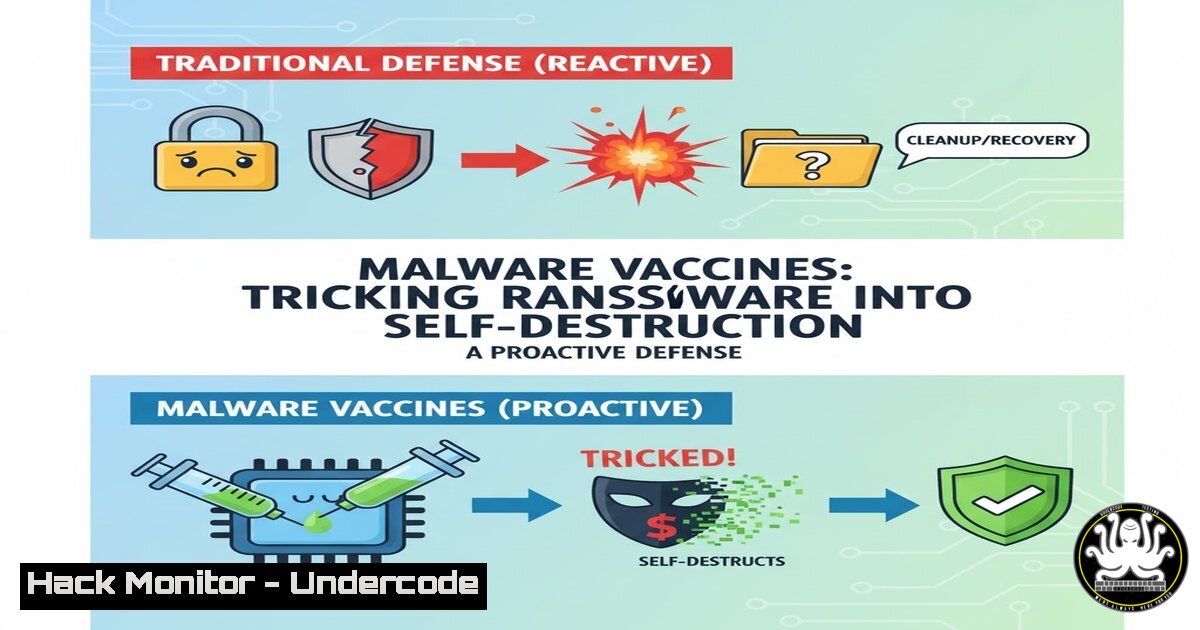
The cybersecurity landscape is witnessing a paradigm shift from reactive detection to proactive deception with the emergence of malware vaccines. This innovative strategy involves implanting benign “infection markers” on systems to fool ransomware into believing it has already compromised the machine, thereby causing the malicious code to abort its attack sequence. This approach, highlighted at the recent ONE Conference, represents a significant evolution in defensive tactics by leveraging the malware’s own logic against itself.
Learning Objectives:
- Understand the core mechanism of how malware vaccines exploit ransomware pre-infection checks.
- Learn to implement verified infection markers across Windows systems, including files, registry keys, and mutex objects.
- Develop a strategic framework for integrating vaccine technology into a layered defense-in-depth security posture.
You Should Know:
1. Deploying File-Based Decoy Infection Markers
Ransomware families often check for the existence of specific files to avoid re-infecting the same system or to detect analysis environments. By creating these files proactively, you can trigger their abort mechanisms.
Verified Commands & Implementation:
:: Create common ransomware decoy files
fsutil file createnew C:\Windows\system32\0day.tmp 0
fsutil file createnew C:\Users\Public\cyberreason.txt 0
fsutil file createnew C:\temp\kasperky.lab 0
Step-by-step guide:
This technique uses Windows’ `fsutil` command to create empty files with precise byte sizes (0 bytes in this case) that mimic infection markers used by various ransomware strains. The files are placed in common directories that malware scans. After creation, you should set these files to hidden and read-only attributes using `attrib +h +r filename` to prevent accidental deletion while maintaining their low profile on the system.
2. Weaponizing the Windows Registry for Vaccination
The Windows Registry serves as a primary reconnaissance target for ransomware. By planting specific keys and values, you can simulate an already-compromised environment.
Verified Commands & Implementation:
:: Create registry-based vaccination markers
reg add "HKEY_LOCAL_MACHINE\SOFTWARE\WOW6432Node\CrowdStrike" /f
reg add "HKEY_CURRENT_USER\Software\Microsoft\Windows\CurrentVersion\Run" /v "CarbonBlack" /t REG_SZ /d "C:\Program Files\CarbonBlack\cb.exe" /f
reg add "HKEY_LOCAL_MACHINE\SOFTWARE\Palo Alto Networks" /v "Traps" /t REG_DWORD /d 1 /f
Step-by-step guide:
These commands create registry keys and values that impersonate security products from CrowdStrike, CarbonBlack, and Palo Alto Networks. The `/f` flag forces the operation without prompting for confirmation, while `/t` specifies the value type (STRING or DWORD) and `/d` sets the data. Malware detecting these registry entries will often terminate execution to avoid analysis or conflict with existing security tools.
3. Creating Mutex Objects as Strategic Deceptions
Mutex (Mutual Exclusion) objects are used by malware to ensure only one instance runs on a system. Creating these mutexes preemptively can prevent execution.
Verified Commands & Implementation:
 Create deceptive mutex objects using PowerShell
$Mutex = New-Object System.Threading.Mutex($false, "Global\MSDOS_SAFEBOOT_MUTEX")
$Mutex = New-Object System.Threading.Mutex($false, "Global\KernelMemoryAnalyzer")
$Mutex = New-Object System.Threading.Mutex($false, "Global\VBoxMouseSync")
Step-by-step guide:
This PowerShell script creates named mutex objects that mimic those used by security analysis tools and virtual environments. The “Global\” prefix makes them accessible across user sessions. The `$false` parameter indicates the calling thread does not own initial ownership of the mutex. Malware checking for these specific mutex names will assume it’s running in a monitored environment and terminate.
4. Advanced Memory and Process Spoofing Techniques
Sophisticated ransomware examines running processes and memory structures. Simulating security tool presence adds another layer of deception.
Verified Commands & Implementation:
:: Create fake security processes as services
sc create "CbDefense" binPath= "C:\Windows\System32\svchost.exe" DisplayName= "Carbon Black Defense" start= disabled
sc create "SentinelOne" binPath= "C:\Windows\System32\cmd.exe /c echo" DisplayName= "SentinelOne Agent" start= disabled
wmic process call create "cmd.exe /c title WiresharkDebugger"
Step-by-step guide:
The `sc create` commands build disabled services that appear to be enterprise security products, while the WMIC command creates a process with a window title commonly used by analysis tools. Although these services are disabled and processes are minimal, their presence in system enumeration can be sufficient to trigger ransomware evasion behaviors.
5. Network-Based Vaccination Through Hosts File Manipulation
Many ransomware variants perform call-home operations to command and control servers. Redirecting these connections can disrupt attack chains.
Verified Commands & Implementation:
:: Block ransomware C2 communications via hosts file
echo 127.0.0.1 locky.evil-domain.com >> C:\Windows\System32\drivers\etc\hosts
echo 0.0.0.0 cryptolocker.payment.com >> C:\Windows\System32\drivers\etc\hosts
echo 127.0.0.1 dridex.command.net >> C:\Windows\System32\drivers\etc\hosts
ipconfig /flushdns
Step-by-step guide:
This approach appends entries to the hosts file, redirecting known malicious domains to localhost (127.0.0.1) or null routing (0.0.0.0), effectively preventing communication with criminal servers. The `ipconfig /flushdns` command clears the DNS resolver cache to ensure the changes take effect immediately. This technique requires regular updates as threat actors rotate their infrastructure.
6. Linux System Vaccination for Cross-Platform Protection
While primarily targeting Windows, ransomware also affects Linux systems, requiring similar vaccination strategies.
Verified Commands & Implementation:
 Create Linux-based vaccination markers
touch /tmp/.cryptolocker.lock
touch /var/tmp/.wannacry.decrypt
mkdir -p /tmp/vmware-root
echo "fake" > /proc/sys/kernel/random/entropy_avail
Step-by-step guide:
These commands create file-based markers and manipulate system information to appear as a virtualized environment or already-infected system. The low entropy value suggestion can deter cryptographic operations that ransomware might attempt. The commands should be executed with appropriate permissions and integrated into startup scripts for persistence.
7. Automated Vaccine Deployment and Management Framework
For enterprise-scale implementation, automation ensures consistent vaccine coverage across all endpoints.
Verified Commands & Implementation:
 PowerShell script for enterprise vaccine deployment
$VaccineMarkers = @(
@{Type="File"; Path="C:\Windows\Temp\sandbox.dbg"},
@{Type="Registry"; Key="HKLM:\SOFTWARE\Microsoft\Windows Defender"},
@{Type="Mutex"; Name="Global\AVScanMutex"}
)

foreach ($Marker in $VaccineMarkers) {
switch ($Marker.Type) {
"File" { New-Item -Path $Marker.Path -ItemType File -Force }
"Registry" { New-Item -Path $Marker.Key -Force }
"Mutex" { $Mutex = New-Object System.Threading.Mutex($false, $Marker.Name) }
}
}
Step-by-step guide:
This PowerShell script demonstrates a structured approach to deploying multiple vaccine types across an environment. The array `$VaccineMarkers` contains hash tables defining different deception types, which are processed through a loop and switch statement. This framework can be expanded and integrated with configuration management tools like Group Policy or SCCM for enterprise-wide deployment.
What Undercode Say:
- Strategic Deception Overwhelms Automated Attacks: Malware vaccines exploit the fundamental economics of cybercrime—ransomware must operate efficiently at scale. By implementing multiple deception layers, defenders can trigger abort conditions that make attacks unprofitable.
- Open Contribution Model is Critical: As Professor Woodward noted, an open contribution—rather than fully open source—model prevents threat actors from easily countering vaccines while enabling collective defense intelligence sharing.
The vaccine approach represents a fundamental shift from building higher walls to psychologically manipulating the attacker’s tools. However, this strategy requires continuous maintenance as malware authors will inevitably develop counter-detection methods. The effectiveness lies in creating a diverse ecosystem of deception markers that would be computationally prohibitive for malware to comprehensively validate. This method works best as part of a defense-in-depth strategy rather than a standalone solution, complementing traditional security controls while adding a unique proactive dimension to endpoint protection.
Prediction:
Malware vaccines will catalyze an arms race in deception technology, leading to AI-driven vaccine systems that dynamically adapt markers based on threat intelligence feeds. Within two years, we predict vaccine technology will become integrated into major endpoint protection platforms, while ransomware will evolve with more sophisticated environmental checks, potentially using blockchain verification of markers. This evolution will transform cybersecurity from a detection game to a deception contest, where the most convincing simulation of compromised or monitored environments will determine defensive success.
🎯Let’s Practice For Free:
IT/Security Reporter URL:
Reported By: Michael Tchuindjang – Hackers Feeds
Extra Hub: Undercode MoN
Basic Verification: Pass ✅


