Listen to this Post
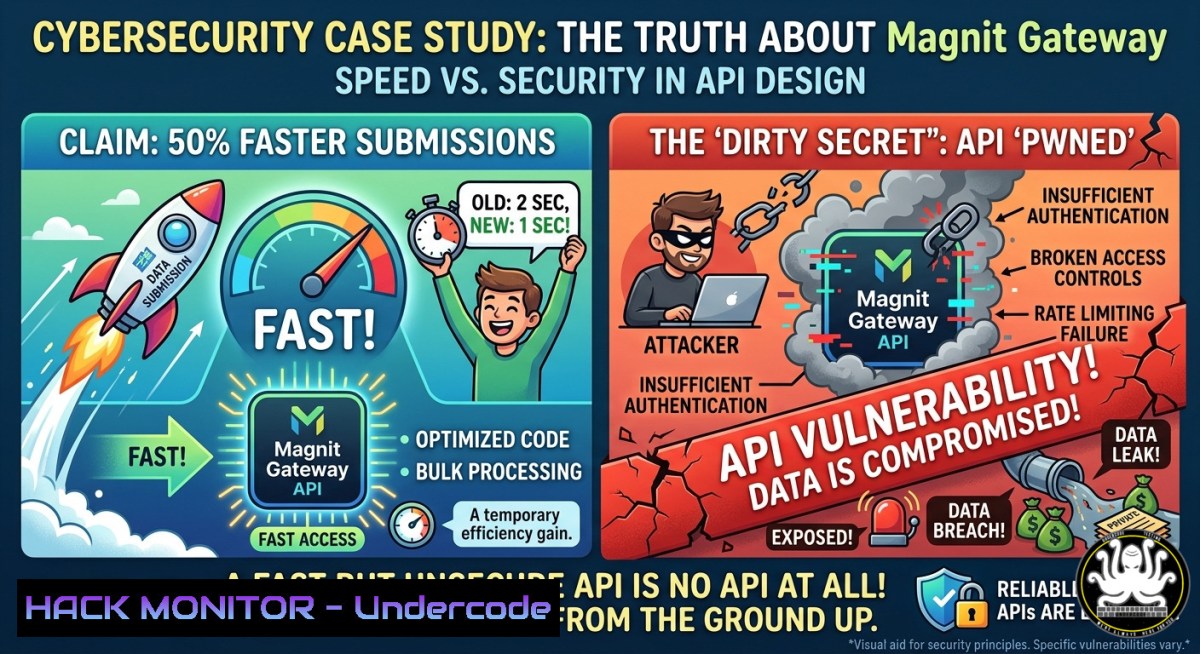
Introduction:
Magnit Global’s new Gateway™ platform promises staffing suppliers a 50% faster candidate submission rate by connecting their ATS and CRM systems directly to the Magnit VMS via an API toolkit. But security experts warn that without proper integration hygiene, this efficiency gain is a ticking time bomb — a “connected tech stack” is just a “connected attack surface” waiting to be exploited.
Learning Objectives:
- Audit API authentication flows to prevent credential leakage and session hijacking in VMS integrations
- Implement command whitelisting and rate limiting to block malicious API requests at the gateway
- Apply platform-specific hardening commands (Linux/Windows) to secure the infrastructure hosting recruitment APIs
You Should Know:
- The API Integration Reality Check: Why “Connected” Isn’t “Secure”
Toby J Daniel, a value realization strategist, nailed the real problem: “the 50% faster stat only works if suppliers actually integrate. most staffing firms can’t because their tech stack is a mess of disconnected tools. the real bottleneck isn’t the platform, it’s getting systems to talk to each other in the first place.” When systems do finally connect, rushed integrations often bypass fundamental security controls — hardcoded API keys in scripts, missing TLS validation, and over-permissive OAuth scopes.
Step‑by‑step guide to audit your integration security:
- Step 1: Map your API attack surface. Document every ATS, CRM, and VMS endpoint. List which systems exchange candidate PII, timesheets, and billing data. Identify shadow IT integrations (e.g., a recruiter’s personal automation script).
- Step 2: Verify transport encryption. Use Wireshark or tcpdump to confirm all API traffic uses TLS 1.2/1.3. Capture a sample session: `tcpdump -i eth0 -w api_traffic.pcap host api.magnitglobal.com && ssldump -r api_traffic.pcap`
– Step 3: Check for credential exposure. Scan code repositories and logs for hardcoded Client Keys, Client Secrets, or x-api-key headers. On Linux: `grep -r “x-api-key\|client_secret” /path/to/integration/code/`
– Step 4: Validate least privilege. For each integration, confirm the API token can only perform required actions. Use a test harness to attempt unauthorized operations (e.g., PATCH on a read-only endpoint).
- Hardening API Authentication with OAuth 2.0 and Mutual TLS
The Magnit Supplier API uses a combination of a Client Key, Client Secret, Credential Key, and an x-api-key header. These credentials are valid for 180 days, with a one‑week overlap period when rotating. While convenient, static secrets are a prime target for theft. Suppliers should layer additional controls.
Step‑by‑step guide to enforce strong auth:
- Step 1: Implement short‑lived tokens instead of long‑lived secrets. Where possible, use OAuth 2.0 with refresh tokens. Rotate access tokens every 15 minutes.
- Step 2: Enforce Mutual TLS (mTLS). Require the client (your ATS) to present a valid certificate before the API responds. Configure your API gateway to reject any request without a trusted client cert. On NGINX:
server { listen 443 ssl; ssl_verify_client on; ssl_client_certificate /etc/nginx/trusted_ca.crt; if ($ssl_client_verify != SUCCESS) { return 403; } } - Step 3: Rotate credentials on a schedule, not just at expiry. The Magnit API’s 180‑day validity is too long for high‑risk integrations. Generate new credentials every 30 days and use the one‑week overlap to test the transition.
- Step 4: Store secrets in a vault, not environment variables. Use HashiCorp Vault or AWS Secrets Manager. The integration code should fetch secrets at runtime, never embed them.
3. Command Whitelisting: Your First Line of Defense
The Magnit API supports POST, GET, and PATCH verbs, with rate limiting of 1 request per second. But an authenticated attacker who compromises a token can still cause damage if allowed to call any endpoint indiscriminately. Command whitelisting solves this by defining exactly which API calls are allowed — and rejecting everything else.
Step‑by‑step guide to implement command whitelisting:
- Step 1: Inventory all legitimate API calls. Work with developers to list every required endpoint, HTTP method, and expected parameter structure. For the Magnit Supplier API, this might include:
POST /candidate-submissions,GET /staffingrequests,PATCH /timesheet. - Step 2: Implement a whitelist at the API gateway layer. Using AWS API Gateway or Kong, create a rule that only permits calls matching your inventory. Example Kong plugin configuration:
curl -X POST http://localhost:8001/plugins \
--data "name=request-validator" \
--data "config.allowed_paths=/api/v1/candidate-submissions,/api/v1/staffingrequests" \
--data "config.allowed_methods=POST,GET"
- Step 3: Validate parameters strictly. Do not rely on the API’s “unknown attributes are disregarded” feature. Validate all inputs against a schema. Reject any request containing unexpected fields.
- Step 4: Monitor and alert on whitelist violations. Log every blocked request. A sudden spike in attempts to call `/admin/debug` or `/internal/config` may indicate reconnaissance.
4. Beyond the Gateway: Securing the ATS-VMS Bridge
The integration between an ATS and the Magnit VMS is a two‑way street: candidate data flows out, requisition data flows in. Each direction carries risk. The Gateway Application and Gateway Supplier Analytics (launching June 2026) add even more data exchange points.
Step‑by‑step guide to harden the integration pipeline:
- Step 1: Segment the integration network. Place the ATS and the Magnit API connector in a dedicated VLAN or VPC subnet with no internet egress except to whitelisted API endpoints. Use Azure Private Link or AWS VPC Endpoints where available.
- Step 2: Apply rate limiting at multiple levels. The Magnit API enforces 1 request/second and daily caps (500–10,000 calls). However, your own systems should also rate‑limit outgoing calls to prevent a compromised ATS from flooding the VMS. On Linux, use `tc` (traffic control) or a tool like
rate-limit-proxy. - Step 3: Encrypt data at rest in the ATS database. Candidate PII (names, contact details, SSNs) must be encrypted. For PostgreSQL:
CREATE EXTENSION pgcrypto;
UPDATE candidates SET ssn = encrypt(ssn, 'my_secret_key', 'aes');
- Step 4: Implement audit logging for all integration events. Log every API call with timestamp, source IP, authenticated user, and request payload hash. Forward logs to a SIEM (Splunk, ELK) with a retention policy of at least 12 months.
- Magnit Supplier API in Action: Real Commands and Configuration
The Magnit Supplier API is RESTful, uses JSON, and follows standard HTTP conventions. Below are practical examples for interacting with it — and for testing its security.
Step‑by‑step guide to interact and test:
- Step 1: Generate API credentials. Log into Magnit VMS as a user with “API Admin” permission. Navigate to API Management → Generate Credentials. Save the Client Key, Client Secret, Credential Key, and x-api-key immediately — they will be masked after saving.
- Step 2: Test authentication with curl. Replace placeholders with your actual keys:
curl -X GET "https://api.magnitglobal.com/staffingrequests?offset=0&limit=500" \
-H "x-api-key: YOUR_X_API_KEY" \
-H "Client-Key: YOUR_CLIENT_KEY" \
-H "Credential-Key: YOUR_CREDENTIAL_KEY"
- Step 3: Verify rate limiting. Send 2 requests within the same second. The second request should receive a `429 Too Many Requests` and your IP should be temporarily blocked for one second.
- Step 4: Attempt common injection attacks. In a controlled test, try sending a request with an SQL injection payload in a parameter:
curl -X GET "https://api.magnitglobal.com/staffingrequests?requisition_id=1' OR '1'='1" \
-H "x-api-key: YOUR_X_API_KEY"
A secure API will reject or sanitize this. If you receive a 500 error or unexpected data, report it immediately.
- Windows and Linux Commands for API Security Auditing
System administrators can use built‑in tools to continuously validate the security posture of the servers hosting integration components.
Step‑by‑step guide for platform‑specific auditing:
- Linux: Monitor API key exposure in memory. Use `gdb` to attach to a running integration process and dump environment variables:
sudo gdb -p $(pgrep -f "integration-service") -batch -ex "call system(\"strings /proc/$pid/environ\")"
- Linux: Detect unexpected outbound connections. Log every connection made by the integration service to non‑Magnit IPs:
sudo ausearch -i -k api_connections
sudo auditctl -a exit,always -F arch=b64 -S connect -k api_connections
- Windows: Scan for hardcoded secrets in PowerShell scripts. Use `Select-String` recursively:
Get-ChildItem -Recurse -Include .ps1,.psm1 | Select-String -Pattern "Client_Secret|x-api-key" -CaseSensitive
- Windows: Check TLS configuration. Ensure the integration server only supports TLS 1.2/1.3:
Get-TlsCipherSuite | Where-Object {$<em>.Name -match "TLS</em>"}
Disable-TlsCipherSuite -Name "TLS_RSA_WITH_RC4_128_SHA"  Example of a weak cipher to disable
- Continuous Security Validation: Automation Is Your Only Option
Manual security audits won’t scale across hundreds of staffing suppliers. The only way to keep up is to embed security checks into the CI/CD pipeline of every integration.
Step‑by‑step guide to automate validation:
- Step 1: Integrate API security scanning into your build process. Use tools like OWASP ZAP or Postman’s Newman runner. Example Newman command for a security test collection:
newman run magnit_api_security_tests.json --env-var "baseUrl=https://api.magnitglobal.com" --reporters junit --reporter-junit-export results.xml
- Step 2: Run fuzz testing against all endpoints. Use `ffuf` to discover hidden endpoints and test parameter injection:
ffuf -u https://api.magnitglobal.com/FUZZ -w /usr/share/wordlists/api_endpoints.txt -H "x-api-key: YOUR_KEY"
- Step 3: Check for data leakage in API responses. Automatically scan each response for patterns matching SSNs, credit cards, or internal IPs:
curl -s https://api.magnitglobal.com/candidate/12345 | grep -E '\b\d{3}-\d{2}-\d{4}\b' SSN pattern - Step 4: Enforce security headers. Use a tool like `testssl.sh` to verify your API gateway sets
Strict-Transport-Security,X-Content-Type-Options, andContent-Security-Policy.
What Undercode Say:
- Key Takeaway 1: Magnit Gateway’s claimed 50% time‑saving is meaningless unless suppliers fix the underlying integration mess — and that fix must be built on a foundation of API security, not just connectivity.
- Key Takeaway 2: The most dangerous vulnerability in contingent workforce integrations isn’t a zero‑day; it’s basic credential mismanagement, missing TLS, and over‑permissive API calls. Hardcoded secrets in scripts are the new default password.
Analysis: Magnit’s move to an API‑driven, AI‑powered ecosystem is inevitable and necessary — but the security industry has seen this movie before. Every wave of integration efficiency (EDI, SOAP, REST, GraphQL) has been followed by a wave of breaches caused by rushed implementations. Staffing suppliers are typically small to mid‑sized firms with limited security budgets. They will adopt the Magnit API to stay competitive, but few will independently harden their integrations. Magnit must therefore embed security guardrails directly into the API itself — not just documentation and tech specs. This means default‑enforced mTLS, mandatory short‑lived tokens, and an automated scanning service that penalizes suppliers sending malformed or suspicious requests. Without these controls, the Gateway becomes a highway for data exfiltration rather than a competitive advantage.
Prediction:
By 2027, the first major data breach will be traced back to a staffing supplier’s poorly secured Magnit API integration. The incident will expose thousands of candidate records — including SSNs and background check data — because an integration script stored API keys in a public GitHub repository and lacked any egress filtering. This will trigger a cascade effect: buyers will start requiring SOC 2 Type II and ISO 27001 certifications from all suppliers before allowing API connections. Magnit will be forced to deprecate static credential models entirely, moving to certificate‑based authentication with hardware security modules (HSMs) for all but the smallest suppliers. The industry will finally realize that in contingent workforce management, security isn’t a feature — it’s the price of admission.
▶️ Related Video (80% Match):
🎯Let’s Practice For Free:
IT/Security Reporter URL:
Reported By: Hrnews Magnitglobal – Hackers Feeds
Extra Hub: Undercode MoN
Basic Verification: Pass ✅


