Listen to this Post
Introduction:
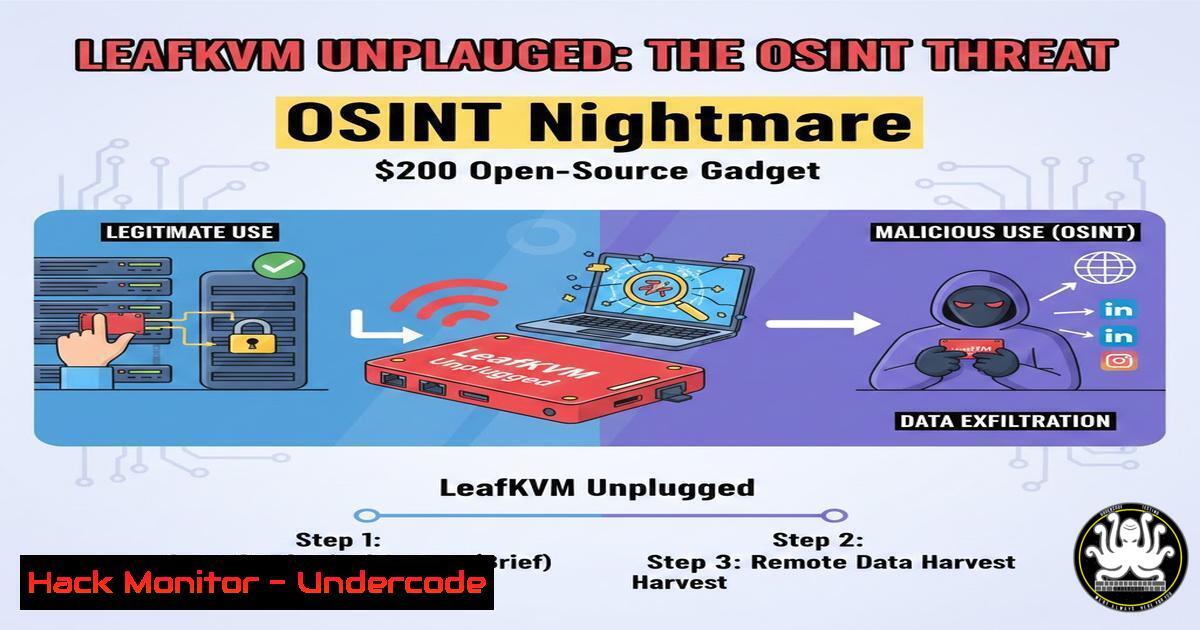
The line between physical and digital security is dissolving. LeafKVM, a compact, open-source wireless KVM device, exemplifies this convergence by allowing remote control of any computer via a browser, no software installation required. For IT professionals, it’s a powerful rescue tool; for threat actors, it’s a potent hardware implant that can be covertly placed to establish a persistent, undetectable foothold inside a network, turning traditional Open-Source Intelligence (OSINT) into hands-on-keyboard attacks.
Learning Objectives:
- Understand the dual-use nature of hardware remote access tools like LeafKVM in both IT administration and offensive security operations.
- Learn foundational OSINT techniques for identifying exposed or misconfigured remote management hardware on a network.
- Develop practical mitigation strategies to detect and defend against unauthorized KVM devices and similar physical threats.
You Should Know:
- The Hacker’s New Favorite Toy: Deconstructing LeafKVM’s Offensive Potential
LeafKVM is not just a tool; it’s a self-contained attack platform. By emulating a USB keyboard, mouse, and storage device, it interacts with a target machine as a trusted peripheral, bypassing all software-based security controls. Its built-in Wi-Fi and Ethernet connectivity allow an attacker to plug it into a server, desktop, or even a digital signage system, and then exit the premises, maintaining full control from anywhere.
Step-by-step guide explaining what this does and how to use it:
An attacker can use LeafKVM to perform a “drop box” attack. First, they physically access the target machine (e.g., in an unsecured server room or office). They connect LeafKVM’s HDMI and USB cables between the target and the device. Once powered, LeafKVM creates its own Wi-Fi network. The attacker connects to this network from a nearby location and uses the web interface to gain a live view of the desktop and inject keystrokes. From here, they can disable security software, create new backdoor user accounts, or exfiltrate data by mounting a virtual USB drive.
- The OSINT Blueprint: Hunting for Exposed Management Interfaces
Before an attacker can plug in a device, they often find targets through OSINT. This involves scanning for publicly accessible services that should not be online. Tools like Shodan continuously crawl the internet for devices with open ports, including small office routers, IP cameras, and potentially, improperly configured remote management hardware like a LeafKVM connected to a corporate network.
Step-by-step guide explaining what this does and how to use it:
A defender or penetration tester can proactively hunt for these exposures.
1. Use Shodan Search: A basic search on Shodan for `title:”LeafKVM”` or `http.title:”KVM”` can reveal devices with web interfaces exposed to the internet.
2. Scan with Nmap: For internal network scans, use Nmap to identify devices with common web ports open.
 Scan a subnet for open web ports (80, 443, 8080)
nmap -p 80,443,8080 192.168.1.0/24 -oG web_scan.txt
 Probe identified hosts for specific HTTP titles
nmap -p 80,443 --script http-title 192.168.1.100
3. Analyze Results: Look for HTTP titles or services that indicate a remote access portal. Any unknown device should be investigated immediately.
- From Digital Recon to Physical Placement: Leveraging Social Media OSINT
Sophisticated attacks combine digital intelligence with physical action. Attackers use OSINT techniques on platforms like LinkedIn to identify key employees—system administrators, security staff—and learn their work patterns, travel schedules, and even the layout of their offices from shared photos or videos. This information can be used to time a physical intrusion to plant a device like LeafKVM when the target is absent.
Step-by-step guide explaining what this does and how to use it:
This is an intelligence-gathering phase.
- Profile Key Targets: Use LinkedIn to map an organization’s IT team structure. Tools like Maltego can help visualize relationships between employees, their roles, and projects they mention.
- Analyze Metadata & Geotags: If employees post photos from work events, check image metadata (EXIF data) for location clues. While major platforms strip this data, other sources might not.
Use exiftool on a downloaded image to view metadata
exiftool company_picnic.jpg
- Correlate Information: Cross-reference employee travel announcements (“Off to a conference!”) with office location data to identify windows of opportunity for physical access to their workstation.
-
Building a Defensive Sensor: Detecting Rogue USB Hardware
Defending against such threats requires monitoring for unexpected USB devices. On Windows, this can be scripted via PowerShell and integrated into a Security Orchestration, Automation, and Response (SOAR) workflow, a key skill taught in modern security automation courses.
Step-by-step guide explaining what this does and how to use it:
Create a simple detection script.
- PowerShell Detection Script: The script below queries Windows for USB devices and alerts on new vendor IDs.
Get a list of currently connected USB devices $currentDevices = Get-PnpDevice -Class USB | Where-Object {$<em>.Status -eq 'OK'} | Select-Object FriendlyName, InstanceId Compare against a known-good baseline (stored in a file) $baseline = Get-Content C:\baseline\usb_baseline.txt $newDevices = $currentDevices | Where-Object {$</em>.InstanceId -notin $baseline} if ($newDevices) { Trigger an alert - send an email, log to SIEM, etc. Write-EventLog -LogName "Security" -Source "USBGuard" -EventId 1001 -EntryType Warning -Message "New USB device detected: $($newDevices.FriendlyName)" } - Deploy and Automate: Schedule this script to run periodically. Courses like SANS SEC598 teach how to escalate such scripts into full automated playbooks that can isolate a network segment upon detection.
-
Hardening the Human Layer: Training and Policy as a Core Control
The final mitigation layer is human. Comprehensive training programs, such as MIT xPRO’s “AI and Cybersecurity” course, educate leaders on managing the risks at the intersection of emerging technology and human factors. Establishing and enforcing clear physical security policies is crucial.
Step-by-step guide explaining what this does and how to use it:
Implement a defense-in-depth training and policy program.
- Policy Development: Draft and enforce a “Clear Desk” policy requiring all workstations to be locked (physically and digitally) when unattended. Explicitly ban unauthorized peripheral devices.
- Security Awareness Training: Conduct regular training that includes real-world examples of hardware-based attacks. Use phishing simulations that test employee vigilance against tailgating or reporting unfamiliar devices.
- Technical Enforcement: Configure operating systems via Group Policy (Windows) or scripts (Linux) to disable automatic mounting of USB storage devices, while allowing necessary peripherals like keyboards.
What Undercode Say:
The Perimeter is Everywhere: The threat model has permanently expanded. An unguarded Ethernet port in a conference room or a momentary lapse at a reception desk is now a viable entry point for a network breach, thanks to affordable, powerful devices like LeafKVM.
OSINT is a Physical Key: Modern reconnaissance doesn’t stop at firewalls. The wealth of information available on professional and social networks provides attackers with the blueprint for successful physical intrusions, making social media hygiene and operational security (OPSEC) critical for high-value targets.
The analysis suggests we are moving into an era of “hyper-converged” threats where a single, low-cost device can leverage publicly available information to bridge the cyber-physical gap. Defensive strategies must evolve accordingly, integrating stronger physical security protocols, robust device management, and continuous employee education into the core cybersecurity framework.
Prediction:
Within the next 2-3 years, we will see a rise in automated, AI-driven “bot” attacks that leverage hardware implants. An AI red team agent, as conceptualized in cutting-edge courses, could autonomously analyze OSINT data to select a target location, guide the delivery of a device (e.g., via a compromised insider or drone), and then execute the attack chain without human intervention. Defensively, AI will be equally critical, with machine learning models trained to detect anomalies in USB traffic, user behavior, and network flows originating from internal hardware, making the integration of AI into security operations not an advantage but a necessity for resilience.
▶️ Related Video (80% Match):
🎯Let’s Practice For Free:
IT/Security Reporter URL:
Reported By: Jmetayer Geek – Hackers Feeds
Extra Hub: Undercode MoN
Basic Verification: Pass ✅


