Listen to this Post
Introduction:
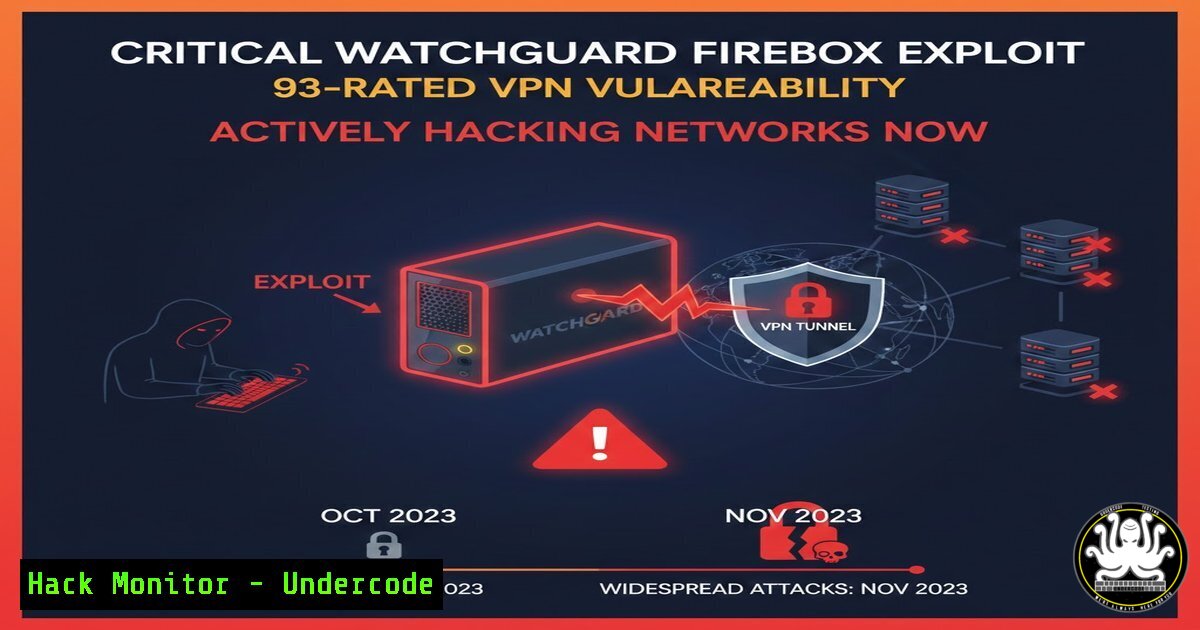
A critical vulnerability in WatchGuard Firebox firewalls, rated 9.3 on the CVSS scale, is under active exploitation, allowing unauthenticated remote attackers to execute arbitrary code. This flaw, CVE-2025-14733, resides in the IKEv2 VPN service and poses a severe risk to networks using mobile or branch office VPNs. Security teams must immediately shift from reconnaissance to incident response, applying patches and hunting for indicators of compromise across their infrastructure.
Learning Objectives:
- Understand the technical mechanism and persistent configuration risk of CVE-2025-14733.
- Implement immediate detection and mitigation steps to secure vulnerable WatchGuard Firebox appliances.
- Apply proactive OSINT and threat intelligence techniques to investigate exposure and attacker tactics.
1. Understanding the Ghost in the VPN: CVE-2025-14733
Step‑by‑step guide explaining what this does and how to use it.
The core of CVE-2025-14733 is an out-of-bounds write flaw in the `iked` process, which handles IKEv2 VPN negotiations on WatchGuard Firebox devices. An attacker can send a maliciously crafted IKE_AUTH request with an abnormal payload to trigger this flaw, leading to a process crash or, worse, arbitrary code execution.
The critical nuance is its “ghost” persistence. The vulnerability is triggered if the device was ever configured with a Mobile User VPN (IKEv2) or a Branch Office VPN (BOVPN) to a dynamic gateway peer. Even if you later delete these configurations, the device remains vulnerable if any BOVPN to a static gateway peer still exists. This creates a hidden attack surface where administrators believe the risk is mitigated, but the vulnerable code path remains active.
Actionable Verification:
To audit your configuration risk, connect to your Firebox’s command-line interface (CLI) via SSH and check for lingering dynamic peer associations. While specific commands are vendor-confidential, the administrative logic is:
1. Review all VPN configurations, focusing on IKEv2 settings.
2. Scrutinize the peer configuration for every BOVPN. Identify any configured with dynamic IP or FQDN peers.
3. Cross-reference this with the device’s configuration history to identify deleted dynamic peer setups.
2. Detecting an Active Exploitation Attempt
Step‑by‑step guide explaining what this does and how to use it.
WatchGuard has provided precise Indicators of Attack (IoAs). Immediate log review is the first line of detection.
Step 1: Analyze `iked` Process Logs.
Access your Firebox’s system logs. You are looking for two key entries:
– Invalid Certificate Chain: A log message stating: "Received peer certificate chain is longer than 8. Reject this certificate chain". This is a medium-strength IoA.
– Oversized CERT Payload: A log entry showing an IKE_AUTH request with a CERT payload size greater than 2000 bytes. This is a strong IoA. Example: "IKE_AUTH request" message has 6 payloads [ IDi(sz=21) CERT(sz=3000) ... ].
Step 2: Monitor Process Health.
The exploit causes the `iked` process to hang or crash.
– Command to check process status (via CLI):
 Check if the iked process is running or in a faulted state
show system process | include iked
– Observe Device Behavior: Look for VPN tunnel negotiation failures, interrupted re-keys, or an overall crash of the VPN service while other traffic flows normally.
Step 3: Block and Alert on Threat Actor IPs.
WatchGuard has observed exploit traffic originating from specific IPs. Immediately block these at your network perimeter and set alerts for any connection attempts:
`45.95.19[.]50`, `51.15.17[.]89`, `172.93.107[.]67`, `199.247.7[.]82`.
Notably, `199.247.7[.]82` has also been linked to the exploitation of critical Fortinet vulnerabilities, suggesting a broad targeting campaign.
3. Patching and Immediate Mitigation Workarounds
Step‑by‑step guide explaining what this does and how to use it.
Step 1: Apply the Official Patch (Primary Solution).
Patching is the only definitive solution. Upgrade Fireware OS to a fixed version based on your release train:
– Fireware OS 2025.1 → Update to 2025.1.4 or later.
– Fireware OS 12.x → Update to 12.11.6 or later.
– Fireware OS 12.5.x (T15/T35 models) → Update to 12.5.15 or later.
– Fireware OS 11.x → This branch is End-of-Life (EOL) and not patched. Plan for immediate hardware replacement.
Step 2: Implement Temporary Mitigation (If Patching is Delayed).
If you cannot patch immediately, implement a strict configuration workaround:
1. Disable Dynamic Peer BOVPNs: In the Firebox Web UI, navigate to VPN > Branch Office VPN. For any BOVPN configured with a dynamic gateway peer, either disable it or reconfigure it to use a static IP peer.
2. Restrict VPN Policies: Create an alias containing only the static IP addresses of your trusted remote BOVPN peers. Then, create new firewall policies that explicitly allow VPN traffic only from this alias. Finally, disable the default built-in policies that automatically allow VPN traffic.
3. Conduct a Comprehensive Audit: As expert T. Frank Downs of BlueVoyant advises, verify all site-to-site VPN tunnels. Change all shared keys and admin passwords on the device, and remove any leftover configuration settings that could unintentionally keep the vulnerable service active.
4. Proactive Hunting with OSINT and Threat Intelligence
Step‑by‑step guide explaining what this does and how to use it.
Open-Source Intelligence (OSINT) is crucial for understanding your external exposure and the threat landscape. Here’s how to apply it:
Step 1: Discover Your Public Footprint.
Use search engines for connected devices to find WatchGuard appliances inadvertently exposed online.
– Shodan Search: Use the query `product:”WatchGuard Fireware”` or `”WatchGuard” “Firebox”` to locate devices. Filter by country or port to identify potentially misconfigured units in your organization’s IP ranges.
– Censys Search: Similarly, query Censys for `services.software.vendor=”WatchGuard”` to map your internet-facing firewall assets and check for historical exposure data.
Step 2: Enrich Threat Actor Indicators.
Use threat intelligence platforms to analyze the provided IoCs.
– GreyNoise: Query the malicious IP addresses (e.g., 199.247.7[.]82) in GreyNoise. This will tell you if the IP is solely targeting you (targeted attack) or is part of a broad, opportunistic scan, helping to triage the alert’s severity.
– ThreatMiner: Submit the IPs or associated domain names to ThreatMiner. This portal enriches Indicators of Compromise (IoCs) with contextual data, such as other malicious files or domains linked to the same campaign, helping to understand the attacker’s scope.
Step 3: Investigate with Advanced Search Techniques.
“Google Dorking” can find leaked configuration data or discussions about the exploit.
– Search for potential configuration files: filetype:cfg "WatchGuard" "ike".
– Look for technical discussions or proof-of-concept code: "CVE-2025-14733" (exploit OR poc).
– Limit searches to paste sites where credentials or configs might be leaked: site:pastebin.com "Firebox".
5. Analyzing the Threat Landscape and Attacker TTPs
Step‑by‑step guide explaining what this does and how to use it.
This exploit is part of a dangerous pattern targeting network perimeter devices. Analysis reveals key Tactics, Techniques, and Procedures (TTPs).
Step 1: Understand the Attacker’s Goals.
A compromised firewall is a crown jewel. Attackers can:
– Pivot to Internal Networks: Bypass the primary security barrier.
– Intercept or Modify Traffic: Conduct man-in-the-middle attacks on all traversing data.
– Establish Persistence: Install backdoors that are difficult to remove without replacing the hardware itself.
Step 2: Correlate with Broader Campaigns.
The overlap of attacker IP `199.247.7[.]82` between WatchGuard and Fortinet exploits suggests the work of sophisticated actors who rapidly integrate new vulnerabilities into their toolkits to target a wide range of network infrastructure. This highlights the need for cross-vendor vigilance.
Step 3: Adopt a Proactive Security Posture.
- Subscriptions: Follow platforms like ExploitAlert and AttackerKB for real-time exploit news and crowd-sourced assessments of which vulnerabilities are most dangerous.
- Automation: Use APIs from tools like GreyNoise or Censys to integrate threat intelligence into your SIEM or SOAR platforms, automatically enriching alerts related to your firewall IPs.
What Undercode Say:
- Patch Over Configuration: Configuration workarounds for this flaw are a temporary, high-risk measure. The “ghost” vulnerability phenomenon means residual settings can leave you exposed despite your best administrative efforts. The only reliable solution is immediate patching, with hardware replacement for EOL devices.
- Assume Compromise and Hunt: Given the active exploitation and high severity, organizations using affected Firebox devices should operate under the assumption of compromise. The provided IoAs must be used not just for detection but as the starting point for a thorough forensic investigation to rule out any established foothold.
Analysis:
This incident is a stark lesson in supply chain and perimeter security. The vulnerability resides in a fundamental protocol (IKEv2) used by a trusted security vendor, breaking the assumption that the guardian itself is secure. It demonstrates that attackers are systematically “hopping” across similar vulnerabilities in different vendors’ networking gear, indicating a mature and efficient targeting methodology. For defenders, it underscores that asset management—knowing exactly what versions you have and their patch status—is as critical as any advanced defensive tool. The persistence of the vulnerability through configuration changes also points to a need for deeper security testing of firmware by vendors, moving beyond simple configuration validation.
Prediction:
The successful exploitation of CVE-2025-14733 will accelerate two trends. First, we will see a surge in copycat and derivative attacks targeting IKE implementations in other network and VPN appliance vendors, as attackers double down on this proven entry vector. Second, it will fuel the growing market for “exploit-as-a-service” and automated botnets that scan the internet for vulnerable firewalls, commoditizing access to corporate networks. This will force a paradigm shift in network defense, where firewalls are no longer considered implicit trust boundaries. Zero-Trust architectures, which verify every request regardless of origin, will transition from a forward-looking strategy to an immediate necessity for resilience against such perimeter-device breaches.
▶️ Related Video (82% Match):
🎯Let’s Practice For Free:
IT/Security Reporter URL:
Reported By: Jmetayer Vuln%C3%A9rabilit%C3%A9 – Hackers Feeds
Extra Hub: Undercode MoN
Basic Verification: Pass ✅


