Listen to this Post
Introduction
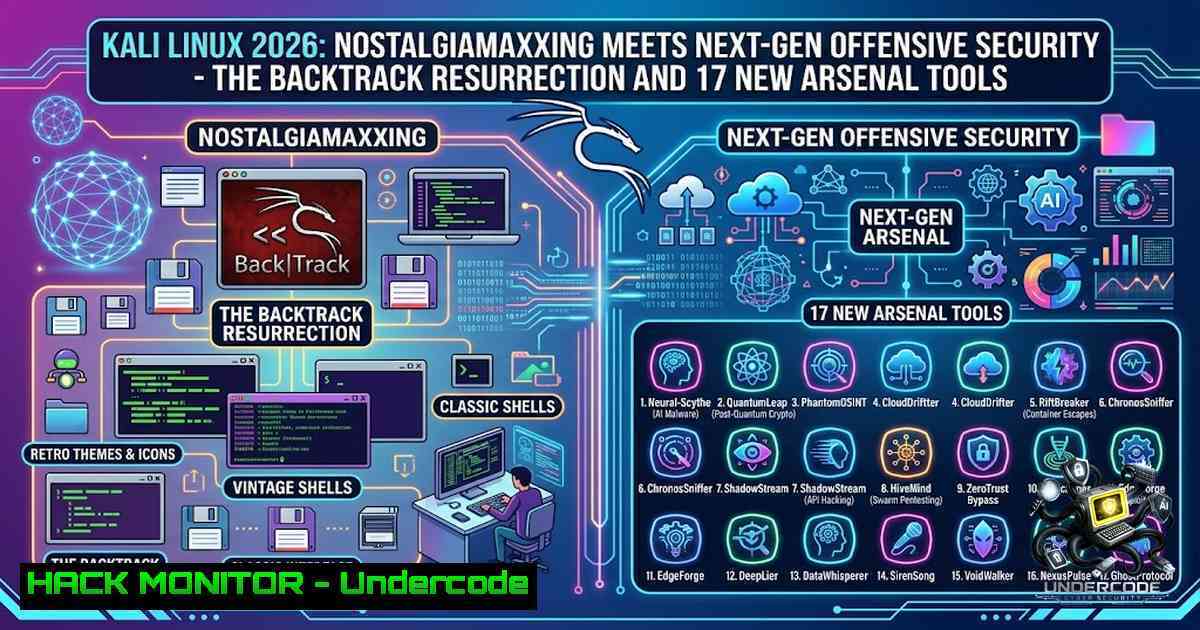
The cybersecurity community witnessed a remarkable convergence of past and present with the release of Kali Linux 2026.1 and 2026.2. This year marks the 20th anniversary of BackTrack Linux – the legendary penetration testing distribution that laid the foundation for modern offensive security – and Kali’s own 13th birthday. In a move that blends “nostalgiamaxxing” with genuine capability expansion, Offensive Security has delivered a dual-release cycle that resurrects the iconic BackTrack 5 interface while simultaneously introducing 17 new offensive tools, kernel upgrades, and significant mobile penetration testing advancements.
Learning Objectives
- Master the BackTrack Mode: Understand how to activate, use, and toggle the new `kali-undercover –backtrack` feature for both operational security and nostalgic workflow enhancement.
- Expand Offensive Arsenal: Gain hands-on knowledge of the 17 new tools added across Kali 2026.1 and 2026.2, including post-exploitation frameworks, AI-assisted command generation, and protocol-specific attack vectors.
- Optimize Deployment and Performance: Learn to leverage kernel 6.18/6.19 upgrades, VM boot time optimizations, and NetHunter mobile improvements for faster, more capable security assessments.
1. BackTrack Mode: The Kali-Undercover Resurrection
The centerpiece of the 2026.1 release is the integration of a “BackTrack mode” into the existing `kali-undercover` tool. Originally designed to disguise a Kali desktop as a standard Windows environment to avoid scrutiny in corporate or public settings, `kali-undercover` now offers a second transformation: a complete visual replica of BackTrack 5, complete with the iconic dark wallpaper, vibrant color scheme, and classic window themes.
Step-by-Step Guide:
- Activate BackTrack Mode: Open a terminal and execute:
kali-undercover --backtrack
Your desktop will instantly transform to mirror the BackTrack 5 aesthetic.
-
Revert to Default Kali Desktop: Run the same command again to toggle back:
kali-undercover --backtrack
-
Activate via GUI: For users who prefer graphical interfaces, the BackTrack mode can also be activated directly from the system menu.
-
Operational Use Case: While primarily nostalgic, this feature can serve as a quick visual distraction during shoulder-surfing scenarios – the unfamiliar retro interface may confuse onlookers expecting a modern Kali or Windows environment.
2. Kali 2026.1: Eight New Offensive Tools
The 2026.1 release introduced eight new tools to the Kali network repositories, significantly expanding capabilities in post-exploitation, web application testing, and adversary emulation:
| Tool | Purpose |
|||
| AdaptixC2 | Extensible post-exploitation and adversarial emulation framework |
| Atomic-Operator | Execute Atomic Red Team tests across multiple operating systems |
| Fluxion | Security auditing and social engineering research platform |
| GEF | Advanced debugging environment for GDB |
| MetasploitMCP | MCP server integration for Metasploit |
| SSTImap | Automated detection of server-side template injection vulnerabilities |
| WPProbe | Fast enumeration tool for WordPress plugins |
| XSStrike | Advanced Cross-Site Scripting (XSS) vulnerability scanner |
Step-by-Step Installation and Usage:
1. Update Package Lists:
sudo apt update
2. Install Specific Tools (example with XSStrike):
sudo apt install xsstrike
3. Basic XSStrike Usage:
xsstrike -u "http://target.com/page?param=test"
4. Launch AdaptixC2 Framework:
adaptix-c2
5. Run Atomic Red Team Tests:
atomic-operator --platform linux --test T1059
- Kali 2026.2: Nine Additional Tools and AI Integration
Building on the momentum, Kali Linux 2026.2 arrived with nine more tools, including the re-addition of Hydra-GTK and the introduction of AI-powered command-line assistance:
| Tool | Purpose |
|||
| arsenal-1g | Go-based command library with 200+ cybersecurity cheat-sheets |
| hydra-gtk | GTK+ GUI for the Hydra network logon cracker (re-added) |
| legba | Multiprotocol credentials bruteforcer, password sprayer, and enumerator |
| oletools | Analyze MS OLE2 files and MS Office documents |
| penelope | Powerful shell handler for post-exploitation |
| shell-gpt | AI-powered command-line productivity tool |
| tailscale | Secure connectivity platform for simplified networking |
| tookie-osint | OSINT information gathering for social media account discovery |
| uro | URL decluttering for crawling and pentesting |
Step-by-Step Usage Examples:
1. Install All New Tools:
sudo apt update && sudo apt install arsenal-1g hydra-gtk legba oletools penelope shell-gpt tailscale tookie-osint uro
2. AI-Assisted Command Generation with Shell-GPT:
shell-gpt "How do I scan for open ports on a remote host?"
3. Multiprotocol Credential Spraying with Legba:
legba --target 192.168.1.100 --service ssh --username admin --password-list wordlist.txt
4. URL Decluttering with Uro:
uro -i urls.txt -o cleaned_urls.txt
5. Launch Hydra-GTK GUI:
hydra-gtk
4. Kernel Upgrades and System Performance Optimizations
Kali Linux 2026.1 migrated to Linux kernel 6.18.12, bringing improved hardware support, better performance, and enhanced driver compatibility. The 2026.2 release further upgraded to kernel 6.19, with kernel 7.0 available in the experimental repository.
Critical VM Performance Improvement:
Starting with Kali 2026.2, pre-built VM images no longer include graphics firmware by default. This optimization reduces the initrd size from approximately 200 MB to 60 MB for VM users, resulting in ~3x faster boot times (tested on QEMU VM with a Linux host).
Verification Commands:
1. Check Kernel Version:
uname -r
2. View Initrd Size:
ls -lh /boot/initrd.img-$(uname -r)
3. Manual VM Optimization (for baremetal users):
sudo apt remove --purge firmware-linux firmware-linux-1onfree
sudo update-initramfs -u
5. Kali NetHunter: Mobile Penetration Testing Advancements
Both releases brought substantial improvements to Kali NetHunter, the mobile penetration testing platform for Android devices:
2026.1 NetHunter Highlights:
- Historical wireless injection patches for Qualcomm chipsets (QCACLD-3.0)
- Enhanced wardriving support on Samsung S10 series
- Kismet now runs natively on Samsung S10 devices
2026.2 NetHunter Highlights:
- Magisk standalone kernel flashing support
- New kernels with improved driver compatibility
- EvilTwin attack tab with captive portal password verification
Step-by-Step NetHunter Setup:
- Download NetHunter Image from the official Kali website.
2. Flash via Magisk (2026.2+):
magisk --install-module /path/to/nethunter-module.zip
3. Start NetHunter Terminal:
nethunter
4. Launch Kismet for Wardriving:
kismet -c wlan0
6. Visual Refresh and Theme Updates
The annual theme refresh for 2026 touches every aspect of the user interface: boot animation, GRUB menu, graphical installer, login screen, and desktop wallpapers. Notably, the boot animation bug on live images – where it previously got stuck showing only the tail – has been fixed, and the animation now loops smoothly if the boot process takes longer than expected.
The Kali Purple defensive security variant also received matching visual updates.
Desktop Environment Updates:
- GNOME 50 now ships with Kali 2026.2
- KDE Plasma 6.6 updated for enhanced user experience
- Xfce version received an entirely new theme
7. Known Issues and Mitigations
Software Defined Radio (SDR) Instability:
Kali Linux 2026.1 has known temporary instability with SDR tools (metapackage kali-tools-sdr). Tools like `gqrx-sdr` and `gr-air-modes` may not function correctly due to issues in the GNU Radio environment.
Mitigation:
- Avoid installing the full `kali-tools-sdr` metapackage until the fix is released in the next update
- Install individual SDR tools as needed and monitor for patches
- The issue is expected to be resolved in a subsequent Kali release
Upgrade Command for Existing Users:
sudo apt update && sudo apt -y full-upgrade
After upgrading, restart your system to load the new kernel and apply all updates.
What Undercode Say
- Nostalgia as a Feature, Not a Gimmick: The BackTrack mode in Kali 2026.1 is more than just a visual Easter egg – it represents a deliberate acknowledgment of the distribution’s lineage. For veteran penetration testers who cut their teeth on BackTrack, this feature provides a tangible connection to the tools and workflows that defined early offensive security. For newcomers, it offers a historical perspective on how far the ecosystem has evolved.
-
AI Integration Signals the Future: The inclusion of `shell-gpt` in Kali 2026.2 marks a significant inflection point. AI-assisted command generation is no longer experimental – it’s now a first-class citizen in the world’s most popular penetration testing distribution. This integration will likely accelerate the adoption of AI-powered workflows in red teaming and security auditing, potentially reducing the learning curve for junior security professionals while enabling veterans to operate more efficiently.
Analysis: The Kali Linux 2026 release cycle demonstrates Offensive Security’s strategic vision: honor the past while aggressively embracing the future. The BackTrack mode is a brilliant marketing and community-engagement move that reinforces brand loyalty among long-time users. Simultaneously, the introduction of 17 new tools – including AI-powered utilities and advanced post-exploitation frameworks – ensures Kali remains the undisputed leader in offensive security tooling. The kernel upgrades and VM performance optimizations address practical operational concerns, while NetHunter improvements expand Kali’s reach into the mobile security domain. This dual-release strategy positions Kali not just as a tool, but as a living archive of cybersecurity’s evolution and a platform for its future.
Prediction
- +1 The BackTrack mode will inspire other security distributions to incorporate similar “retro” features, creating a trend of “heritage modes” that celebrate cybersecurity’s history while maintaining modern functionality.
-
+1 AI-powered tools like Shell-GPT will become standard components in penetration testing distributions, leading to a new generation of “AI-assisted red teaming” workflows that dramatically reduce the time required for reconnaissance and exploitation.
-
+1 The VM boot time optimization (3x faster initrd loading) will set a new industry standard for security-focused virtual machines, prompting other distributions to adopt similar lightweight approaches.
-
-1 The SDR instability in Kali 2026.1 may frustrate radio frequency security researchers, potentially driving some users to alternative distributions or older Kali versions until the issue is resolved.
-
+1 NetHunter’s expanded device support (particularly Samsung S10 series and Qualcomm chipset injection patches) will accelerate mobile penetration testing adoption, making Android-based security assessments more accessible to a broader audience.
-
+1 The integration of `arsenal-1g` with 200+ cybersecurity cheat-sheets will become an indispensable resource for both novice and experienced penetration testers, reducing the need for external documentation during assessments.
-
+1 Kali’s 20th anniversary celebration of BackTrack will generate significant community engagement and may lead to increased contributions to the Kali ecosystem, including new tools, documentation, and training materials.
-
+1 The re-addition of Hydra-GTK suggests a growing recognition that GUI tools remain valuable for certain workflows, potentially signaling a trend toward more hybrid CLI/GUI penetration testing environments.
▶️ Related Video (74% Match):
https://www.youtube.com/watch?v=2BJ-RI4n1y8
🎯Let’s Practice For Free:
🎓 Live Courses & Certifications:
Join Undercode Academy for Verified Certifications
🚀 Request a Custom Project:
Secure, high-velocity infrastructure and disruptive technological engineering. Contact our engineering team for high-tier development and proprietary systems:
[email protected]
💎 Smart Architecture | 🛡️ Secure by Design | ⭐ Trusted by Thousands
IT/Security Reporter URL:
Reported By: Cybersecurity Nostalgiamaxxing – Hackers Feeds
Extra Hub: Undercode MoN
Basic Verification: Pass ✅


