Listen to this Post
Introduction:
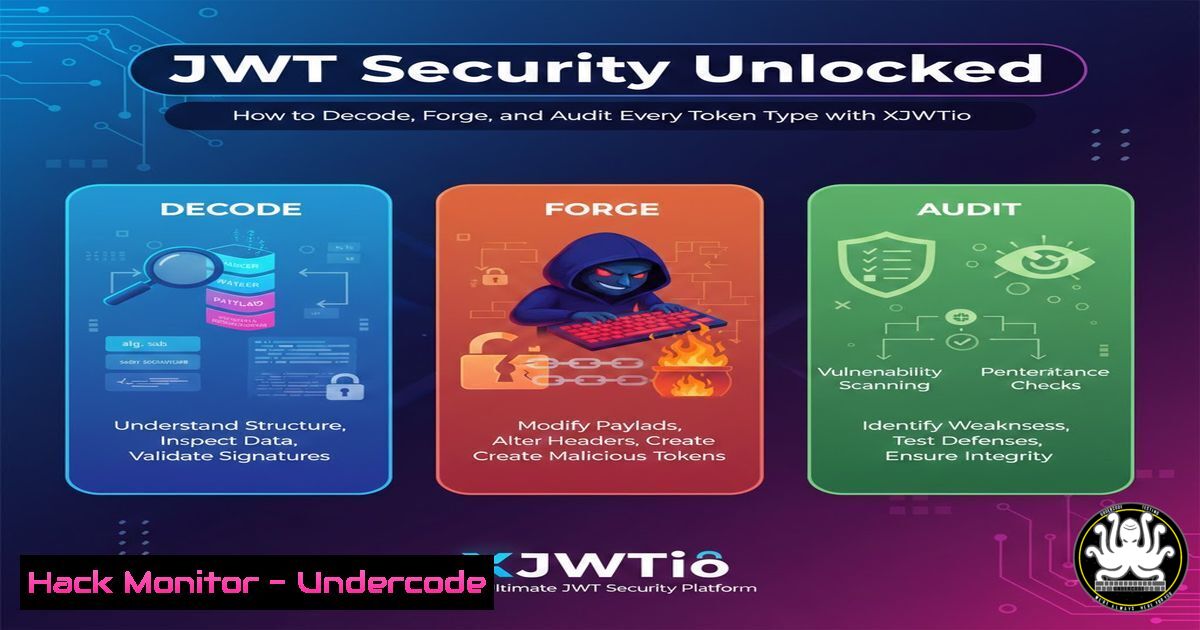
JSON Web Tokens (JWT) have become the de facto standard for authorization in modern web applications, APIs, and microservices. However, their security is entirely dependent on proper implementation and robust signing algorithms. The recent upgrade of the JWT Security Checker (XJWT.io) to support both symmetric (HS) and asymmetric (RS, ES, PS) algorithms marks a significant advancement for security professionals, enabling comprehensive testing across the entire JWT threat landscape.
Learning Objectives:
- Understand the critical differences between symmetric and asymmetric JWT signing algorithms and their security implications.
- Learn how to manually decode, verify, and manipulate JWTs using command-line tools.
- Master the process of using XJWT.io to automate token analysis, forging, and vulnerability scanning.
You Should Know:
1. JWT Fundamentals and Manual Decoding
A JWT is a compact, URL-safe token consisting of three Base64Url-encoded segments separated by dots: Header.Payload.Signature. The header specifies the algorithm (alg), while the payload contains the claims, and the signature validates the token’s integrity. Before using any scanner, understanding manual manipulation is crucial.
Step-by-step guide explaining what this does and how to use it.
1. Capture a Token: Obtain a JWT from your web application’s HTTP traffic using a proxy like Burp Suite or from the browser’s local storage.
2. Manual Decoding (Linux/Windows): You can decode the header and payload without verifying the signature. The following commands use the built-in `base64` utility on Linux/macOS. Note that JWTs use Base64Url encoding, which differs from standard Base64. You may need to adjust the padding.
 Extract and decode the Header
echo "eyJhbGciOiJIUzI1NiIsInR5cCI6IkpXVCJ9" | base64 -d
 Output: {"alg":"HS256","typ":"JWT"}

Extract and decode the Payload
echo "eyJzdWIiOiIxMjM0NTY3ODkwIiwibmFtZSI6IkpvaG4gRG9lIiwiaWF0IjoxNTE2MjM5MDIyfQ" | base64 -d
 Output: {"sub":"1234567890","name":"John Doe","iat":1516239022}
On Windows, you can use a PowerShell script for a more robust solution that handles Base64Url.
 PowerShell function to decode a JWT segment
function Decode-JWTsegment([bash]$Segment) {
$Segment = $Segment.Replace('_', '/').Replace('-', '+')
switch ($Segment.Length % 4) {
2 { $Segment += '==' }
1 { $Segment += '=' }
}
}
 Usage for a header
$header = "eyJhbGciOiJIUzI1NiIsInR5cCI6IkpXVCJ9"
Decode-JWTsegment $header
2. The Critical Difference: Symmetric vs. Asymmetric Algorithms
The `alg` parameter in the JWT header dictates how the token was signed and must be verified. Symmetric algorithms (like HS256) use a single, shared secret key for both signing and verification. If this key is compromised, an attacker can forge any token. Asymmetric algorithms (like RS256) use a private key for signing and a publicly available public key for verification. This is more secure as the private key never leaves the server.
Step-by-step guide explaining what this does and how to use it.
1. Identify the Algorithm: Decode the JWT header as shown above. Look for the `alg` claim.
2. Understand the Risk:
HS256: The secret is a single point of failure. Common attacks include weak secret guessing (e.g., using `hashcat` or `john` with a wordlist) or leakage through other vulnerabilities.
RS256/ES256/PS256: The security relies on the private key’s confidentiality. Attacks might focus on flawed implementations, such as accepting tokens with an `alg:none` vulnerability, key confusion attacks (switching the algorithm to HS256 and using the public key as the HMAC secret), or exploiting weak random number generation.
3. Exploiting the ‘alg:none’ Vulnerability and Key Confusion
A critical misconfiguration is when a server is tricked into accepting a token with the `alg` parameter set to “none”, meaning no signature is required. A related attack is the “key confusion” attack, where an attacker forces a server using an asymmetric algorithm to verify a token using a symmetric algorithm, with the public key as the secret.
Step-by-step guide explaining what this does and how to use it.
1. Craft a Malicious Token (alg:none):
Modify the JWT header to `{“alg”:”none”,”typ”:”JWT”}`.
Encode the header and payload to Base64Url.
Omit the signature entirely. The final token should look like: `Base64UrlHeader.Base64UrlPayload.`
2. Craft a Malicious Token (Key Confusion – RS256 to HS256):
Modify the JWT header to `{“alg”:”HS256″,”typ”:”JWT”}`.
Encode the header and payload.
Sign the token using the HS256 algorithm with the server’s public key (which you might have extracted from a JWKS endpoint or a certificate) as the HMAC secret.
Tools like `xjwt.io` or the `jwt_tool` automate this process significantly.
4. Automating JWT Analysis and Attacks with XJWT.io
Manual testing is foundational, but automation is key for efficiency and depth. XJWT.io’s new support for all major algorithms makes it a powerful tool for offensive and defensive security tasks.
Step-by-step guide explaining what this does and how to use it.
1. Navigate to XJWT.io: Open the web application in your browser.
2. Decode and Verify: Paste your JWT into the tool. It will instantly decode the header and payload, presenting them in a readable JSON format. It identifies the algorithm used.
3. Scan for Vulnerabilities: Use the “Scan” feature. The tool will automatically test for common flaws like the `alg:none` vulnerability, weak keys (for HS256), and other misconfigurations.
4. Forge New Tokens: Use the “Forge” functionality. You can change the payload claims (e.g., set `”user”:”admin”` or "exp":9999999999). The tool will re-sign the token with the algorithm of your choice. For HS256, you provide the secret. For RS256, you would provide a private key.
5. Hardening Your JWT Implementation: A Defender’s Guide
Understanding attacks is the first step to building robust defenses. Developers and DevOps engineers must implement JWTs securely to protect their applications.
Step-by-step guide explaining what this does and how to use it.
1. Prefer Asymmetric Algorithms (RS256/ES256): For most web applications, use RS256. This eliminates the risk of a shared secret being leaked on multiple clients.
2. Validate Algorithm Strictly: Your JWT verification library must explicitly check that the `alg` in the incoming token’s header is the expected one (e.g., RS256). Reject any token with `alg: none` or an unexpected algorithm like `HS256` if you only use RS256.
3. Secure Key Management:
HS256: Store the secret securely in a secrets manager (e.g., HashiCorp Vault, AWS Secrets Manager). Never hardcode it.
RS256: Protect the private key on the server with strict access controls. The public key can be distributed via a well-known JWKS endpoint (e.g., `https://yourdomain.com/.well-known/jwks.json`).
4. Implement Strong Claims Validation: Always validate the `exp` (expiration), `nbf` (not before), and `iss` (issuer) claims. Do not trust the token without this validation.
What Undercode Say:
- The expansion of JWT security tools to seamlessly handle both symmetric and asymmetric algorithms is no longer a luxury but a necessity, given the hybrid nature of modern microservices and API ecosystems.
- True security maturity is demonstrated not by the ability to exploit a vulnerability, but by implementing proactive, algorithm-agnostic validation controls that render such exploits ineffective.
The upgrade of XJWT.io reflects a critical evolution in the AppSec toolchain. It moves beyond basic decoding and HS256 testing to address the complex reality of modern authentication, where a single application might consume tokens signed with different algorithms from various internal and external sources. This tool empowers security engineers to keep pace with this complexity, providing a unified platform for testing the entire JWT implementation surface. For organizations, this underscores the importance of continuous security testing integrated directly into the SecDevOps pipeline, ensuring that JWT configurations are audited as rigorously as application code itself.
Prediction:
The convergence of AI/ML and application security will soon lead to intelligent JWT scanning agents. These agents will not only test for known vulnerabilities but will also use predictive models to identify novel algorithm confusion attacks and subtle implementation flaws by analyzing code patterns and API behaviors. Furthermore, as quantum computing advances, we will see a rapid migration from current asymmetric algorithms (RS256, ES256) to quantum-resistant algorithms (e.g., CRYSTALS-Dilithium). The next generation of security tools will need to incorporate post-quantum cryptography scanners and validators, making platforms that support extensible algorithm testing, like XJWT.io, foundational for long-term security posture.
🎯Let’s Practice For Free:
IT/Security Reporter URL:
Reported By: Badmus Al – Hackers Feeds
Extra Hub: Undercode MoN
Basic Verification: Pass ✅


