
Listen to this Post
Introduction
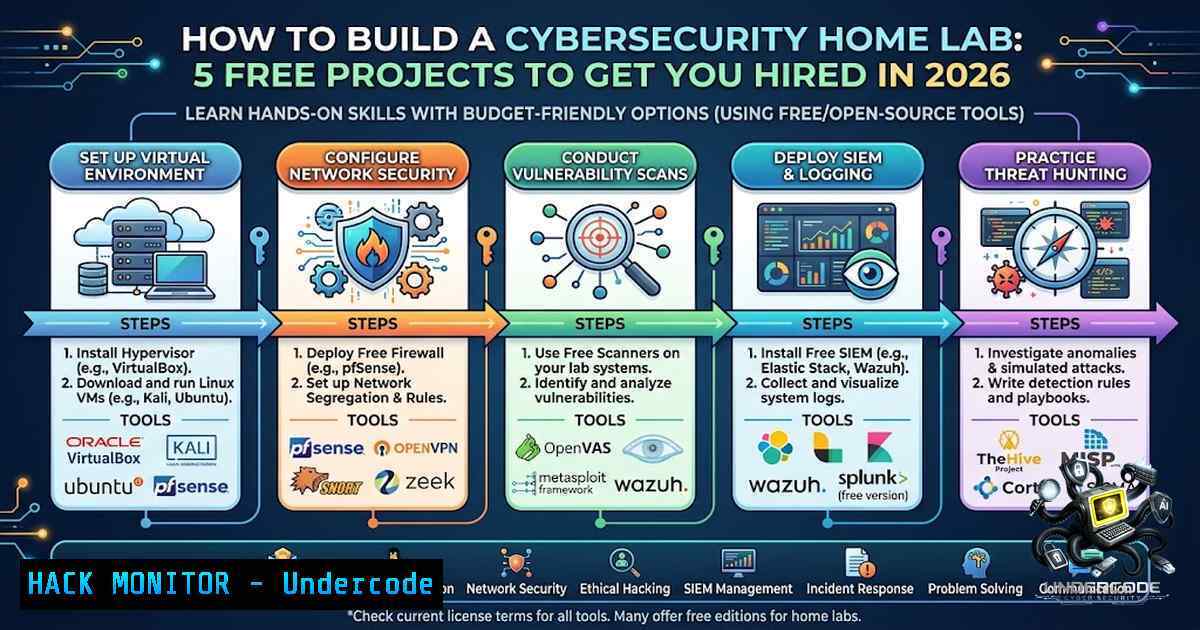
Breaking into cybersecurity without prior professional experience remains one of the industry’s most persistent challenges. Security Operations Center (SOC) analysts, security engineers, and penetration testers are in high demand, yet hiring managers consistently prioritize hands-on practical skills over certifications alone. Home labs bridge this gap by providing safe, sandboxed environments where aspiring professionals can build resume-ready experience. The five free projects outlined below—covering SIEM deployment, Web Application Firewall (WAF) configuration, AI-integrated SOC operations, automated threat detection, and Android penetration testing—offer a structured pathway from beginner to job-ready practitioner.
Learning Objectives & Secrets
- Objective 1: Deploy and configure a production-grade SIEM/XDR solution – Master WAZUH installation on Ubuntu, agent deployment across multiple operating systems, and file integrity monitoring (FIM) through custom configuration files. The secret: understanding how to tune alert rules reduces false positives by over 60% in real SOC environments.
-
Objective 2: Implement web application security controls – Install SafeLine WAF, generate self-signed SSL certificates with OpenSSL, and configure Apache to proxy traffic through the firewall. The secret: testing WAF rules against DVWA (Damn Vulnerable Web Application) reveals exactly how SQL injection and XSS payloads get blocked at the network edge.
-
Objective 3: Build an AI-augmented SOC pipeline – Integrate WAZUH with Grafana dashboards, NetAlertX for network device visibility, and local LLMs (Llama 3.1 or GPT-5 Nano) for automated alert summarization. The secret: binding Ollama to `0.0.0.0` enables cross-VM API calls, allowing your AI agent to consume SIEM alerts in real time without cloud dependencies.
You Should Know
- SIEM Home Lab – Detection & Log Analysis with WAZUH
WAZUH provides an open-source SIEM and XDR platform that monitors endpoints, collects logs, and detects security threats through rule-based analysis. This lab walks through deploying WAZUH Manager on Ubuntu within VirtualBox, installing agents on Windows and Linux endpoints, and configuring file integrity monitoring to track unauthorized system changes.
Step‑by‑Step Guide:
- Prepare Virtual Machines – Create two Ubuntu VMs in VirtualBox with 4GB RAM and 3 CPUs each. Configure network adapters as NAT + Host-Only to enable internal communication while maintaining internet access for package installation.
-
Update the Ubuntu Server – Run the following commands on the manager VM:
sudo apt update && sudo apt upgrade -y
-
Install WAZUH Manager – Use the official All-in-One installer script:
curl -sO https://packages.wazuh.com/4.12/wazuh-install.sh
sudo bash wazuh-install.sh --generate-config-files
sudo bash wazuh-install.sh --wazuh-indexer node-1
sudo bash wazuh-install.sh --start-cluster
-
Access the WAZUH Dashboard – Retrieve the server IP with `ip a` and navigate to `https://
` to complete the web-based setup. -
Deploy WAZUH Agents – On each endpoint (Windows 10, Kali Linux, or additional Ubuntu VMs), install the agent:
curl -s https://packages.wazuh.com/key/GPG-KEY-WAZUH | sudo apt-key add -
echo "deb https://packages.wazuh.com/4.x/apt/ stable main" | sudo tee /etc/apt/sources.list.d/wazuh.list
sudo apt update && sudo apt install wazuh-agent
-
Configure File Integrity Monitoring (FIM) – Edit the agent configuration file (
/var/ossec/etc/ossec.conf) and add directories to monitor:<syscheck> <directories>/etc,/usr/bin,/var/www</directories> </syscheck>
Restart the agent: `sudo systemctl restart wazuh-agent`.
- Verify Agent Connection – On the manager, run `sudo /var/ossec/bin/agent_control -lc` to list connected agents.
2. Web Application Firewall (WAF) Deployment Lab
SafeLine WAF acts as a reverse proxy that inspects HTTP/HTTPS traffic before it reaches your web application, blocking common attacks including SQL injection, cross-site scripting (XSS), and HTTP flood attempts. This lab deploys SafeLine in front of an Apache web server hosting DVWA, providing a realistic testing ground for WAF rule validation.
Step‑by‑Step Guide:
- Set Up the Environment – Deploy an Ubuntu Server VM and a Kali Linux VM within VirtualBox. Install the LAMP stack on Ubuntu:
sudo apt-get install -y apache2 mysql-server php libapache2-mod-php
-
Install DVWA – Download DVWA into
/var/www/html/, configureconfig/config.inc.php, and access the setup page to create the database. -
Install SafeLine WAF – Run the official one-line installer on the Ubuntu server:
curl -fsSL https://waf.safeline.com/install.sh | bash
The script automatically deploys Docker containers and the management interface.
-
Generate a Self-Signed SSL Certificate – Use OpenSSL to enable HTTPS:
openssl genrsa -out priv.key 4096
openssl req -1ew -key priv.key -out priv.csr
openssl x509 -req -days 365 -in priv.csr -signkey priv.key -out cert.crt
-
Configure Apache to Use the Certificate – Edit the Apache SSL configuration to point to `cert.crt` and
priv.key, then restart Apache. -
Proxy Traffic Through SafeLine – Configure SafeLine to forward requests to Apache on port 8080. Access DVWA through the WAF IP address and observe request inspection in real time.
-
Test WAF Rules – From Kali Linux, use `sqlmap` or manual SQL injection payloads against DVWA. Monitor the SafeLine dashboard to see blocked attacks.
3. Home SOC System with AI Integrations
Modern Security Operations Centers increasingly rely on AI to reduce analyst burnout and accelerate incident response. This lab combines WAZUH for endpoint detection, Grafana for visualization, NetAlertX for network device discovery, and a local AI agent for automated alert summarization—all running on a ZimaCube or equivalent server hardware.
Step‑by‑Step Guide:
- Deploy the Central Server – Install Ubuntu Server on a ZimaCube or standard x86 hardware with at least 16GB RAM.
-
Install WAZUH – Follow the SIEM lab installation steps above to establish the core detection engine.
-
Set Up NetAlertX in Docker – Install Docker and run NetAlertX to discover all devices on your home network:
docker run -d --1ame netalertx -p 20211:20211 -v netalertx-data:/app/db jasonbrown/netalertx
-
Configure Grafana – Install Grafana and connect it to both WAZUH and NetAlertX data sources:
sudo apt-get install -y grafana
sudo systemctl enable grafana-server && sudo systemctl start grafana-server
-
Build a Central Dashboard – Import pre-built WAZUH dashboards or create custom panels displaying endpoint alerts, network device status, and log volume metrics.
-
Deploy a Local LLM – Install Ollama and pull a lightweight model such as Llama 3.1:
curl -fsSL https://ollama.com/install.sh | sh
ollama pull llama3.1:8b
-
Configure Cross-VM Communication – Bind Ollama to `0.0.0.0` to enable API calls from the WAZUH manager:
export OLLAMA_HOST=0.0.0.0:11434
-
Integrate AI Alert Summarization – Write a Python script that pulls high-severity WAZUH alerts via API, sends them to the Ollama LLM, and returns a natural-language summary for the SOC dashboard.
4. SOC Analyst AI Agent Home Lab
This project builds an autonomous Tier-1 SOC analyst using a ReAct (Reasoning + Acting) AI agent that ingests security alerts, performs enrichment, and recommends or executes containment actions. The lab uses two VMs—one as an attacker (Kali) and one as an internal server running Python automation for malicious IP detection.
Step‑by‑Step Guide:
- Set Up the Internal Server – Deploy an Ubuntu VM to host the Python detection script and AI agent.
-
Write the Malicious IP Detection Script – Create a Python script that queries threat intelligence feeds (e.g., AbuseIPDB, AlienVault OTX) and logs suspicious connections:
import requests def check_ip(ip): response = requests.get(f"https://api.abuseipdb.com/api/v2/check?ipAddress={ip}") return response.json() -
Deploy the AI Agent Framework – Use LangChain or n8n to orchestrate the agent’s workflow. The agent should:
– Receive alerts from the detection script
– Query threat intelligence for additional context
– Follow a SOC playbook for escalation or containment
- Simulate an Attack – From the Kali VM, launch reconnaissance or exploitation tools (e.g., Nmap, Hydra) against the internal server.
-
Observe Agent Actions – The AI agent autonomously triages the alert, enriches it with threat data, and outputs a recommended response.
5. Build Your Own Android Hacking Lab
Android security testing requires a controlled environment where researchers can decompile APKs, intercept network traffic, and exploit vulnerabilities without risk to production devices. This lab uses Android emulators, Termux, and open-source tools to create a complete mobile penetration testing workspace.
Step‑by‑Step Guide:
- Set Up the Android Emulator – Install Android Studio and create an Armv7 emulator for compatibility with a wide range of APKs.
-
Install Termux on Android – On a physical Android device or within the emulator, install Termux from F-Droid:
pkg update && pkg upgrade
pkg install python git nmap metasploit
-
Deploy Mobile Security Tools – Install APKTool for decompilation, Jadx for Java source extraction, and Frida for dynamic instrumentation:
pip install frida-tools
-
Set Up a Proxy – Configure Burp Suite on the host machine and route Android traffic through it to intercept and modify HTTP/HTTPS requests.
-
Test with Vulnerable Apps – Deploy intentionally vulnerable Android applications (e.g., Damn Exploitable Android App) and practice static and dynamic analysis:
adb install app-debug.apk
-
Perform Reverse Engineering – Use Jadx to decompile APKs and identify insecure data storage, hardcoded credentials, or improper certificate validation.
What Undercode Say
-
Key Takeaway 1: Practical experience trumps certifications. Recruiters prioritize candidates who can demonstrate hands-on proficiency over those who simply hold credentials. Each of these labs produces tangible artifacts—dashboard screenshots, detection logs, and attack reports—that can be included in a portfolio or discussed during technical interviews.
-
Key Takeaway 2: AI is reshaping SOC workflows, not replacing analysts. The integration of LLMs into security operations automates repetitive tasks like alert triage and summarization, allowing human analysts to focus on complex investigations. Building an AI-augmented SOC lab now positions you ahead of the curve as organizations increasingly adopt agentic AI for cybersecurity.
The five labs outlined here represent a complete learning pathway from foundational SIEM configuration to cutting-edge AI integration and mobile security testing. Each project is designed to be completed with free, open-source tools and minimal hardware requirements—a standard laptop with 16GB RAM and VirtualBox suffices for most scenarios. The step-by-step PDF guides accompanying each lab ensure that even complete beginners can follow along without getting lost in documentation.
What distinguishes these projects from generic tutorial-following is the emphasis on understanding why each configuration matters. Changing WAZUH agent configs teaches FIM fundamentals; proxying DVWA through SafeLine reveals how WAFs inspect payloads; binding Ollama to `0.0.0.0` demonstrates API security considerations. These are not rote exercises—they are miniature production environments that mirror real enterprise architectures.
For those targeting SOC analyst, security engineer, or penetration testing roles, completing even two or three of these labs provides compelling resume material. Document the process, capture screenshots of successful detections, and be prepared to discuss trade-offs during interviews. The cybersecurity industry values builders who can explain their infrastructure decisions as much as it values those who can break things.
Prediction
- +1 Hands-on home lab experience will become the primary differentiator for entry-level cybersecurity candidates by 2027, as degree programs and certifications fail to keep pace with rapidly evolving threat landscapes and tooling.
-
+1 AI-integrated SOC labs will transition from experimental projects to standard interview evaluation tools, with hiring managers requesting live demonstrations of AI agent configurations and alert triage workflows.
-
-1 The democratization of security tools through free home labs may lead to a surge in minimally-skilled candidates claiming advanced expertise, requiring employers to implement more rigorous technical assessments and practical exams.
-
-1 Organizations that fail to invest in AI-augmented SOC capabilities will face increasing alert fatigue and analyst burnout, as manual triage processes cannot scale with growing threat volumes.
-
+1 The open-source security ecosystem—WAZUH, SafeLine, Ollama, Grafana—will continue to erode the dominance of commercial vendors, making enterprise-grade security accessible to individuals and small teams worldwide.
▶️ Related Video (76% Match):
https://www.youtube.com/watch?v=20W7BML1JRI
🎯Let’s Practice For Free:
🎓 Live Courses & Certifications:
Join Undercode Academy for Verified Certifications
🚀 Request a Custom Project:
Secure, high-velocity infrastructure and disruptive technological engineering. Contact our engineering team for high-tier development and proprietary systems:
[email protected]
💎 Smart Architecture | 🛡️ Secure by Design | ⭐ Trusted by Thousands
IT/Security Reporter URL:
Reported By: https://lnkd.in/p/eS_CuCKH – Hackers Feeds
Extra Hub: Undercode MoN
Basic Verification: Pass ✅


