
Listen to this Post
Introduction:
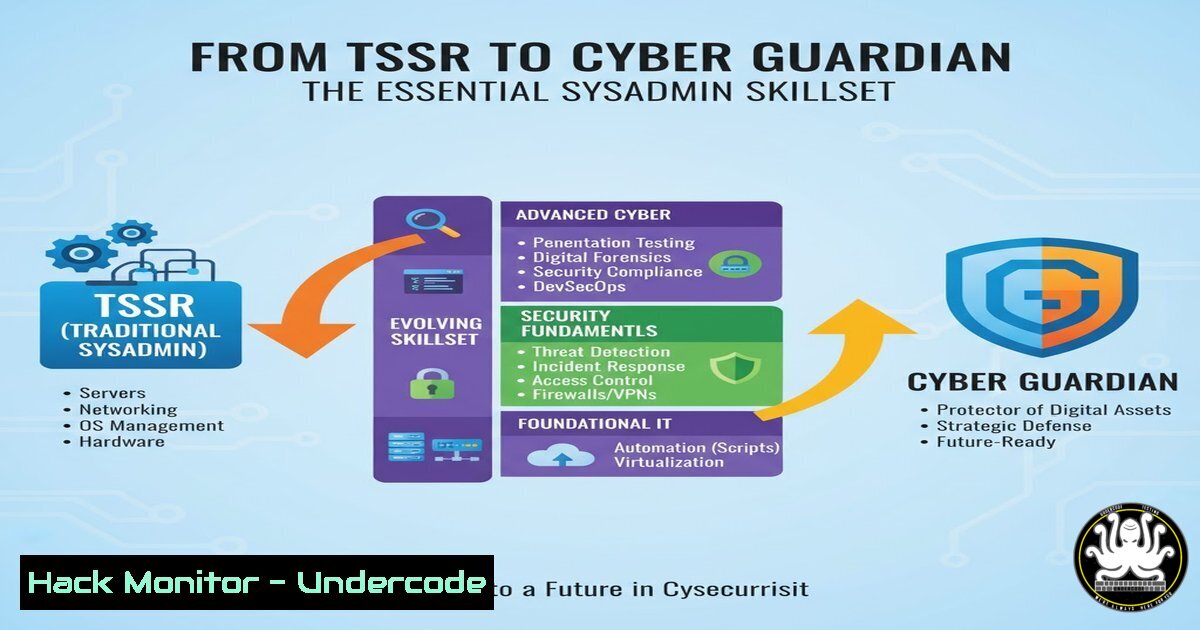
The journey from a Systems and Networks Technician (TSSR) to a cybersecurity professional is a strategic and critical career path. A robust foundation in systems administration is the bedrock upon which effective security postures are built, as you cannot defend a network you do not understand. This article provides a technical roadmap for aspiring professionals, detailing the core commands and configurations that bridge the gap between IT operations and security.
Learning Objectives:
- Master fundamental Linux and Windows commands essential for system hardening and monitoring.
- Understand key network reconnaissance and defense techniques using common tools.
- Learn to implement basic security controls and analyze system vulnerabilities.
You Should Know:
1. Linux System Reconnaissance and Hardening
A secure system starts with knowing its state. These commands are the first line of defense for any Linux administrator.
`uname -a` – Displays kernel version and system architecture.
`ps aux` – Lists all running processes.
`ss -tuln` or `netstat -tuln` – Shows all listening network ports.
`dpkg -l` or `rpm -qa` – Lists all installed packages (Debian/Ubuntu or RedHat/CentOS).
`sudo systemctl status
`sudo find / -perm -4000 2>/dev/null` – Finds all SUID binaries, a common privilege escalation vector.
`sudo passwd -l
`sudo ufw enable` & `sudo ufw allow ssh` – Enables the Uncomplicated Firewall and allows SSH traffic.
Step-by-step guide:
To perform a quick system health and security check, start by auditing running services. Run `ss -tuln` to identify all open ports. For any unfamiliar ports, use `systemctl status` on the associated service to investigate. Next, check for unnecessary user accounts and lock them with passwd -l. Finally, ensure a host-based firewall is active. Using UFW, simply run `sudo ufw enable` and explicitly allow only required services like SSH.
2. Windows PowerShell for Security Auditing
PowerShell is the ultimate tool for modern Windows administration and security. These cmdlets are essential for auditing and configuration.
`Get-Service | Where-Object {$_.Status -eq ‘Running’}` – Lists all running services.
`Get-NetTCPConnection | Where-Object {$_.State -eq ‘Listen’}` – Lists listening ports.
`Get-LocalUser` – Displays all local user accounts.
`Get-WindowsFeature | Where-Object {$_.InstallState -eq ‘Installed’}` – Lists installed Windows features (Server OS).
`Set-NetFirewallProfile -Profile Domain,Public,Private -Enabled True` – Enables the Windows Defender Firewall for all profiles.
`Get-MpComputerStatus` – Checks the status of Windows Defender Antivirus.
Step-by-step guide:
To audit a Windows system, open PowerShell as Administrator. First, check for unauthorized listening connections with Get-NetTCPConnection. Then, review local user accounts with `Get-LocalUser` and disable any that are not needed. Crucially, verify that the built-in firewall is enabled globally using the `Set-NetFirewallProfile` command. Confirm that real-time antivirus protection is active with Get-MpComputerStatus.
3. Network Analysis with Wireshark and tcpdump
Understanding network traffic is non-negotiable for cybersecurity. These tools allow you to see the raw data flowing through your network.
`sudo tcpdump -i any -w capture.pcap` – Captures all traffic to a file.
`sudo tcpdump -i any port 80` – Captures only HTTP traffic.
`tcpdump -r capture.pcap` – Reads a saved capture file.
In Wireshark, use the display filter: `http.request.method == “GET”` – Filters for HTTP GET requests.
`dns.qry.name contains “mydomain”` – Filters DNS queries for a specific domain.
`tcp.flags.syn==1 and tcp.flags.ack==0` – Filters for TCP SYN packets (potential scans).
Step-by-step guide:
To analyze basic web traffic, start a capture with sudo tcpdump -i any -w capture.pcap. Generate some web traffic by visiting a site. Stop the capture and open the `capture.pcap` file in Wireshark. Use the filter `http` to isolate HTTP traffic. You can then follow a TCP stream (right-click -> Follow -> TCP Stream) to reconstruct the entire conversation between the client and server, revealing headers and data.
4. Vulnerability Scanning with Nmap
Knowing what is on your network is the first step of offensive security and proactive defense. Nmap is the industry standard for network discovery and security auditing.
`nmap -sS -sV -O 192.168.1.0/24` – Stealth SYN scan with version and OS detection on a subnet.
`nmap -p 1-1000
`nmap –script vuln
`nmap -sU -p 53,67,123
`nmap -A -T4
Step-by-step guide:
To perform a basic network inventory scan, use nmap -sn 192.168.1.0/24. This will simply ping all hosts to see what is alive. Once you have a list of active IPs, target a single machine with a more detailed scan: nmap -sS -sV -O <target_ip>. The `-sS` is a SYN stealth scan, `-sV` probes open ports to determine service/version info, and `-O` enables OS detection. Analyze the output to identify potentially risky or unnecessary open services.
5. Web Application Security Fundamentals
Web applications are a primary attack vector. Understanding how to test them is crucial.
`nikto -h http://
`gobuster dir -u http://
`sqlmap -u “http://
In a browser’s Developer Tools (F12), inspect the `Application` tab to review Cookies and Local Storage for insecure flags (Secure, HttpOnly).
`curl -I http://Content-Security-Policy.
Step-by-step guide:
To perform a basic web directory brute-force, use a tool like Gobuster. The command `gobuster dir -u http://mysite.com -w /usr/share/wordlists/dirb/common.txt` will attempt to discover hidden directories. This can reveal administrative panels (/admin), backup directories (/backup), or configuration files. Always ensure you have explicit permission before running such tools against any website.
6. Cloud Infrastructure Hardening (AWS CLI)
As infrastructure moves to the cloud, securing it is paramount. These AWS CLI commands help audit your environment.
`aws iam list-users` – Lists all IAM users.
`aws iam list-user-policies –user-name
`aws ec2 describe-security-groups` – Describes all security groups (firewall rules).
`aws s3api list-buckets` – Lists all S3 buckets.
`aws s3api get-bucket-acl –bucket
Step-by-step guide:
A common security failure is publicly accessible cloud storage. To audit your AWS S3 buckets, first list them with aws s3api list-buckets. For each bucket, check its ACL using aws s3api get-bucket-acl --bucket <name>. Look for grants to `http://acs.amazonaws.com/groups/global/AllUsers`, which indicates public read access. For a more detailed analysis, use `aws s3api get-bucket-policy –bucket
7. Scripting for Security Automation
Automating repetitive tasks is a force multiplier. A simple Bash script can consolidate checks.
`!/bin/bash` – Shebang for Bash scripts.
`echo “=== Listening Ports ===” > report.txt` – Output redirection.
`ss -tuln >> report.txt` – Appends command output to a file.
`if [ $(id -u) -ne 0 ]; then echo “Run as root”; exit 1; fi` – Checks for root privileges.
`for user in $(cat user_list.txt); do passwd -l $user; done` – Loops through a list to lock users.
Step-by-step guide:
Create a basic security report script. Save the following as sec_scan.sh:
!/bin/bash
echo "Security Report - $(date)" > /tmp/security_report.txt
echo "=== Listening Ports ===" >> /tmp/security_report.txt
ss -tuln >> /tmp/security_report.txt
echo "=== Running Services ===" >> /tmp/security_report.txt
systemctl list-units --type=service --state=running >> /tmp/security_report.txt
echo "Report saved to /tmp/security_report.txt"
Make it executable with `chmod +x sec_scan.sh` and run it. This automates the collection of critical system data for review.
What Undercode Say:
- The Defender’s Foundation is Offense: A deep, practical understanding of how systems are attacked is the most effective way to learn how to defend them. Tools like Nmap and SQLmap are not just for attackers; they are essential for validating your own defenses.
- Automation is Non-Optional: The scale of modern IT infrastructure means manual security checks are inadequate. The ability to script even basic audits, as shown in the final section, is a fundamental skill that separates junior technicians from senior engineers.
The trajectory from TSSR to cybersecurity is a natural evolution. The hands-on experience with system internals, network protocols, and service configurations provides the crucial context that pure theoretical security training lacks. This foundational knowledge allows a professional to not only implement security controls but also to understand the “why” behind them, anticipating attacker methodologies and effectively prioritizing risks based on real-world system architecture.
Prediction:
The convergence of IT operations and security will accelerate, driven by the increasing sophistication of threats and the adoption of DevOps and cloud-native architectures. The role of the “security-savvy sysadmin” will become the default entry point for cybersecurity careers. Future attacks will increasingly target the automation and orchestration layers themselves (e.g., CI/CD pipelines, IaC templates), making the skills of scripting, cloud API security, and configuration management not just advantageous, but critical for every defensive practitioner. The professionals who master this integrated skillset will be the ones building and defending the resilient infrastructures of the next decade.
🎯Let’s Practice For Free:
IT/Security Reporter URL:
Reported By: Matthias Chicaud – Hackers Feeds
Extra Hub: Undercode MoN
Basic Verification: Pass ✅


