
Listen to this Post
Introduction
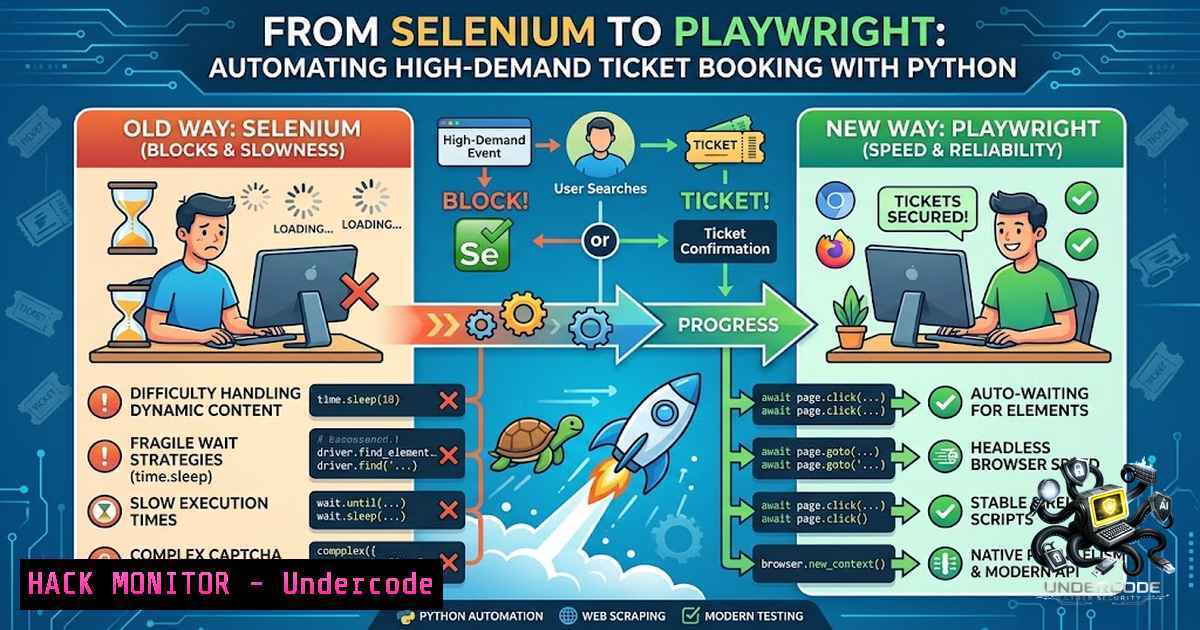
Web automation has evolved significantly from the days of Selenium, with modern tools offering faster execution, better debugging capabilities, and more intuitive APIs. The recent surge in “vibe coding”—using AI assistants to accelerate development—has democratized automation, enabling even developers with rusty skills to build sophisticated bots quickly. This article explores how transitioning from Selenium to Playwright can transform your web automation projects, using a real-world case of automating ticket purchases for a high-demand ferry service to Pulau Seribu, Jakarta.
Learning Objectives & Secrets
- Objective 1: Master Playwright Setup and Basic Syntax – Learn how to install Playwright for Python, launch browsers, navigate pages, and perform basic interactions like clicking and typing, all while understanding the key differences from Selenium’s WebDriver model.
- Objective 2: Efficient Element Selection and Handling Dynamic Content – Secret Tip: Use Playwright’s auto-waiting and powerful selectors (CSS, XPath, text, and role-based) to handle elements that appear after asynchronous JavaScript loads, avoiding fragile `time.sleep()` calls.
- Objective 3: Automating Multi-Step Flows with Error Handling – Secret Tip: Implement retry logic and screenshots for debugging when steps fail, and use Playwright’s `expect()` assertions to validate state changes before proceeding to the next step.
You Should Know
1. Setting Up Playwright with Python
The first step in modern web automation is establishing a robust testing environment. Unlike Selenium, which requires separate drivers for each browser, Playwright downloads browser binaries automatically and provides a unified API.
Step-by-step guide:
 Create a virtual environment (Linux/macOS)
python3 -m venv playwright_env
source playwright_env/bin/activate

For Windows
python -m venv playwright_env
playwright_env\Scripts\activate

Install Playwright
pip install playwright
playwright install  Downloads Chromium, Firefox, and WebKit
Basic script structure:
from playwright.sync_api import sync_playwright

with sync_playwright() as p:
browser = p.chromium.launch(headless=False)  Set headless=True for production
page = browser.new_page()
page.goto("https://example-ticketing-site.com")

Perform actions
page.fill("username", "your_username")
page.click("button:has-text('Login')")

browser.close()
This setup eliminates the need for GeckoDriver or ChromeDriver, significantly reducing environment configuration headaches.
2. Advanced Selector Strategies for Dynamic Content
Modern websites heavily rely on JavaScript frameworks like React or Vue, making DOM elements unpredictable. Playwright’s auto-waiting mechanism is a game-changer—it waits for elements to be actionable before performing operations.
Command examples:
 Robust selector patterns
page.click("button:has-text('Buy Ticket')")  Text-based
page.fill("input[placeholder='Enter destination']", "Pulau Seribu")
page.select_option("selectticket-type", value="weekend")

Handling dynamic content with auto-wait
page.wait_for_selector(".ticket-availability:has-text('Available')", timeout=10000)
page.click(".confirm-button")

Chaining and filtering
page.locator(".schedule-row").filter(has_text="08:00 AM").locator(".book-1ow").click()
Secret Tip: Use Playwright’s `wait_for_selector` with state parameters ('visible', 'attached') instead of arbitrary time.sleep(). This reduces execution time and increases reliability.
3. Handling CAPTCHA and Payment Flows
In the case of the Dishub ferry booking, the final step requires human intervention for CAPTCHA and QRIS generation. While automation can’t fully bypass CAPTCHA without external services, we can automate everything up to that point.
Script structure:
def automate_booking(departure_date, passenger_count):
with sync_playwright() as p:
browser = p.chromium.launch(headless=False)
page = browser.new_page()

Step 1: Login
page.goto("https://ticket.dishub.jakarta.go.id")
page.fill("email", "[email protected]")
page.fill("password", "secure_password")
page.click("button[type='submit']")

Step 2: Select route
page.select_option("origin", "Jakarta")
page.select_option("destination", "Pulau Seribu")
page.fill("departure-date", departure_date)
page.click("button:has-text('Search')")

Step 3: Wait for available schedule
page.wait_for_selector(".schedule-item:has-text('Available')")
schedule = page.locator(".schedule-item:has-text('Available')").first
schedule.click()

Step 4: Passenger details
for i in range(passenger_count):
page.fill(f"passenger-{i}-1ame", f"Passenger {i+1}")
page.fill(f"passenger-{i}-id", f"ID-{i+1}")

Step 5: Proceed to payment
page.click("proceed-payment")

Step 6: Pause for CAPTCHA (manual intervention)
input("Please solve the CAPTCHA and press Enter to continue...")
page.click("generate-qris")

Step 7: Capture QRIS for payment
qris_image = page.locator("qris-code").screenshot()
with open("qris.png", "wb") as f:
f.write(qris_image)

browser.close()
For Linux/macOS: Schedule the script using `cron` for pre-sale opening times.
 Add to crontab (runs at 07:55 AM daily)
55 7    cd /path/to/script && python3 booking_automation.py
For Windows: Use Task Scheduler to trigger the script at specific times.
4. Debugging and Error Handling with Playwright
When automating critical flows, debugging becomes essential. Playwright offers built-in tools that surpass Selenium’s capabilities.
Step-by-step debugging guide:
 Enable verbose logging
with sync_playwright() as p:
browser = p.chromium.launch(headless=False, slow_mo=1000)  Slow down actions

Take screenshots on failure
try:
page.click(".unreliable-button")
except Exception as e:
page.screenshot(path="error.png")
print(f"Error occurred: {e}")
 Save HTML for inspection
with open("page_source.html", "w") as f:
f.write(page.content())
Secret Tip: Use Playwright’s trace viewer for deep debugging:
with sync_playwright() as p:
context = browser.new_context()
context.tracing.start(screenshots=True, snapshots=True)
 ... perform actions ...
context.tracing.stop(path="trace.zip")
 View trace at https://trace.playwright.dev/
5. Ethical Considerations and Rate Limiting
Automating ticket bookings raises ethical questions—while it saves time, it can also deny fair access to other users. Implement responsible automation practices.
Code for responsible throttling:
import time
import random

def human_like_delay():
time.sleep(random.uniform(0.5, 2.0))  Random delay between actions

In your script
page.click("search-button")
human_like_delay()
page.click(".select-schedule")
Recommended practices:
- Avoid submitting multiple requests per second (respect server resources).
- Implement exponential backoff if rate-limited (HTTP 429).
- Consider using a dedicated user account for automation to separate from manual usage.
What Undercode Say
Key Takeaway 1: Playwright’s modern API and auto-waiting make it significantly more reliable than Selenium for automating complex web flows, especially on JavaScript-heavy sites. The migration from Selenium to Playwright reduces code verbosity by ~40% while improving stability.
Key Takeaway 2: The “vibe coding” approach—using AI assistants like ChatGPT to generate initial scripts—accelerates prototyping but requires careful validation. Always test selectors and error handling in a staging environment before deploying to production.
Analysis: The democratization of web automation through tools like Playwright and AI assistance has lowered barriers for developers and non-developers alike. However, this creates a double-edged sword: while individuals gain efficiency, platforms face increased bot traffic. Businesses must implement robust bot mitigation strategies like behavioral analysis, CAPTCHA evolution, and rate limiting. For end-users, automating high-demand purchases (tickets, concert seats, etc.) raises fairness concerns—it prioritizes technical savvy over equitable access. Going forward, platforms will likely adopt stricter API-based reservations with tokenized authentication, shifting the battleground from UI automation to API security and reverse engineering. The Dishub ferry example highlights how even government portals can be vulnerable to basic automation, underscoring the need for better security hygiene in public sector digital services.
Prediction
+1 – Playwright’s popularity will continue rising, potentially surpassing Selenium as the de facto standard for web automation by 2027, driven by its speed, multi-browser support, and excellent debugging tools.
+1 – AI-assisted coding will integrate deeper into automation workflows, with LLMs suggesting optimized selectors and handling edge cases automatically, reducing development time by 60-80% for repetitive automation tasks.
-1 – Increased automation of ticket/reservation systems will force platforms to implement stricter anti-bot measures, including biometric CAPTCHAs, device fingerprinting, and behavioral analytics, potentially limiting accessibility for legitimate users.
-1 – The ethical divide between “tech-savvy” individuals who can automate purchases and those who cannot will widen, leading to public backlash against government and commercial platforms that fail to implement equitable access controls.
+1 – Modern automation frameworks like Playwright will evolve to include built-in CAPTCHA solving and more sophisticated human-emulation features, creating an arms race that ultimately benefits security innovation on both sides.
-1 – Without proper governance, scripted ticket hoarding could become a profitable black market, driving up prices and reducing trust in digital-first public services, similar to the scalping issues seen in concert ticketing.
▶️ Related Video (88% Match):
🎯Let’s Practice For Free:
🎓 Live Courses & Certifications:
Join Undercode Academy for Verified Certifications
🚀 Request a Custom Project:
Secure, high-velocity infrastructure and disruptive technological engineering. Contact our engineering team for high-tier development and proprietary systems:
[email protected]
💎 Smart Architecture | 🛡️ Secure by Design | ⭐ Trusted by Thousands
IT/Security Reporter URL:
Reported By: https://lnkd.in/p/e23vKBWB – Hackers Feeds
Extra Hub: Undercode MoN
Basic Verification: Pass ✅


