
Listen to this Post
Introduction:
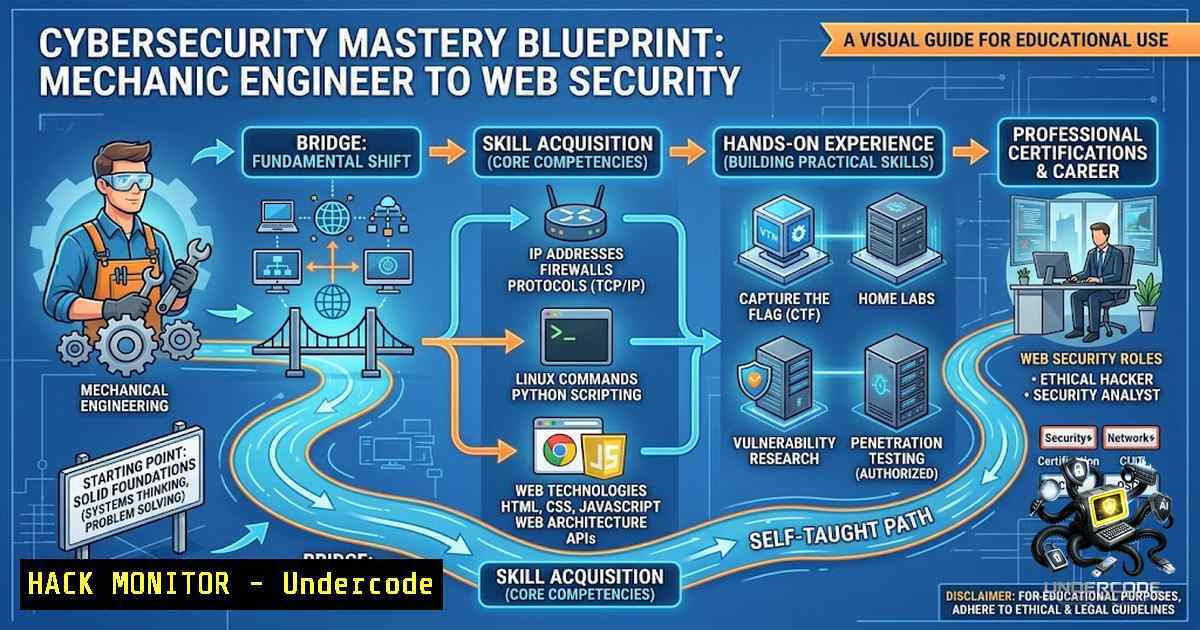
The digital landscape is no longer the exclusive domain of computer science graduates. As the story of a Mechanical Engineering student delving into web security illustrates, the foundational principles of cybersecurity are accessible and critically important for professionals from any discipline. This article demystifies the journey from a basic curiosity about “what happens behind the screen” to a practical understanding of web application vulnerabilities, providing a technical roadmap for anyone looking to build a hands-on skill set in ethical hacking and IT security.
Learning Objectives & Secrets:
- Objective 1: Understand Web Fundamentals. Master the client-server model, HTTP/HTTPS protocols, and the role of APIs and JSON in modern web applications.
- Objective 2 (Secret Tip): Decode the “Black Box.” Learn to intercept and analyze raw HTTP traffic using a proxy tool like Burp Suite to visualize exactly how data flows between your browser and the server.
- Objective 3 (Secret Tip): Think Like an Attacker. Shift your mindset from a user to a tester. Learn to identify where user-controlled input meets server-side logic—this is the root of most vulnerabilities.
You Should Know:
1. Deciphering the Client-Server Conversation (HTTP/HTTPS)
Understanding the anatomy of an HTTP request is the first critical step. When you open a website, your browser sends a request containing a method (GET, POST, PUT, DELETE), a path, headers (cookies, user-agent, host), and sometimes a body (for form data or JSON). The server responds with a status code (200 OK, 404 Not Found, 500 Internal Server Error) and the requested content.
Step‑by‑step guide to verify this:
- Open your browser’s Developer Tools: Press `F12` (or `Ctrl+Shift+I` on Windows/Linux, `Cmd+Option+I` on macOS).
- Navigate to the “Network” tab. This will capture all HTTP requests made by the page.
- Reload the page (
F5). Observe the list of requests. - Click on a request (e.g., the main HTML document). Select the “Headers” tab to view the request and response headers. Select the “Response” tab to see the raw HTML.
- Use `curl` from the command line to replicate a request:
– Linux/macOS: `curl -v https://example.com`
– Windows (PowerShell): `Invoke-WebRequest -Uri https://example.com -Method GET`
Tutorial: Pay attention to the `Set-Cookie` header in the response. This is how the server establishes a session. If you can manipulate this cookie (e.g., change its value), you might be able to impersonate another user, which is the basis of session hijacking attacks.
- The Power of Interception: Getting Started with Burp Suite
Burp Suite acts as a man-in-the-middle proxy, sitting between your browser and the target server. This allows you to capture, view, and modify every request and response in transit. The community edition is free and powerful enough for most learning purposes.
Step‑by‑step guide to set up and use Burp Suite:
1. Download and Install: Download Burp Suite Community Edition from PortSwigger. Run the installer.
2. Launch Burp and Set the Proxy:
- Go to the “Proxy” tab, then “Options.” Ensure your proxy listener is running on
127.0.0.1:8080.
- Configure Your Browser: Set your browser’s proxy settings to use `localhost` and port
8080. - Install Burp’s CA Certificate: To intercept HTTPS traffic, you must install Burp’s certificate. In your browser, navigate to `http://burpsuite` and download the certificate.
– Linux (Firefox): Go to Settings → Privacy & Security → View Certificates → Import.
– Windows (Chrome): Go to Settings → Privacy and Security → Security → Manage Device Certificates, and import the certificate into the “Trusted Root Certification Authorities” store.
5. Intercept a Request: In Burp, go to the “Intercept” tab and click “Intercept is off” to turn it on. Now, any request you make in your browser will be paused in Burp. You can view the raw request, modify it (e.g., change a parameter value), and click “Forward” to send it to the server.
3. Unmasking the Invisible: SQL Injection (SQLi)
SQL Injection occurs when user-controlled input is improperly sanitized and inserted directly into an SQL query. An attacker can manipulate this input to alter the query’s logic, potentially bypassing authentication, extracting data, or even gaining command execution on the database server.
Step‑by‑step guide to test for basic SQLi:
- Identify a Potential Entry Point: Look for login forms, search bars, or URL parameters (e.g.,
?id=123). - Inject a Simple Test Payload: Try submitting a single quote (
') into the input field. If the application returns an error, it suggests the input is being processed in an SQL query. - Use a Logical Payload: In a login form, use the classic bypass: `’ OR ‘1’=’1` as the username and a random password.
– Concept: This makes the query check `username = ‘ ‘ OR ‘1’=’1’` which always evaluates to true, potentially granting access without a valid credential.
4. Explore with `sqlmap` (Advanced): For a more comprehensive test, use the automated tool `sqlmap` against a target URL with a parameter: sqlmap -u "http://target.com/page?id=1" --batch. Warning: Only use this on targets you have explicit permission to test.
4. Cross-Site Scripting (XSS) and The Browser’s Trust
XSS vulnerabilities occur when an application includes untrusted data (like a comment or a URL parameter) in a web page without proper validation or escaping. This can execute malicious scripts in the context of a victim’s browser, stealing session cookies, redirecting users, or defacing the page.
Step‑by‑step guide to test for Reflected XSS:
- Find a Reflected Parameter: Look for search boxes or URL parameters where the input value is displayed back on the page.
- Test with a Simple Alert: Enter `` into the input field.
- If an alert box pops up, you’ve found an XSS vulnerability. This proves the browser is executing your injected code.
- Explore Stealing Cookies: A malicious script like `` could send the user’s session cookie to an attacker’s server.
-
The Insidious Nature of Cross-Site Request Forgery (CSRF)
CSRF tricks a user’s browser into making an unwanted request to an authenticated web application. A user logged into “bank.com” might visit a malicious site that automatically submits a form to `bank.com/transfer` with the user’s active session cookie, executing a transfer without their knowledge.
Step‑by‑step guide to mitigate CSRF:
- Implement Anti-CSRF Tokens: The server generates a unique, unpredictable token and embeds it in every form. This token is sent with the request and validated on the server. An attacker’s site cannot guess this token.
- Verify the Referer Header: The server can check that the `Referer` or `Origin` header matches its own domain, ensuring the request originated from a legitimate page.
- Use SameSite Cookies: Set the `SameSite` attribute to `Strict` or `Lax` on session cookies. This prevents the browser from sending the cookie with cross-site requests.
What Undercode Say:
- Key Takeaway 1: Curiosity is the Ultimate Prerequisite. Your degree does not define your expertise; your willingness to ask “why” and “how” does. The core skills of problem-solving and critical thinking are transferable.
- Key Takeaway 2: Master the Fundamentals First. Don’t jump straight to complex exploits. A deep understanding of HTTP, databases, and how browsers work provides the foundation upon which all security knowledge is built.
- Analysis: This journey is a perfect example of interdisciplinary learning. Mechanical engineering teaches logical design and system thinking, which is a fantastic prerequisite for understanding the complex “machinery” of a web application. The ability to test boundaries and look for systemic weaknesses is applicable to both physical machines and software. The student’s focus on identifying confusion and asking the right questions is a powerful strategy—it’s about developing a security mindset, not just memorizing tools. The use of platforms like PortSwigger Academy provides a structured, gamified approach to turning abstract concepts into practical skills.
Prediction:
- +1 The democratization of cybersecurity knowledge will continue to break down silos, leading to more diverse, innovative, and resilient security teams.
- +1 Hands-on, project-based learning platforms will become the primary driver for skill acquisition, outpacing traditional, theory-heavy academic curricula.
- -1 As more people gain access to these powerful tools and techniques with limited oversight, there is a significant risk of unintentional damage or a rise in “script kiddies” causing chaos on the internet.
- +1 The demand for interdisciplinary professionals who can bridge the gap between physical systems (like manufacturing) and digital security will skyrocket, creating a high-value career niche.
- -1 Automated and AI-driven attacks will become more sophisticated, requiring defenders to have an equally deep, intuitive understanding of system interactions to effectively deploy countermeasures.
- +1 The future of security lies not just in vulnerability exploitation but in secure design thinking—a skill cultivated by curious minds from any field.
▶️ Related Video (84% Match):
🎯Let’s Practice For Free:
🎓 Live Courses & Certifications:
Join Undercode Academy for Verified Certifications
🚀 Request a Custom Project:
Secure, high-velocity infrastructure and disruptive technological engineering. Contact our engineering team for high-tier development and proprietary systems:
[email protected]
💎 Smart Architecture | 🛡️ Secure by Design | ⭐ Trusted by Thousands
IT/Security Reporter URL:
Reported By: https://lnkd.in/p/ePwNfQ67 – Hackers Feeds
Extra Hub: Undercode MoN
Basic Verification: Pass ✅


