
Listen to this Post
Introduction:
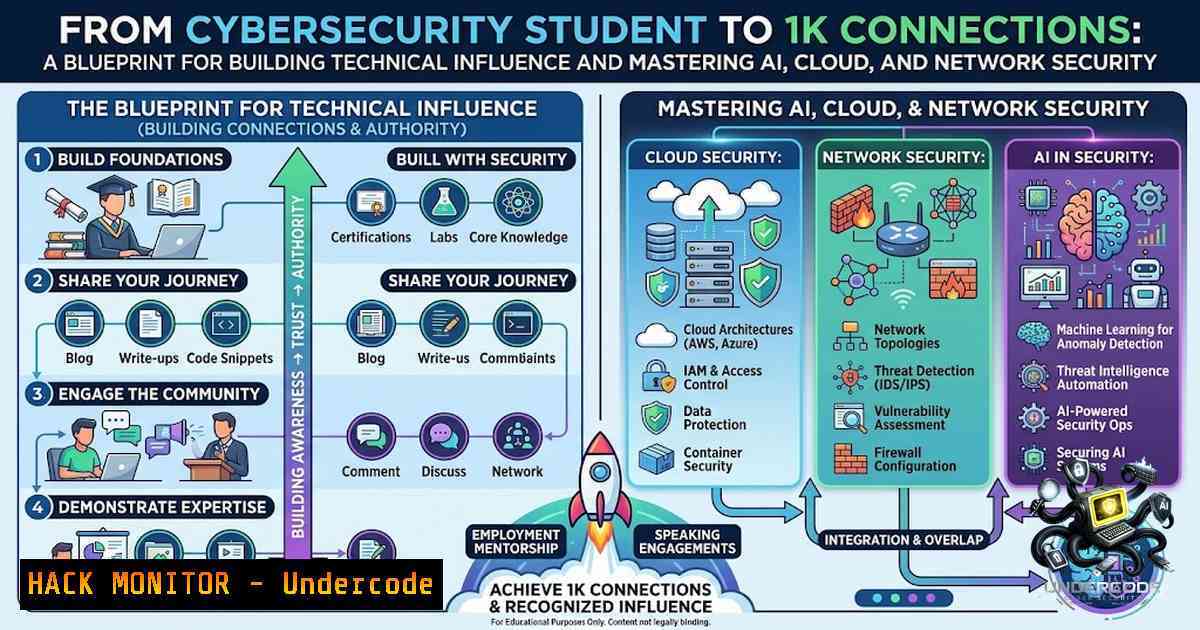
In the rapidly evolving landscape of cybersecurity, professional growth is no longer confined to certifications and years of experience; it is intrinsically linked to community engagement and the practical application of emerging technologies. The journey from an uncertain student to a recognized voice in the industry often mirrors the iterative process of hardening a network—requiring continuous learning, vulnerability assessment, and adaptive defense strategies. This article extracts the core technical pillars from a professional’s milestone post—encompassing Artificial Intelligence (AI) security, cloud infrastructure, and network penetration—to provide a structured pathway for aspiring security analysts to build their expertise and professional footprint while mastering the command-line tools that drive the industry.
Learning Objectives & Secrets:
- Objective 1: Establish a Robust Development Environment for Security Testing. Configure a virtualized lab using VirtualBox or VMware to isolate penetration testing tools, ensuring that your learning activities do not impact your host system or violate network policies.
- Objective 2: Master Basic Network Reconnaissance and AI Integration. Learn to leverage Python scripts and AI APIs to automate the analysis of network traffic and logs, moving beyond manual inspection to intelligent threat detection.
- Objective 3: Secure Cloud Deployments (AWS/Azure/GCP) with Command-Line Hardening. Understand the essential CLI commands to audit and secure cloud storage buckets and IAM roles, preventing data leaks that often plague misconfigured environments.
You Should Know:
- Building a Linux-Based Cybersecurity Arsenal (The Practical Foundation)
The post highlights a transition from “studying” to “building,” a shift that is best exemplified by mastering the Linux operating system, the backbone of most security tools. To follow this path, you need to set up a dedicated Kali Linux or Parrot OS virtual machine. These distributions come pre-loaded with hundreds of tools for reconnaissance, exploitation, and forensics.
Step‑by‑step guide for initial setup and package management:
- Step 1: Install VirtualBox. Download and install VirtualBox from the official Oracle website.
- Step 2: Download Kali Linux ISO. Obtain the official image from the Kali website.
- Step 3: Create a New Virtual Machine. Allocate at least 4GB of RAM and 40GB of storage.
- Step 4: Update the System. Open a terminal and run the following commands to ensure all tools are up-to-date and secure:
sudo apt update && sudo apt upgrade -y
sudo apt install -y python3-pip git
- Step 5: Install AI Libraries for Security Analysis. Install Python’s Scapy and OpenAI libraries to begin experimenting with AI-driven packet analysis.
pip3 install scapy openai pandas
This setup transforms a student’s curiosity into a tangible workspace, allowing them to “build something” rather than just study.
2. Vulnerability Analysis with Nmap and AI Integration
A critical skill mentioned implicitly is networking and security assessment. Using Nmap (Network Mapper) is fundamental for discovering hosts and services on a network, which is the first step in any ethical hacking engagement. The “secret tip” here is combining Nmap output with Python to filter and analyze results using AI models.
Step‑by‑step guide for executing a basic scan and parsing data:
– Step 1: Identify the Target. For legal practice, scan your own lab machines (e.g., Metasploitable).
– Step 2: Run an Aggressive Scan. Use the `-A` flag to enable OS detection, version detection, script scanning, and traceroute.
nmap -A -T4 192.168.1.100
– Step 3: Export Results. Save the output in an XML format for parsing.
nmap -A -T4 192.168.1.100 -oX scan_results.xml
– Step 4: Python Parsing and AI Summarization. Create a Python script that parses the XML, extracts open ports and services, and uses an API to generate a security risk summary. This moves a student from being a “tool runner” to a “tool builder,” a key point of professional growth.
3. Cloud Security Hardening for Beginners
The narrative references “cloud” and “cybersecurity,” which inevitably points to the need for securing infrastructure-as-a-service (IaaS). One of the most common attack vectors is publicly accessible storage. The “secret tip” for beginners is to use the CLI tools provided by cloud providers to audit storage permissions.
Step‑by‑step guide for auditing AWS S3 buckets using the AWS CLI:
– Step 1: Install AWS CLI.
pip3 install awscli
– Step 2: Configure Credentials. Use `aws configure` to set up your Access Key ID and Secret Access Key. Ensure these are generated in the IAM console with minimal privileges to avoid accidental exploitation.
– Step 3: List S3 Buckets. Identify all buckets associated with your account.
aws s3 ls
– Step 4: Check Public Access Settings. This is the critical command to ensure no bucket is inadvertently exposing data.
aws s3api get-public-access-block --bucket your-bucket-1ame
– Step 5: Apply Policy to Block Public Access.
aws s3api put-public-access-block --bucket your-bucket-1ame --public-access-block-configuration BlockPublicAcls=true,IgnorePublicAcls=true,BlockPublicPolicy=true,RestrictPublicBuckets=true
These commands represent the “real talk” of security—ensuring that the foundational infrastructure is not a weak link.
4. Windows Security and Active Directory (AD) Enumeration
While Linux dominates the server space, many corporate environments rely on Windows Active Directory. A junior analyst must be comfortable with PowerShell to assess AD vulnerabilities, such as Kerberoasting or finding users with weak passwords. The post’s mention of “lecture toils” often involves learning these complex environments.
Step‑by‑step guide for basic AD enumeration using Windows PowerShell:
– Step 1: Open PowerShell as Administrator.
– Step 2: Import the Active Directory Module. This is crucial for interacting with domain objects.
Import-Module ActiveDirectory
– Step 3: Enumerate Users with Administrative Access. This command finds users who are members of the “Domain Admins” group.
Get-ADGroupMember -Identity "Domain Admins"
– Step 4: Enumerate Users with Password Not Required. This is a massive vulnerability.
Get-ADUser -Filter {PasswordNotRequired -eq $true}
– Step 5: Security Audit. Export results to a CSV for analysis or to feed into an AI model for anomaly detection. This bridges the gap between manual security audits and modern automation.
5. API Security Testing and Automation
APIs are the connective tissue of modern applications and are frequently exploited. Building a “something” implies integrating components, which requires securing APIs. Burp Suite is a standard tool, but command-line tools like `curl` are invaluable for quick testing.
Step‑by‑step guide for testing API authentication and authorization:
- Step 1: Intercept a Request. Use Burp Suite to capture a valid API request.
- Step 2: Replicate with Curl. Extract the headers and endpoint.
curl -X GET "https://api.example.com/v1/data" -H "Authorization: Bearer YOUR_TOKEN"
- Step 3: Test for Authorization Bypass. Attempt to access data for a different user by simply altering the ID in the URL.
curl -X GET "https://api.example.com/v1/user/123" -H "Authorization: Bearer YOUR_TOKEN"
- Step 4: Use an AI Tool (like GoWitness or custom script) to monitor changes. Automate this process to detect changes in responses, which could indicate a breach or misconfiguration. This embodies the “winging it” but getting results approach mentioned in the narrative.
What Undercode Say:
- Key Takeaway 1: Authentic Growth is Iterative. Professional development in tech is rarely a straight line. The journey from “zero clue” to a professional network mirroring a production environment requires treating failures as learning logs and vulnerabilities to be patched. The “messy” public learning process is actually a form of threat intelligence sharing.
- Key Takeaway 2: The “Checkpoint” Mentality. Hitting a milestone (like 1K connections) is equivalent to passing a security audit; it validates current controls but is not a sign of invulnerability. The focus must shift to “building something” sustainable—a career architecture that integrates AI, cloud, and networking as core competencies.
Analysis:
The transition from student to professional hinges on the ability to translate theoretical knowledge into operational commands. The post emphasizes community and visibility, but for a cybersecurity professional, this visibility must be backed by technical depth. The “vibes and hot takes” are the culture, but the scripts, scans, and cloud configurations are the substance. By creating a public portfolio of projects—be it a GitHub repository with Python scripts for log analysis or a blog detailing the hardening of a cloud environment—the individual moves from being a “person on this app” to a “subject matter expert.” This solidifies their presence not just as a student, but as a builder who understands the core protocols, administrative interfaces, and security mechanics of the digital age, effectively turning every connection into a stakeholder in their professional growth.
Prediction:
+1 The integration of AI into traditional security workflows will democratize penetration testing, allowing junior analysts to perform complex vulnerability assessments by leveraging large language models for code analysis and report generation.
+1 Cloud security will continue to be a dominant hiring trend, with employers valuing hands-on CLI skills over theoretical certifications, pushing practitioners to demonstrate their ability to script and automate remediation.
+N The increasing complexity of hybrid networks and supply chain vulnerabilities will necessitate a deeper understanding of “nuclear energy + cybersecurity” and critical infrastructure, moving niche topics into mainstream analyst conversations to address systemic risks.
+1 Community-driven learning platforms (like LinkedIn) will evolve into informal continuous professional development (CPD) ecosystems, where real-time troubleshooting and shared experiences supplement formal education, creating a more agile and resilient workforce.
-1 The “messy” public learning can be a liability, as threat actors may weaponize shared insights; professionals must balance transparency with operational security, ensuring that public demonstrations are conducted in isolated lab environments.
▶️ Related Video (70% Match):
🎯Let’s Practice For Free:
🎓 Live Courses & Certifications:
Join Undercode Academy for Verified Certifications
🚀 Request a Custom Project:
Secure, high-velocity infrastructure and disruptive technological engineering. Contact our engineering team for high-tier development and proprietary systems:
[email protected]
💎 Smart Architecture | 🛡️ Secure by Design | ⭐ Trusted by Thousands
IT/Security Reporter URL:
Reported By: https://lnkd.in/p/eFUq6dWs – Hackers Feeds
Extra Hub: Undercode MoN
Basic Verification: Pass ✅


