
Listen to this Post
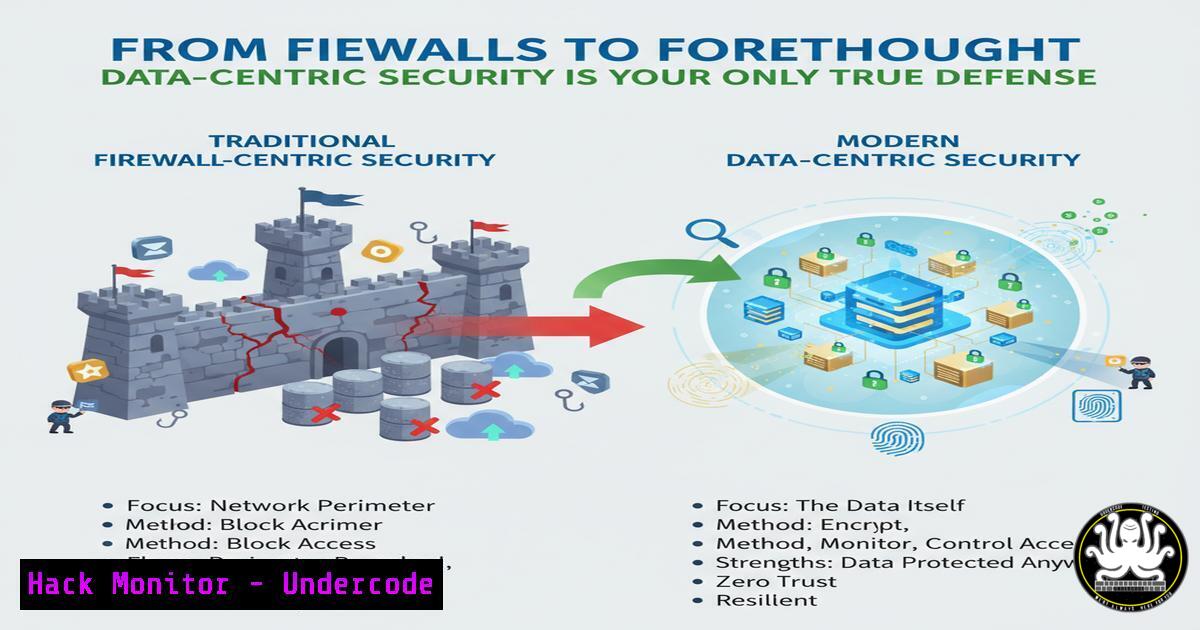
Introduction:
The traditional cybersecurity paradigm, obsessed with perimeter defenses and compliance checklists, is failing. True security begins not with a firewall, but with a profound understanding of the data you are sworn to protect. This article shifts the focus from hardware to the heart of the matter: knowing what your sensitive data is, where it lives, and why it’s valuable to build an unbreachable, intelligent defense.
Learning Objectives:
- Understand the principles of data discovery, classification, and asset management.
- Learn practical commands and techniques to inventory and assess your Windows and Linux environments.
- Implement security hardening measures based on data sensitivity and location.
You Should Know:
- Data Discovery: The First Step in Data-Centric Security
Before you can protect data, you must find it. This involves scanning your systems to locate files containing sensitive information.
Linux Command:
find / -type f -name ".txt" -o -name ".pdf" -o -name ".doc" | xargs grep -l "confidential|ssn|credit" 2>/dev/null
Windows Command (PowerShell):
Get-ChildItem -Path C:\ -Include .txt, .pdf, .docx -Recurse -ErrorAction SilentlyContinue | Select-String -Pattern "confidential|ssn|credit" | Select-Object -Unique Path
Step-by-step guide:
- The Linux `find` command starts at the root directory (
/) and searches for files (-type f) with specific extensions. The results are piped (|) toxargs grep -l, which searches inside those files for keywords like “confidential” and only prints the filenames where a match is found. Errors are suppressed to/dev/null. - The PowerShell `Get-ChildItem` cmdlet recursively searches the C: drive for files with the specified extensions. The `Select-String` cmdlet then filters these files for the keyword patterns. Finally, `Select-Object -Unique Path` displays the unique file paths.
2. Classifying Your Assets with System Information
Understanding the systems that host your data is critical. You need a complete inventory of your assets.
Linux Command:
hostnamectl && ip addr show && df -h
Windows Command:
systeminfo | findstr /B /C:"Host Name" /C:"OS Name" /C:"Total Physical Memory" && wmic diskdrive get size,model
Step-by-step guide:
- The `hostnamectl` command provides system hostname and OS details. `ip addr show` lists all network interfaces and their IP addresses. `df -h` shows disk space usage in a human-readable format.
- In Windows, `systeminfo` outputs extensive system data, which is filtered by `findstr` to show only the Host Name, OS Name, and memory. The `wmic diskdrive` command provides detailed information about the physical disks in the system.
3. Hardening Access: Auditing User Permissions
Knowing who can access what is fundamental to confidentiality. Regularly audit file and directory permissions.
Linux Command:
ls -la /path/to/sensitive/directory && getfacl /path/to/sensitive/file
Windows Command:
Get-Acl C:\Data\Sensitive-Folder | Format-List
Step-by-step guide:
1. `ls -la` provides a standard list of permissions. For a more detailed view, `getfacl` (Get File Access Control Lists) shows the permissions for the file owner, the group, and other users, as well as any advanced ACLs.
2. The PowerShell `Get-Acl` cmdlet retrieves the security descriptor for a file or folder. Piping it to `Format-List` presents the information in a clear, list-based format, showing the owner and all access rules.
4. Network-Based Data Exfiltration Detection
Monitor for suspicious outbound connections that could indicate data being stolen.
Linux Command:
netstat -tunlp | grep :443 && ss -tunp state established | grep ":443"
Step-by-step guide:
1. `netstat -tunlp` shows all listening TCP (-t) and UDP (-u) ports and the associated processes (-p). Filtering for port 443 (common HTTPS) can reveal unexpected services. `ss -tunp state established` shows active connections on port 443, helping identify ongoing data transfers.
5. Proactive Vulnerability Assessment
You cannot protect an unknown vulnerability. Actively scan your systems for weaknesses.
Command (Using Nmap):
nmap -sV -sC --script vuln <target_ip_or_subnet>
Step-by-step guide:
- This Nmap command performs a service version detection scan (
-sV), with default scripts (-sC), and runs all scripts in the “vuln” category. It will probe the target and report potential security vulnerabilities based on known exploits. Use responsibly and only on networks you own.
6. Implementing Application Control
Prevent unauthorized software, including malware, from running by enforcing application whitelisting.
Windows Command (PowerShell – AppLocker):
Get-AppLockerPolicy -Effective | Test-AppLockerPolicy -UserName "DOMAIN\User" -Path "C:\path\to\unknown.exe"
Step-by-step guide:
- This command retrieves the effective AppLocker policy and tests it against a specific user and executable path. It will tell you whether the user would be allowed or denied to run that particular application, allowing you to validate your whitelisting rules.
7. Cloud Data Security: Auditing S3 Buckets
For cloud environments, a misconfigured storage bucket is a top data leak vector.
AWS CLI Command:
aws s3api list-buckets && aws s3api get-bucket-acl --bucket my-bucket-name
Step-by-step guide:
- The first command lists all S3 buckets in your AWS account. The second command retrieves the access control list (ACL) for a specific bucket, showing which AWS accounts or groups are granted permission and the type of access. Always ensure buckets are not publicly accessible unless absolutely necessary.
What Undercode Say:
- Security is a Culture, Not a Product. The most sophisticated firewall is useless if employees are phished or data is mishandled. Building a security-aware culture is the foundational layer.
- Compliance ≠ Security. Checking boxes for a standard does not mean you are secure. It means you are compliant. True security is an ongoing, adaptive process rooted in understanding your unique data landscape.
The core insight from the source material is that we often “protect the accessory and neglect the essential.” The technical commands provided are not the end goal; they are the essential tools for gaining the situational awareness required to make strategic decisions. By shifting from a reactive, tool-centric model to a proactive, data-centric one, organizations move beyond applying “rustines” (band-aids) and start building a resilient security posture that protects the actual crown jewels.
Prediction:
The future of cybersecurity will see a decisive split between organizations that adopt this data-centric, intelligence-driven defense and those that remain tied to outdated perimeter models. The latter will face an unsustainable cycle of breaches and patches. The former will leverage AI and automation not just to block threats, but to continuously map data flow, auto-classify assets, and enforce context-aware security policies, rendering traditional, indiscriminate attacks obsolete. The “cathédrale” of security can only be built with a blueprint of the data inside.
🎯Let’s Practice For Free:
IT/Security Reporter URL:
Reported By: Mamadou Racine – Hackers Feeds
Extra Hub: Undercode MoN
Basic Verification: Pass ✅


