
Listen to this Post
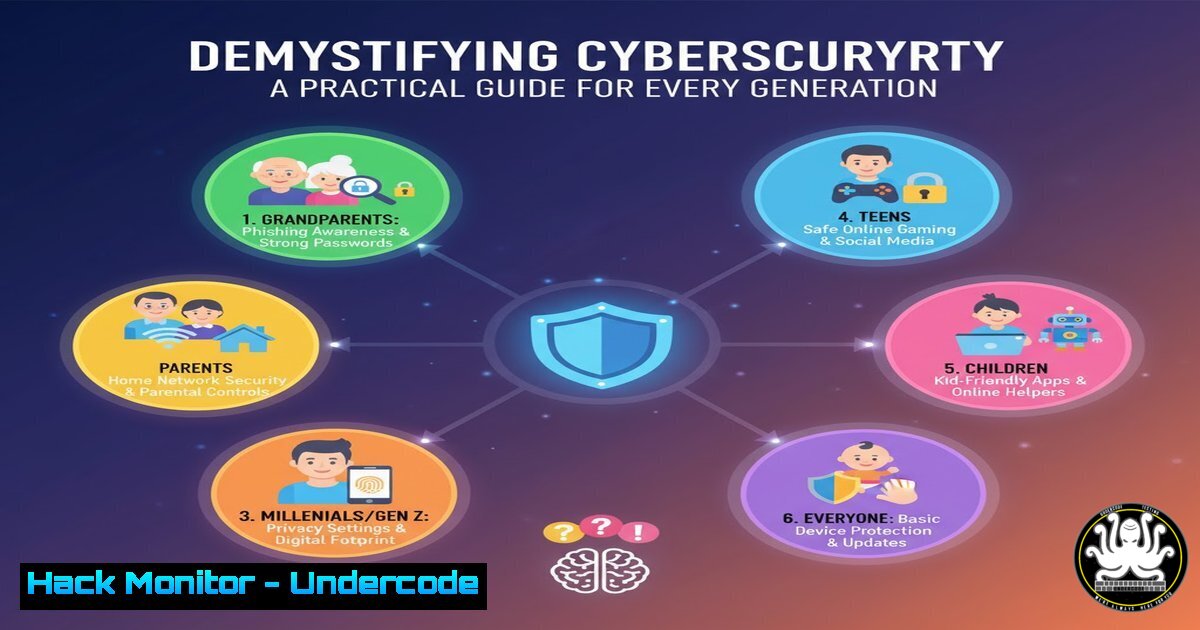
Introduction:
The digital landscape does not discriminate by age, yet seniors and families are increasingly targeted by cyber threats. New guides from CNIL, Cybermalveillance.gouv.fr, and UNAF aim to make cybersecurity accessible through practical, jargon-free advice. This article translates these principles into actionable technical commands and procedures for enhancing personal and family digital security.
Learning Objectives:
- Implement fundamental device security hardening for Windows and Linux systems
- Detect and mitigate common social engineering and phishing attacks
- Establish secure browsing and communication practices for all age groups
You Should Know:
1. Windows Device Hardening Fundamentals
 Verify Windows Defender status
Get-MpComputerStatus

Enable controlled folder access (ransomware protection)
Set-MpPreference -EnableControlledFolderAccess Enabled

Enable network protection
Set-MpPreference -EnableNetworkProtection Enabled
This PowerShell sequence verifies your Windows Defender status and enables critical ransomware protections. Run Windows PowerShell as Administrator, then execute these commands sequentially. The first command confirms your antivirus is active, while the subsequent commands activate folder protection against unauthorized changes and block connections to malicious domains.
2. Linux Personal Security Baseline
 Update system and check for failed logins
sudo apt update && sudo apt upgrade -y
sudo lastb | head -20
sudo fail2ban-client status

Install and configure basic intrusion detection
sudo apt install fail2ban rkhunter -y
sudo rkhunter --check
These Linux commands establish fundamental security monitoring. Regularly updating patches vulnerabilities while checking failed login attempts reveals brute force attacks. Fail2ban automatically blocks IPs with multiple failed attempts, and rkhunter scans for rootkits. Run these weekly to maintain system integrity.
3. Phishing Email Header Analysis
 Analyze email headers for suspicious patterns
Received: from suspicious.domain.com [185.143.223.47]
by mail.server.com with ESMTPS
Reply-To: [email protected]
Return-Path: <a href="mailto:bounce@malicious.co">bounce@malicious.co</a>
Authentication-Results: fail
Email headers reveal phishing attempts through inconsistencies. Check the “Received” field for mismatched domains and suspicious IPs. Verify “Reply-To” addresses differ from sender addresses. “Authentication-Results: fail” indicates spoofed sending domains. Always inspect headers before clicking links or attachments.
4. Multi-Factor Authentication Implementation
 Generate TOTP codes locally (Linux/Mac)
sudo apt install oathtool
oathtool --totp -b "YOURSECRETKEY"

Windows equivalent via PowerShell
Add-WindowsCapability -Online -Name OpenSSH.Client~~~~0.0.1.0
Time-based one-time passwords (TOTP) provide robust secondary authentication. These commands enable local TOTP generation as backup when authenticator apps are unavailable. The Linux version uses oathtool, while Windows leverages built-in OpenSSH capabilities. Store secret keys securely and never share them.
5. Secure Browser Configuration
 Chrome security flags (chrome://flags/)
chrome://flags/enable-phishing-protection
chrome://flags/enable-webrtc-pipewire-capturer
chrome://flags/block-insecure-private-network-requests

Firefox about:config enhancements
security.ssl.require_safe_negotiation;true
security.tls.version.min;3
privacy.trackingprotection.enabled;true
Browser hardening significantly reduces attack surface. Enable phishing protection flags in Chrome and enforce TLS 1.2+ in Firefox. These configurations prevent malicious content execution, block tracking, and ensure encrypted connections. Restart browsers after applying these changes.
6. Network Security Scanning
 Scan for open ports and vulnerable services
nmap -sV -sC -O 192.168.1.0/24
nmap --script vuln 192.168.1.1

Check for DNS hijacking
nslookup google.com 8.8.8.8
nslookup google.com 192.168.1.1
Network mapping identifies vulnerable devices on home networks. The first command discovers active hosts and services, while the vulnerability script detects known weaknesses. DNS comparison checks for local hijacking attacks. Run these monthly and whenever experiencing connectivity issues.
7. Automated Backup Systems
 Linux encrypted backup script
!/bin/bash
tar -czf /tmp/homebackup-$(date +%Y%m%d).tar.gz /home/
gpg -c /tmp/homebackup-$(date +%Y%m%d).tar.gz
rclone copy /tmp/homebackup-$(date +%Y%m%d).tar.gz.gpg backupdrive:
rm /tmp/homebackup-.tar.gz
Regular encrypted backups mitigate ransomware impact. This script creates compressed, encrypted archives of home directories and syncs to cloud storage. Schedule via cron weekly. The GPG encryption protects data during transmission and storage, ensuring only you can restore backups.
8. Social Engineering Countermeasures
 Analyze URL structures for phishing
echo "https://www-paypal-com.security-update.com/verify" | grep -E "paypal[^.].[a-z]{2,3}$"

Check file hashes against malware databases
sha256sum downloaded_file.exe
curl -s "https://www.virustotal.com/vtapi/v2/file/report?apikey=APIKEY&resource=HASH"
Technical verification complements user awareness. The URL analysis detects deceptive domain structures, while hash checking compares files against known malware databases. Implement these checks before accessing suspicious links or executing downloaded files.
What Undercode Say:
- Accessibility Drives Adoption: Technical security must be approachable for non-technical users to achieve widespread protection across generations.
- Layered Defense Matters: No single solution provides complete security; combining education, technical controls, and monitoring creates resilient personal security postures.
The initiative to democratize cybersecurity knowledge represents a fundamental shift in protection paradigms. While enterprise security often focuses on complex controls, personal protection requires simplicity and practicality. The technical commands provided bridge this gap by making enterprise-grade security concepts accessible to home users. As threat actors increasingly target vulnerable populations, this knowledge transfer becomes critical infrastructure for societal digital resilience. Future security frameworks must prioritize usability alongside capability to protect diverse user bases effectively.
Prediction:
The normalization of accessible cybersecurity education will create a more resilient digital society, forcing attackers to develop increasingly sophisticated social engineering tactics. Within five years, we’ll see AI-powered personalized security assistants that automatically implement appropriate technical controls based on user behavior patterns, dramatically reducing the human element in security failures while maintaining accessibility across all technical proficiency levels.
🎯Let’s Practice For Free:
IT/Security Reporter URL:
Reported By: Nicolas Thore – Hackers Feeds
Extra Hub: Undercode MoN
Basic Verification: Pass ✅


