Listen to this Post
Introduction:
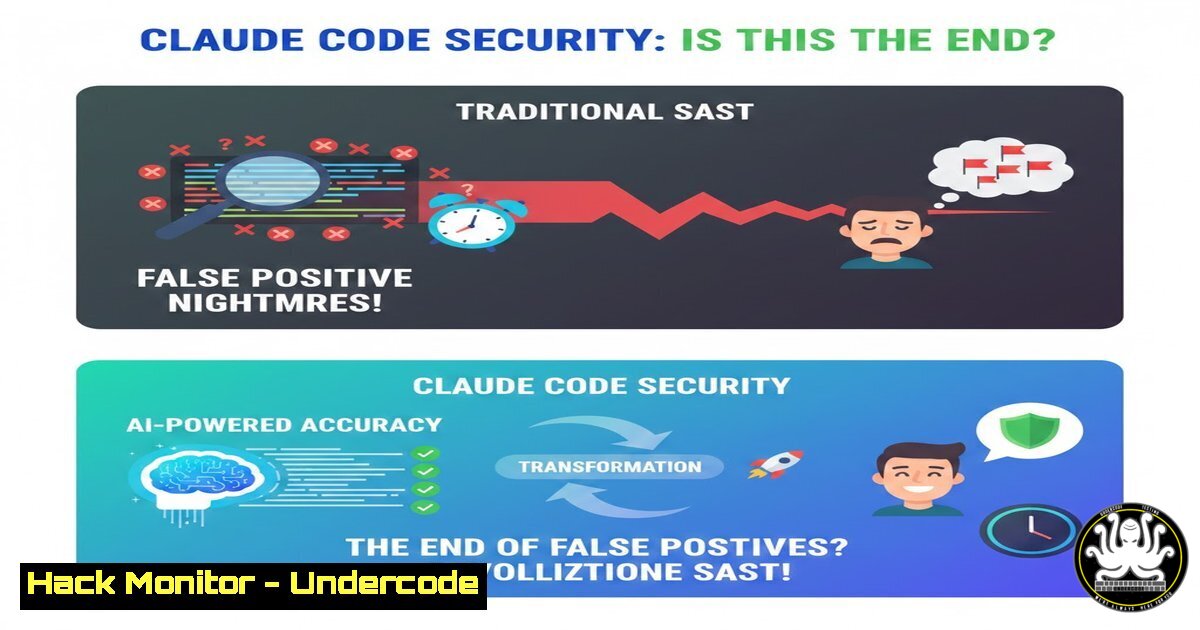
The cybersecurity landscape is witnessing a paradigm shift as AI begins to augment—and potentially disrupt—traditional application security. Anthropic has unveiled a preview of Claude Code Security, an AI-powered static application security testing (SAST) tool designed to eliminate the plague of false positives that plagues legacy scanners. By leveraging the Opus 4.6 model to understand data flow and architectural context like a human researcher, this tool represents a new front in the cyber arms race, where AI is used both to exploit and to defend codebases at machine speed.
Learning Objectives:
- Understand the architectural difference between regex-based SAST and AI-driven, context-aware code analysis.
- Learn how to integrate AI security auditing into a secure DevOps pipeline with a mandatory human-in-the-loop.
- Identify key commands and workflows for testing AI-generated security patches in sandboxed environments.
You Should Know:
- Installing and Authenticating the Claude Code Security CLI
Before you can leverage AI to hunt for vulnerabilities, you need to interface with the model. Anthropic provides a command-line interface (CLI) tool that acts as the bridge between your local repository and the Opus 4.6 analysis engine. This tool handles the secure transmission of code context to Anthropic’s servers for analysis.
Step‑by‑step guide:
What this does: It sets up the environment allowing you to run security scans directly from your terminal.
How to use it:
 Install the Claude Code CLI via npm (assuming Node.js is installed)
npm install -g @anthropic-ai/claude-code

Authenticate with your API key (store this securely, never hardcode it)
 You can set it as an environment variable or let the CLI prompt you.
export ANTHROPIC_API_KEY="your-api-key-here"

Navigate to the project you want to scan
cd /path/to/your/repository

Initiate a security audit on the current directory
claude-code security scan --path . --format detailed
Windows alternative:
 Set the environment variable in PowerShell
$env:ANTHROPIC_API_KEY="your-api-key-here"

Run the scan
claude-code security scan --path . --format detailed
- Contextual Data Flow Analysis vs. Regex Pattern Matching
Traditional SAST tools often flag the use of dangerous functions (like `eval()` in JavaScript) without understanding if user input actually reaches them. Claude Code Security traces the data flow. If a developer uses `eval()` on a hardcoded string, the AI might not flag it; if that `eval()` is fed unsanitized URL parameters, it becomes a critical finding.
Step‑by‑step guide:
What this does: Simulates how the AI analyzes code for architectural flaws rather than just syntax.
How to use it:
Let’s examine a vulnerable Node.js snippet. The AI would analyze the context.
// Vulnerable code example (app.js)
const express = require('express');
const app = express();

app.get('/exec', (req, res) => {
// DANGER: User input flows directly into eval()
let userCode = req.query.cmd;
eval(userCode); // Claude would flag this as critical due to tainted data flow
res.send('Command executed');
});

app.get('/safe', (req, res) => {
// SAFE: The eval function is used, but input is hardcoded and sanitized
let internalCode = "2 + 2";
let result = eval(internalCode); // AI might deprioritize this or flag as informational
res.send(<code>Result: ${result}</code>);
});

app.listen(3000);
To test the analysis, you would run the CLI tool and ask for a deep dive on a specific file:
claude-code security audit-file app.js --focus "data-flow"
The AI would return a report detailing how the `req.query.cmd` parameter taints the `eval()` function, providing a trace path.
3. The Self-Validation Pipeline: Exploit Mitigation Testing
The “killer feature” is the AI’s ability to attempt to prove a vulnerability exists. Before presenting an alert, it tries to generate a proof-of-concept (PoC) exploit. This self-validation drastically cuts down on noise. For defenders, this generated PoC can be used to test mitigations.
Step‑by‑step guide:
What this does: Uses the AI’s hypothesis to simulate an attack in a containerized environment to confirm the vulnerability.
How to use it:
- Run a scan that generates a potential finding.
2. Instruct the tool to validate the finding:
claude-code security validate-finding --finding-id "XSS-123" --environment docker
3. The AI will attempt to craft an HTTP request or input string that triggers the flaw. If successful, it returns the exact payload.
Example payload for an SQL Injection test:
' OR '1'='1'; --
4. You can then use this payload to manually test your Web Application Firewall (WAF) rules or input sanitization logic using curl:
curl -X POST http://localhost:3000/login -d "username=admin' OR '1'='1'; -- &password=anything"
4. Automated Patch Drafting with Human-in-the-Loop Review
Once a vulnerability is validated, the AI can draft a pull request with a fix. However, as Anthropic states, blind trust is dangerous. The secure workflow requires a developer to review the patch in an isolated environment.
Step‑by‑step guide:
What this does: Generates a code fix and allows you to test it without affecting production.
How to use it:
After a scan identifies a vulnerability, request a patch:
claude-code security propose-patch --vuln-id "IDOR-456"
The CLI will output a diff:
// Before
router.get('/user/:id', (req, res) => {
let userId = req.params.id;
let data = db.getUserData(userId); // No ownership check
res.json(data);
});

// After
router.get('/user/:id', (req, res) => {
let userId = req.params.id;
// Added authorization check
if (req.session.userId !== userId && !req.session.isAdmin) {
return res.status(403).send('Forbidden');
}
let data = db.getUserData(userId);
res.json(data);
});
Apply the patch to a feature branch and run integration tests:
git checkout -b fix/idor-456
claude-code security apply-patch --vuln-id "IDOR-456"
npm test  Run your test suite
git push origin fix/idor-456
Only after the tests pass and a human reviews the logic is the PR merged.
- Adversarial Simulation: Using AI to Red-Team Your Own Code
The post notes that attackers are unleashing LLMs on repositories. To simulate this, security teams can use Claude Code in a “red team” mode to aggressively hunt for weaknesses without the safety brakes.
Step‑by‑step guide:
What this does: Instructs the AI to adopt an attacker’s mindset to find the quickest path to a critical asset (e.g., database credentials, admin panels).
How to use it:
Run a scan with an adversarial directive:
claude-code security red-team --goal "obtain database credentials" --depth aggressive
The AI might identify a configuration file exposed via a misconfigured S3 bucket link hardcoded in a JavaScript file, or a debug endpoint left in production. It will then provide a report on the attack chain.
- Integrating AI Analysis into CI/CD with a Quality Gate
To automate security without breaking the bank on false positives, you can set a quality gate that only fails the build on AI-validated critical flaws.
Step‑by‑step guide (GitHub Actions example):
What this does: Automates the scan in CI and blocks merges if the AI confirms a critical vulnerability.
How to use it:
Create a workflow file (`.github/workflows/security.yml`):
name: AI Security Scan
on: [bash]

jobs:
ai-sast:
runs-on: ubuntu-latest
steps:
- uses: actions/checkout@v3
- name: Install Claude CLI
run: npm install -g @anthropic-ai/claude-code
- name: Run Security Scan
env:
ANTHROPIC_API_KEY: ${{ secrets.ANTHROPIC_API_KEY }}
run: |
claude-code security scan --path . --format sarif > results.sarif
- name: Check for Critical Validated Findings
run: |
if grep -q "validated_critical" results.sarif; then
echo "Critical validated vulnerability found! Failing build."
exit 1
fi
- name: Upload SARIF results
uses: github/codeql-action/upload-sarif@v2
with:
sarif_file: results.sarif
- Auditing Infrastructure as Code (IaC) for Cloud Hardening
The AI isn’t limited to application code; it can parse Terraform or CloudFormation templates to identify cloud misconfigurations that lead to breaches, such as publicly exposed storage buckets or overly permissive IAM roles.
Step‑by‑step guide:
What this does: Scans declarative infrastructure code for security best practices.
How to use it:
 Scan a Terraform file for security issues
claude-code security scan --path main.tf --type terraform
Example finding: If the AI finds an AWS S3 bucket with no `block_public_acls` setting, it will generate a recommendation and the corrected Terraform code block:
resource "aws_s3_bucket_public_access_block" "example" {
bucket = aws_s3_bucket.example.id

block_public_acls = true
block_public_policy = true
ignore_public_acls = true
restrict_public_buckets = true
}
What Undercode Say:
- Trust but Verify: The core tenet of this new AI security era is “augmented intelligence,” not automation. The AI’s ability to self-validate findings is revolutionary, but the “human-in-the-loop” mandate is not just a feature—it’s the only thing preventing AI-induced chaos in production environments.
- The Arms Race is Real: Attackers are already using LLMs to find zero-days faster. Defenders must adopt similar AI tools just to keep pace. The shift from signature-based detection to behavioral and contextual analysis is the only viable long-term strategy to combat AI-powered threats.
In conclusion, Claude Code Security doesn’t just represent a new tool; it represents a fundamental shift in DevSecOps philosophy. By treating the codebase with the contextual understanding of a senior engineer, it promises to silence the false alarms that have desensitized teams. However, the ultimate responsibility remains with the human architect. The AI finds the cracks in the foundation, but only a human can decide how to rebuild the wall. The future of security is a partnership where machines handle the exhaustive search, and humans apply the wisdom of experience.
Prediction:
Within the next 18 months, we will see the emergence of “AI WAFs” that use similar contextual models to block attacks in real-time, not based on known signatures, but on the anomalous intent of the payload. Simultaneously, regulatory bodies may begin mandating AI-assisted audits for critical infrastructure, as manual code reviews and legacy SAST tools will be deemed insufficient against the speed of AI-driven cyberattacks. The distinction between a secure and insecure application will increasingly be defined by the maturity of the AI models used to defend it.
▶️ Related Video (78% Match):
🎯Let’s Practice For Free:
IT/Security Reporter URL:
Reported By: Ivan Chuikov – Hackers Feeds
Extra Hub: Undercode MoN
Basic Verification: Pass ✅


