Listen to this Post
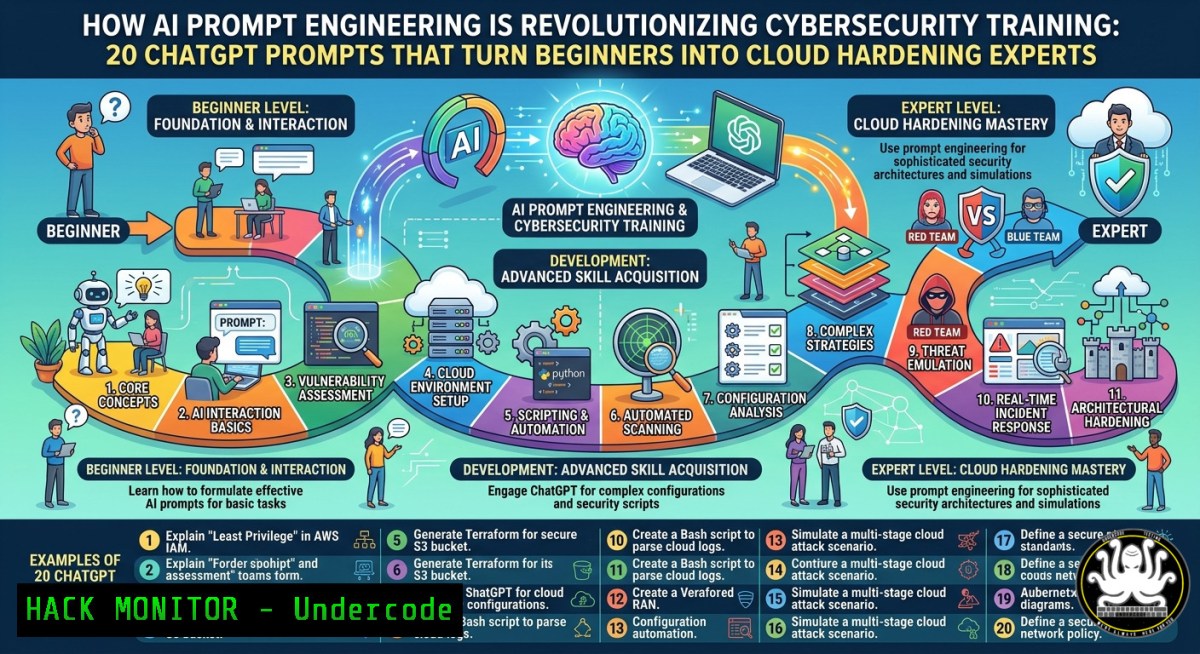
Introduction:
Traditional cybersecurity learning often fails because passive reading and video-watching create an illusion of competence without deep retention. By applying structured AI prompts grounded in active recall, first-principles thinking, and skill decomposition, security professionals can accelerate mastery of topics like cloud hardening, API security, and vulnerability exploitation. This article transforms generic ChatGPT prompts into a rigorous, hands-on learning system with executable commands, configuration audits, and real-time feedback loops.
Learning Objectives:
- Construct a personalized AI-driven learning roadmap for any cybersecurity domain (e.g., AWS IAM hardening, SIEM tuning, reverse engineering)
- Apply first-principles prompting to deconstruct complex exploits into fundamental components with executable Linux/Windows commands
- Implement an active recall study system using ChatGPT-generated quizzes, flashcards, and scenario-based attack simulations
You Should Know:
- Universal Topic Mastery Prompt – From Cloud Novice to Certified Hardening Specialist
Start by feeding ChatGPT the “Universal Topic Mastery Prompt” with your target: Master AWS IAM policy hardening from beginner to advanced in 30 days. The AI will generate a roadmap with daily actions, milestones, and common mistakes. To operationalize this, combine the prompt with hands-on command-line audits.
Step‑by‑step guide:
- After receiving the roadmap, ask ChatGPT: “Generate a checklist of AWS CLI commands to audit IAM roles for over-privileged policies.”
- Run these commands on a test AWS account (ensure proper permissions):
Linux/macOS – list IAM users with inline policies aws iam list-users --query 'Users[].UserName' --output text | xargs -I {} aws iam list-user-policies --user-name {} Find unused IAM roles (Windows PowerShell) aws iam list-roles --query 'Roles[?RoleLastUsed==null].RoleName' --output table - For Windows native (no AWS CLI), use PowerShell with AWS Tools:
Get-IAMRole | Where-Object {$_.RoleLastUsed -eq $null} | Select-Object RoleName - Use ChatGPT to explain each command’s security implication: “Why is an unused IAM role a security risk? Show me the exploit scenario.”
- Implement remediation: generate a Terraform script via ChatGPT to remove unused roles, then apply in a sandbox.
- First Principles Learning Prompt – Deconstructing SQL Injection Without Jargon
The prompt forces ChatGPT to strip away jargon and rebuild SQL injection from raw components. Start with: “Teach me SQL injection using first principles. Remove all jargon. Start with how databases receive input.”
Step‑by‑step guide:
- After the explanation, ask for a practical lab: “Create a vulnerable Docker container running MySQL and a simple PHP login page with a UNION-based SQLi flaw. Provide Dockerfile and exploit steps.”
- Build the lab (Linux):
Create working directory
mkdir sqli-lab && cd sqli-lab
Save ChatGPT's Dockerfile as 'Dockerfile', then build
docker build -t vuln-sqli .
docker run -d -p 8080:80 vuln-sqli
- Test exploitation manually using
curl:Detect injection point curl "http://localhost:8080/login.php?user=admin' OR '1'='1" Extract database version (UNION) curl "http://localhost:8080/login.php?user=' UNION SELECT 1,version(),3 -- "
- Windows alternative (using Invoke-WebRequest):
Invoke-WebRequest -Uri "http://localhost:8080/login.php?user=' UNION SELECT 1,@@version,3 -- "
- Mitigation: ask ChatGPT to rewrite the PHP code using prepared statements (PDO), then compare vulnerable vs. fixed.
- Personalized Tutor Prompt – Adaptive API Security Hardening
Feed ChatGPT your background (e.g., “I know HTTP basics but not OAuth”) and goals (“Secure a REST API against mass assignment and rate limiting bypass”). The AI will act as a tutor, asking diagnostic questions.
Step‑by‑step guide:
- After initial Q&A, request: “Generate a Postman collection that tests for broken object level authorization (BOLA) in a hypothetical e-commerce API.”
- Export the collection and run with Newman (CLI):
Install Newman (Node.js required)
npm install -g newman
Run the collection (save ChatGPT's JSON as bola-tests.json)
newman run bola-tests.json --reporters cli
- On Windows (without Node), use PowerShell to craft raw HTTP requests:
$headers = @{ Authorization = "Bearer $token" } $body = @{ user_id = 999 } | ConvertTo-Json Invoke-RestMethod -Uri "https://api.example.com/profile" -Method Put -Headers $headers -Body $body - Ask ChatGPT: “What are three misconfigurations in AWS API Gateway that allow rate limiting bypass?” Then verify using AWS CLI:
aws apigateway get-rest-apis --query 'items[].name' --output table
aws apigateway get-stage --rest-api-id <api-id> --stage-name prod --query 'methodSettings'
- Remediate by generating a CloudFormation snippet via ChatGPT that enforces `burstLimit` and
rateLimit.
- Skill Acquisition Accelerator Prompt – 80/20 for SIEM Query Writing
Apply the prompt to SIEM querying (e.g., Splunk or ELK). Ask: “Identify the 20% of SPL (Splunk Processing Language) commands that produce 80% of detection results. Create micro-drills for each.”
Step‑by‑step guide:
- Request a cheat sheet: “Generate a table of the top 5 SPL commands (stats, timechart, eval, where, lookup) with real attack examples – brute force, data exfiltration.”
- Practice with a local Splunk instance using sample logs (download from SEC555 dataset):
Linux – download and ingest mock Windows Event Logs
wget https://raw.githubusercontent.com/splunk/splunk-demo-logs/main/windows_security.log
./splunk add monitor ./windows_security.log -index main -sourcetype WinEventLog
- Simulate a brute-force detection query:
index=main EventCode=4625 | stats count by Account_Name, Source_Network_Address | where count > 10
- On Windows with Splunk Universal Forwarder, use PowerShell to generate test events:
Simulate failed logins (requires admin) for ($i=0; $i -lt 20; $i++) { net use \fake\share /user:fakeuser wrongpass } - Ask ChatGPT to explain the query’s false positive potential and how to tune it with
timewindow.
- Active Recall Study System Prompt – CISSP Domain Flashcards with Spaced Repetition
Use the prompt to generate an Anki deck for CISSP Domain 3 (Security Architecture). Request: “Create 50 active recall questions on cloud security models (IaaS/PaaS/SaaS shared responsibility). Include scenario-based questions.”
Step‑by‑step guide:
- Copy the Q&A pairs into a CSV with format:
Front,Back. Example:"A company moves its database to RDS. Who is responsible for patching the OS?","AWS is responsible for the hypervisor and host OS; customer manages database engine patches if using 'self-managed' option."
- Import into Anki (free, cross-platform) or use a script to quiz from terminal:
Linux – simple spaced repetition script using the CSV
while IFS=',' read -r front back; do
echo "QUESTION: $front"
read -p "Press enter for answer..."
echo "ANSWER: $back"
sleep 2
done < cissp_quiz.csv
- For Windows PowerShell, create an interactive quiz:
$qa = Import-Csv cissp_quiz.csv foreach ($item in $qa) { Write-Host "Q: $($item.Front)" -ForegroundColor Cyan Read-Host "Press Enter for answer" Write-Host "A: $($item.Back)" -ForegroundColor Green } - Ask ChatGPT to schedule reviews based on the Leitner system: “Generate a 30-day spaced repetition calendar for these 50 questions, prioritizing my weak areas from today’s quiz.”
- Vulnerability Exploitation & Mitigation Loop – Prompt-Driven Buffer Overflow Lab
Combine the “Personalized Tutor” and “Active Recall” prompts to learn stack-based buffer overflows on Linux (x86). Instruct ChatGPT: “Act as a tutor. I have Kali Linux and GCC. Teach me how to compile a vulnerable C program, trigger a segfault, and exploit it with a shellcode. Give one concept at a time.”
Step‑by‑step guide:
- After the tutor provides code, compile with protections disabled:
Disable ASLR (run as root)
echo 0 > /proc/sys/kernel/randomize_va_space
Compile vulnerable binary
gcc -g -fno-stack-protector -z execstack -no-pie -o vuln vuln.c
- Use GDB to find offset:
pattern_create 100 > pattern.txt
gdb ./vuln
run < pattern.txt
Examine $eip value, then pattern_offset
- Generate shellcode using msfvenom (Linux):
msfvenom -p linux/x86/exec CMD=/bin/bash -b '\x00' -f python
- Write exploit script in Python. Ask ChatGPT to review your script for bad characters.
- Mitigation: recompile with all protections (
-fstack-protector-strong -D_FORTIFY_SOURCE=2) and re-run exploit to see failure. - Document the entire process with ChatGPT-generated markdown table comparing mitigation effectiveness.
- Cloud Hardening Simulation – AI-Generated Incident Response Playbook
Use the “Universal Mastery” prompt for Azure AD conditional access policies. Then simulate a breach: “Act as a red team. I am the defender. Generate a realistic scenario where an attacker bypasses MFA via token replay. Provide Azure CLI commands to detect and remediate.”
Step‑by‑step guide:
- Run detection commands (Azure CLI on Linux/WSL):
Query sign-in logs for unusual token issuance
az monitor activity-log list --max-events 50 --query "[?contains(substring(operationName.value, 35), 'token')]"
- For Windows native (Azure PowerShell):
Get-AzureADAuditSignInLogs -Filter "status/errorCode eq 50074" | Format-Table CreatedDateTime, UserPrincipalName
- Remediate: ask ChatGPT to generate a conditional access policy requiring compliant devices:
{ "conditions": { "clientAppTypes": ["mobileAppsAndDesktopClients"] }, "grantControls": { "builtInControls": ["compliantDevice"] } } - Apply via Azure CLI:
az rest --method PATCH --uri "https://graph.microsoft.com/beta/identity/conditionalAccess/policies" --body @policy.json
- Test the bypass again – ChatGPT will guide you through the failure logs.
What Undercode Say:
- Key Takeaway 1: Structured retrieval beats passive consumption – AI prompts that force you to retrieve, apply, and explain create real encoding. The bottleneck isn’t the system design but follow-through; most users abandon AI-generated roadmaps after day three.
- Key Takeaway 2: The real leverage is building a closed learning loop: prompt → command execution → tool configuration → failure analysis → mitigation. Without hands-on commands (Docker, AWS CLI, GDB, Splunk), prompts remain theoretical.
Analysis (approx. 10 lines):
The commenters rightly note that AI becomes a cognitive amplifier only when paired with output. The prompts alone generate organized consumption, not skill. Andrew Barker’s insight – “removing jargon early forces clarity before complexity” – directly applies to security training, where obscure terminology blocks beginners. Syed Irzum Raza Zaidi’s framework (adaptive memory → personalized reasoning paths → feedback-driven loops) maps perfectly to the step‑by‑step commands above. Selami Ermis nails the core principle: any AI interaction that makes you work harder to think outperforms passive answer-harvesting. Yet as Chandan Kumar Singh warns, without real projects (like the SQLi Docker lab or buffer overflow exercise), learners experience the illusion of progress. The commands and tool configurations provided here turn prompts into executable, testable artifacts. Ultimately, the most practical takeaway from Tersh Blissett – tying learning to a live task – is what separates certification hoarders from incident-ready engineers.
Prediction:
By 2026, cybersecurity training platforms will embed dynamic AI tutors that generate personalized, command-line-driven labs in real time, replacing static video courses. These systems will auto-detect weak sub-skills (e.g., regex for log parsing, JWT manipulation) and spawn micro-challenges. However, the digital divide will widen: professionals who master prompt-to-command workflows will outpace peers who treat AI as a search engine, leading to a two‑tier industry where only the “cognitive amplifiers” can keep up with zero‑day exploitation speeds. Organizations will standardize AI learning playbooks in SOC training, and interview loops will include live prompt engineering tests alongside whiteboard coding.
▶️ Related Video (72% Match):
🎯Let’s Practice For Free:
IT/Security Reporter URL:
Reported By: Matt Pogla – Hackers Feeds
Extra Hub: Undercode MoN
Basic Verification: Pass ✅


