
Listen to this Post
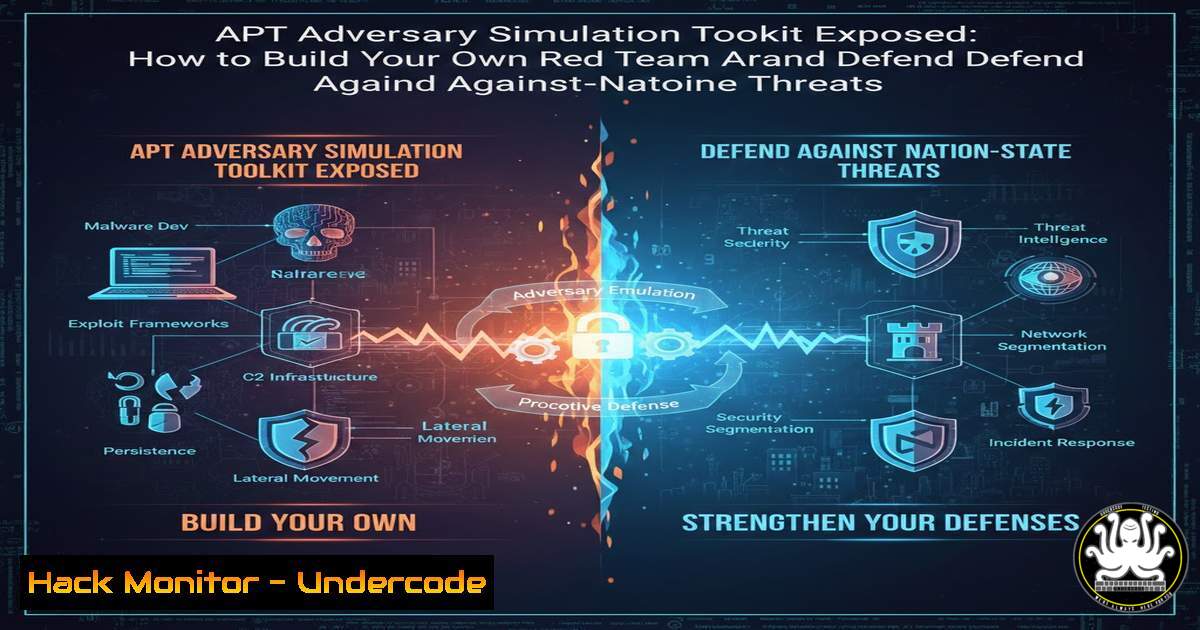
Introduction:
In the shadowy world of cybersecurity, Advanced Persistent Threat (APT) groups backed by nation-states represent the pinnacle of digital adversaries. Red team consultants like Abdulrehman Ali are now taking a revolutionary approach by not just studying these threats, but by meticulously building and releasing open-source toolkits to simulate them. This article dives into the technical execution of such projects, transforming the LinkedIn announcement of completed North Korean and Russian APT simulations into a practical guide for security professionals.
Learning Objectives:
- Understand the methodology behind building adversary simulation toolkits for specific APT groups.
- Learn to deploy and analyze key components of a red team arsenal, including custom implants, command-and-control (C2) frameworks, and evasion techniques.
- Apply defensive hardening strategies for Windows and Linux systems based on the identified attack vectors.
You Should Know:
1. Deconstructing the APT Simulation Repository
The core of this project is the public GitHub repository (https://github.com/S3N4T0R-0X0/APTs-Adversary-Simulation). This is not just a collection of links but likely a structured codebase containing custom tools, scripts, and documentation designed to emulate the Tactics, Techniques, and Procedures (TTPs) of specific threat actors. For defenders and aspiring red teamers, the first step is a forensic exploration of such a repository.
Step-by-step guide:
Step 1: Secure Analysis Environment. Never clone or run unknown code on a production or personal machine. Use an isolated virtual machine (VM) or a disposable container.
Linux: `docker run –rm -it –name apt-analysis ubuntu:latest /bin/bash`
Windows: Use a Hyper-V or VMware VM with no network connectivity (host-only or NAT network).
Step 2: Clone and Inspect. Clone the repository to examine its structure without executing anything.
`git clone https://github.com/S3N4T0R-0X0/APTs-Adversary-Simulation.git`
Navigate and list contents: `cd APTs-Adversary-Simulation && ls -la`
Step 3: Static Analysis. Look for key directories: `Implants/` (malware samples), `C2_Server/` (command-and-control code), `Payloads/` (exploit generation scripts), and `Docs/` (technique documentation). Examine script files (.ps1, .sh, .py) using a text editor to understand their function. A critical command is `find . -type f -name “.py” -o -name “.ps1” -o -name “.sh” | head -20` to list potential scripts.
- Simulating a Custom Implant: Code Analysis and Sandbox Execution
APT implants are customized backdoors. A repository like this may contain simplified versions for educational purposes. Understanding their mechanics is crucial for detection.
Step-by-step guide:
Step 1: Locate and Examine Implant Code. Find a potential implant, e.g., a Python file in an `Implants/` directory. Look for hallmark functions:
Persistence: Code that adds registry entries (HKCU\Software\Microsoft\Windows\CurrentVersion\Run) or cron jobs (crontab -e).
C2 Communication: Functions with `socket.connect((IP, PORT))` or HTTP requests to hardcoded domains.
Command Execution: Use of `os.system()` or `subprocess.Popen()`.
Step 2: Safe Execution in a Sandbox. Use a debugger or a tool like `strace` on Linux to monitor its behavior without network access.
Linux: `strace -f -o implant_trace.txt python3 suspected_implant.py`
Windows (PowerShell): Use `Get-Process` and network monitoring with `Get-NetTCPConnection` in a separate window before running a suspected .exe.
3. Building a Basic C2 Server for Awareness
A Command-and-Control server is the brain of an APT operation. Building a simple one demystifies the threat.
Step-by-step guide (Educational Purpose – Isolated Lab Only):
Step 1: Create a Simple Python C2 Server. This example listens for connections and logs commands.
 simple_c2_server.py
import socket, sys
HOST = '0.0.0.0'  Listen on all interfaces (LAB ONLY)
PORT = 4444
with socket.socket(socket.AF_INET, socket.SOCK_STREAM) as s:
s.bind((HOST, PORT))
s.listen()
print(f"[] C2 Server listening on {HOST}:{PORT}")
conn, addr = s.accept()
with conn:
print(f'[+] Agent connected from {addr}')
while True:
conn.sendall(b'Shell> ')
data = conn.recv(1024)
if not data:
break
command = data.decode().strip()
print(f"[+] Received command: {command}")
 In a real malicious server, code to execute the command would be here.
conn.sendall(b'Command logged.\n')
Step 2: Defensive Detection. As a defender, you can hunt for such connections.
Linux: Use `netstat -tunap | grep :4444` or ss -tunap | grep :4444.
Windows: Use `netstat -ano | findstr :4444`.
4. Payload Crafting & Obfuscation Techniques
APTs use obfuscation to evade signature-based detection. The repository may contain scripts that generate payloads.
Step-by-step guide:
Step 1: Identify a Payload Generator. Look for scripts named like `payload_gen.py` or obfuscate.ps1. These might use base64 encoding, XOR encryption, or string manipulation to hide malicious code.
Step 2: Analyze and Reverse a Simple Obfuscator. For example, a script might encode a PowerShell command:
 Example of a simple obfuscation command sequence
echo 'Get-Process' | base64  Produces: R2V0LVByb2Nlc3MK
The decoded command can be executed via: `powershell -EncodedCommand R2V0LVByb2Nlc3MK`
Step 3: Defensive Bypass. Security tools now decode common obfuscation. Monitor for `powershell -EncodedCommand` or long, repetitive strings in command-line arguments using SIEM queries.
5. Windows Persistence Mechanism Emulation
A key APT tactic is maintaining access. Simulating this helps build better defenses.
Step-by-step guide:
Step 1: Common Registry Persistence. A simulated attack might add a startup entry.
Attack Command (Windows CMD): `reg add HKCU\Software\Microsoft\Windows\CurrentVersion\Run /v “UpdateCheck” /t REG_SZ /d “C:\malware.exe” /f`
Step 2: Scheduled Task Persistence.
Attack Command (PowerShell): `schtasks /create /tn “SystemHealthCheck” /tr “C:\malware.exe” /sc hourly /ru SYSTEM`
Step 3: Defensive Hunt. Detect these changes.
Registry: Audit `HKCU\…\Run` keys with tools like Sysinternals Autoruns.
Scheduled Tasks: Use `Get-ScheduledTask | Where-Object {$_.TaskPath -notlike “\Microsoft”} | FL TaskName, State, Actions` to find non-standard tasks.
6. Linux Lateral Movement & Privilege Escalation
After initial access, APTs move through networks. The repository may include scripts for SSH credential harvesting or exploit suggestions.
Step-by-step guide:
Step 1: SSH Key Harvesting Simulation. An attacker might search for private keys.
Command to Simulate: `find /home /root -name “id_rsa” -o -name “id_dsa” -o -name “.pem” 2>/dev/null`
Step 2: Privilege Escalation Check. Scripts may automate checks for misconfigurations.
Common Check (SUID): `find / -type f -perm -4000 2>/dev/null` to find binaries with the SUID bit set, which can be exploited (e.g., known vulnerability in pkexec).
Step 3: Defensive Hardening.
Regularly audit sudoers file: `sudo visudo` to review.
Use least privilege principle: Ensure services run under dedicated, non-root users.
7. Operational Security (OPSEC) and Log Evasion
Sophisticated APTs try to cover their tracks. Simulation toolkits include log tampering techniques.
Step-by-step guide:
Step 1: Understanding Log Locations.
Linux: `/var/log/auth.log` (SSH logs), `/var/log/syslog`.
Windows: Security and System logs in Event Viewer (eventvwr.msc).
Step 2: Simulating Log Cleansing (For Defense Training).
Linux: An attacker might use `shred -zu /var/log/auth.log` to overwrite and delete. A defensive simulation would monitor for such deletions with tools like auditd.
Windows: Clearing the Security log via PowerShell: Clear-EventLog -LogName Security. This action itself generates a new Event ID 1102, which defenders must monitor.
Step 3: Defensive Logging. Ensure logs are sent to a centralized, immutable SIEM immediately. Use Windows Event Forwarding or Linux’s `rsyslog` to send logs off-host in real-time.
What Undercode Say:
Key Takeaway 1: The public release of APT simulation toolkits represents a paradigm shift in red teaming, moving from private, expensive frameworks to community-driven, transparent threat emulation. This democratizes high-end security testing but also lowers the barrier for entry for less-skilled malicious actors.
Key Takeaway 2: Effective defense in the modern landscape requires understanding the offensive toolkit. Static code analysis, behavioral sandboxing, and knowing the exact commands for persistence and lateral movement are no longer optional skills for blue teams and SOC analysts.
The analysis reveals a double-edged sword. While this project is a remarkable educational resource for building defensive expertise, it also serves as a potential cookbook. The professional cybersecurity community must leverage such work to harden systems preemptively, integrating the simulated TTPs directly into detection rules and security controls. The announcement’s shift to Chinese and Iranian APT groups suggests a continuous, evolving cycle, meaning defensive strategies must be equally adaptive and intelligence-driven.
Prediction:
The trend of open-sourcing APT simulation toolkits will accelerate, leading to a new generation of automated purple teaming platforms that can ingest these TTPs and automatically generate both attack playbooks and corresponding detection YARA/Sigma rules. This will blur the line between red and blue teams, fostering more integrated “continuous validation” security postures. However, it will also force APT groups themselves to innovate more rapidly, potentially leading to an increase in the use of “living-off-the-land” binaries (LOLBins) and firmware-level attacks to bypass defenses modeled on publicly known toolkits.
▶️ Related Video (72% Match):
🎯Let’s Practice For Free:
IT/Security Reporter URL:
Reported By: S3n4t0r Officially – Hackers Feeds
Extra Hub: Undercode MoN
Basic Verification: Pass ✅


