
Listen to this Post
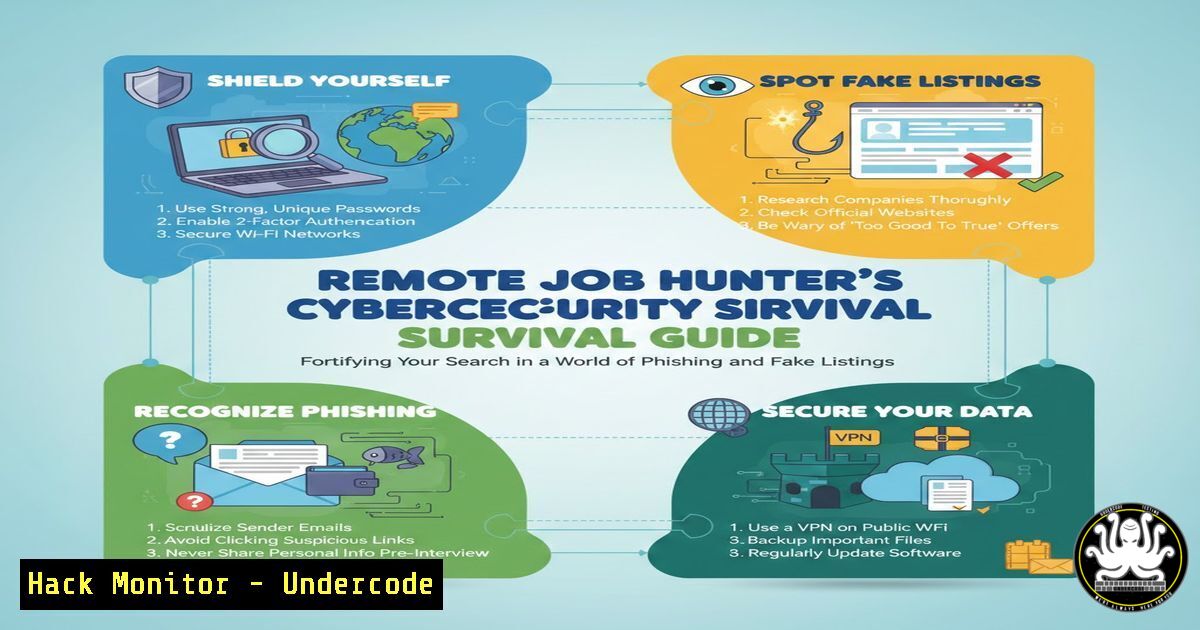
Introduction:
The pursuit of remote work and free upskilling courses, while empowering, exposes professionals to a heightened threat landscape where malicious actors exploit job-seeking urgency. This guide transforms you from a passive applicant into a security-aware candidate, teaching you to verify opportunities, secure your digital footprint, and identify fraudulent schemes masquerading as career goldmines.
Learning Objectives:
- Identify and dissect common phishing and social engineering tactics targeting remote job seekers.
- Apply technical verification methods to scrutinize job platforms, URLs, and communication channels.
- Implement personal security hardening for your job-search environment across devices and accounts.
You Should Know:
1. Deconstructing the “Policy Breach” Phishing Scam
The post itself contains a classic, in-the-wild example: comments from “LinkedIn security” with zero followers, urging clicks on a suspicious link (`https://lnkd.in/dumhMPQ5`) to appeal a fake policy breach. This is a phishing attempt designed to harvest LinkedIn credentials.
Step‑by‑step guide:
Step 1: Inspect the Profile. Always click the commenter’s name. A genuine LinkedIn security account would have a verified badge and millions of followers, not zero.
Step 2: Analyze the URL. Shortened links (lnkd.in) mask the true destination. Use a URL expander service or browser extension to preview the final address before clicking. Never enter credentials on a domain that isn’t linkedin.com.
Step 3: Verify via Official Channels. Log into LinkedIn directly via its official app or website—not through any link in a comment or message—to check for any real notifications.
Step 4: Report the Comment. Use LinkedIn’s “Report this comment” feature to flag it as a security concern.
2. Vetting Remote Job Platforms for Security Posture
Not all job boards are created equal. A platform’s own security measures impact your data privacy.
Step‑by‑step guide:
Step 1: Check for HTTPS. Ensure the site uses `HTTPS` (padlock icon in the address bar). This encrypts data between you and the site. For example, `https://justremote.co` is secure.
Step 2: Review Privacy Policies. Before uploading your resume, skim the platform’s privacy policy. Do they sell your data? How long do they retain it?
Step 3: Look for Security Certifications. Reputable platforms may mention compliance with standards like GDPR, ISO 27001, or SOC 2. This indicates a commitment to data security.
Step 4: Use a Dedicated Email. Create a separate email address solely for job applications to isolate spam and potential breaches from your primary inbox.
3. Securing Your Application Environment: OS & Browser Hardening
Your personal device is the frontline. Harden it before beginning your search.
Step‑by‑step guide (Linux/macOS & Windows):
Update Your System: Ensure all security patches are applied.
Linux (Debian/Ubuntu): `sudo apt update && sudo apt upgrade -y`
Windows: `Settings > Windows Update > Check for updates`
Use a Password Manager: Generate and store unique, complex passwords for each job platform (e.g., Bitwarden, 1Password).
Enable Firewall:
Linux (UFW): `sudo ufw enable && sudo ufw status verbose`
Windows: `Windows Defender Firewall > Turn Windows Defender Firewall on`
Browser Security: Use extensions like uBlock Origin (ad-blocker) and Privacy Badger to prevent malvertising and tracking on job sites.
4. Analyzing “Free Course” Links for Potential Risks
The post lists numerous free course links using URL shorteners (imp.i384100.net). These can be legitimate affiliate links but always warrant caution.
Step‑by‑step guide:
Step 1: Hover Before You Click. Hover your mouse over the link to see the true destination URL at the bottom of your browser window. Does it lead to a known, reputable platform like `coursera.org` or a strange domain?
Step 2: Use VirusTotal. Copy the shortened URL and paste it into `virustotal.com` to check if it has been associated with malware or phishing.
Step 3: Navigate Manually. Instead of clicking, go directly to the known platform (e.g., Coursera, edX) and search for the course title yourself.
Step 4: Check for HTTPS on Landing Page. Once you land on the final course page, reconfirm the site uses HTTPS.
- Identifying and Avoiding Job Scam Technical Red Flags
Fraudulent job postings often share common technical and procedural patterns.
Step‑by‑step guide:
Red Flag 1: Poor Grammar & Urgency. Scams pressure you to act quickly and often contain spelling errors.
Red Flag 2: Unprofessional Domains. Legitimate company emails use the company domain (e.g., @microsoft.com). Be wary of addresses from `@gmail.com` or `@yahoo.com` purporting to be recruiters.
Red Flag 3: Requests for Financial Information Early. No legitimate job will ask for bank details or payment for “training kits” or “background checks” during initial interviews.
Red Flag 4: Vague Job Descriptions & High Pay for Little Work. Use tools like `whois` command to check domain registration of a company’s website if it seems obscure.
Linux/macOS Terminal: `whois examplecompany.com`
Use online WHOIS lookup tools for Windows.
- API Security for the Job Seeker: Understanding How Platforms Share Your Data
When you “Apply with LinkedIn” or connect your portfolio, you grant API access.
Step‑by‑step guide:
Step 1: Audit Connected Apps. Regularly review which third-party apps have access to your LinkedIn, Google, or GitHub accounts. Revoke access for unused or suspicious apps.
LinkedIn: `Settings & Privacy > Data privacy > How LinkedIn uses your data > Other applications`
Step 2: Limit Data Permissions. When connecting an account, choose the minimum permissions necessary (e.g., “Read-only” profile data instead of “Read & Write”).
Step 3: Use Unique API Tokens. If you’re a developer showcasing work on GitHub, ensure you don’t accidentally expose API keys or secrets in your public repositories.
Use `git` commands to scan for secrets before committing: `git log -p | grep -E ‘api|key|token|secret|password’`
7. Creating a Secure Digital Portfolio & Application Packet
Your application materials must showcase your skills without compromising your security.
Step‑by‑step guide:
Step 1: Sanitize Documents. Remove metadata (author name, edit history) from your resume PDFs and portfolio files before uploading.
Linux: Use `exiftool` to remove metadata: `exiftool -all= your_resume.pdf`
Windows: Use File > Info > Inspect Document in Word.
Step 2: Host Securely. If hosting a personal portfolio website, ensure your hosting provider offers SSL/TLS (HTTPS). Keep CMS software (WordPress, etc.) updated.
Step 3: Blind Sensitive Info. Redact personal addresses, phone numbers, or references from publicly posted resumes. Share full details only in trusted, later-stage applications.
What Undercode Say:
- The Greatest Threat is Complacency. The most sophisticated phishing scam fails if the user is trained to hesitate and verify. Security is not a barrier to your job search; it is the foundation of a professional, trustworthy online presence.
- Your Data is the New Currency. Job platforms and course providers are data aggregators. Your clicks, profiles, and applications have value. Managing this data trail with intentionality is a critical modern career skill.
Analysis: The original post presents a valuable surface-level resource list but is immediately weaponized by phishers in the comments, creating a perfect microcosm of the modern internet: useful information surrounded by threat actors seeking to exploit your engagement. A security mindset is no longer optional for IT professionals; it is a core component of digital literacy. By applying systematic verification, hardening your environment, and understanding the data economy you’re participating in, you transform from a target into a vigilant participant. The technical steps outlined are not just for this scenario but form a reusable framework for assessing any online opportunity.
Prediction:
The convergence of AI-driven job matching and sophisticated social engineering will lead to hyper-personalized phishing campaigns. Future scams may use AI to generate fake job descriptions mimicking your exact skillset, or deepfake video interviews to extract sensitive information. Conversely, AI will also power advanced background-check platforms for recruiters, scanning candidates’ public cybersecurity hygiene (like exposed API keys or poor password practices) as part of the hiring criteria. The remote work arena will become an ongoing, low-grade security assessment for both candidates and employers, making the principles outlined here fundamental to career longevity.
▶️ Related Video (72% Match):
🎯Let’s Practice For Free:
IT/Security Reporter URL:
Reported By: Aayush Rahangdale – Hackers Feeds
Extra Hub: Undercode MoN
Basic Verification: Pass ✅


