Listen to this Post
Introduction
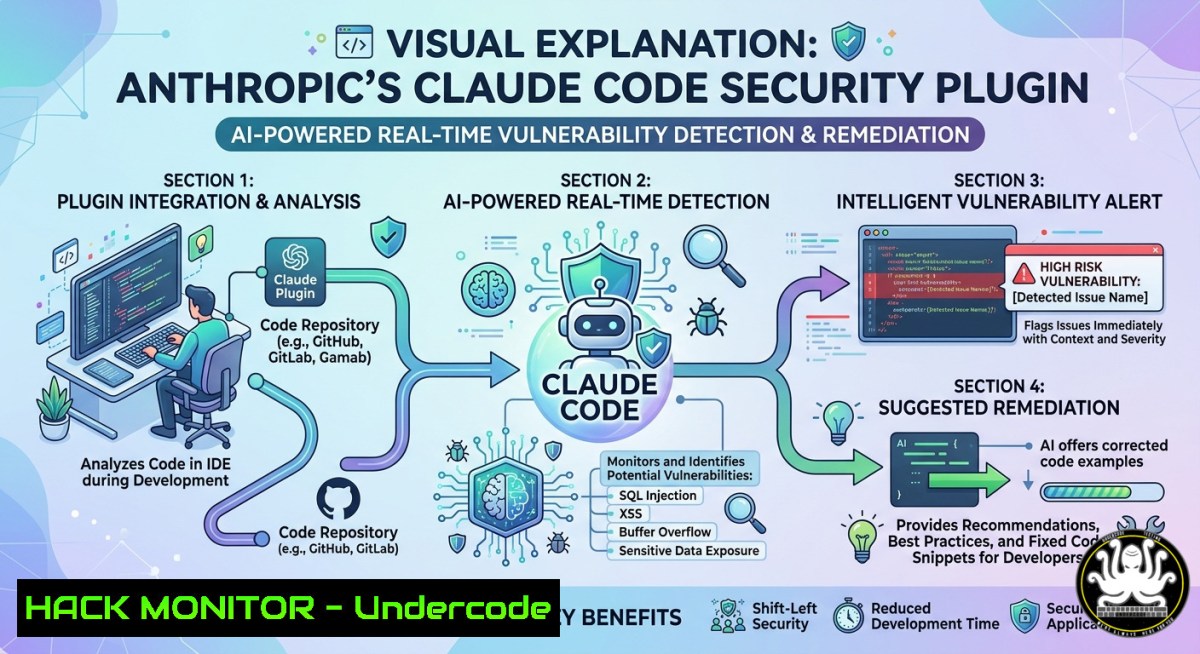
As AI-assisted coding tools become standard in modern development, they also introduce new security challenges—ranging from insecure generated code to novel attack surfaces like prompt injection and sandbox escapes. To address this, Anthropic has launched a free security-guidance plugin for Claude Code that autonomously reviews code edits, model outputs, and commits in real time, catching vulnerabilities before they reach production. This article explores how the plugin works, provides step‑by‑step installation and configuration guides, and offers practical hardening measures to maximize its effectiveness.
Learning Objectives
- Understand the three‑layer security review architecture of Anthropic’s security‑guidance plugin for Claude Code
- Learn how to install, configure, and customize the plugin for individual and team use
- Implement additional hardening techniques, including deny rules, hooks, and sandboxing
You Should Know
- The Three‑Layer Defense: How the Security‑Guidance Plugin Works
The security‑guidance plugin operates across three distinct review checkpoints, each designed to catch threats at different stages of the coding session.
Layer 1 – Per‑File Edit Pattern Matching: On every file edit, the plugin runs a fast, deterministic pattern match with no model call. It flags dangerous constructs such as eval(), new Function(), os.system(), child_process.exec(), `pickle` deserialization, and DOM injection vectors like `dangerouslySetInnerHTML` and .innerHTML =. Because this layer requires no AI inference, it adds zero usage cost.
Layer 2 – End‑of‑Turn Model Review: At the end of each conversational turn, a background Claude model—separate from the one writing the code—reviews the full git diff of all changes made during that session. Starting from a fresh context with no investment in the original approach, this reviewer catches logic‑level vulnerabilities that string matching cannot detect, including authorization bypass, insecure direct object references, server‑side request forgery, and weak cryptography.
Layer 3 – Commit/Push Agentic Review: When Claude commits or pushes via its Bash tool, a deeper agentic review reads surrounding callers, sanitizers, and related files to minimize false positives. Internal testing showed the plugin cut security‑related comments on pull requests by 30–40%.
Command to install the plugin inside a Claude Code session:
/plugin install security-guidance@claude-plugins-official
/reload-plugins
Prerequisites: Claude Code CLI version 2.1.144 or later, and Python 3.8+ on your system PATH.
2. Customizing the Plugin for Your Threat Model
The plugin supports two repo‑level files that let you extend its behavior to match your organization‘s security requirements.
File 1 – .claude/claude-security-guidance.md: This plain‑language file feeds threat model rules to the model reviewers. You can describe specific risks relevant to your application, such as business logic flaws unique to your payment processing system or data validation requirements for sensitive user input.
File 2 – .claude/security-patterns.yaml: This file allows custom regex or substring patterns applied to the per‑edit check. For example, you can add patterns to detect internal API keys, proprietary function names that should never be called with unsanitized input, or framework‑specific dangerous patterns.
Sample `.claude/security-patterns.yaml`:
patterns:
- name: "Internal API key detection"
regex: "AKIA[0-9A-Z]{16}"
severity: "critical"
- name: "Deprecated crypto function"
regex: "MD5\("
severity: "high"
- name: "SQL string concatenation"
regex: "\$\w+\s\.\s\"(SELECT|INSERT|UPDATE|DELETE)"
severity: "high"
Enforcing the plugin organization‑wide: Add the following to `.claude/settings.json` in your repository:
{
"enabledPlugins": {
"security-guidance@claude-plugins-official": true
}
}
Administrators can push this configuration through managed settings to enforce the plugin across all team members.
- Hardening Claude Code: Deny Rules, Hooks, and Sandboxing
The security‑guidance plugin is a significant step forward, but it does not block writes or commits—findings are surfaced as instructions for Claude to resolve within the same session. For defense in depth, consider additional hardening measures.
Critical risk: Claude Code currently has no built‑in protection against destructive commands such as rm -rf /, git push --force, dd, or DROP DATABASE. One bad prompt injection or hallucinated command can delete your project or rewrite git history.
Solution – Install the `secure-claude-code` hardening plugin:
/plugin marketplace add psnluiz/secure-claude-code
/plugin install secure-claude-code
/secure-claude-code
This plugin adds four layers of protection:
| Layer | What it does | Stops what |
|-|–||
| Deny rules | Hard‑blocks destructive command prefixes | rm -rf, git push --force, dd, `mkfs` |
| PreToolUse hook | Regex catch‑all before every Bash command | Flag reordering (rm -rfi), SQL destruction |
| OS Sandbox | macOS Seatbelt / Linux bubblewrap kernel isolation | Prompt injection, filesystem escape |
| Docker isolation | Container boundary for VPS/untrusted code | Everything — container as security boundary |
Manual deny rules in `~/.claude/settings.json`:
{
"permissions": {
"deny": [
"rm -rf /",
"git push --force",
"dd if= of=/dev/sd",
"DROP DATABASE",
"mkfs."
]
}
}
4. Team Standardization and Governance
To get consistent security outcomes across an organization, treat plugins as first‑class, versioned project dependencies. Establish two project‑level artifacts:
`.claude/settings.json`:
{
"extraKnownMarketplaces": [
{
"name": "org-standard",
"url": "https://raw.githubusercontent.com/your-org/cc-marketplace/main/.claude-plugin/marketplace.json",
"trusted": true
}
],
"enabledPlugins": [
"[email protected]",
"[email protected]"
],
"requireRepoTrust": true
}
CI automation for security review: Set up a GitHub Actions workflow that runs a “security‑review” job with Claude Code on every pull request. This ensures vulnerabilities are caught before merge, not after.
5. Known Vulnerabilities and Mitigations
Despite its strengths, Claude Code has faced several security issues that the security‑guidance plugin alone cannot fully address.
TrustFall – MCP server auto‑execution (May 2026): Researchers discovered that Claude Code (and other agentic CLIs) auto‑execute project‑defined MCP servers the moment a user accepts the folder trust prompt. The trust dialog in v2.1+ no longer warns about MCP servers, and a malicious repository can spawn unsandboxed code with one keypress. Anthropic acknowledged this as within their threat model, but users should exercise extreme caution when trusting unfamiliar repositories.
Network sandbox bypass – SOCKS5 null byte injection (April 2026): A critical vulnerability affecting Claude Code v2.0.24 through v2.1.89 allowed attackers to bypass the network sandbox using a hostname like attacker-host.com\x00.google.com. JavaScript’s `endsWith()` approved the connection while libc’s `getaddrinfo()` terminated at the null byte. This flaw enabled exfiltration of AWS credentials, GitHub tokens, cloud instance metadata, and environment variables.
Mitigation: Immediately upgrade to Claude Code v2.1.90 or later. Verify your version:
claude --version
If using v2.1.89 or earlier, rotate all accessible credentials and audit outbound SOCKS traffic logs.
What Undercode Say
- Key Takeaway 1: The security‑guidance plugin is a powerful free tool that shifts security left by catching vulnerabilities at three checkpoints—per‑edit, end‑of‑turn, and commit—reducing PR security comments by 30–40%. However, it is positioned as one layer of defense in depth, not a complete security solution.
-
Key Takeaway 2: Real‑world attacks against Claude Code—including sandbox escapes, MCP server auto‑execution, and API key exfiltration—demonstrate that AI coding assistants require active hardening. Installing deny rules, PreToolUse hooks, OS sandboxing, and regularly updating to the latest version are essential practices for safe adoption.
The plugin represents a meaningful step forward in AI‑assisted secure development, but organizations must complement it with governance, CI integration, and additional hardening measures. The shift left is valuable, but it cannot replace human review, least privilege principles, or continuous security monitoring.
Prediction
As AI coding assistants become ubiquitous, the security landscape will bifurcate. On one hand, tools like Claude Code‘s security‑guidance plugin will become baseline requirements for any organization using AI‑generated code, evolving from optional plugins to default‑enabled safety features. On the other hand, adversarial research will continue to uncover novel attack surfaces—prompt injection chains, cross‑session context poisoning, and supply chain attacks via plugin marketplaces. By late 2026, we can expect the emergence of third‑party “AI security audit” services and regulated certification standards for AI coding tools, as enterprises demand verifiable safety guarantees before allowing AI agents access to production systems. The organizations that thrive will be those that treat AI security as a continuous, layered discipline rather than a one‑time checkbox.
▶️ Related Video (84% Match):
🎯Let’s Practice For Free:
IT/Security Reporter URL:
Reported By: Cybersecuritynews Share – Hackers Feeds
Extra Hub: Undercode MoN
Basic Verification: Pass ✅
🎓 Live Courses & Certifications:
Join Undercode Academy for Verified Certifications
🚀 Request a Custom Project:
Secure, high-velocity infrastructure and disruptive technological engineering. Contact our engineering team for high-tier development and proprietary systems:
[email protected]


