Listen to this Post
Introduction:
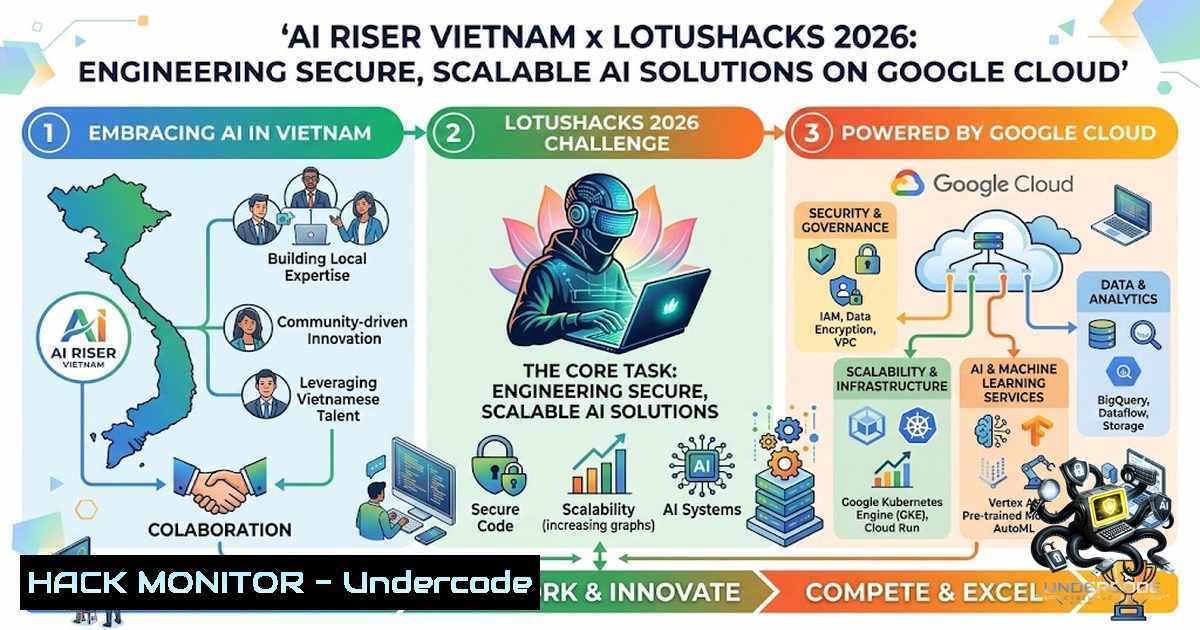
The AI Riser Vietnam x LotusHacks hackathon, powered by Google for Developers and Google Cloud, represents a critical convergence of rapid AI prototyping and enterprise-grade cloud infrastructure. As participants race to build impactful solutions, the underlying imperative extends beyond model accuracy to encompass robust security, API governance, and cost-efficient cloud architecture. This event underscores a broader industry truth: the most innovative AI applications are vulnerable without a disciplined approach to cloud hardening, secure API key management, and infrastructure-as-code (IaC) practices. This article provides a technical deep-dive into the essential engineering principles—from environment setup to production-ready deployment—that every AI engineer must master to transform a weekend hackathon project into a resilient, scalable asset.
Learning Objectives & Secrets:
- Objective 1: Master the Google Cloud SDK (
gcloud) and Vertex AI environment initialization. Secret Tip: Utilize the `gcloud config set project` and `gcloud auth application-default login` commands to permanently bind your local environment to the correct project, avoiding deployment errors. Always verify with `gcloud projects describe` to confirm permissions.</li> <li>Objective 2: Implement secure API key and secrets management using Google Cloud Secret Manager instead of hardcoding credentials in your application code. Secret Tip: Use the `gcloud secrets versions access latest --secret="my-ai-api-key"` command within a startup script to inject secrets as environment variables, ensuring they never appear in version control.</li> <li>Objective 3: Deploy a containerized AI application (e.g., FastAPI + Gemini) to Cloud Run with automatic scaling and IAM policies. Secret Tip: Use the `--min-instances` and `--max-instances` flags strategically to balance cold-start latency against cost, and set the `--ingress=internal` flag for internal-facing microservices to prevent public exposure.</li> </ul> <h2 style="color: yellow;">You Should Know:</h2> <ol> <li>Setting Up Your Google Cloud AI Development Environment A robust development environment is the foundation of any successful hackathon project. Begin by installing the Google Cloud SDK. For Linux, use <code>curl -O https://dl.google.com/dl/cloudsdk/channels/rapid/downloads/google-cloud-cli-linux-x86_64.tar.gz && tar -xf google-cloud-cli-linux-x86_64.tar.gz && ./google-cloud-sdk/install.sh</code>. For Windows, download the installer from the official site and ensure the `gcloud` command is added to your PATH. After installation, authenticate: `gcloud auth login` and set your default project: <code>gcloud config set project [bash]</code>. Enable the necessary APIs: <code>gcloud services enable aiplatform.googleapis.com run.googleapis.com cloudbuild.googleapis.com secretmanager.googleapis.com</code>. This one-time setup ensures you can access Vertex AI for model tuning, Cloud Run for serverless deployment, and Secret Manager for credential storage. For local Python development, create a virtual environment: `python -m venv ai-env && source ai-env/bin/activate` (Linux) or `ai-env\Scripts\activate` (Windows). Install core dependencies: <code>pip install google-cloud-aiplatform google-cloud-secret-manager fastapi uvicorn</code>.</p></li> <li><p>Securing API Keys and Secrets with Google Cloud Secret Manager Hardcoding API keys in `config.py` or `.env` files is a significant security vulnerability. Google Cloud Secret Manager provides a centralized, audited repository. To create a secret for your Gemini API key: <code>echo -1 "YOUR_GEMINI_API_KEY" | gcloud secrets create gemini-api-key --data-file=-</code>. To retrieve it programmatically in Python, use the client library: [bash] from google.cloud import secretmanager client = secretmanager.SecretManagerServiceClient() name = f"projects/{project_id}/secrets/gemini-api-key/versions/latest" response = client.access_secret_version(name=name) api_key = response.payload.data.decode('UTF-8')This approach allows you to rotate keys without redeploying your application. For Cloud Run, you can mount secrets as volumes or environment variables using the `–set-secrets` flag:
gcloud run deploy ai-service --image gcr.io/your-project/ai-app --set-secrets GEMINI_API_KEY=gemini-api-key:latest. This binds the secret to the environment variable `GEMINI_API_KEY` at runtime. Always implement a fallback mechanism: if Secret Manager is unavailable, your app should fail gracefully, logging an error without exposing the raw key. -
Building and Containerizing Your AI Application for Cloud Run
Containerization is essential for portable, scalable deployment. Create a `Dockerfile` that installs Python dependencies and runs your application. A minimalDockerfile:FROM python:3.11-slim WORKDIR /app COPY requirements.txt . RUN pip install --1o-cache-dir -r requirements.txt COPY . . CMD ["uvicorn", "main:app", "--host", "0.0.0.0", "--port", "8080"]
Build the image using Cloud Build:
gcloud builds submit --tag gcr.io//ai-riser-app .</code>. This command uploads your code, builds the image, and pushes it to Google Container Registry. Ensure your `requirements.txt` includes `google-cloud-aiplatform` for Vertex AI access. For local testing, run the container: <code>docker run -p 8080:8080 -e GEMINI_API_KEY=$GEMINI_API_KEY gcr.io/[bash]/ai-riser-app</code>. Validate that the endpoint responds correctly using `curl -X GET http://localhost:8080/health`. This step catches configuration errors before deployment. 4. Deploying and Hardening a Serverless Service on Cloud Run Deploy your container with security and performance in mind. The command `gcloud run deploy ai-service --image gcr.io/[bash]/ai-riser-app --platform managed --region us-central1 --allow-unauthenticated<code>creates a publicly accessible endpoint. For hackathon projects, this is acceptable, but for production, consider `--1o-allow-unauthenticated` and integrate with Identity-Aware Proxy (IAP). To further harden the service: `--max-instances=10` prevents runaway costs. `--min-instances=1` reduces cold-start latency for a demo. Add a VPC connector for private access to Cloud SQL or other services:</code>--vpc-connector projects/[bash]/locations/us-central1/connectors/serverless-vpc<code>. Monitor your deployment using</code>gcloud run services describe ai-service<code>. Integrate Cloud Logging and Cloud Monitoring by default. To test the endpoint, use</code>curl -X POST https://[bash]/predict -H "Content-Type: application/json" -d '{"prompt": "Hello AI"}'`. Ensure your application handles CORS headers if the frontend is served from a different origin.</p></li> <li><p>Implementing AI Model Security and Prompt Injection Mitigation When building applications that leverage large language models, security must extend to the prompt layer. Prompt injection attacks can manipulate your model's behavior. To mitigate, implement robust input sanitization and output validation. Use the `google-cloud-aiplatform` library to interact with the Gemini API. For example: [bash] from google.cloud import aiplatform aiplatform.init(project=project_id, location="us-central1") model = aiplatform.GenerativeModel("gemini-1.5-pro") response = model.generate_content( "You are a helpful assistant. Respond to the following user query safely: " + sanitized_input )Do not directly concatenate user input into the prompt without escaping. Implement a disallowed terms filter for offensive or dangerous content. Validate the response against an expected schema. Additionally, set up Cloud Armor policies on a load balancer in front of Cloud Run to block SQL injection and XSS attacks, even though your application is API-based. This defense-in-depth strategy protects against common web vulnerabilities.
6. Cost Optimization and Monitoring for AI Workloads
AI workloads can be expensive; proactive monitoring is non-1egotiable. Set up budget alerts: gcloud alpha billing budgets create --billing-account=XXXXXX --display-1ame="AI-Budget" --amount=100 --threshold-rule=percent=0.5 --threshold-rule=percent=0.9. Use the Cloud Monitoring dashboard to track Vertex AI prediction costs and Cloud Run instance usage. For development, use smaller models like `gemini-1.5-flash` to reduce cost. Implement a circuit breaker: if a spike in requests is detected, return a 429 or cached response. Use Cloud Tasks to queue heavy processing jobs. Finally, tag all resources with `env=development` or `cost-center=hackathon` for fine-grained cost allocation using gcloud resource-manager tags create --parent=....
7. Integrating Continuous Integration and Deployment (CI/CD) Pipelines
To sustain momentum post-hackathon, implement a CI/CD pipeline using Cloud Build. Create a `cloudbuild.yaml` file:
steps:
- name: 'gcr.io/cloud-builders/docker'
args: ['build', '-t', 'gcr.io/$PROJECT_ID/ai-app-$SHORT_SHA', '.']
- name: 'gcr.io/cloud-builders/docker'
args: ['push', 'gcr.io/$PROJECT_ID/ai-app-$SHORT_SHA']
- name: 'gcr.io/cloud-builders/gcloud'
args: ['run', 'deploy', 'ai-service', '--image', 'gcr.io/$PROJECT_ID/ai-app-$SHORT_SHA', '--region', 'us-central1', '--platform', 'managed']
Trigger this build on every push to your main branch: gcloud beta builds triggers create github --1ame="ai-trigger" --repo-owner="your-user" --repo-1ame="ai-riser" --branch-pattern="^main$" --build-config="cloudbuild.yaml". This automation ensures that security patches and model updates are quickly rolled out, reducing the window of exposure to vulnerabilities.
What Undercode Say:
- Key Takeaway 1: The AI Riser hackathon is more than a coding sprint; it's a practical exercise in building production-grade AI. The emphasis on Google Cloud services—Cloud Run, Secret Manager, and Vertex AI—reveals that modern AI engineering is indistinguishable from cloud-1ative development. Mastering these tools is not optional; it is the baseline for any aspiring AI engineer.
- Key Takeaway 2: The real competitive edge in AI hackathons lies not in the complexity of the model but in the robustness of its deployment and security. Participants who prioritize API security, cost controls, and automated deployments will deliver solutions that are not only innovative but also viable beyond the event. The hidden lesson is that resilience and maintainability are as critical as algorithm performance.
Prediction:
+1 The democratization of AI development through platforms like Google Cloud will accelerate, leading to a surge in specialized, vertically-integrated AI applications built by smaller teams in short timeframes.
+N The convenience of serverless deployments may lead to a rash of misconfigured, publicly exposed AI services, increasing the attack surface for data exfiltration and model theft, necessitating stricter IAM and VPC controls.
+1 The demand for "Hackathon-ready" security templates and boilerplates will grow, driving the creation of open-source security modules that integrate secret management, input validation, and monitoring out-of-the-box.
+N As AI models become more powerful, the financial risk of API abuse will escalate, pushing cloud providers to adopt more granular rate limiting and anomaly detection as standard features, not add-ons.
▶️ Related Video (80% Match):
🎯Let’s Practice For Free:
🎓 Live Courses & Certifications:
Join Undercode Academy for Verified Certifications
🚀 Request a Custom Project:
Secure, high-velocity infrastructure and disruptive technological engineering. Contact our engineering team for high-tier development and proprietary systems:
[email protected]
💎 Smart Architecture | 🛡️ Secure by Design | ⭐ Trusted by Thousands
IT/Security Reporter URL:
Reported By: https://lnkd.in/p/e3_KE7eh - Hackers Feeds
Extra Hub: Undercode MoN
Basic Verification: Pass ✅


