
Listen to this Post
Introduction:
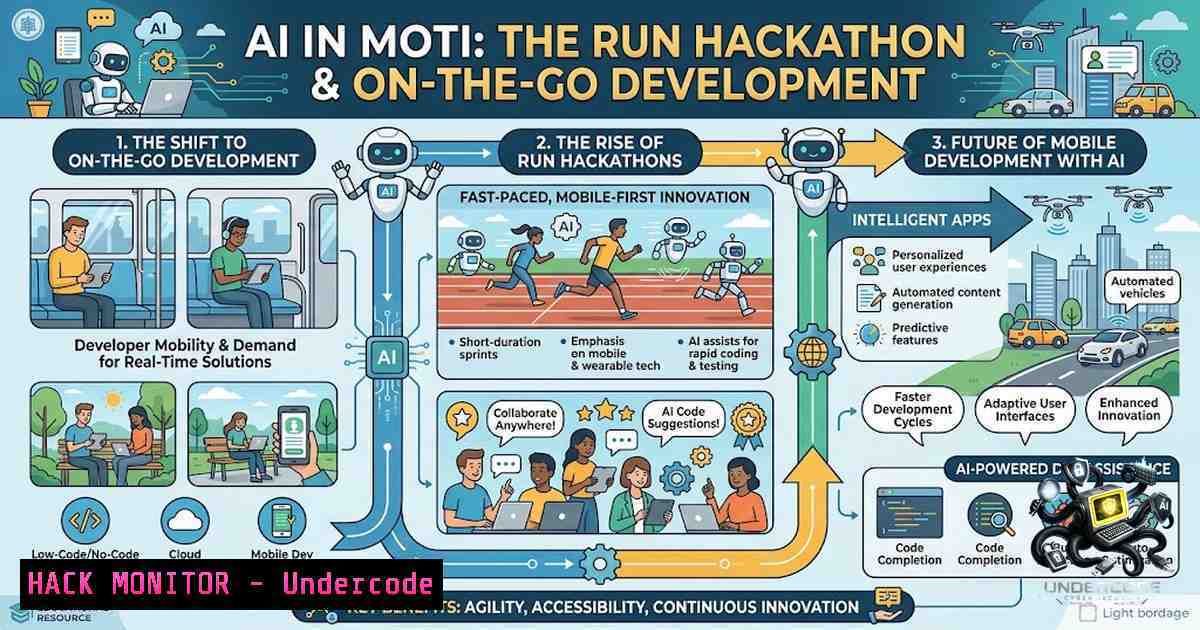
The concept of a “Running Hackathon” represents a paradigm shift in how we approach software development and AI integration. This event merged physical endurance with intense technical problem-solving, challenging participants to build, deploy, and pitch applications while simultaneously engaging in physical activity. The core technical challenge involved creating functional AI-powered applications in a highly constrained, mobile-first environment, which necessitated new approaches to rapid prototyping, cloud deployment, and API integration.
Learning Objectives & Secrets:
- Objective 1: Mastering Mobile-First AI Integration – Learn how to efficiently use whisper-based prompts and AI agents to generate functional code snippets and application logic directly from a smartphone, enabling development away from traditional desktop environments.
- Objective 2 Secret Tips: Rapid Deployment in Unstable Environments – Discover techniques for deploying code using lightweight CI/CD pipelines that can be triggered via mobile commands. The secret lies in using serverless architectures and pre-configured GitHub Actions that allow for one-click deployments from a phone.
- Objective 3 Secret Tips: Real-Time API Configuration During Physical Activity – Master the art of configuring and securing API keys (for ElevenLabs, Tavily, etc.) on the fly. The secret tip involves using environment variable management tools that allow for dynamic secret injection without halting the development flow, ensuring security while maintaining the event’s frantic pace.
You Should Know:
- Setting Up a Mobile-Development Environment for Rapid Prototyping
This section focuses on creating a portable development workflow. The goal is to enable a developer to write, test, and deploy code using only a smartphone and a cloud-based IDE. To achieve this, you need to configure a cloud environment that mimics a local setup.
- Step-by-step Guide:
- Configure a Cloud IDE: Sign up for a service like GitHub Codespaces or Gitpod. These platforms provide a fully functional VS Code environment accessible via a mobile browser.
- Set Up Git for Mobile: Ensure you have a GitHub Personal Access Token (PAT) stored securely in your cloud IDE’s environment variables. Command:
export GITHUB_TOKEN="your_token_here". - Install Necessary Dependencies: For a standard Node.js/AI project, ensure your devcontainer.json or `.gitpod.yml` includes installations for Node, Python, and the relevant package managers.
- Testing the Workflow: Make a minor change to your `README.md` via the mobile browser and commit it. Command:
git add . && git commit -m "Mobile commit" && git push. -
Implementing Secure API Key Management for AI Services
The hackathon involved using services like ElevenLabs for voice AI and Tavily for search. Hardcoding API keys is a critical security flaw, especially when code is being shared or deployed rapidly.
- Step-by-step Guide:
- Use Environment Variables: Create a `.env` file in your project root. Structure: `ELEVENLABS_API_KEY=your_key_here` and
TAVILY_API_KEY=your_key_here. - Integrate with Deployment Pipelines: When deploying to platforms like Vercel or Netlify, use their dashboard UI to input these environment variables instead of storing them in your repository.
3. Linux/Windows CLI Management:
- Linux/macOS: Use `nano .env` to edit the file. Use `source .env` to load variables temporarily.
- Windows (PowerShell): Use `$env:ELEVENLABS_API_KEY=”your_key_here”` for the current session.
- Gitignore: Ensure `.env` is added to your `.gitignore` file to prevent accidental commits. Command:
echo ".env" >> .gitignore.
3. Optimizing and Securing AI Agent Prompt Whispering
“Whispering prompts to AI agents” likely refers to using voice-to-text or short, efficient text prompts to generate code or data via an LLM API. This requires securing the endpoint and optimizing prompt size to save data usage and response time.
- Step-by-step Guide:
- Choose an Optimized Model: Use an API endpoint that allows model selection (e.g., GPT-3.5-Turbo for speed/cost vs. GPT-4 for complexity).
- Implement Request Validation: On your backend, validate incoming prompt lengths to prevent API abuse (Denial of Service attacks via large token usage).
3. Code Snippet (Python Flask):
from flask import Flask, request, jsonify
import os
app = Flask(<strong>name</strong>)

@app.route('/generate', methods=['POST'])
def generate():
data = request.get_json()
prompt = data.get('prompt')
if len(prompt) > 2000:
return jsonify({"error": "Prompt too long"}), 400
 Add logic to call ElevenLabs/Tavily here
return jsonify({"response": "Generated content"})
- Deploying Code on the Go: CI/CD Pipeline Configuration
Deploying code “somewhere between miles” implies a fully automated CI/CD pipeline that triggers on commits and deploys without manual intervention.
- Step-by-step Guide:
- Create a GitHub Actions Workflow: In your repo, create
.github/workflows/deploy.yml. - Define the Trigger: Set `on: push` to trigger the workflow on every commit.
3. Add Build and Deploy Steps:
name: Deploy to Production
on:
push:
branches: [ main ]
jobs:
build-and-deploy:
runs-on: ubuntu-latest
steps:
- uses: actions/checkout@v3
- name: Install Dependencies
run: npm install
- name: Build Application
run: npm run build
- name: Deploy to Vercel
uses: amondnet/vercel-action@v20
with:
vercel-token: ${{ secrets.VERCEL_TOKEN }}
vercel-org-id: ${{ secrets.ORG_ID }}
vercel-project-id: ${{ secrets.PROJECT_ID }}
5. Hardening the Application Against API Abuse
With a $10,000 prize, security becomes paramount. If the application involved user input or API calls to paid services (like ElevenLabs), rate limiting and authentication must be implemented to prevent financial draining via fraudulent requests.
- Step-by-step Guide:
- Implement JWT Authentication: Secure your endpoints by requiring a valid JSON Web Token (JWT) for access.
- Set Up Rate Limiting: Use middleware like `express-rate-limit` for Node.js or Django’s `ratelimit` to restrict requests per IP or user.
3. Command Example (Node.js):
const rateLimit = require('express-rate-limit');
const limiter = rateLimit({
windowMs: 15  60  1000, // 15 minutes
max: 100 // limit each IP to 100 requests per windowMs
});
app.use('/api/', limiter);
6. Cloud Hardening for Serverless Functions
Many hackathon projects rely on serverless functions (AWS Lambda, Vercel Edge). Securing these involves managing permissions and securing the cloud environment.
- Step-by-step Guide:
- Principle of Least Privilege: When creating IAM roles for Lambda, only grant permissions necessary for the function to execute (e.g., DynamoDB read/write, specific S3 bucket access). Do not use
AdministratorAccess. - VPC Configuration: If your function accesses a database, place it in a private subnet without direct internet exposure. This reduces the attack surface.
- Enable CloudTrail: Ensure logging is turned on for all AWS operations to audit for unusual activity.
What Undercode Say:
- Key Takeaway 1: The “Running Hackathon” is a literal stress-test for “DevOps on the Go.” It proves that modern cloud tooling (GitHub Codespaces, Vercel) has matured to a point where complex AI development is possible from any mobile device, provided a solid internet connection exists. This is a huge leap towards decentralized and accessible tech creation.
- Key Takeaway 2: The security implications are doubled. While the event showcased rapid innovation, it also highlighted the risk of exposed API keys (which occurred when participants shared screens) and the need for near-instantaneous security hardening. The future lies in automated security scanning (SAST/DAST) integrated directly into the CI/CD pipeline that runs even on mobile commits.
Prediction:
- +1 The gamification of coding events will continue to grow, blending physical activity with cognitive challenges, leading to a new genre of “Fitness-Tech” hybrid events that attract non-traditional developers.
- +1 This model will accelerate the adoption of Voice Code and AI-assisted development tools, making coding more accessible to individuals with physical disabilities or non-traditional setups.
- -1 The aggressive timeline and competitive environment will inevitably lead to a rise in insecure deployments, causing a short-term spike in data breaches and API abuse as development rushes to outpace security protocols.
- -1 As hackathons become more extreme, there is a risk of tokenizing participation, potentially alienating developers who cannot afford the physical or financial demands of global travel, creating an elitist subculture within the tech community.
- +1 Integration of bio-metrics (heart rate, fatigue levels) into the development process could lead to “Adaptive Code Environments,” where the UI adjusts based on the developer’s physical state, optimizing for productivity and cognitive load.
- -1 The “always-on” mentality fostered by such events may blur the lines between work and rest, potentially exacerbating burnout in an industry already struggling with mental health issues.
▶️ Related Video (78% Match):
🎯Let’s Practice For Free:
🎓 Live Courses & Certifications:
Join Undercode Academy for Verified Certifications
🚀 Request a Custom Project:
Secure, high-velocity infrastructure and disruptive technological engineering. Contact our engineering team for high-tier development and proprietary systems:
[email protected]
💎 Smart Architecture | 🛡️ Secure by Design | ⭐ Trusted by Thousands
IT/Security Reporter URL:
Reported By: https://lnkd.in/p/eKnVCHym – Hackers Feeds
Extra Hub: Undercode MoN
Basic Verification: Pass ✅


